Ruby
 Golang
 .Net
 MCP
 C++

Amazon coupons live on their own promotion pages. Each page lists the discount, the expiry date, how to claim it, the terms, and every product the coupon applies to. That's useful data if you run a deal site, monitor a competitor's discounts, or want to know the real price of a product after the coupon.
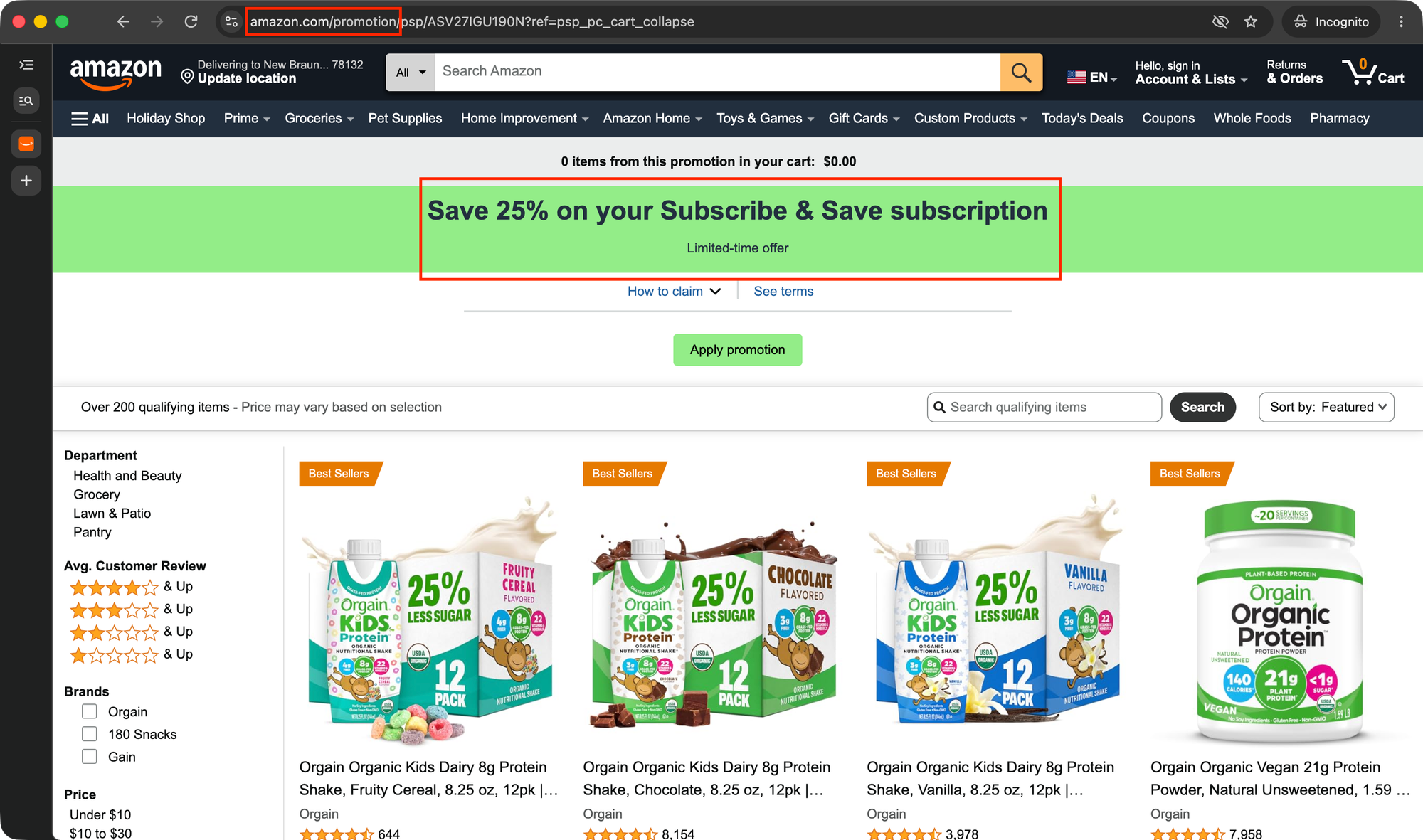
The problem is that Amazon has no public API endpoint that returns a coupon page's terms and qualifying products. Scraping the page yourself is also tricky because the product grid loads with JavaScript, making a DIY scraper harder to maintain.
In this tutorial, you'll use the Amazon Promotion API from SerpApi to retrieve promotion data as clean JSON or Markdown. You'll also export qualifying products to a CSV file and build a small script to check whether your coupons are still active.
What data does the Amazon Promotion API return?
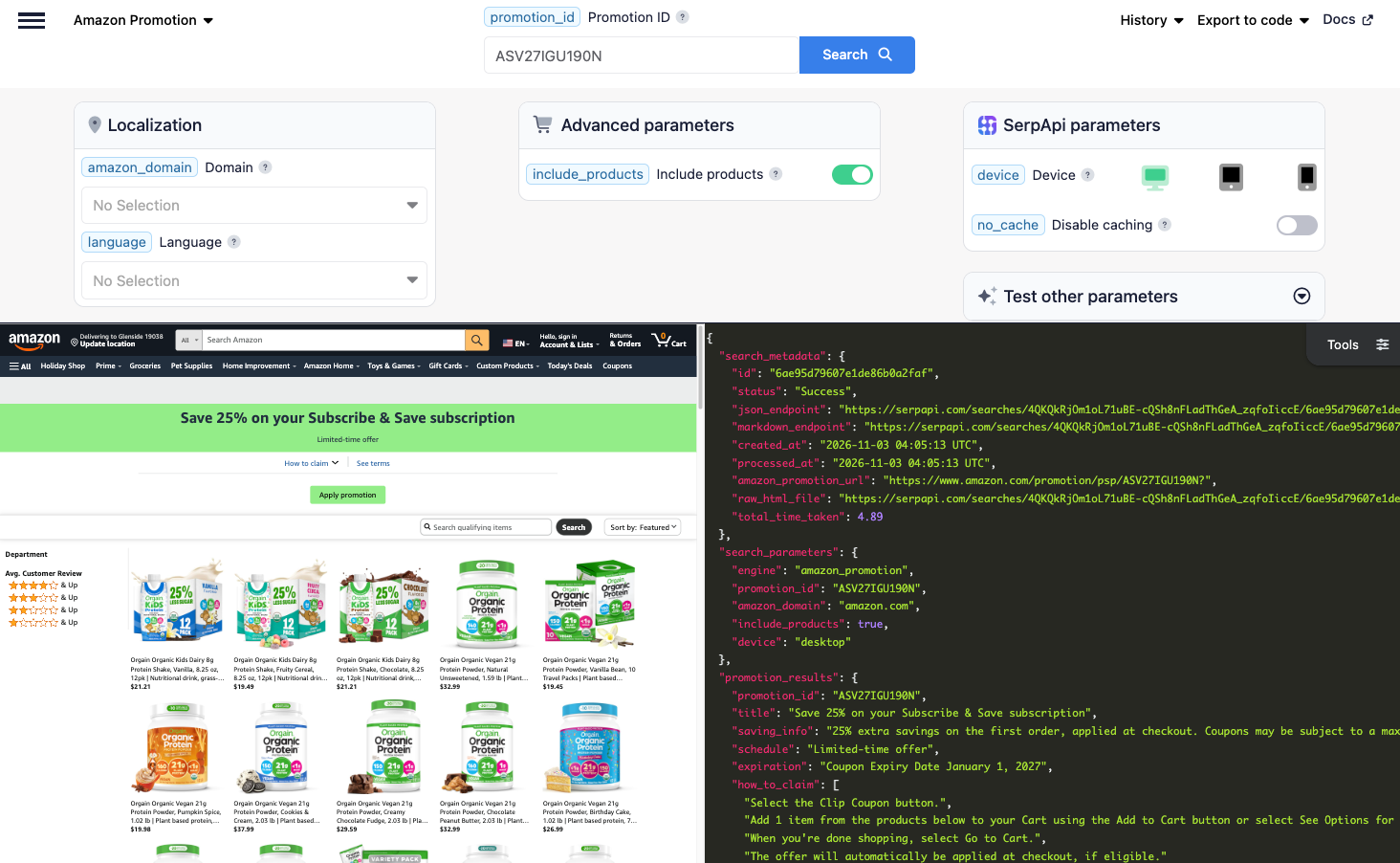
Each request takes one promotion ID and returns a promotion_results object with:
title: the coupon headline, for exampleSave 25% on your Subscribe & Save subscription.saving_info: what the discount is and how it's applied.schedule: when the promotion runs, such asLimited-time offeror a date range.expiration: the coupon's expiry date.how_to_claim: the steps a shopper follows to use the coupon.terms: the terms and conditions, grouped into sections with atitle,text, anditems.link: the Amazon promotion page URL.
If you add include_products=true, you also get qualifying_items, the products the coupon applies to. Each item includes its asin, title, brand, price, extracted_price, rating, reviews, prime, merchant_id, and a serpapi_amazon_product_link, which is a ready-made Amazon Product API request for that item.
Here's a trimmed response for promotion ASV27IGU190N with include_products=true:
{
  "promotion_results": {
    "promotion_id": "ASV27IGU190N",
    "title": "Save 25% on your Subscribe & Save subscription",
    "saving_info": "25% extra savings on the first order, applied at checkout. Coupons may be subject to a maximum dollar value, which will be reflected at checkout if applicable.",
    "schedule": "Limited-time offer",
    "expiration": "Coupon Expiry Date January 1, 2027",
    "how_to_claim": [
      "Select the Clip Coupon button.",
      "Add 1 item from the products below to your Cart using the Add to Cart button or select See Options for specific product variations.",
      ...
    ],
    "terms": [
      {
        "title": "How to redeem a coupon:",
        "items": [...]
      },
      ...
    ],
    "link": "https://www.amazon.com/promotion/psp/ASV27IGU190N"
  },
  "qualifying_items": [
    {
      "position": 1,
      "asin": "B0CDHNX333",
      "serpapi_amazon_product_link": "https://serpapi.com/search.json?amazon_domain=amazon.com&asin=B0CDHNX333&device=desktop&engine=amazon_product",
      "title": "Orgain Organic Kids Dairy 8g Protein Shake, Fruity Cereal, 8.25 oz, 12pk | ...",
      "brand": "Orgain",
      "price": "$19.49",
      "extracted_price": 19.49,
      "rating": 4.5,
      "reviews": 644,
      "prime": true,
      "merchant_id": "ATVPDKIKX0DER"
    },
    ...
  ]
}
Getting started with SerpApi
You need a free SerpApi account before you can use the API. You can upgrade to a paid plan later if you need more searches, faster speeds, or additional features.
First, create an account and verify your email. Then grab your API key from your account dashboard and save it in an environment variable. Set it in your terminal, replacing the placeholder with your real key:
export SERPAPI_API_KEY="YOUR_SERPAPI_API_KEY"
The free plan includes 250 searches per month, and you can try any promotion live in the interactive playground before writing code.
Install the SerpApi library (optional)
SerpApi has official libraries for Python, JavaScript, Ruby, Java, and more. They're a thin wrapper around the API and aren't required. The API works just as well with plain GET requests, cURL, or fetch() in Node.js.
Review the Amazon Promotion API documentation
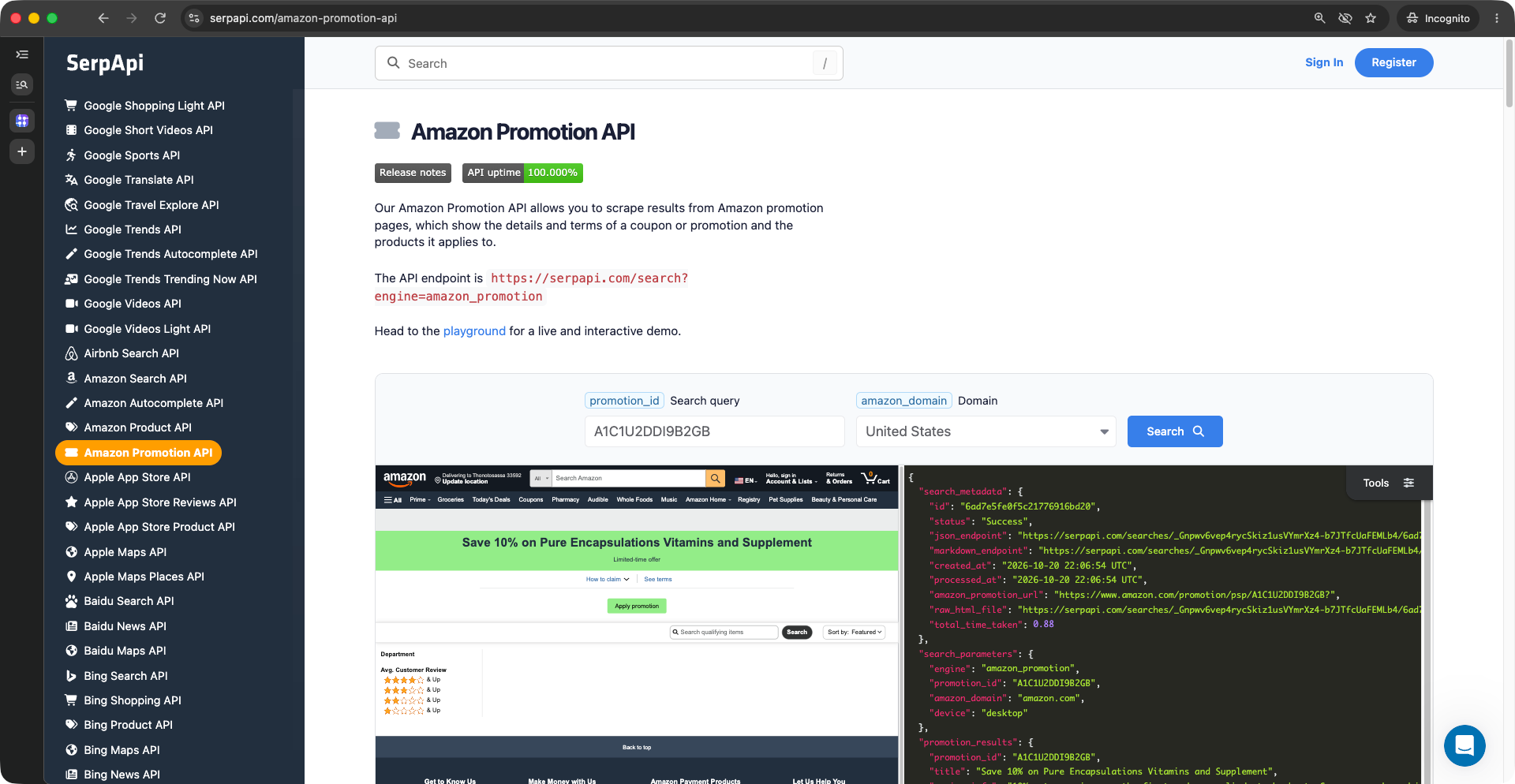
The engine is amazon_promotion, and the only required parameter is promotion_id. Other useful parameters:
include_products: set totrueto also get the qualifying products. Responses take longer with this on.amazon_domain: the Amazon marketplace to use, such asamazon.co.ukoramazon.de. Defaults toamazon.com. See the supported Amazon domains.amazon.cnisn't supported because Amazon no longer serves promotion pages there.language: the page language, such ases_USon amazon.com. See the supported Amazon languages.output: set tomdfor a token-efficient Markdown response.
For the full field reference and live examples, see the Amazon Promotion API documentation.
Find the promotion ID
The promotion ID is in the URL of every Amazon coupon page. Open a coupon from a product page (the "Shop items" or "Terms" link next to the coupon badge), and copy the code after /promotion/psp/ or /promotion/details/popup/:

How to scrape Amazon coupons
The results are same across every library, so use whichever method fits your stack.
GET request
This gets the coupon details for a promotion ASV27IGU190N:
https://serpapi.com/search.json?engine=amazon_promotion&promotion_id=ASV27IGU190N&api_key=SERPAPI_API_KEYBy default, you get JSON, but you can request Markdown by adding output=md (or using the /search.md endpoint, or the Accept: text/markdown header). Markdown is handy when you feed coupon terms to an LLM or AI agent:
https://serpapi.com/search.json?engine=amazon_promotion&promotion_id=ASV27IGU190N&output=md&api_key=SERPAPI_API_KEYPython
This gets the coupon details and prints the headline, expiry date, and claim steps, using the official SerpApi Python library:
Install the library:
pip install serpapiimport os
import serpapi
client = serpapi.Client(api_key=os.environ["SERPAPI_API_KEY"])
results = client.search({
"engine": "amazon_promotion",
"promotion_id": "ASV27IGU190N",
})
promotion = results.get("promotion_results", {})
print(promotion.get("title"))
print(promotion.get("expiration"))
for step in promotion.get("how_to_claim", []):
print(f"- {step}")Output:
Save 25% on your Subscribe & Save subscription
Coupon Expiry Date January 1, 2027
- Select the Clip Coupon button.
- Add 1 item from the products below to your Cart using the Add to Cart button or select See Options for specific product variations.
- When you're done shopping, select Go to Cart.
- The offer will automatically be applied at checkout, if eligible.
JavaScript and Node.js
This runs the same request with the SerpApi JavaScript library. Install it:
npm install serpapiCreate a new file index.js
import { getJson } from "serpapi";

const results = await getJson({
  engine: "amazon_promotion",
  api_key: process.env.SERPAPI_API_KEY,
  promotion_id: "ASV27IGU190N",
});

const promotion = results.promotion_results ?? {};

console.log(promotion.title);
console.log(promotion.expiration);
for (const step of promotion.how_to_claim ?? []) {
  console.log(`- ${step}`);
}
cURL
This gets the coupon details straight from the command line:
curl --get https://serpapi.com/search \
 -d api_key="SERPAPI_API_KEY" \
 -d engine="amazon_promotion" \
 -d promotion_id="ASV27IGU190N"
Other languages and no-code solutions
Even if there's no official SerpApi integration for your language, you can use the API directly with GET requests and parse the JSON response. SerpApi also works with no-code tools like Make.com and n8n.
Get the products that qualify for a coupon
A coupon often covers dozens of products, and only some variants qualify. Add include_products=true to get the full list. This script reuses the client from above, prints each product, and saves them to qualifying_items.csv:
import os
import serpapi
import csv

client = serpapi.Client(api_key=os.environ["SERPAPI_API_KEY"])

PROMOTION_ID = "ASV27IGU190N"

results = client.search({
    "engine": "amazon_promotion",
    "promotion_id": PROMOTION_ID,
    "include_products": "true",
})

items = results.get("qualifying_items", [])

for item in items:
    print(f"{item.get('asin')} | {item.get('price')} | {item.get('title', '')[:60]}")

with open("qualifying_items.csv", "w", encoding="UTF-8", newline="") as f:
    writer = csv.writer(f)
    writer.writerow(["promotion_id", "asin", "title", "brand", "price", "rating", "reviews", "prime", "link"])
    for item in items:
        writer.writerow([
            PROMOTION_ID,
            item.get("asin"),
            item.get("title"),
            item.get("brand"),
            item.get("extracted_price"),
            item.get("rating"),
            item.get("reviews"),
            item.get("prime", False),
            item.get("link"),
        ])

print(f"Saved {len(items)} qualifying items to qualifying_items.csv")

if results.get("qualifying_items_truncated"):
   print("Note: this list is incomplete. Try again later with no_cache=true.")
elif not items:
   print("This promotion has no product list. It only shows terms.")
Output:
B0CDHNX333 | $19.49 | Orgain Organic Kids Dairy 8g Protein Shake, Fruity Cereal, 8
B00BYOW7VG | $21.21 | Orgain Organic Kids Dairy 8g Protein Shake, Vanilla, 8.25 oz,
...
Saved 95 qualifying items to qualifying_items.csv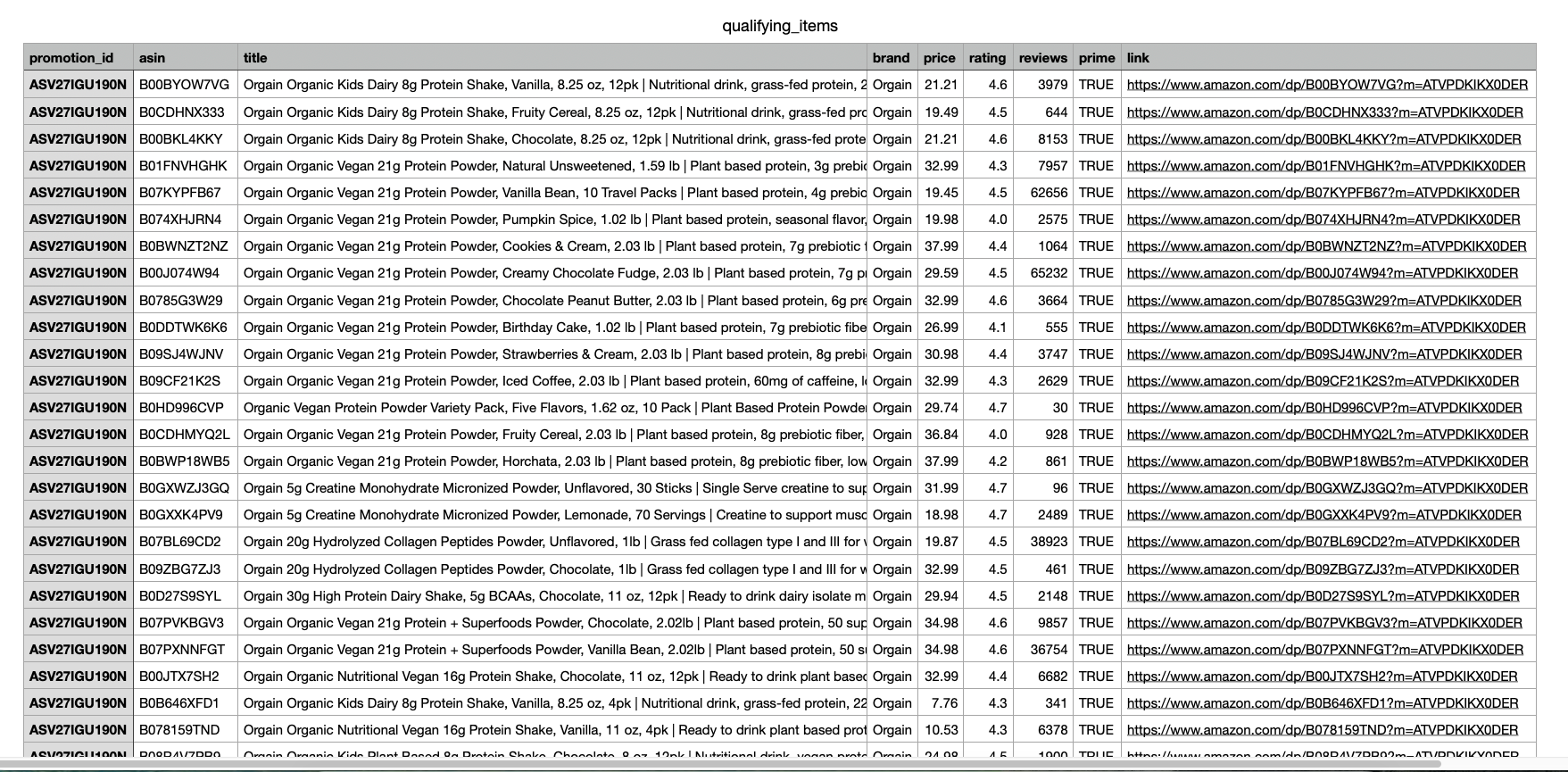
Three things to know about this list:
- Not every coupon has a product list. Some coupons, often small ones such as "Apply $1 coupon", only have a terms page. For these, the response has no
qualifying_itemsfield, and thetitleis a genericView promotion details. The script prints a note when that happens. qualifying_items_truncatedistruewhen the list is incomplete, either because a very large promotion hit the safety cap or because Amazon didn't return the product grid. The second case can be temporary, so try the request again later withno_cache=true.- Prices are shelf prices.
extracted_priceis the price before the coupon. Usesaving_infoto calculate the discounted price.
Each item also has a serpapi_amazon_product_link. Call it to get the full product page, including variants, specifications, and reviews. For more on looking up products by ASIN, see our Amazon ASIN lookup guide.
Track Amazon coupons with Python
Coupons end early, run out, or get replaced. If you keep a list of promotion IDs, for example from your own brand, your competitors, or a deal feed, this script checks each one and records whether it's still active.
Here's what the script does:
- Checks every promotion ID in
PROMOTION_IDS, up toMAX_PROMOTIONSper run - Records the title, savings, and expiry date for active coupons
- Marks a coupon as
endedwhen the API says it has ended or wasn't found - Stops with an error for anything else, such as an invalid API key, so a bad key isn't recorded as an ended coupon
- Saves the results to
coupon_status.jsonwith the date checked
import json
import os
from datetime import date

import serpapi

client = serpapi.Client(api_key=os.environ["SERPAPI_API_KEY"])

PROMOTION_IDS = [
    "ASV27IGU190N",
    "A1C1U2DDI9B2GB",
]
MAX_PROMOTIONS = 20  # each promotion uses one search
ENDED_MESSAGE = "Promotion has ended or was not found."

def check_promotion(promotion_id):
    try:
        results = client.search({
            "engine": "amazon_promotion",
            "promotion_id": promotion_id,
        })
        error = results.get("error")
    except serpapi.HTTPError as http_error:
        error = http_error.error

    if error == ENDED_MESSAGE:
        return {"promotion_id": promotion_id, "status": "ended"}
    if error:
        raise RuntimeError(f"{promotion_id}: {error}")  # e.g. invalid API key

    promotion = results.get("promotion_results", {})
    return {
        "promotion_id": promotion_id,
        "status": "active",
        "title": promotion.get("title"),
        "saving_info": promotion.get("saving_info"),
        "expiration": promotion.get("expiration"),
        "link": promotion.get("link"),
    }

report = {
    "checked_on": date.today().isoformat(),
    "promotions": [check_promotion(pid) for pid in PROMOTION_IDS[:MAX_PROMOTIONS]],
}

for promotion in report["promotions"]:
    print(f"{promotion['promotion_id']} | {promotion['status']} | {promotion.get('title', '')}")

with open("coupon_status.json", "w", encoding="UTF-8") as f:
    json.dump(report, f, indent=2)

active = sum(p["status"] == "active" for p in report["promotions"])
print(f"Checked {len(report['promotions'])} promotions, {active} active. Saved to coupon_status.json")
Output:
ASV27IGU190N | active | Save 25% on your Subscribe & Save subscription
A1C1U2DDI9B2GB | ended |
Checked 2 promotions, 1 active. Saved to coupon_status.jsonMAX_PROMOTIONS caps the number of searches per run. Lower it while testing so you don't use up your monthly searches.There are a few ways you can extend this script:
- Run it on a schedule. Use cron or Task Scheduler to run it daily and compare each run with the last one.
- Alert on changes. Send a message when a coupon ends or its
saving_infochanges. - Add the products. Set
include_productstotrueto also track which products join or leave a promotion.
FAQ
Does Amazon have a coupon API?
Not a public one for coupon pages. Sellers can create and report on their own coupons in Seller Central, and affiliates get product and offer data through Amazon's Product Advertising API. Neither returns a public coupon page with its terms and qualifying products. This Amazon Promotion API fills that gap.
Where do I find an Amazon promotion ID?
In the coupon page URL. It's the code after /promotion/psp/ or /promotion/details/popup/, for example ASV27IGU190N.
Can I find every Amazon coupon with this API?
No. It returns one promotion per request, so you need the ID first. To spot products that have a coupon, use the Amazon Search API. Its organic results include a save_with_coupon field, such as Save 10% with coupon, but not the promotion ID.
What happens when a coupon ends?
The API returns an error: Promotion has ended or was not found. The tracking script above records these as ended.
Does it work on other Amazon marketplaces?
Yes. Set amazon_domain to the marketplace you need, such as amazon.co.uk or amazon.co.jp. Every supported Amazon domain works except amazon.cn.
Conclusion
The Amazon Promotion API turns any Amazon coupon page into structured JSON or Markdown, so you can check coupon terms, export qualifying products, and track which coupons are still active without maintaining your own scraper. You can then pair it with the Amazon Product API to get full details for each qualifying product, or use it alongside an Amazon price tracker to see the real price after a coupon.
If you need help getting started, contact us. We're happy to help.