






 Ruby
 Golang
 .NET
 MCP
 C++

App Store user reviews can provide useful insights about an app's best features, common problems, and device compatibility. They can be especially valuable in competitive analysis—if you're building a similar app to one that already exists, learning from their mistakes could give you an advantage.
With the Apple App Store Reviews Scraper API from SerpApi, you can pull reviews in bulk from the Apple App Store in JSON or Markdown format. SerpApi handles the hard parts of getting reliable search data, so you can spend less time on scraping tools, and more time on your actual business or project.
 Corbin Davenport
What can you scrape from Apple App Store reviews?
Here's everything you can pull from each review on Apple App Store, using the API from SerpApi:
- Star rating: The rating of the review as an integer, ranging from 1 to 5.
- Full text: The title and content of the app review.
- Multiple pages: Go beyond the first page of reviews for more useful data.
- Review date: The day the review was published. The date format can vary by country, like
24.07.2025for Germany (de) orDec 21, 2025for the United States (us). - App version: The app version that was reviewed, usually in a string like
Version 337.0.0. - Author: The name and ID of the account that wrote the review.
If you want information about the given app's listing and metadata, check out the other App Store APIs.
Getting started with SerpApi
You need a free SerpApi account before you can use the Apple App Store Reviews Scraper API. If you decide later that you need more search capacity and faster speeds, you can upgrade to a paid account.
First, create an account and verify your email and other details. After that, get the API key from your account dashboard.
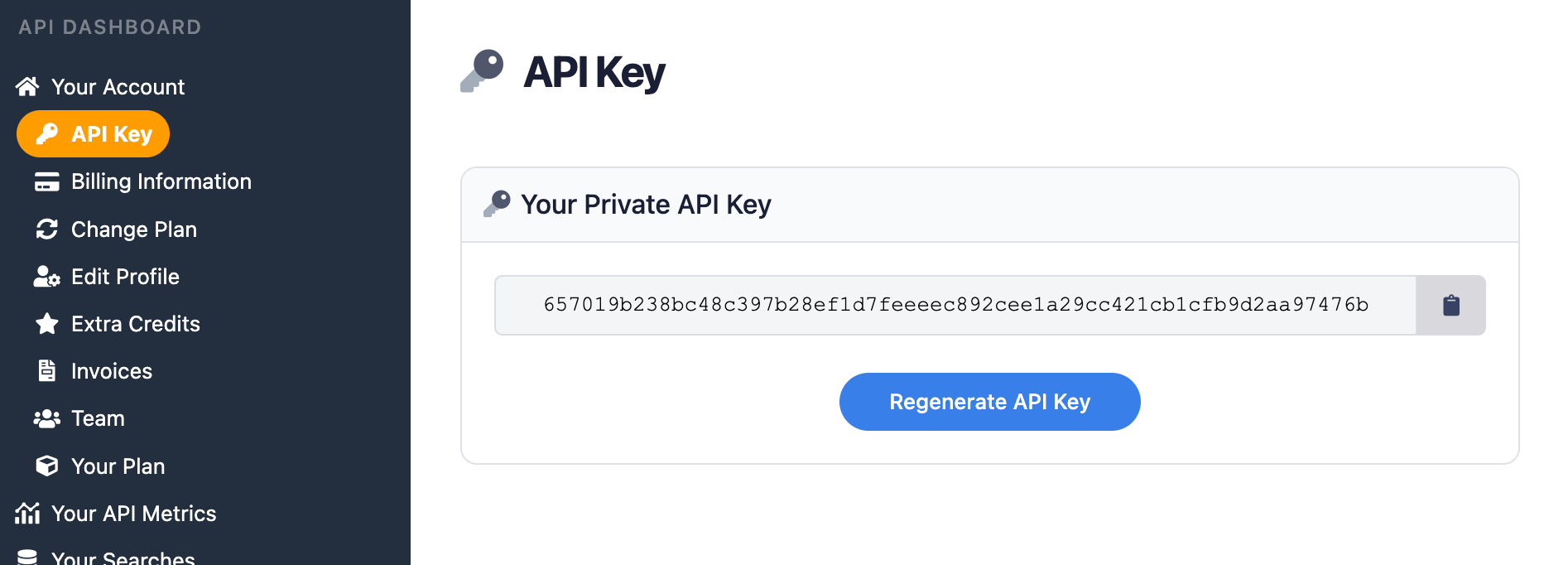
Make sure to store your API key in a safe location if your code will be shared or published. If the key is leaked or stolen, you can regenerate it from the dashboard.
Install the SerpApi library (optional)
SerpApi has official integrations for Python, JavaScript, Ruby, Java, and other environments. They aren't required, but they provide a simple wrapper around the API requests.
The APIs can also be used with cURL, fetch() in Node.js, or anything else that can send GET requests and process a JSON response.
Review the Apple App Store Reviews Scraper API documentation
SerpApi has extensive documentation for each of its APIs, covering all supported parameters and filters, code examples for popular languages, and example JSON/Markdown responses. This post covers some of the basic usage, and you can find more details at the Apple App Store Reviews Scraper API page.
The only required parameter is the product_id for the app you want to search. You can get that from the app's URL on the App Store website. For example, this is the URL for Spotify on the App Store, and the string of numbers after "id" is what you need:
https://apps.apple.com/us/app/spotify-music-and-podcasts/id324684580You can also get the ID from a search with the App Store Search Scraper API. Every result contains an id value, along with other information like the name, description, icon, and screenshots.
How to scrape Apple App Store results
If you have your API key, you're ready to start pulling data from Apple App Store reviews. The results will be identical across all libraries and GET requests, so use whichever method you want.
GET request with JSON
This will search for the most helpful reviews for Spotify in the United States:
https://serpapi.com/search.json?engine=apple_reviews&product_id=324684580&country=us&sort=mosthelpful&api_key=YOUR_KEY_GOES_HEREFor the next page of reviews, just add page=2 as a parameter:
https://serpapi.com/search.json?engine=apple_reviews&product_id=324684580&country=us&page=2&sort=mosthelpful&api_key=YOUR_KEY_GOES_HEREYou can also use SerpApi's JSON Restrictor feature to trim the API response to specific values. This searches for Spotify's most recent reviews, but only includes the star rating, title, and text of each review:
https://serpapi.com/search.json?engine=apple_reviews&product_id=324684580&country=us&sort=mostrecent&json_restrictor=reviews.[]{rating,title,text}&api_key=YOUR_KEY_GOES_HEREThis can be helpful for reducing bandwidth usage, or for large language models (LLMs) with a limited context window.
GET request with Markdown
SerpApi also supports Markdown output for all APIs, which consumes fewer tokens than JSON when used as input for LLMs. It's also more human-readable than JSON, and all you need to do is replace search.json in the API request with search.md.
This will search for the most recent reviews of Amazon Shopping in the United States:
https://serpapi.com/search.md?engine=apple_reviews&product_id=297606951&country=us&sort=mostrecent&api_key=YOUR_KEY_GOES_HEREIf you need the next page of results, just add page=2 as a parameter:
https://serpapi.com/search.md?engine=apple_reviews&product_id=297606951&country=us&page=2&sort=mostrecent&api_key=YOUR_KEY_GOES_HEREMarkdown output also works with JSON Restrictor to trim the API response to specific values. This searches for the most helpful reviews for Amazon Shopping, but only including the star rating, title, and text of each review:
https://serpapi.com/search.md?engine=apple_reviews&product_id=297606951&country=us&page=2&sort=mosthelpful&json_restrictor=reviews.[]{rating,title,text}&api_key=YOUR_KEY_GOES_HEREThis can be helpful for reducing bandwidth usage, or for large language models (LLMs) with a limited context window.
Python
This example uses the SerpApi Python library to check the most helpful reviews for the Walmart app in the United States, and show the star rating, title, and text of each review:
import serpapi
client = serpapi.Client(api_key=YOUR_KEY_GOES_HERE)

response = client.search({
  "engine": "apple_reviews",
  "product_id": "338137227", # Walmart
  "country": "us",
  "sort": "mosthelpful"
})

for review in response.get("reviews", {}):
  print(f"\n{review['rating']} stars - {review['title']}\n=====\n{review['text']}\n")
Here's how you can expand the search to the first 5 pages of reviews, and write the results to a CSV file that can be opened in Microsoft Excel, Google Sheets, ChatGPT, and other applications:
import serpapi
import csv
client = serpapi.Client(api_key=YOUR_KEY_GOES_HERE)

settings = {
  "engine": "apple_reviews",
  "product_id": "338137227", # Walmart
  "country": "us",
  "sort": "mosthelpful",
  "page": 1
}

# Request the first page
print(f"Searching page {settings['page']} of reviews...")
response = client.search(settings)

with open('data.csv', mode='w', newline='') as file:
    writer = csv.writer(file)
    writer.writerow(['Rating', 'Title', 'Text', 'Review Date', 'Reviewed Version'])
    while settings['page'] < 5:
      # Write the reviews to the CSV file
      for review in response.get("reviews", {}):
        writer.writerow([review['rating'], review['title'], review['text'], review['review_date'], review['reviewed_version']])
      # Request the next page
      settings['page'] = settings['page'] + 1
      print(f"Searching page {settings['page']} of reviews...")
      response = client.search(settings)
Ruby
Here's how you can use the SerpApi Ruby gem to pull the most recent reviews for the Target app in the United States, and show the star rating, title, and text for each one:
require "serpapi"

response = SerpApi::Client.new(
  api_key: YOUR_KEY_GOES_HERE,
  engine: "apple_reviews",
  product_id: 297430070, # Target
  country: "us",
  sort: "mostrecent"
)

response.search.dig(:reviews).each do |review|
  puts "\n#{review[:rating]} stars - #{review[:title]}\n=====\n#{review[:text]}\n"
end
You could search the first five pages of reviews, and save the results to a CSV file for use with Google Sheets or Microsoft Excel, like this:
require "serpapi"
require "csv"

settings = {
  api_key: YOUR_KEY_GOES_HERE,
  engine: "apple_reviews",
  product_id: 297430070, # Target
  country: "us",
  sort: "mostrecent",
  page: 1
}

# Request the first page
puts "Searching page #{settings[:page]} of reviews..."
response = SerpApi::Client.new(settings)

CSV.open('data.csv', 'w') do |csv|
  csv << ['Rating', 'Title', 'Text', 'Review Date', 'Reviewed Version']

  while settings[:page] < 5
    # Write the reviews to the CSV file
    response.search.dig(:reviews).each do |review|
      csv << [review[:rating], review[:title], review[:text], review[:review_date], review[:reviewed_version]
      ]
    end

    # Request the next page
    settings[:page] += 1
    puts "Searching page #{settings[:page]} of reviews..."
    response = SerpApi::Client.new(settings)
  end
end
JavaScript and Node.js
This is how you can use the SerpApi JavaScript library in Node.js to get the most helpful reviews for Netflix in the United States, and display the star rating, title, and text for each review:
import { getJson } from 'serpapi';

let response = await getJson({
    api_key: YOUR_KEY_GOES_HERE,
    engine: "apple_reviews",
    product_id: "363590051", // Netflix
    country: "us",
    sort: "mosthelpful"
})

response.reviews.forEach(function (review) {
    console.log(`\n${review.rating} stars - ${review.title}\n=====\n${review.text}\n`);
});
Here's a more advanced example that checks the first five pages of reviews, and saves the data to a CSV file that can be opened with Google Sheets, Microsoft Excel, ChatGPT, and other applications:
import { getJson } from 'serpapi';
import fs from 'node:fs';

const settings = {
    api_key: YOUR_KEY_GOES_HERE,
    engine: "apple_reviews",
    product_id: "363590051", // Target
    country: "us",
    sort: "mosthelpful",
    page: 1
};

// Request the first page and open the CSV file
console.log(`Searching page ${settings.page} of reviews...`);
let response = await getJson(settings);
const writeStream = fs.createWriteStream('data.csv');
writeStream.write('Rating,Title,Text,Review Date,Reviewed Version\n');

while (settings.page < 5) {
    // Write the reviews to the CSV file
    for (const review of response.reviews) {
        // Wrap strings in quotes and escape existing quotes for save CSV writing
        const cleanTitle = `"${(review.title || '').replace(/"/g, '""')}"`;
        const cleanText = `"${(review.text || '').replace(/"/g, '""')}"`;
        const row = [review.rating,cleanTitle,cleanText,review.review_date,review.reviewed_version].join(',');
        writeStream.write(row + '\n');
    }
    // Request the next page
    settings.page++;
    console.log(`Searching page ${settings.page} of reviews...`);
    response = await getJson(settings);
}
cURL
Here's how you can get the most helpful reviews for TikTok in the United States with a cURL request:
curl --get https://serpapi.com/search \
 -d api_key="YOUR_KEY_GOES_HERE" \
 -d engine="apple_reviews" \
 -d product_id="835599320" \
 -d country="us" \
 -d sort="mosthelpful"
Other languages and no-code solutions
You can still use the API directly with GET requests, even if there isn't an official SerpApi integration for your preferred environment or language. SerpApi has direct support for Make.com, Google Sheets, and N8N.
Conclusion
App Store reviews are crucial for understanding an app's most important features, bugs, and limitations, either for your own app or someone else's. With the Apple App Store Reviews Scraper API from SerpApi, you can pull all those reviews into any automation or programming language.
If you need help using SerpApi, please contact us.