Ruby
Ruby
 Golang
 .Net
.Net
 MCP
MCP
 C++
C++

Amazon keyword research starts with one question: what do shoppers actually type into the search bar? The most direct answer is Amazon's own autocomplete. When you type "coffee b", Amazon suggests "coffee beans", "coffee bean grinder", and "coffee bar accessories". Those suggestions are coming from real search behavior.
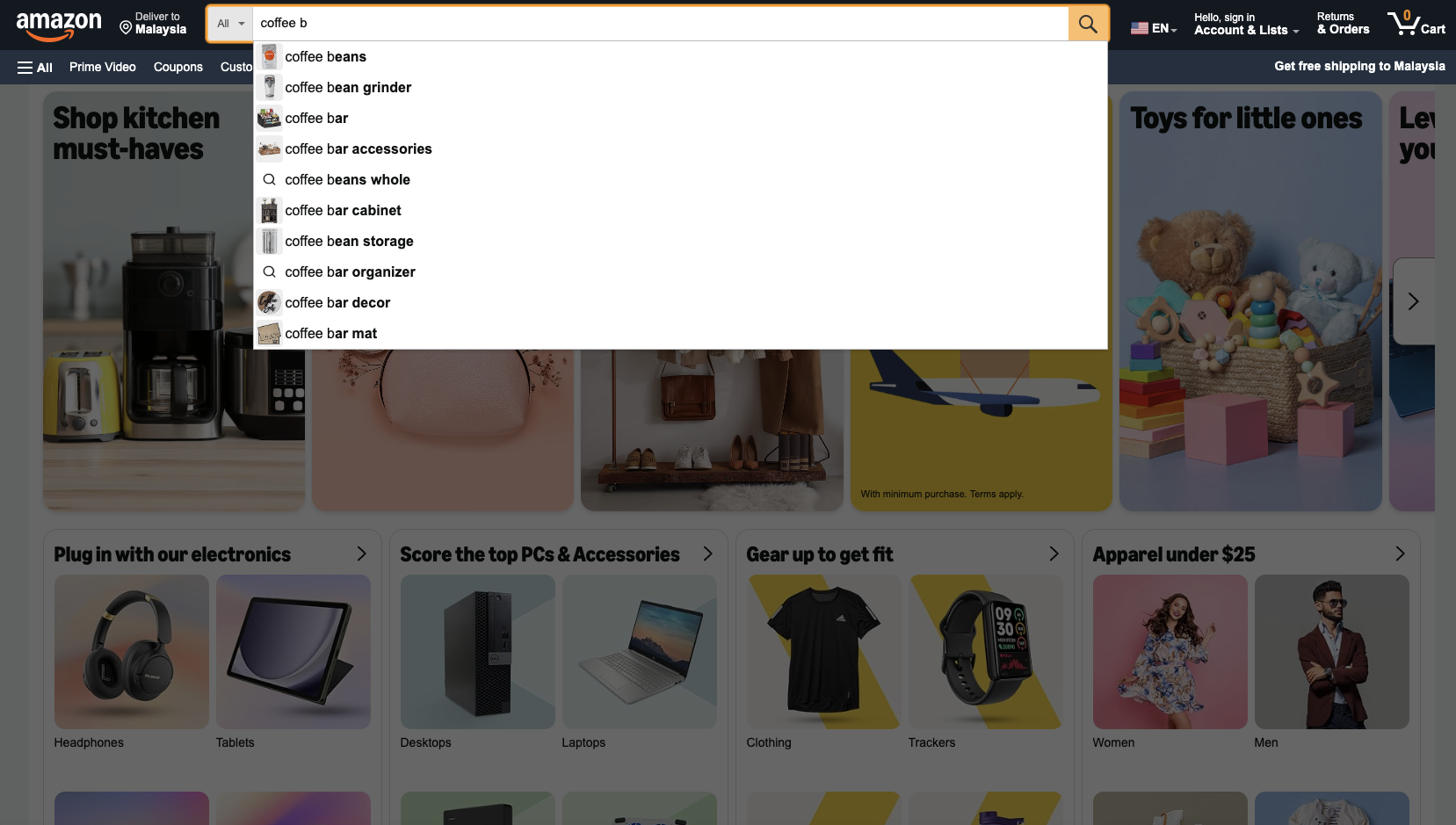
Most free Amazon keyword research tools are built on the same data, but they limit how many lookups you can run, and it's hard for you to integrate them into your own workflow. In this tutorial, you'll use the Amazon Autocomplete API from SerpApi to get these suggestions as a clean JSON or Markdown output, expand one seed keyword into dozens of long-tail terms, and save them to a CSV file.
What data does the Amazon Autocomplete API return?
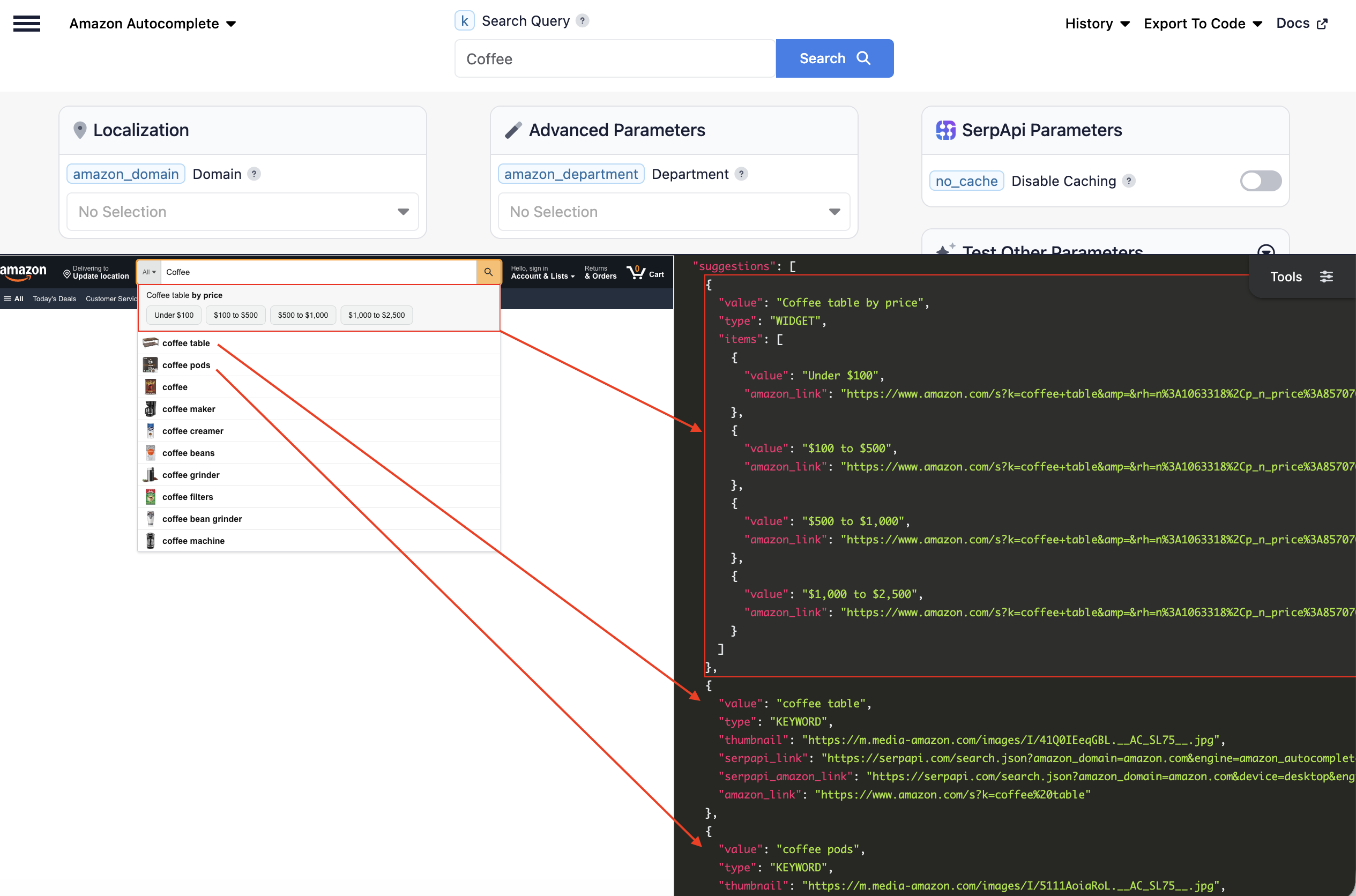
Each request returns a suggestions array. Each suggestion includes:
value: the suggested search term, for examplecoffee beans.type: the suggestion type.KEYWORDis a regular search suggestion.WIDGETis a grouped block, such as a price-range shortcut.items: forWIDGETsuggestions, a list of options, each with its ownvalueandamazon_link.thumbnail: a small product image for the suggestion, when Amazon shows one.amazon_link: the Amazon search results URL for that suggestion.serpapi_link: a ready-made SerpApi request that gets autocomplete suggestions for this suggestion. Useful for going one level deeper.serpapi_amazon_link: a ready-made Amazon Search API request for this suggestion, so you can see which products rank for it.
Here's the result from the trimmed response for coffee in JSON
{
"suggestions": [
{
"value": "Coffee table by price",
"type": "WIDGET",
"items": [
{
"value": "Under $100",
"amazon_link": "https://www.amazon.com/s?k=coffee+table&=&rh=n%3A1063318%2Cp_n_price%3A8570764011&=&rnid=8570763011&=&nav_sdd=aps&=&crid=26CJG6W215CUX&=&sprefix=coffee&=&ref=nb_sb_ss_w_sbl-tr-t1_k0_1_6_0"
},
...
...
...
]
},
{
"value": "coffee table",
"type": "KEYWORD",
"thumbnail": "https://m.media-amazon.com/images/I/41Q0IEeqGBL.__AC_SL75__.jpg",
"serpapi_link": "https://serpapi.com/search.json?amazon_domain=amazon.com&engine=amazon_autocomplete&k=coffee+table",
"serpapi_amazon_link": "https://serpapi.com/search.json?amazon_domain=amazon.com&device=desktop&engine=amazon&k=coffee+table",
"amazon_link": "https://www.amazon.com/s?k=coffee%20table"
},
...
...
...
}
Getting started with SerpApi
You need a free SerpApi account before you can use the API. You can upgrade to a paid plan later if you need more searches, faster speeds, or additional features.
First, create an account and verify your email. Then grab your API key from your account dashboard. The free plan includes 250 searches per month, and you can try any query live in the interactive playground before writing code.
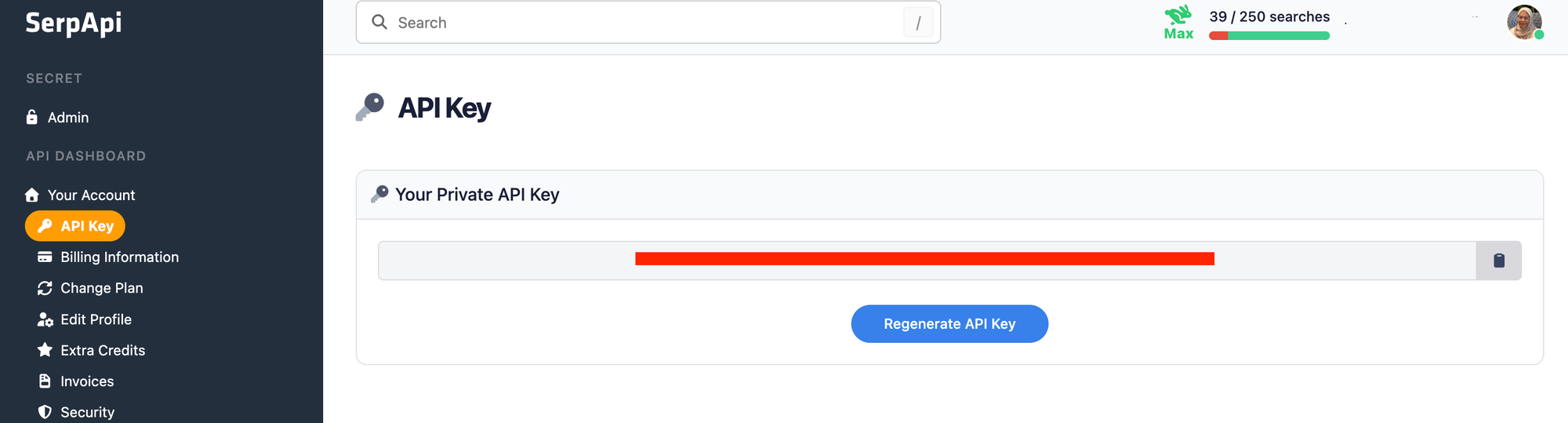
You should store your API key in a safe location if you're sharing or publishing your code. If it's ever leaked, you can generate a new one from the dashboard. The examples below read the key from an environment variable.
Install the SerpApi library (optional)
SerpApi has official libraries for Python, JavaScript, Ruby, Java, and more. They're a thin wrapper around the API and aren't required. The API works just as well with plain GET requests, cURL, or fetch() in Node.js.
For the Python examples, install the official client:
pip install serpapiReview the Amazon Autocomplete API documentation
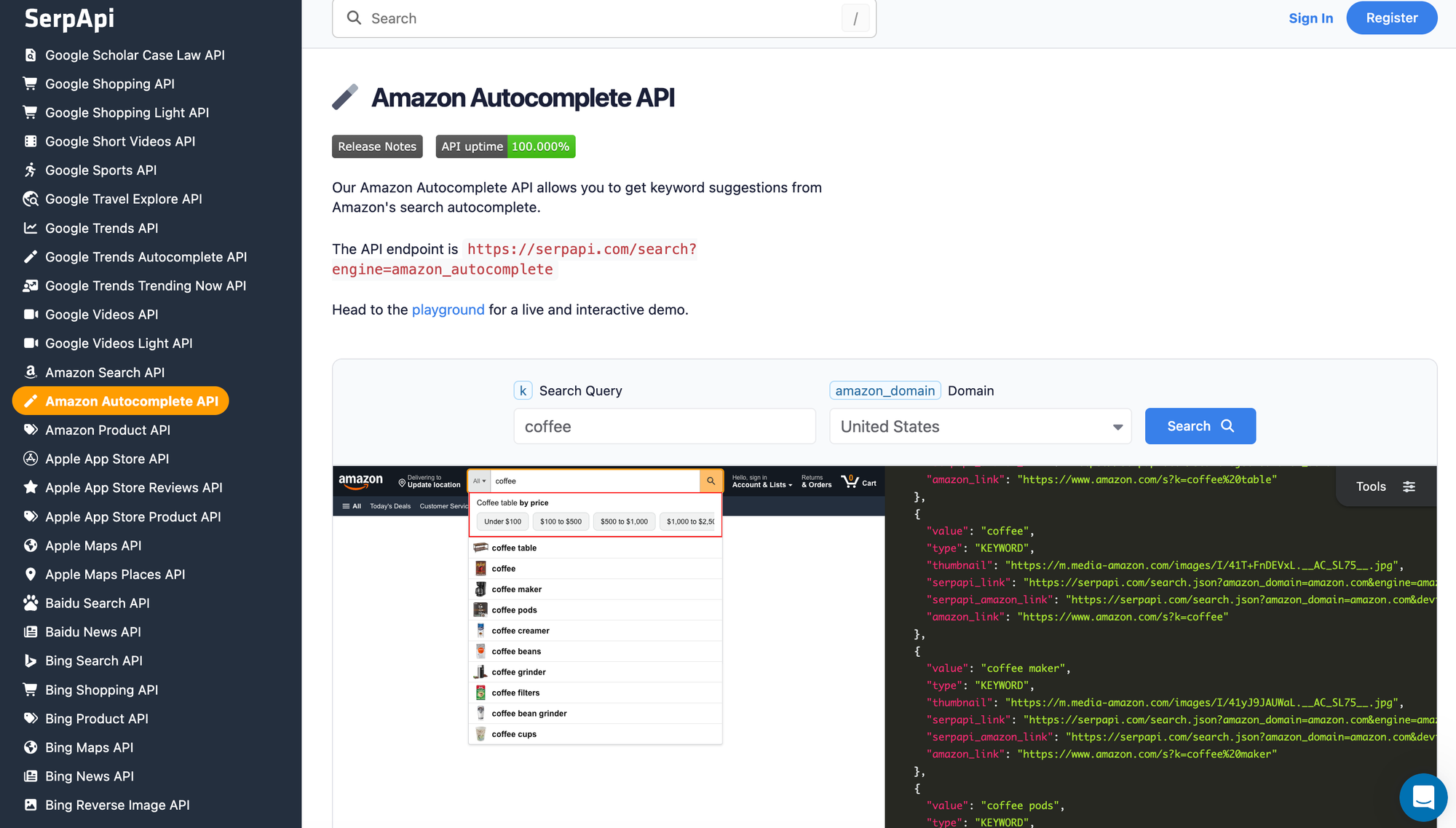
The engine is amazon_autocomplete, and the text you'd type into Amazon's search bar goes in the k parameter. Other useful parameters:
amazon_department: limit suggestions to one department. Defaults toaps(All Departments). See the full list of Amazon departments.amazon_domain: the Amazon marketplace to use, such asamazon.co.ukoramazon.de. Defaults toamazon.com. See the supported Amazon domains.output: set tomdfor a token-efficient Markdown response.
For the full field reference and live examples, see the Amazon Autocomplete API documentation.
How to scrape Amazon autocomplete suggestions
The results are identical across every library, so use whichever method fits your stack.
GET request
This gets suggestions for "coffee":
https://serpapi.com/search.json?engine=amazon_autocomplete&k=coffee&api_key=SERPAPI_API_KEYBy default you get JSON, but you can request Markdown by adding output=md (or using the /search.md endpoint, or the Accept: text/markdown header). Markdown returns the data in a more token-efficient format built with tables and links, which is handy when feeding results to an LLM or AI agent:
https://serpapi.com/search.json?engine=amazon_autocomplete&k=coffee&output=md&api_key=SERPAPI_API_KEYPython
This gets suggestions for "coffee" and prints each keyword with its type, using the official SerpApi Python library:
import os
import serpapi

client = serpapi.Client(api_key=os.environ["SERPAPI_API_KEY"])

results = client.search({
    "engine": "amazon_autocomplete",
    "k": "coffee",
})

for suggestion in results.get("suggestions", []):
    print(f"{suggestion['value']} | {suggestion['type']}")
Output:
Coffee table by price | WIDGET
coffee table | KEYWORD
coffee pods | KEYWORD
coffee | KEYWORD
coffee maker | KEYWORD
coffee creamer | KEYWORD
coffee beans | KEYWORD
coffee grinder | KEYWORD
coffee filters | KEYWORD
coffee bean grinder | KEYWORD
coffee machine | KEYWORD
JavaScript and Node.js
This runs the same request with the SerpApi JavaScript library:
import { getJson } from "serpapi";

const results = await getJson({
  engine: "amazon_autocomplete",
  api_key: process.env.SERPAPI_API_KEY,
  k: "coffee",
});

for (const suggestion of results.suggestions ?? []) {
  console.log(`${suggestion.value} | ${suggestion.type}`);
}
cURL
This gets suggestions straight from the command line:
curl --get https://serpapi.com/search \
 -d api_key="SERPAPI_API_KEY" \
 -d engine="amazon_autocomplete" \
 -d k="coffee"
Other languages and no-code solutions
Even if there's no official SerpApi integration for your language, you can use the API directly with GET requests and parse the JSON response. SerpApi also works with no-code tools like Make.com and n8n.
Filter suggestions by Amazon department and marketplace
The suggestions for a broad word mix with unrelated products. For example, "coffee" in All Departments, Amazon suggests "coffee table" and "coffee grinder" alongside "coffee pods".
You can set amazon_department to narrow the results. With amazon_department=grocery, the same query returns only food and drink terms: "coffee pods", "coffee creamer", "coffee syrup", "coffee k cups", "coffee mate", and "coffee substitutes".
https://serpapi.com/search.json?engine=amazon_autocomplete&k=coffee&amazon_department=grocery&api_key=YOUR_API_KEYTo research another marketplace, use amazon_domain with any of the supported Amazon domains. Suggestions reflect what shoppers search for on that site:
https://serpapi.com/search.json?engine=amazon_autocomplete&k=coffee&amazon_domain=amazon.co.uk&api_key=YOUR_API_KEYBuild a free Amazon keyword research tool with Python
Each request returns about 10 suggestions. To build a real keyword list, use the same trick as most Amazon keyword suggestion tools by adding each letter of the alphabet after your seed keyword. For example, "coffee a", "coffee b", "coffee c", and so on; each returns a different set of long-tail suggestions.
Here's what the script below does:
- Runs the seed keyword plus one query per letter (27 queries in total)
- Keeps only
KEYWORDsuggestions and skipsWIDGETblocks - Removes duplicates
- Saves the list to
amazon_keywords.csv, with the query that found each keyword
import csv
import os
import string

import serpapi

client = serpapi.Client(api_key=os.environ["SERPAPI_API_KEY"])

SEED = "coffee"
DEPARTMENT = "grocery"   # use "aps" for All Departments
MAX_QUERIES = 27         # 1 seed + 26 letters; each query uses one search


def get_suggestions(query):
    results = client.search({
        "engine": "amazon_autocomplete",
        "k": query,
        "amazon_department": DEPARTMENT,
    })
    return [
        s["value"]
        for s in results.get("suggestions", [])
        if s.get("type") == "KEYWORD"
    ]


queries = [SEED] + [f"{SEED} {letter}" for letter in string.ascii_lowercase]
queries = queries[:MAX_QUERIES]

keywords = {}
for query in queries:
    for keyword in get_suggestions(query):
        keywords.setdefault(keyword.lower(), query)

with open("amazon_keywords.csv", "w", encoding="UTF-8", newline="") as f:
    writer = csv.writer(f)
    writer.writerow(["keyword", "source_query"])
    for keyword, source in sorted(keywords.items()):
        writer.writerow([keyword, source])

print(f"Ran {len(queries)} queries and saved {len(keywords)} unique keywords to amazon_keywords.csv")MAX_QUERIES caps the number of searches per run. Lower it while testing so you don't use up your monthly searches.
There are a few ways you can extend this tools:
- Add modifiers. Besides letters, try words shoppers use to narrow a search, such as "for", "best", "organic", or "with".
- Go one level deeper. Run the script again with a top suggestion as the new seed, for example "coffee beans".
- Compare marketplaces. Add
amazon_domainand run the same seed onamazon.comandamazon.co.uk.
Check which products rank for each keyword
A keyword list tells you what shoppers search for. For Amazon product keyword research, the next step is to see what they find. Every KEYWORD suggestion includes a serpapi_amazon_link, which is a ready-made Amazon Search API request for that term. You can call it to get the ranking products, their prices, ratings, and review counts.
For a full walkthrough of the Amazon Search API, pagination, and product details, see our guide on how to scrape Amazon product data below:
 Hilman Ramadhan
FAQ
Does Amazon have a keyword tool?
Amazon doesn't offer a public keyword research tool for shoppers. Sellers can see some search term data in Seller Central, but the most accessible source of real search terms is the autocomplete dropdown in Amazon's search bar, which is what this API returns.
What are keywords in Amazon?
Amazon keywords are the words and phrases shoppers type into Amazon's search bar. Sellers use them in product titles, bullet points, backend search terms, and ad campaigns so their products show up for those searches.
Is there a free Amazon keyword research tool?
Several free tools exist, but most limit how many lookups you can run. The script in this post is a free alternative for up to 250 searches per month on SerpApi's free plan. Each query uses one search.
Does the Amazon Autocomplete API show search volume?
No. It returns the suggestions Amazon shows, in the order Amazon shows them, but not search volume. Use the suggestions to find which terms exist, then check volume with a separate keyword tool if you need it.
Conclusion
The Amazon Autocomplete API turns Amazon's search suggestions into structured JSON and Markdown output, so you can run Amazon keyword research in bulk instead of typing into the search bar one query at a time. You can then pair it with the Amazon Search API to see which products rank for each keyword, or the Amazon Product API to track prices on the products you find.
If you need help getting started, contact us. We're happy to help.