Ruby
Ruby
 Golang
 .Net
.Net
 MCP
MCP
 C++
C++


The Yahoo Videos search engine pulls results from YouTube, TikTok, Dailymotion, Vimeo, news agencies, and other sources across the internet. It supports filtering by length, uploaded time, resolution, and source, giving you a powerful tool for competitive analysis, keyword ranking research, topic monitoring, and other projects.
The Yahoo Videos API from SerpApi allows you to obtain video search results in simple, structured JSON. SerpApi handles the HTML parsing, proxy network, captcha puzzles, and other challenges for you, so you can spend more time on your actual project or business.
What can you scrape from Yahoo Videos?
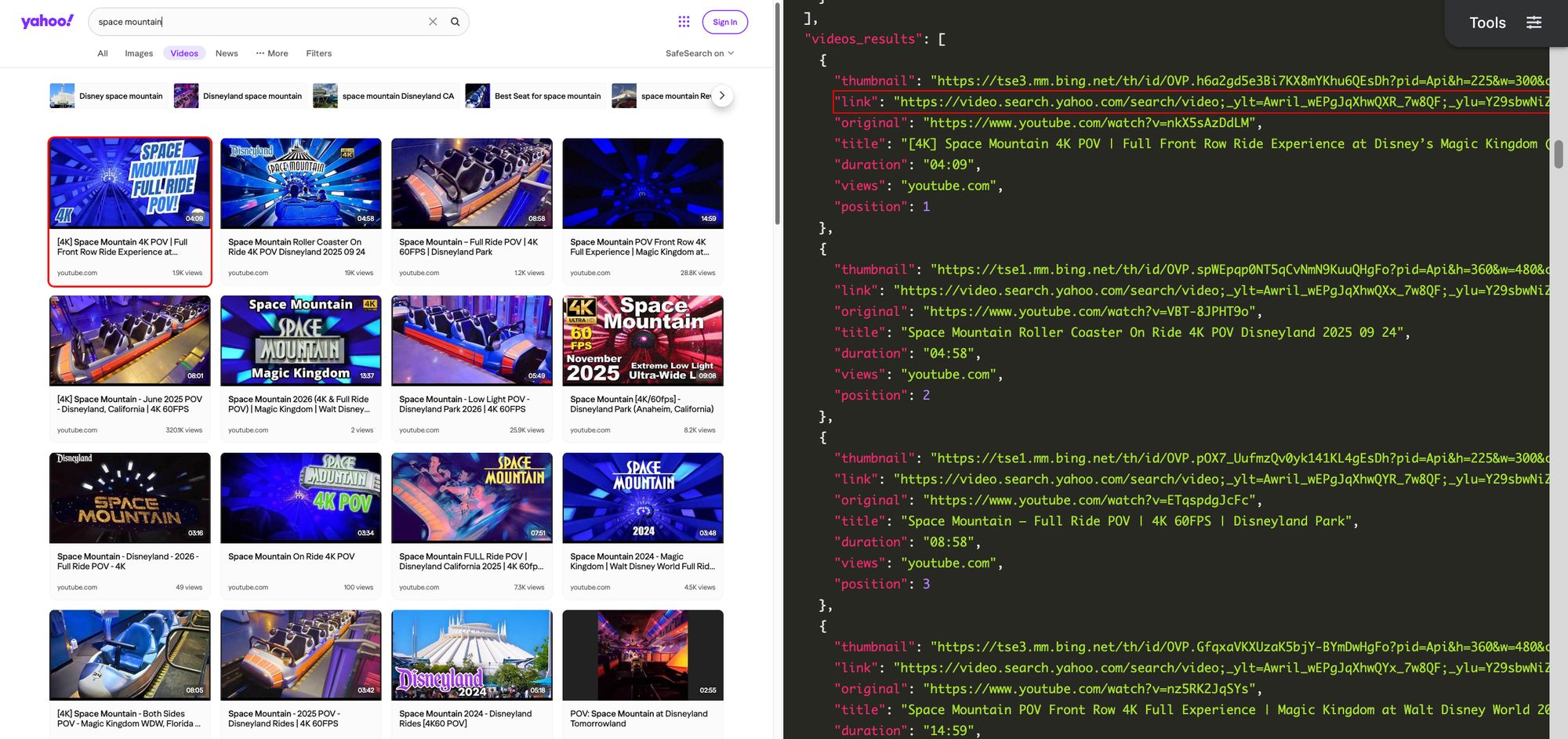
Each video search result from Yahoo Videos contains a thumbnail image, link, title, date, duration, view count, platform (e.g. YouTube or TikTok), and position rank. In some cases, Yahoo also provides a list of related searches.
Getting started with SerpApi
You need a free SerpApi account to obtain results from Yahoo Videos. SerpApi also provides APIs for pulling data from YouTube, Google Videos, Bing Videos, and more general-purpose engines like Google Search, DuckDuckGo, and Bing. You can upgrade to a paid account later if you need more search capacity, faster speeds, or other features.
If you haven't already, create an account and verify your email and other details. After that, you need to grab your API key, which can be found in your account dashboard.
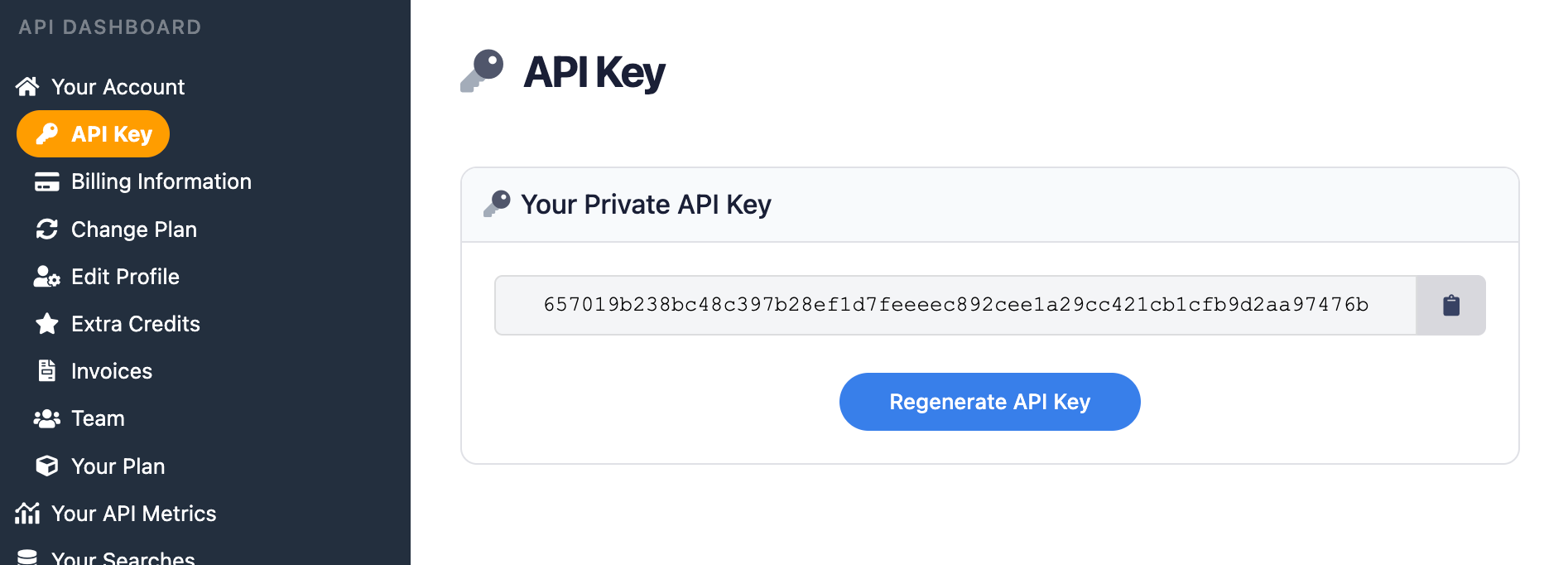
Make sure to store your API key in a safe location if you are sharing or publishing your code. If the key is leaked or stolen, you can regenerate it from the SerpApi account dashboard.
Install the SerpApi library (optional)
You can use SerpApi's official libraries for Python, JavaScript, Ruby, Java, and other languages. They provide a simple wrapper around the API requests.
You can also use a simple GET request, using cURL, fetch() in Node.js, and other similar methods. This guide will cover both the GET method and several of the official integrations.
Review the Yahoo Videos API documentation
Each API at SerpApi has extensive documentation, covering all the supported parameters and filters, code examples for popular languages, and example JSON responses. The Yahoo Videos API documentation includes all the details.
 SerpApi
The most important options are the search query, Yahoo domain, and filters like video resolution and duration. If you are using multiple SerpApi APIs in the same project, you may need make small adjustments for each engine. For example, Yahoo uses the p parameter for the search query, while Google and other engines use the q parameter.
How to scrape Yahoo Videos results
If you have your API key, you're ready to start pulling data from Yahoo Videos. Regardless of which integration or method you use for accessing SerpApi, the API results will be identical.
GET request
This will search Yahoo Videos for "space mountain" with the default region and language settings:
https://serpapi.com/search.json?engine=yahoo_videos&p=space+mountain&api_key=API_KEY_GOES_HEREIf you wanted to filter your results to videos from the past month, and only in 1080p or higher resolution, you can use the vage and vres parameters like this:
https://serpapi.com/search.json?engine=yahoo_videos&p=space+mountain&vage=month&vres=1080p&api_key=API_KEY_GOES_HEREYou can use SerpApi's JSON Restrictor feature to trim the API response to certain values, which might be helpful for more efficient parsing or smaller context windows in LLMs. This would return only the first three video results:
https://serpapi.com/search.json?engine=yahoo_videos&p=space+mountain&json_restrictor=videos_results[0:3]&api_key=API_KEY_GOES_HEREThe JSON Restrictor might be helpful for more efficient parsing, or if you're using an LLM with a limited context window.
Python
This will fetch Yahoo Videos results for "spaceship earth" with no other parameters specified, using the official Python library:
import serpapi

client = serpapi.Client(api_key=YOUR_KEY_GOES_HERE)
results = client.search({
  "engine": "yahoo_videos",
  "p": "spaceship earth"
})

print(results["videos_results"])
You can add additional parameters to filter your search, like durs to return only shorter videos, and vage to specify videos from the past year:
import serpapi

client = serpapi.Client(api_key=YOUR_KEY_GOES_HERE)
results = client.search({
  "engine": "yahoo_videos",
  "p": "spaceship earth",
  "vage": "year",
  "durs": "short"
})

print(results["videos_results"])
Ruby
This uses the official SerpApi Ruby gem to search for "tower of terror" on Yahoo Videos, with only the search query specified:
require "serpapi"

client = SerpApi::Client.new(
    engine: "yahoo_videos",
    p: "tower of terror",
    api_key: YOUR_KEY_GOES_HERE
)

results = client.search
p results
If you wanted to only check videos with a 1080p resolution or higher, you could add the vres filter, like this:
require "serpapi"

client = SerpApi::Client.new(
    engine: "yahoo_videos",
    p: "tower of terror",
    vres: "1080p",
    api_key: YOUR_KEY_GOES_HERE
)

results = client.search
p results
JavaScript and Node.js
This performs a Yahoo Videos search for "test track" using the official JavaScript library, with no options configured except the query:
import { getJson } from 'serpapi';

const search = await getJson({
    engine: "yahoo_videos",
    p: "test track",
    api_key: YOUR_KEY_GOES_HERE
});

console.log(search)
If you wanted to filter your results to only longer videos from YouTube, you could use the durs and vsite parameters, like this:
import { getJson } from 'serpapi';

const search = await getJson({
    engine: "yahoo_videos",
    p: "test track",
    durs: "long",
    vsite: "youtube",
    api_key: YOUR_KEY_GOES_HERE
});

console.log(search)
cURL
This searches Yahoo Videos for "big thunder mountain railroad" using a simple cURL request:
curl --get https://serpapi.com/search \
 -d engine="yahoo_videos" \
 -d p="big+thunder+mountain+railroad" \
 -d api_key="YOUR_KEY_GOES_HERE"
Other languages and no-code solutions
Even if an official SerpApi integration isn't available for your preferred language or environment, you can still use the API directly with GET requests. You can also use SerpApi with Make.com, N8N, and other tools.
Conclusion
With SerpApi, you can fetch detailed search results from Yahoo Videos in simple JSON format, without the need to build your own scrapers and parsers. When combined with SerpApi's other engines, like Google, DuckDuckGo, and Bing, everything from keyword research to competitive analysis is a breeze.
If you need help using SerpApi, please contact us.