Ruby
Ruby
 Golang
 .Net
.Net
 MCP
MCP
 C++
C++


Bing News is a powerful news aggregation platform, with the ability to find relevant articles from broadcast media, local news sources, blogs, and other websites. It works much like Google News and DuckDuckGo News, but Bing might pick up stories the others don't find.
With the Bing News API from SerpApi, news searches are accessible in simple JSON format. SerpApi handles the proxy network, HTML parsing, captcha puzzles, and other challenges, so you can spend less time on scraping tools, and more time on your actual business or project.
Check out our other Bing search APIs for for scraping organic search results, videos, images, and more!
What can you scrape from Bing News?
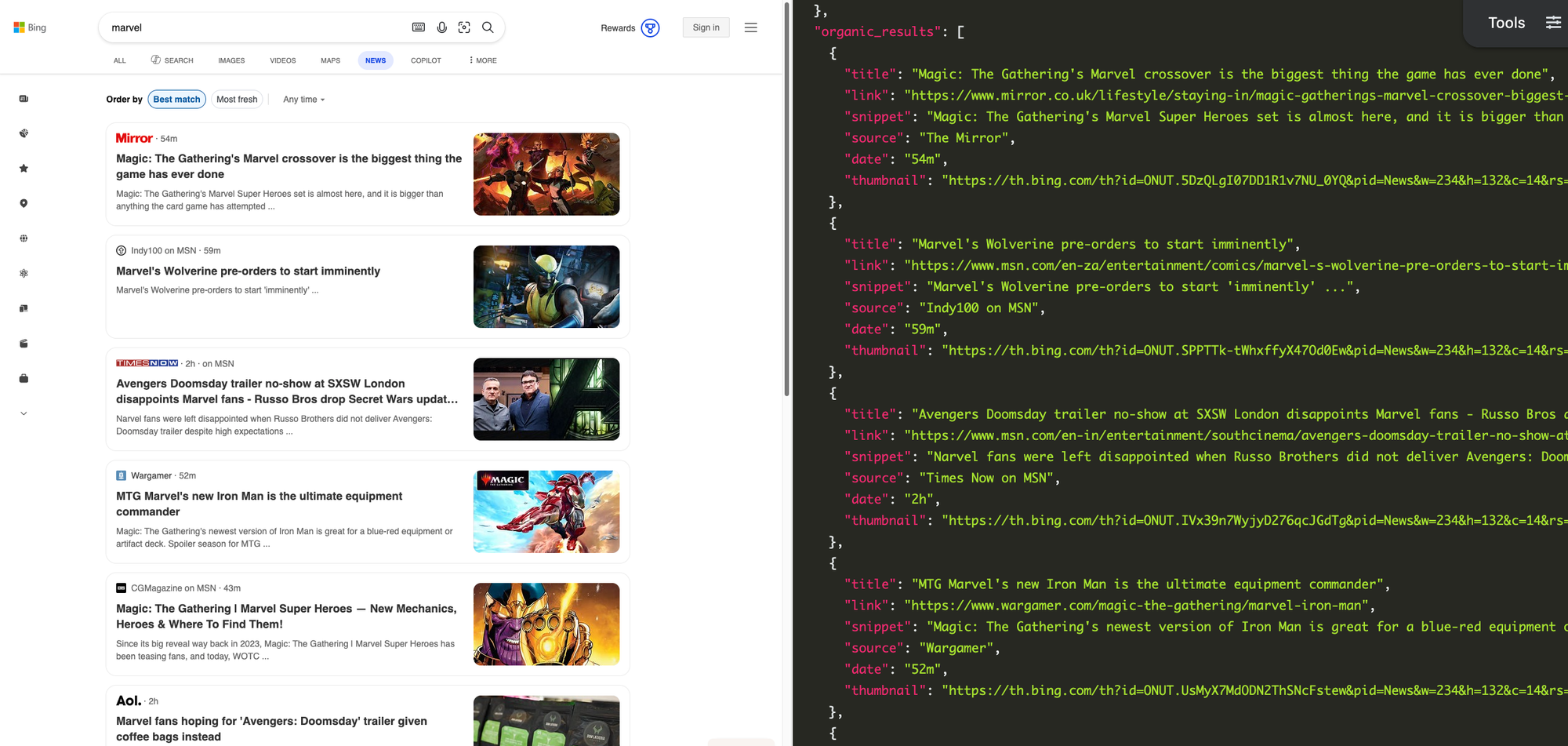
Each news article in the search results contains a title, external link, text snippet, publish date, source name (like "CNN" or "Reuters"), and thumbnail image. The articles grouped together in cards are available as events items in the JSON results.
Getting started with SerpApi
You need a free SerpApi account to use the Bing News API. SerpApi also has endpoints to search Google News and DuckDuckGo News, along with more general-purpose search engines like Google Search, Bing Search, DuckDuckGo, and others. You can upgrade to a paid account later if you need more search capacity, faster speeds, or other features.
First, you need to create an account and verify your email and other details. After that, get the API key from your account dashboard.
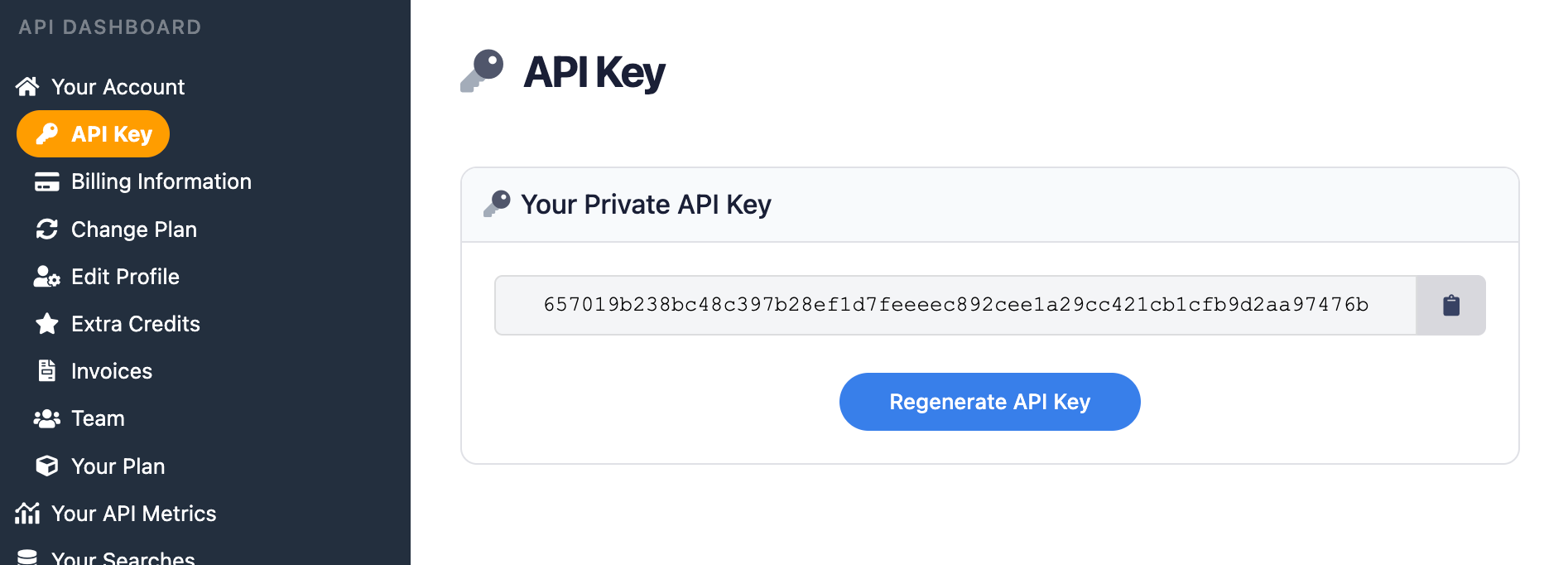
You should store your API key in a safe location if you are sharing or publishing your code. If the key is leaked or stolen, you can regenerate it from the SerpApi account dashboard.
Install the SerpApi library (optional)
You can use SerpApi's official libraries for Python, JavaScript, Ruby, Java, and other languages. They provide a simple wrapper around the API requests.
You can also use a simple GET request, using cURL, fetch() in Node.js, and other similar methods. This guide will cover both the GET method and several of the official integrations.
Review the Bing News API documentation
Each API at SerpApi has extensive documentation that covers all the supported parameters and filters, code examples for popular languages, and example JSON responses. This post will cover the basics, but you can learn more at the Bing News API page.
 SerpApi
The only required parameter is q for the search query, but you can optionally specify the search region, pagination, and other settings.
How to scrape Bing News search results
If you have your API key, you're ready to start pulling data from Bing News searches. No matter how you're accessing SerpApi, the API results will be identical.
GET request
This performs a search for "Paris" with Bing News in a simple GET request, with no other settings specified:
https://serpapi.com/search.json?engine=bing_news&q=paris&api_key=API_KEY_GOES_HEREThis is the same "Paris" search query, but with the mkt parameter set to France, so the results are tailored to a French audience:
https://serpapi.com/search.json?engine=bing_news&q=paris&mkt=fr-FR&api_key=API_KEY_GOES_HEREYou can also use SerpApi's JSON Restrictor feature to trim the API response to specific values. This searches for "Berlin" and only returns the title and link for each result:
https://serpapi.com/search.json?engine=bing_news&q=berlin&json_restrictor=organic_results[].{title,link}&api_key=API_KEY_GOES_HEREThis can be helpful if you need more efficient parsing, or if you're using an LLM with a limited context window.
Python
This uses the official SerpApi Python library to search for "Toronto" in Bing News with a US market region, then displays the source and title of each result:
import serpapi

client = serpapi.Client(api_key=YOUR_KEY_GOES_HERE)
results = client.search({
  "engine": "bing_news",
  "mkt": "en-US",
  "q": "toronto"
})

for item in results["organic_results"]:
    print(f"{item["source"]} - {item["title"]}")
You could also sort the article results by publisher, using the source value in each article's object:
import serpapi

client = serpapi.Client(api_key=YOUR_KEY_GOES_HERE)
results = client.search({
  "engine": "bing_news",
  "mkt": "en-US",
  "q": "toronto"
})

# Sort the results by publisher
sortedResults = {}
for item in results["organic_results"]:
    if not sortedResults.get(item["source"]):
       sortedResults[item["source"]] = []
    sortedResults[item["source"]].append(item)

# Print the results in sections
for source in sortedResults:
    print(f"\n{source}\n====")
    for article in sortedResults[source]:
        print(f"{article["title"]}")
Ruby
Here's how to search for "Atlanta" with Bing News in the US region, using the official Ruby gem for SerpApi, and display the source and title of each result:
require "serpapi"

client = SerpApi::Client.new(
    engine: "bing_news",
    q: "atlanta",
    mlt: "en-US",
    api_key: YOUR_KEY_GOES_HERE
)

for item in client.search[:organic_results] do
    puts "#{item[:source]} - #{item[:title]}"
end
This searches for "Atlanta" and sorts the results into groups, based on the article's publisher:
require "serpapi"

client = SerpApi::Client.new(
    engine: "bing_news",
    q: "atlanta",
    mlt: "en-US",
    api_key: YOUR_KEY_GOES_HERE
)

# Group results by source, then sort alphabetically by source name
grouped_results = client.search[:organic_results].group_by { |r| r[:source] }.sort

# Print the results in sections
grouped_results.each do |source, items|
    puts source
    puts "===="
    items.each { |item| puts item[:title] }
    puts ""
end
JavaScript and Node.js
This uses the official SerpApi JavaScript library to run a Bing News search for "Seattle" and show each result:
import { getJson } from 'serpapi';

const search = await getJson({
    engine: "bing_news",
    q: "seattle",
    mkt: "en-US",
    api_key: YOUR_KEY_GOES_HERE
});

search.organic_results.forEach(function (item) {
    console.log(`${item.source} - ${item.title}`)
})
This is the same "Atlanta" search again, but with all the articles sorted by publisher, using the source value in each article result:
import { getJson } from 'serpapi';

const search = await getJson({
    engine: "bing_news",
    q: "Atlanta",
    mkt: "en-US",
    api_key: YOUR_KEY_GOES_HERE
});

// Sort the results by publisher
let sortedResults = {};
search.organic_results.forEach(function (result) {
    sortedResults[result.source] = (sortedResults[result.source] || []);
    sortedResults[result.source].push(result);
})

// Show the results in sections
Object.keys(sortedResults).forEach(function (source) {
    console.log(`\n${source}\n====`);
    sortedResults[source].forEach(function (article) {
        console.log(article["title"]);
    })
})
cURL
Here's how to search for "Richmond" with Bing News and the US market region in a cURL request:
curl --get https://serpapi.com/search \
 -d engine="bing_news" \
 -d q="Richmond" \
 -d mkt="en-US" \
 -d api_key="YOUR_KEY_GOES_HERE"
Other languages and no-code solutions
You can still use the API directly with GET requests, even if there isn't an official SerpApi integration for your preferred environment or language. SerpApi also works with Make.com, N8N, and other tools.
Conclusion
Bing's news search is a powerful tool for finding relevant and timely news coverage on nearly any topic. With the Bing News API from SerpApi, you can access all of those results programmatically in simple JSON format.
If results from Bing News aren't ideal for your needs, SerpApi also offers APIs for Google News (with a Light version for quicker searches) and DuckDuckGo News.
If you need help using SerpApi, please contact us.