









 Ruby
Ruby
 Golang
 .Net
.Net
 MCP
MCP
 C++
C++


Bing Visual Search, also known as Bing's reverse image search, can identify items, people, or landmarks from photos provided as a URL. It is available as a feature on Bing's website, and also powers the image scanning abilities in Microsoft Edge, the Snipping Tool in Windows 11, and the Windows Photos application.
The Bing Reverse Image API from SerpApi gives you that same functionality in any programming language or automation, by scraping the web version in a simple JSON format. SerpApi handles the HTML parsing, proxy network, captcha puzzles, and other challenges, so you can focus on your actual business or project.
Check out our other Bing search APIs for for scraping organic search results, videos, news, and more!
What can you scrape from Bing reverse image search?
When you reverse search an image in Bing, it will usually detect text and objects in the provided image, and provide a list of related results with similar context. Here's the data you can extract for each related image, using SerpApi:
- Title: The title of the image, usually extracted from the title of the image's source page.
- Link: The URL for the image's details page on Bing's website.
- Thumbnail: The thumbnail image for the result, hosted on Bing's servers, as well as its width and height.
- Date: Bing's detected creation or upload date for the image.
- Source: The URL to the original source page for the image.
- Original image: The URL for the original version of the image, as well as a URL for Bing's mirrored version.
- Domain: The web domain of the image's source (e.g.
i.redd.it). - Position: The image's position on the search results page, starting from the top of the page (e.g.
1or7). - File details: The width and height of the original image, its file size in bytes.
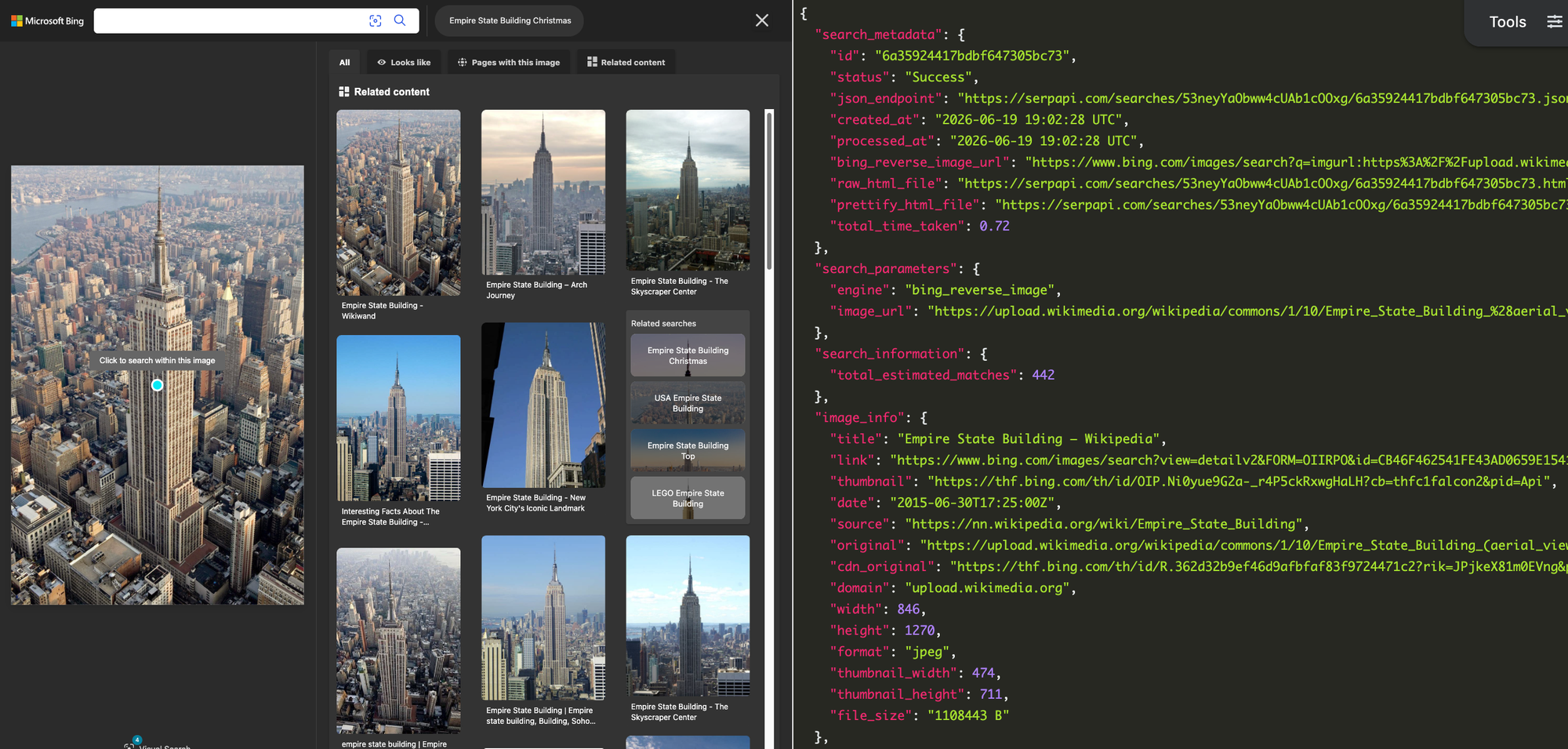
The results also include the total number estimated image matches, and pagination information for pulling the next pages of results.
Getting started with SerpApi
Before getting started with the Bing Search API, you need a free SerpApi account. That also includes access to other engines, like the Google Search API, DuckDuckGo Search API, and Yahoo Search API. You can upgrade to a paid account later if you need more search capacity, faster speeds, or other features.
First, you need to create an account and verify your email and other details. After that, get the API key from your account dashboard.
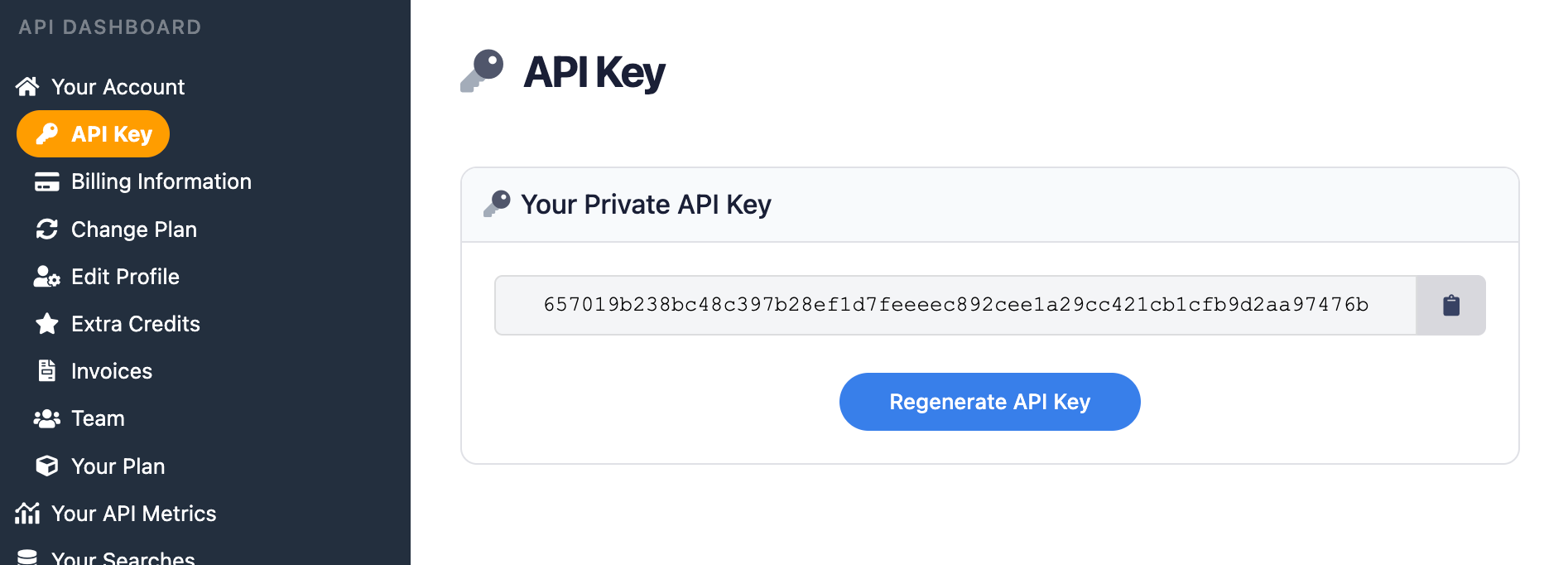
Make sure to store your API key in a safe location if you are sharing or publishing your code. If the key is leaked or stolen, you can make a new one from the SerpApi account dashboard.
Install the SerpApi library (optional)
You can use SerpApi's official libraries for Python, JavaScript, Ruby, Java, and other languages. They provide a simple wrapper around the API requests.
However, the libraries are not required. You can still make API calls with cURL, fetch() in Node.js, or anything else that can send GET requests and process a JSON response.
Review the Bing Reverse Image API documentation
Each API at SerpApi has extensive documentation that covers all the supported parameters and filters, code examples for popular languages, and example JSON responses. This post covers some of the basic usage for the Bing Reverse Image API, and you can find everything else at the documentation page.
 SerpApi
The only required parameter is image_url for the source image, but you can optionally specify the search region, crop area for the image, pagination, search filters, and other settings.
How to scrape Bing reverse image results
If you have your API key, you're ready to start pulling data from Bing reverse image searches. The results will be identical across all libraries and GET requests, so use whichever method you want.
GET request
Here's how you can take a picture of the Empire State Building from Wikipedia, and search it with Bing in a regular GET request:
https://serpapi.com/search.json?engine=bing_reverse_image&image_url=https%3A%2F%2Fupload.wikimedia.org%2Fwikipedia%2Fcommons%2F1%2F10%2FEmpire_State_Building_%2528aerial_view%2529.jpg&api_key=YOUR_KEY_GOES_HEREYou can also use SerpApi's JSON Restrictor feature to trim the API response to specific values. This is the same search, but only returning the title and original URL for each related image result:
https://serpapi.com/search.json?engine=bing_reverse_image&image_url=https%3A%2F%2Fupload.wikimedia.org%2Fwikipedia%2Fcommons%2F1%2F10%2FEmpire_State_Building_%2528aerial_view%2529.jpg&json_restrictor=related_content[]{title,original}&api_key=API_KEY_GOES_HEREThis can be useful if you need more efficient parsing, like when using an LLM with a limited context window.
Python
Here's how you can take an image of an Atari game advertisement, and use the official SerpApi Python library to display all of the detected text:
import serpapi

client = serpapi.Client(api_key=YOUR_KEY_GOES_HERE)
response = client.search({
    "engine": "bing_reverse_image",
    "image_url": "https://i.imgur.com/U2QabX5.png"
})

if "text_recognition" in response:
    for phrase in response["text_recognition"]:
        print(phrase["text"])
else:
    print("No words detected!")
This will show the "Looks like" title for the image search, if one exists, with the titles of related images as the fallback behavior:
import serpapi

client = serpapi.Client(api_key=YOUR_KEY_GOES_HERE)
response = client.search({
    "engine": "bing_reverse_image",
    "image_url": "https://i.imgur.com/U2QabX5.png"
})

if "looks_like" in response:
    print(f"Exact match: {response['looks_like']['title']}")
else:
    print("Possible related matches:")
    for result in response["related_content"]:
        print(result["title"])
Ruby
This searches for an image of an Apple PowerBook and prints all detected text to the console, using the SerpApi Ruby gem:
require "serpapi"

client = SerpApi::Client.new(
    engine: "bing_reverse_image",
    image_url: "https://i.imgur.com/azMCSiZ.jpeg",
    api_key: YOUR_KEY_GOES_HERE
)

if client.search.dig(:text_recognition)
    for phrase in client.search[:text_recognition] do
        puts phrase[:text]
    end
else
    puts "No words detected!"
end
This will display the "Looks like" match from Bing, if one exists, or print the list of related search titles as the fallback behavior:
require "serpapi"

client = SerpApi::Client.new(
    engine: "bing_reverse_image",
    image_url: "https://i.imgur.com/azMCSiZ.jpeg",
    api_key: YOUR_KEY_GOES_HERE
)

if client.search.dig(:looks_like, :title)
    puts "Exact match: #{client.search[:looks_like][:title]}"
else
    puts "Possible related matches:"
    for result in client.search[:related_content] do
        puts result[:title]
    end
end
JavaScript and Node.js
Here's how you can use the SerpApi JavaScript library to search the box art for a video game, then print all the detected text to the console:
import { getJson } from 'serpapi';

const search = await getJson({
    engine: "bing",
    q: "north carolina",
    mkt: "en-us",
    api_key: YOUR_KEY_GOES_HERE
});

for (const item in search?.organic_results) {
    let thisItem = search.organic_results[item];
    console.log(`${thisItem.title} - ${thisItem.link}\n`);
}
This will show the title of Bing's "Looks like" match, if one exists, or show the titles of related matches as the fallback:
import { getJson } from 'serpapi';

const search = await getJson({
    engine: "bing_reverse_image",
    image_url: "https://i.imgur.com/WnWQPb4.jpeg",
    api_key: YOUR_KEY_GOES_HERE
});

if (search?.looks_like?.title) {
    console.log(`Exact match: ${search.looks_like.title}`);
} else {
    console.log("Possible related matches:");
    for (const item in search.related_content) {
        console.log(search.related_content[item]["title"]);
    }
}
cURL
Here's how you can retrieve Bing reverse image results using a cURL request:
curl --get https://serpapi.com/search \
 -d api_key="YOUR_KEY_GOES_HERE" \
 -d engine="bing_reverse_image" \
 -d image_url="https://i.imgur.com/WnWQPb4.jpeg"
Other languages and no-code solutions
You can still use the API directly with GET requests, even if there isn't an official SerpApi integration for your preferred environment or language. SerpApi also works with Make.com, N8N, and other tools.
Conclusion
Bing's reverse image search can give you contextual information from any image, as well as related search queries. With the Bing Reverse Image API from SerpApi, you can pull all those results into any automation or programming language.
SerpApi also offers a Google Reverse Image API and Google Lens API, which may provide better results than Bing, depending on your use case. You can access them with the same account and search credits as Bing, and even run the same search across multiple engines to get more diverse results.
If you need help using SerpApi, please contact us.

.jpg)