Ruby
Ruby
 Golang
 .Net
.Net
 MCP
MCP
 C++
C++

serpapi-search-tools gives Python AI agents real-time access to the web, news, maps, images, shopping, videos, hotels, flights, and travel search, powered by SerpApi. It works with 14 popular agent SDKs, including LangChain, Agno, CrewAI, OpenAI Agents, Pydantic AI, and Google ADK.
AI agents are useful, but they cannot answer questions about current news, prices, places, or travel options unless they have a way to search. SerpApi lets applications search services such as Google, Bing, Google Maps, Google News, Google Shopping, YouTube, Google Hotels, and Google Flights, then returns organized data that the agent can use.
We released serpapi-search-tools to make that search data easy to use in Python agents. The package gives your agent ready-to-use search tools, so you can focus on what the agent should do instead of building a search integration from scratch.
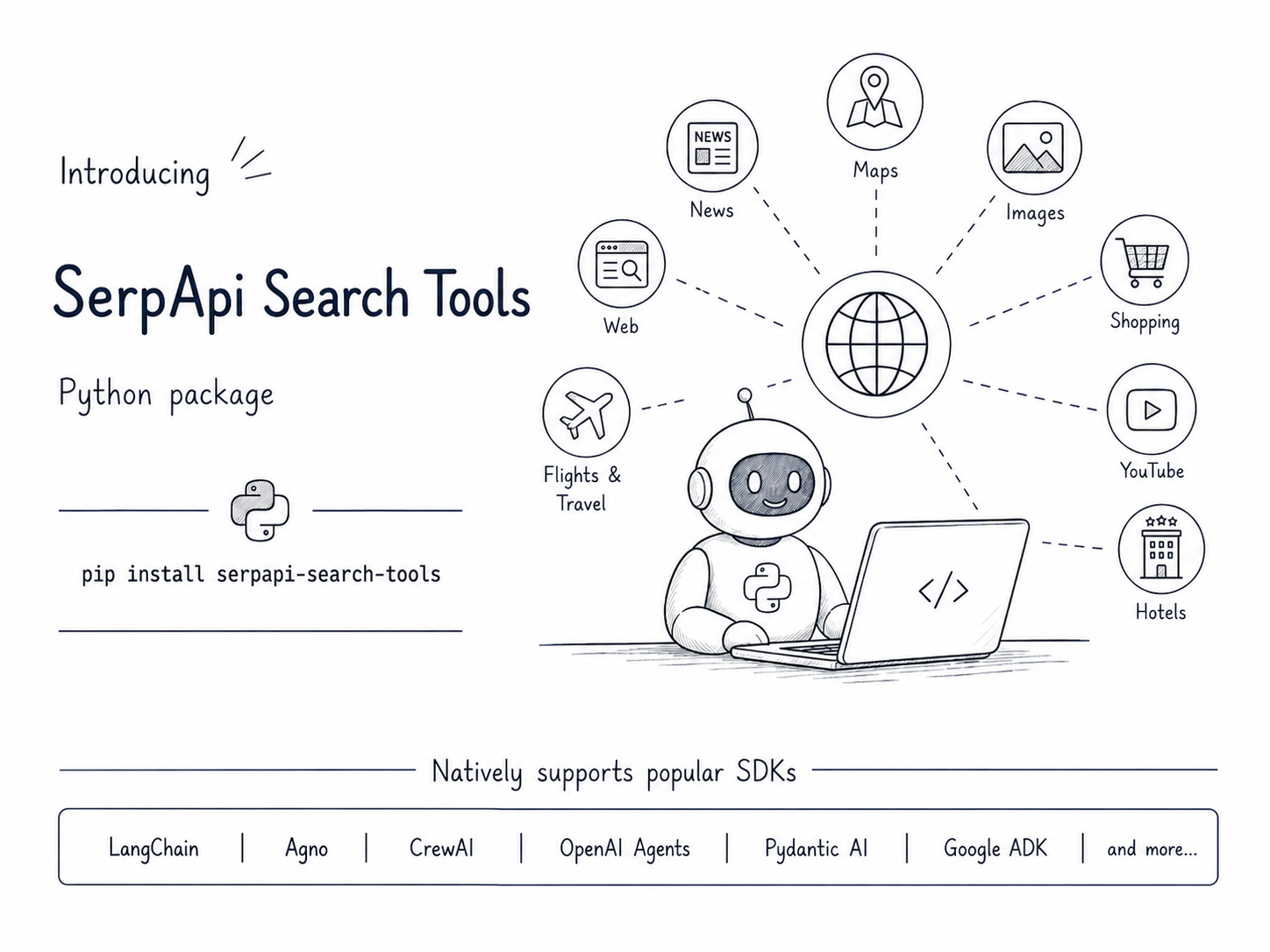
The package is open source on GitHub, and the complete guides and examples are available in the documentation.
Add real-time web search to your first Python agent
This example uses the OpenAI Agents SDK and gives a simple agent access to web search.
Install
You need Python 3.10 or newer, a SerpApi account, and an API key for the model provider your agent uses. This example uses OpenAI.
For this tutorial, install serpapi-search-tools and the OpenAI Agents SDK together using pip:
pip install "serpapi-search-tools[openai-agents]"
If OpenAI Agents is already installed, you can install only the search tools:
pip install serpapi-search-tools
If you use uv, run:
uv add "serpapi-search-tools[openai-agents]"
For another agent SDK, choose its install option from the SDK examples.
Add your API keys
Your agent needs a SerpApi key for search and an OpenAI key for the model:
export SERPAPI_API_KEY="your-serpapi-key"
export OPENAI_API_KEY="your-openai-key"
You can create a SerpApi account and copy your private API key from the SerpApi dashboard.
Build your first agent
Save this as search_agent.py:
import asyncio

from agents import Agent, Runner
from serpapi_search_tools import web_search


async def main():
    agent = Agent(
        name="research-agent",
        model="gpt-5.6-luna",
        instructions=(
            "Use web search for current facts."
        ),
        tools=[web_search()],
    )

    result = await Runner.run(
        agent,
        "Find three new Python features and briefly explain them.",
    )

    for item in result.new_items:
        if item.type == "tool_call_item":
            print(f"Tool called: {item.tool_name}")
            print(f"Arguments: {item.raw_item.arguments}")

    print("Agent Response: ", result.final_output)


asyncio.run(main())
Run it:
python search_agent.py
The example prints each tool call and its arguments before the final answer. This makes the agent's search process visible, including the queries it created and the search engine it selected.
Here is the output from an actual run:
Tool called: web_search
Arguments: {"query":"Python latest release new features Python 3.14 official what's new","engine":"google_light"}

Tool called: web_search
Arguments: {"query":"site:python.org/downloads/release Python 3.14 new features","engine":"google_light"}

Agent Response:  According to the official Python 3.14 documentation, three notable new features are:

1. **Template string literals (t-strings)** — A flexible way to create customized string-processing templates, useful for safer formatting and domain-specific text handling.

2. **Deferred evaluation of annotations** — Type annotations are evaluated later rather than immediately, reducing import problems and improving compatibility with forward references.

3. **Standard-library subinterpreters** — Python now provides tools for running isolated interpreters within one process, enabling better parallelism and isolation.

Source: [Python 3.14 “What’s New”](https://docs.python.org/3/whatsnew/3.14.html)
The two printed calls show that the agent searched more than once to verify the answer. web_search() gave it the search capability, while the instruction told it to use that capability for current facts.
Nine search tools for common agent tasks
Different searches need different information. A hotel search needs stay dates, while a flight search needs airports and a travel date. serpapi-search-tools gives your agent a focused tool for each task so it knows what information to provide.
| What you want your agent to do | Search tool | Search source |
|---|---|---|
| Research a current topic | web_search |
Google Light by default, with Google, Bing, Yahoo, or DuckDuckGo available |
| Follow the latest news | news_search |
Google News |
| Find places and local businesses | maps_search |
Google Maps |
| Find images and visual references | images_search |
Google Images |
| Compare products, prices, and sellers | shopping_search |
Google Shopping, Amazon, Walmart, or eBay |
| Find videos on YouTube | videos_search |
YouTube |
| Find hotel stays and prices | hotels_search |
Google Hotels |
| Compare flights for a route | flights_search |
Google Flights |
| Discover possible destinations | travel_explore_search |
Google Travel Explore |
Choose only the tools your agent needs. A shopping assistant might use web, shopping, and image search. A trip planner might use flights, hotels, maps, and travel exploration.
One package for 14 Python agent SDKs
An agent SDK is the Python library you use to build and run an agent. You can use serpapi-search-tools with the SDK you already know, and each link below opens a complete example.
| Supported SDK | Start here |
|---|---|
| OpenAI Agents SDK | OpenAI Agents example |
| Pydantic AI | Pydantic AI example |
| LangChain | LangChain example |
| LangGraph | LangGraph example |
| CrewAI | CrewAI example |
| LlamaIndex | LlamaIndex example |
| Claude Agent SDK | Claude Agent SDK example |
| Microsoft Agent Framework | Microsoft Agent Framework example |
| AutoGen | AutoGen example |
| Haystack | Haystack example |
| Semantic Kernel | Semantic Kernel example |
| Agno | Agno example |
| smolagents | smolagents example |
| Google ADK | Google ADK example |
The same search tools in every SDK
The search tool names stay the same across supported SDKs:
from serpapi_search_tools import maps_search, news_search, web_search

search_tools = [
    web_search(),
    news_search(),
    maps_search(),
]
Add these to your SDK the way you normally add tools. If you later switch SDKs, the surrounding agent code changes but your search setup stays familiar: web_search() is still web_search(). The SDK examples show the complete setup for every supported integration.
The package recognizes your SDK automatically
In a typical project, you install one supported agent SDK and call a search tool such as web_search(). The package recognizes the installed SDK and prepares the tool for it automatically.
You usually do not need any extra setup. If your project has more than one supported SDK installed, the agent SDK guide shows how to select the one you want.
Customize search for your agent
The defaults are a good place to start, so you can use a simple call such as web_search() in your first agent. When you need more control, these six recipes cover common search and response settings.
1. Use one fast web search engine
Google Light is the default web engine. You can make it the agent's only choice and set the language, country, result count, and timeout in your application:
from serpapi_search_tools import web_search

search = web_search(
    allowed_engines=["google_light"],
    default_params={"hl": "en", "gl": "us"},
    timeout=20.0,
)
The agent still chooses the search query. Your application keeps control of the search engine and settings.
2. Give the agent regional search choices
Create separately named tools when the agent needs to search different countries or languages:
from serpapi_search_tools import web_search

search_us = web_search(
    allowed_engines=["google_light"],
    default_params={"gl": "us", "hl": "en"},
    name="web_search_us",
)
search_de = web_search(
    allowed_engines=["google_light"],
    default_params={"gl": "de", "hl": "de"},
    name="web_search_de",
)

tools = [search_us, search_de]
The names help the agent choose the right regional search for the question.
3. Compare products across marketplaces
Create separate shopping tools when you want the agent to compare results from different marketplaces:
from serpapi_search_tools import shopping_search

google_products = shopping_search(
    allowed_engines=["google_shopping"],
    default_params={"gl": "us", "hl": "en"},
    name="google_products",
)
amazon_products = shopping_search(
    allowed_engines=["amazon"],
    default_params={"amazon_domain": "amazon.com"},
    name="amazon_products",
)

tools = [google_products, amazon_products]
Google Shopping can compare products across merchants, while Amazon searches its own marketplace. You can create similar tools for Walmart and eBay.
4. Add safe, localized image search
Keep safe search, language, and country settings under your application's control:
from serpapi_search_tools import images_search

safe_images = images_search(
    default_params={"safe": "active", "hl": "en", "gl": "us"},
    name="safe_image_search",
)
The agent only needs to describe what images it wants to find; your application applies the search policy every time.
5. Keep travel prices in one currency
Use the same currency and locale across flight and hotel tools so their prices are easier to compare:
from serpapi_search_tools import flights_search, hotels_search

travel_defaults = {"currency": "USD", "hl": "en", "gl": "us"}

flight_search = flights_search(
    default_params=travel_defaults,
    name="us_flights",
)
hotel_search = hotels_search(
    default_params=travel_defaults,
    name="us_hotel_prices",
)

tools = [flight_search, hotel_search]
The agent still provides the route, destination, and dates. Your application keeps the display currency and locale consistent.
6. Choose compact or full results
Every search tool uses compact results by default. Compact mode keeps the response focused, which is usually the best choice for an agent:
from serpapi_search_tools import web_search

search = web_search()
If your application needs the complete SerpApi response, including additional sections and metadata, choose full mode:
from serpapi_search_tools import SearchResultMode, web_search

search = web_search(mode=SearchResultMode.FULL)
Use full results only when your application needs the extra data; compact results help avoid filling the model's context with information it may not use.
You can also configure locations, result limits, and other tool-specific settings. The configuration guide contains the complete set of options and examples. Visit the full documentation for installation, SDK guides, recipes, and API details.
Complete agent projects you can copy
The agent cookbook contains complete projects for every supported SDK. Each guide includes setup instructions, a prompt you can edit, runnable code, and an output you can inspect.
| SDK | Cookbook agent | SerpApi capabilities used |
|---|---|---|
| LangChain | Deep market research brief | Web and news |
| LangGraph | Product-launch intelligence graph | Web, news, and shopping |
| CrewAI | Collaborative trip planner | Flights, hotels, and maps |
| LlamaIndex | Remote-work destination brief | Travel Explore, web, and maps |
| OpenAI Agents | Managed research report | Web and news |
| Claude Agent SDK | Source-verification memo | Web and news |
| Pydantic AI | Visual location scout | Images, maps, and web |
| Microsoft Agent Framework | Technology due-diligence memo | Web and news |
| AutoGen | Company intelligence memo | Web and news |
| Haystack | Weekly industry newsletter | Web and news |
| Semantic Kernel | Plan-and-execute competitor brief | Web and news |
| Agno | Market research report | Web, news, and shopping |
| smolagents | Purchase research assistant | Shopping, images, and videos |
| Google ADK | Retail location strategy | Maps, web, and news |
Start with the cookbook project closest to your idea, then change the prompt and search tools to fit your use case.
Learn more about building agents
If you are new to AI agents or want a longer tutorial, continue with these guides:
- Building an AI Agent in Python explains agents, prompts, context, memory, tools, MCP, and skills from the beginning.
- Build Smarter Pydantic AI Agents with Real-Time Search shows how to add SerpApi search to a Pydantic AI agent step by step.
- Build an AI Agent with the Claude Agent SDK shows how to build a Claude agent and connect it to custom tools.
Start building
Install the option for your SDK, add one or two search tools, and start from the cookbook project closest to your idea. The package is on PyPI, the source is on GitHub, and issues and pull requests are welcome.
If you are new to SerpApi, create a free account and give your Python agent real-time search data in a few minutes.