Ruby
 Golang
 .NET
 MCP
 C++

Our users requested it and we listened!
Previously, using Google Lens through SerpApi required images to be publicly accessible via a URL. This created unnecessary friction for users, who had to spend additional time troubleshooting S3 hosting issues, building custom image uploaders, or setting up bulk image upload workflows just to perform a search.
The goal is for a simpler, more direct solution: the ability to upload images locally without needing to host them elsewhere.
We've heard that feedback, and we're excited to introduce the new SerpApi Image API 🎉! Supporting local image uploads via POST, making it easier than ever to search images with Google Lens.
Read the full documentation for the Image API here:
 SerpApi
If you're new to SerpApi, get started here before proceeding:
 Hilman Ramadhan
Introducing the Image API
Simply include the image file in your Image API request, and SerpApi handles the upload.
Upload an Image
Upload the image (s) using the Image API at no cost.
Code to Integrate
https://serpapi.com/image
image=@/path/to/image.pngcurl -X POST https://serpapi.com/image \
-F "image=@/path/to/image.png" \
-F "api_key=YOUR_SECRET_API_KEY_HERE"Results
After the request is completed you'll receive the JSON results back.
{
  "message": "Image uploaded successfully.",
  "image_id": "xokJFnic22FmYZ6SbJZmYmCaamhsbpZsmZxsmZpsbgEAYzoHYg"
}
The results include:
messageindicating success (or lack of)image_idto use in the Google Lens API (Valid for 10 minutes)
Use the image_id
Query the Google Lens API using the image_id parameter set to the value extracted from the Image API results.
https://serpapi.com/search.json?engine=google_lens&api_key=YOUR_SECRET_API_KEY_HERE&image_id=xokJFnic22FmYZ6SbJZmYmCaamhsbpZsmZxsmZpsbgEAYzoHYgFull Example in Python
Let's take a look at what this will look like for multiple photos and querying Google Lens.
Prerequisites
Before running the example, you’ll need:
- Python 3.8 or newer
Check version:
python3 --version- Requests library
If not installed:
pip install requests- API key as environment variable
Set your API key as an environment variable.
export SERPAPI_API_KEY="YOUR_SECRET_API_KEY_HERE"- If you prefer a different naming convention, update the code.
- Setup images folder
Create an images folder next to your script and add the relevant .jpeg files.
our-project/
├── upload.py
└── images/
    ├── image1.jpeg
├── image2.jpeg- If you prefer a different image format, please update the code accordingly.
Code
The full code includes:
main- start andresultsdictionary{local_image_path:lens_results}get_image_paths- retrieve all of the image paths in a folderprocess_images- iterate through image pathsupload_image- upload current image and collect theimage_idget_lens_results- using theimage_idquery the Google Lens API- Add any additional parameters or logic for your use case
import os
import requests
from pathlib import Path

# Assign environment variable for SerpApi API key
API_KEY = os.environ["SERPAPI_API_KEY"]

# URLs for uploading images and querying Google Lens API
UPLOAD_URL = "https://serpapi.com/image"
LENS_URL = f"https://serpapi.com/search.json?engine=google_lens&api_key={API_KEY}&image_id="

# Method to get all image paths in a folder with .jpeg extension
def get_image_paths(folder_path):
    image_paths = Path(folder_path).glob("*.jpeg")
    return list(image_paths)

# Method to upload an image to SerpApi with input filepath and return its image_id
def upload_image(path):
    with open(path, "rb") as f:
        r = requests.post(
            UPLOAD_URL,
            files={"image": f},
            data={"api_key": API_KEY},
        )
    if not r.ok:
        raise RuntimeError(f"Upload failed for {path.name} ({r.status_code}): {r.text}")
    return r.json()["image_id"]

# Method to get Google Lens results for a given image_id
def get_lens_results(image_id):
    r = requests.get(LENS_URL + image_id)
    if not r.ok:
        raise RuntimeError(f"Lens query failed for {image_id} ({r.status_code}): {r.text}")
    return r.json()

# Method to process a list of image paths, upload each image, and store lens results in the provided dictionary
def process_images(results, image_paths):
    for path in image_paths:
        image_id = upload_image(path)
        results[path.name] = get_lens_results(image_id)
    return results

# Main function to get image paths and process images
def main():
    image_paths = get_image_paths("images")

    # Dictionary to store lens results for each image
    results = {}
    process_images(results, image_paths)

if __name__ == "__main__":
	main()
Results
While the code is processing multiple images. I'll include the result for just one image to highlight the results.
Local Image File
From my computer, here is the local image for reference as you review results.
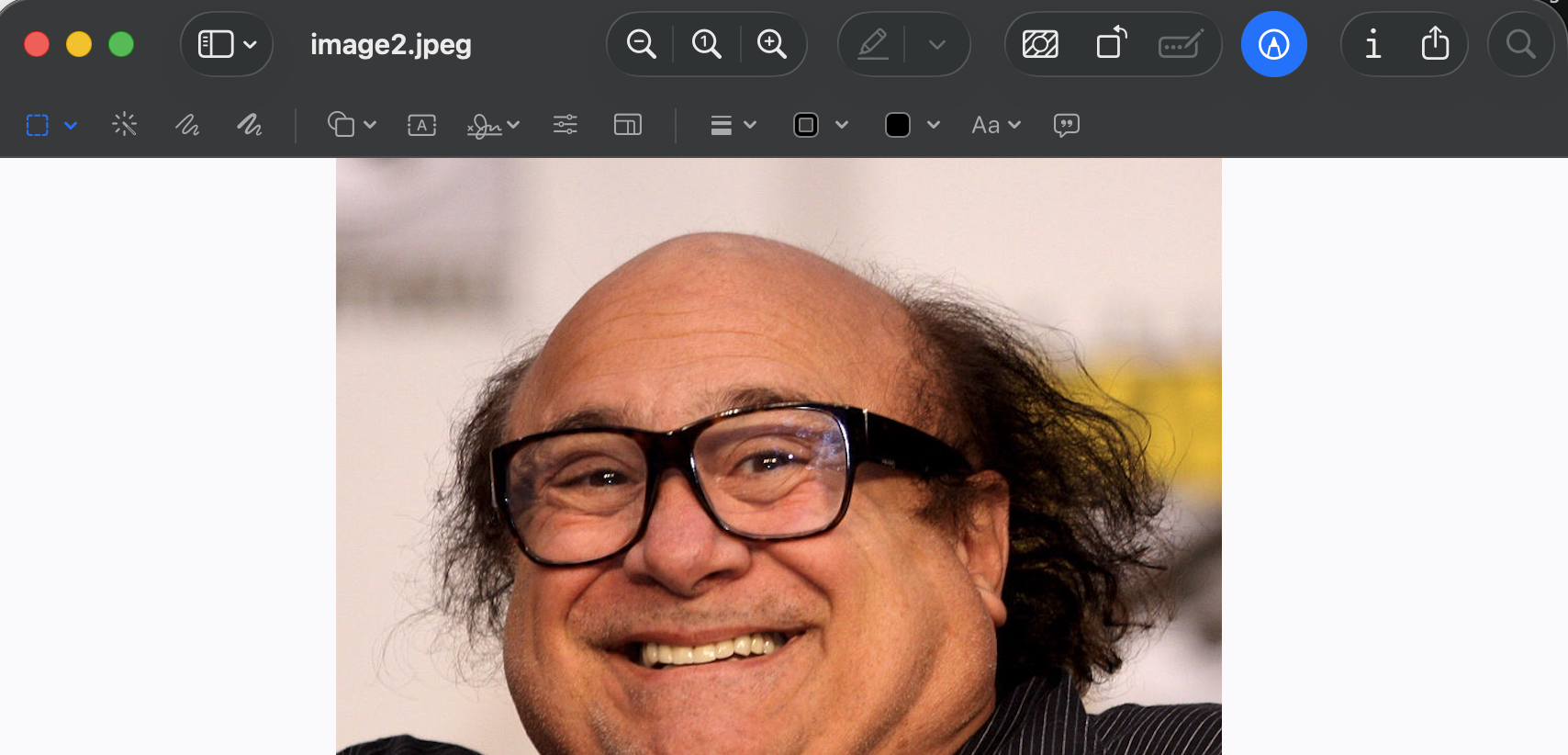
Image API result
Upload succeeded and we retrieve the image_id.
{
'message': 'Image uploaded successfully.',
'image_id': 'o3qbHXicu2lgYGiRnGJgkZJsnpholJhkYJiWZGJqlmZmZmyUbGiWYqGXVZCaHm9obmlsaWhmaWkKAH_bDjo'
}
Google Lens API Result
With the Google Lens API parameter image_id, set to the image_id value from above.
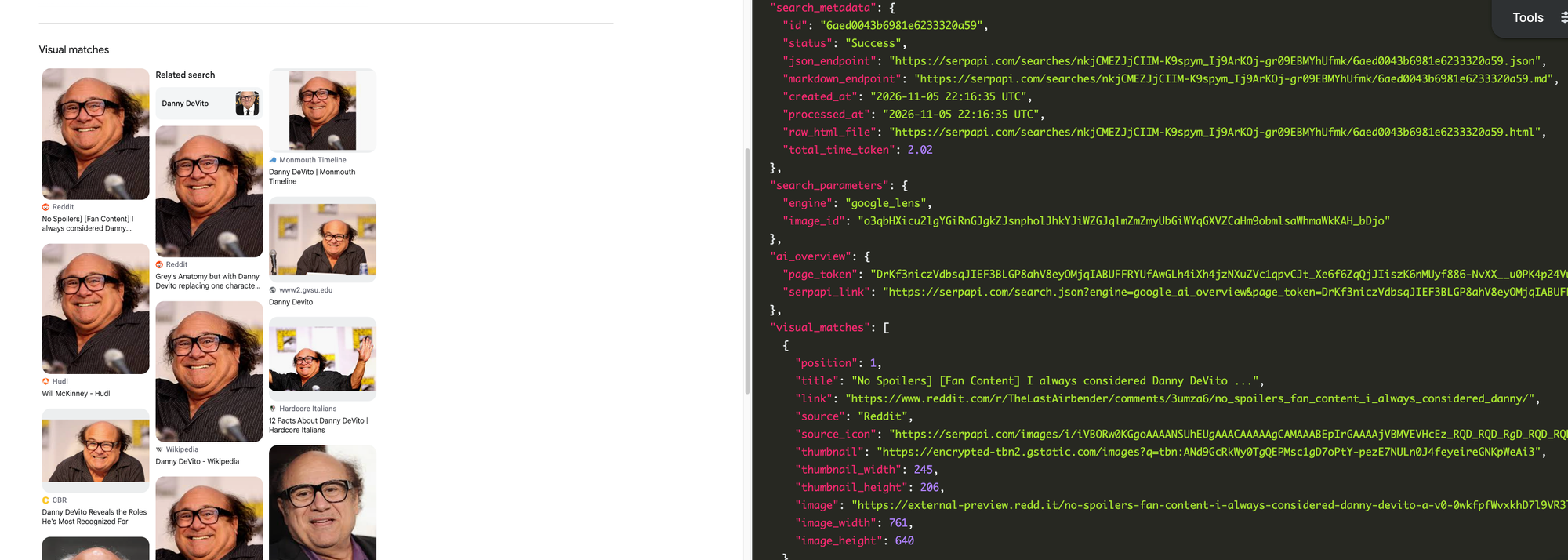
You can see the results are the exact same as if you used a photo link.
Conclusion
With the new SerpApi Image API, searching with Google Lens is now simpler and more accessible. No more worrying about publicly hosting images, troubleshooting S3 access issues, or building custom image uploaders. Simply include your local image file in a POST request, and let SerpApi handle the rest.
We built a solution to make image search easier to integrate into your workflows. We're excited to see what you build with it!
Get started with the SerpApi's Image API documentation and try local image uploads today.
FAQ
How long are images and image_ids stored for?
- The
image_idwill expire after 10 minutes. - Images themselves are stored for 30 days for debugging purposes.
What file types are supported?
- JPG/JPEG, PNG, and WebP.
What is the maximum file size?
- The maximum file size is 500 KB.
Does it cost a credit to upload an image / POST to the Image API?
- No. POSTing to the Image API is free of charge.
Does it change the cost of the Google Lens API?
- No. The Google Lens API remains 1 cost per query regardless of the upload type.
Related Links
Want more SerpApi content?
Read more of our blogs or see our YouTube channel for more SerpApi content.
- Uploading Images and Searching with Google Lens via SerpApi
- Building an Image Search Engine app with Google Lens API
- Scraping Google Lens' (visual and exact matches)
- Scrape Google Lens with Python
- Scrape Google Lens with Google Sheets
- Web scraping Google Lens Results with Nodejs
- How to Scrape Google Lens Results
- How to Easily Scrape Google Lens About This Image Tab
- Get Image Sources through Google Lens