Ruby
 Golang
 .NET
 MCP
 C++

Walmart's marketplace includes third-party sellers alongside Walmart itself, and each one has a seller page with a rating, review counts, business details, and a product catalog. If you track competitors, research third-party sellers, or check who sells your brand, that page is where the useful information lives.
SerpApi's Walmart Seller API returns a seller's profile and products as structured JSON. You can use it to:
- Monitor a competitor's catalog and prices: See what a seller lists, at what price, and what's new.
- Check a seller's track record: Check ratings, review counts, account status, and the Pro Seller badge before you work with or buy from a seller.
- See which of your brand's products a seller carries: Filter a seller's catalog by brand.
In this tutorial, you'll try the API in the playground and make your first request with cURL, Python, and JavaScript. Then you'll page through, sort, and filter a seller's products.
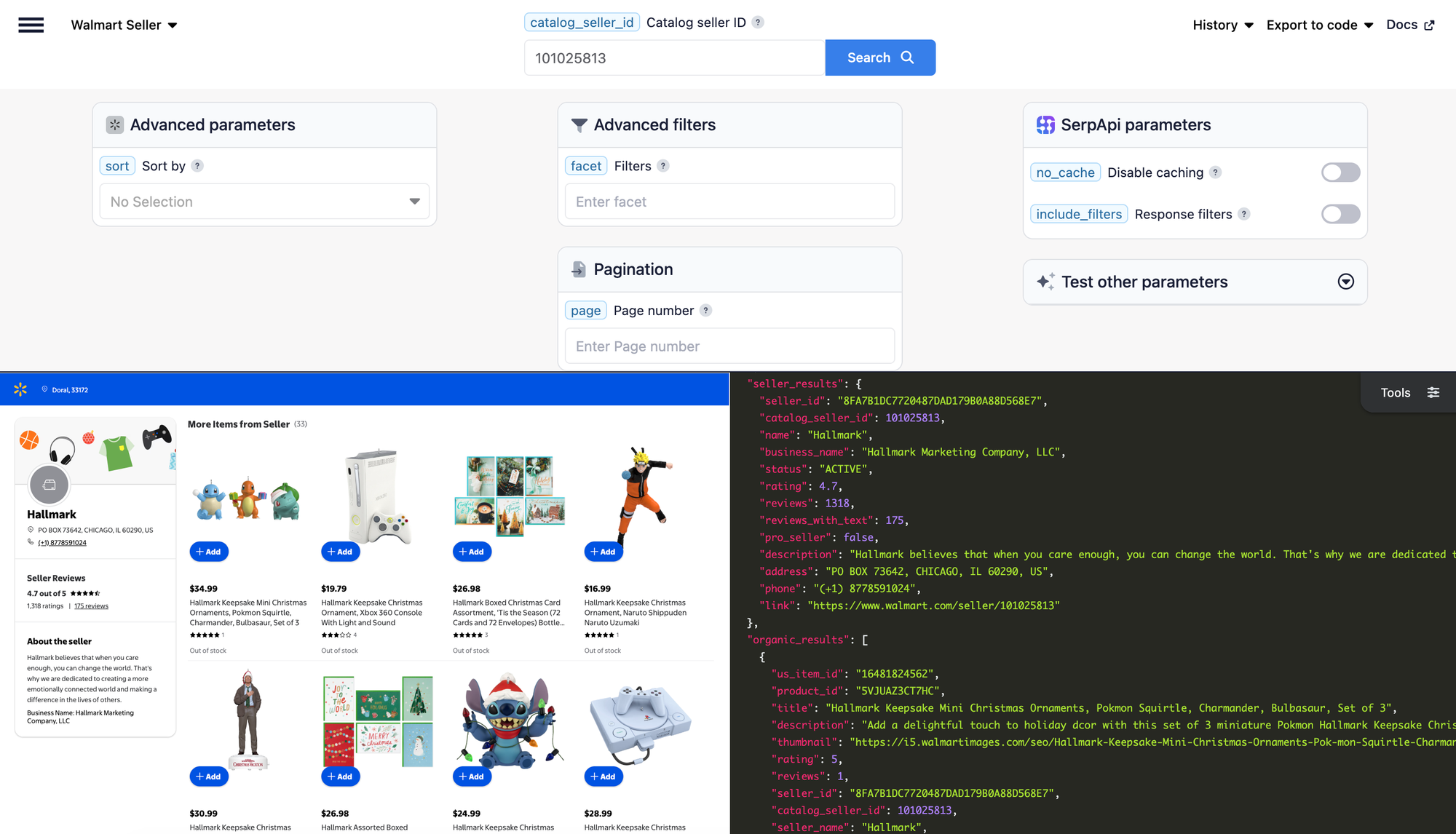
What data can you retrieve with the Walmart Seller API?
Each response has two main parts: seller_results holds the seller's profile, and organic_results holds the seller's products, up to 40 per page.
- Seller profile: The seller's
name, averagerating, and number of ratings (reviews). - Trust signals: Whether the seller has the Pro Seller badge (
pro_seller), the accountstatus, and how many ratings include a written review (reviews_with_text). - Business details: The
business_name,address, andphoneshown on the seller page, when the seller displays them. - Product catalog: Each product's
title,rating, andproduct_page_url. - Prices: The current price in
primary_offer.offer_price, pluswas_pricewhen the product is discounted. - Filters and follow-up links: With
include_filters=true, afiltersarray lists the brands and other attributes you can filter by. Each product also includes aserpapi_product_page_urlthat opens the product in the Walmart Product API.
Prices and shipping reflect the location shown in search_information.location. See the Walmart Seller API documentation for every field and parameter.
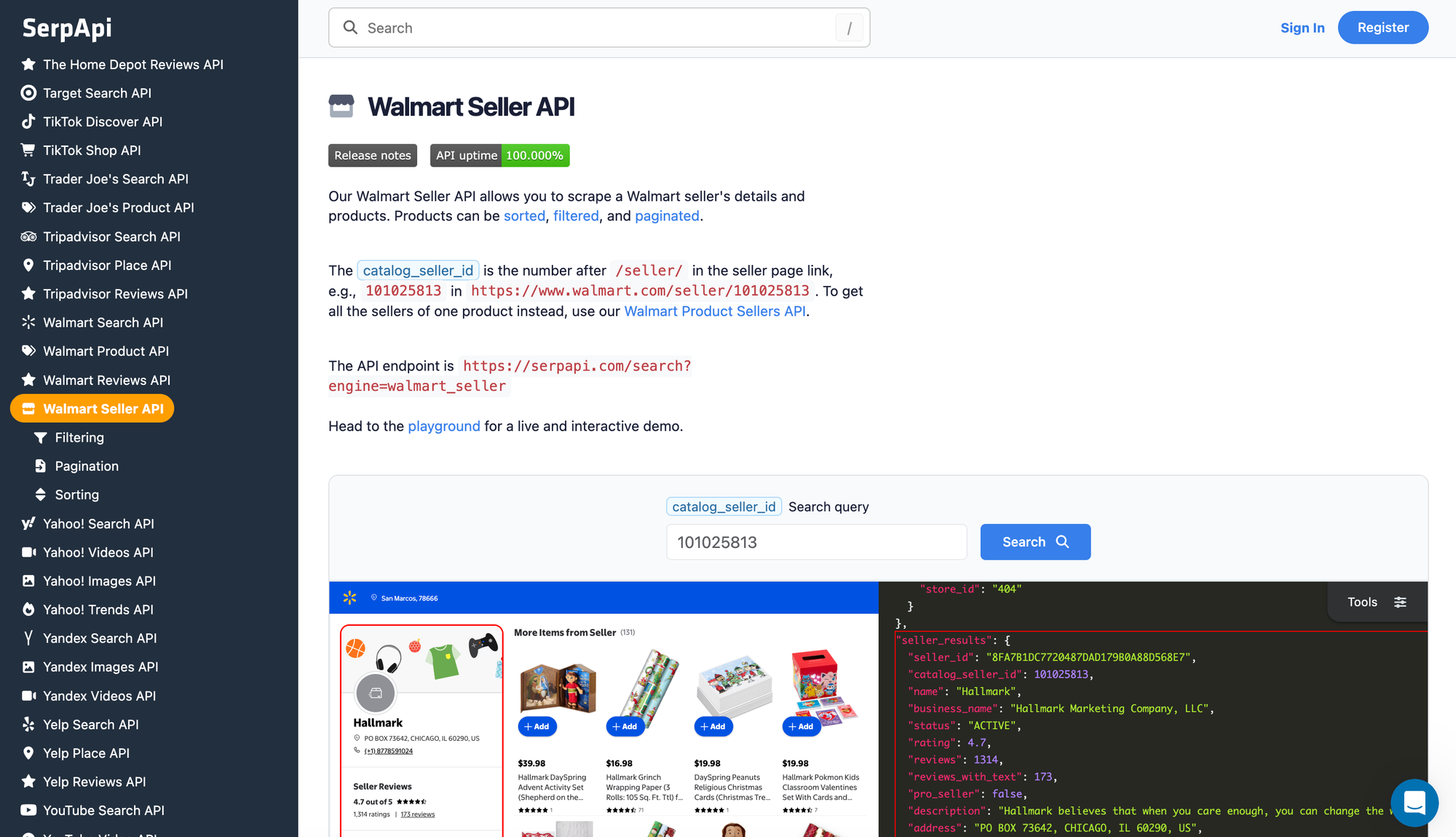
How to scrape Walmart Seller
Try it in the playground
The fastest way to see the API's output is the SerpApi Playground. This link opens the walmart_seller engine with seller 101025813, which is Hallmark's seller page on Walmart.
The seller ID is the number after /seller/ in a seller page link. For Hallmark, the link is https://www.walmart.com/seller/101025813, so the ID is 101025813.
Run the search and look at seller_results for the seller's profile. Then scroll through organic_results to see the product list. We'll use this seller in every example below.
Get your API key
Create a SerpApi account, then copy your private key from the API key page. Set it as an environment variable so your code can read it:
export SERPAPI_API_KEY="YOUR_SERPAPI_API_KEY"
Replace YOUR_SERPAPI_API_KEY with your own key on your machine. Keep it private, and don't commit it to a repository.
Make a GET request
Besides your API key, the Walmart Seller API needs only two parameters: engine=walmart_seller and catalog_seller_id. The response is JSON by default:
https://serpapi.com/search?engine=walmart_seller&catalog_seller_id=101025813&api_key=YOUR_SERPAPI_API_KEY
To get Markdown instead, add output=md:
https://serpapi.com/search?engine=walmart_seller&catalog_seller_id=101025813&output=md&api_key=YOUR_SERPAPI_API_KEY
Markdown works well when you pass results to an LLM or AI agent, because it's compact and easy to read. Use JSON when your code needs exact fields, such as a price or rating. Read more in the Markdown output documentation.
cURL implementation
Here's the same request with cURL. It reads your key from the environment variable you set earlier:
curl --get https://serpapi.com/search \
 -d engine="walmart_seller" \
 -d catalog_seller_id="101025813" \
 -d api_key="$SERPAPI_API_KEY"
engine=walmart_sellerselects the Walmart Seller API.catalog_seller_idis the seller to retrieve.api_keyauthenticates the request.
Python implementation
Install the official SerpApi Python library:
pip install serpapi
Create a file named main.py:
import os
import sys

import serpapi

client = serpapi.Client(api_key=os.environ["SERPAPI_API_KEY"])

results = client.search({
    "engine": "walmart_seller",
    "catalog_seller_id": "101025813",
})

if "error" in results:
    sys.exit(f"Walmart Seller API: {results['error']}")

seller = results["seller_results"]
print(f"Seller: {seller['name']}")
print(f"Rating: {seller.get('rating')} ({seller.get('reviews')} ratings)")
print(f"Pro Seller: {seller.get('pro_seller')}")
print()

for product in results.get("organic_results", []):
    price = product.get("primary_offer", {}).get("offer_price")
    print(f"{product['title']} | ${price} | rating: {product.get('rating')}")
Run it:
python main.py
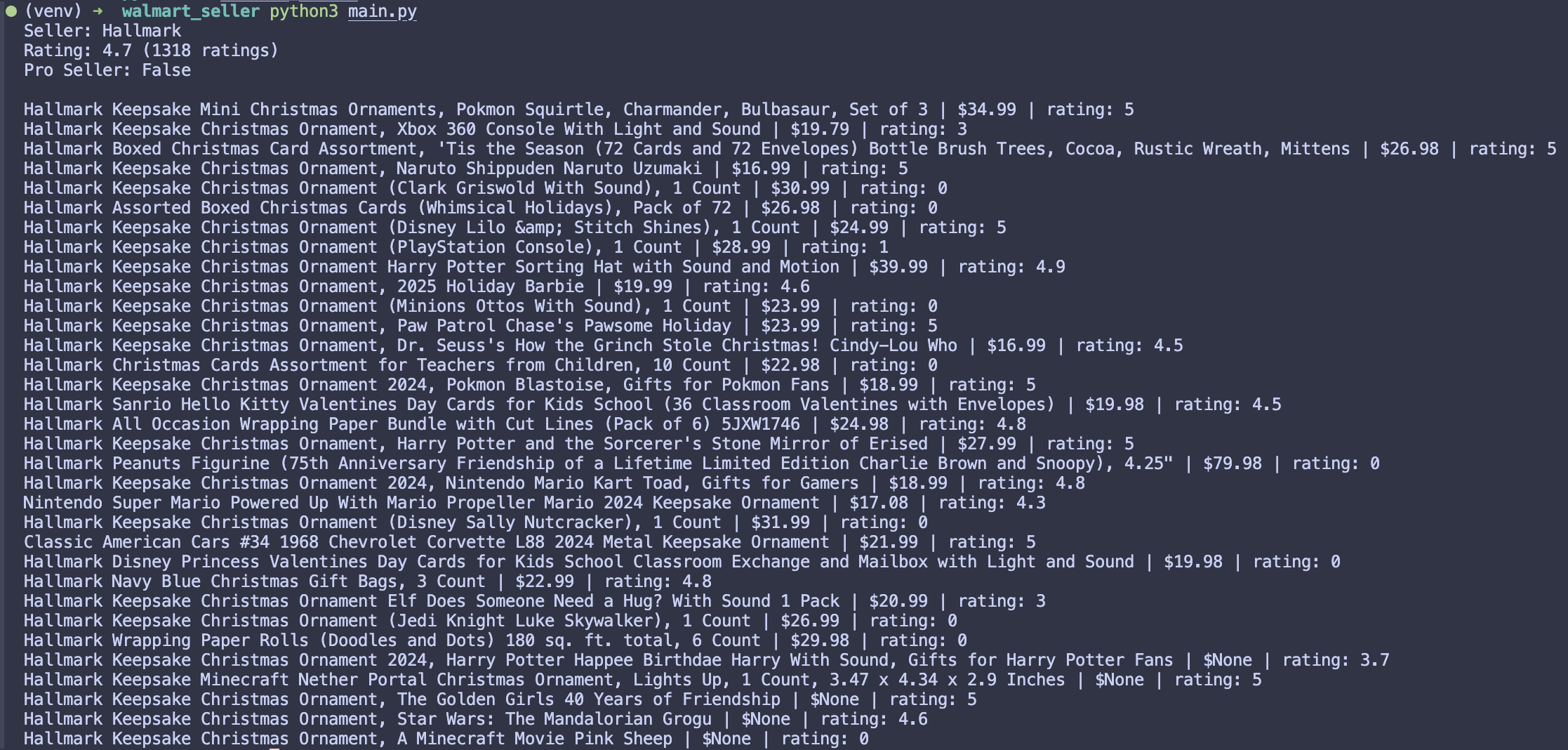
The script prints the seller's name, rating, and Pro Seller status, followed by each product's title, current price, and rating.
When the API can't return products, the response includes an error message, and the script prints it and stops. The message tells you which case you hit: Walmart couldn't find this seller. means the seller ID is wrong, and Walmart hasn't returned any results for this seller. means the seller exists but has no matching products. Some fields, such as rating, are left out when they don't apply, so the script reads them with .get().
Export results to CSV
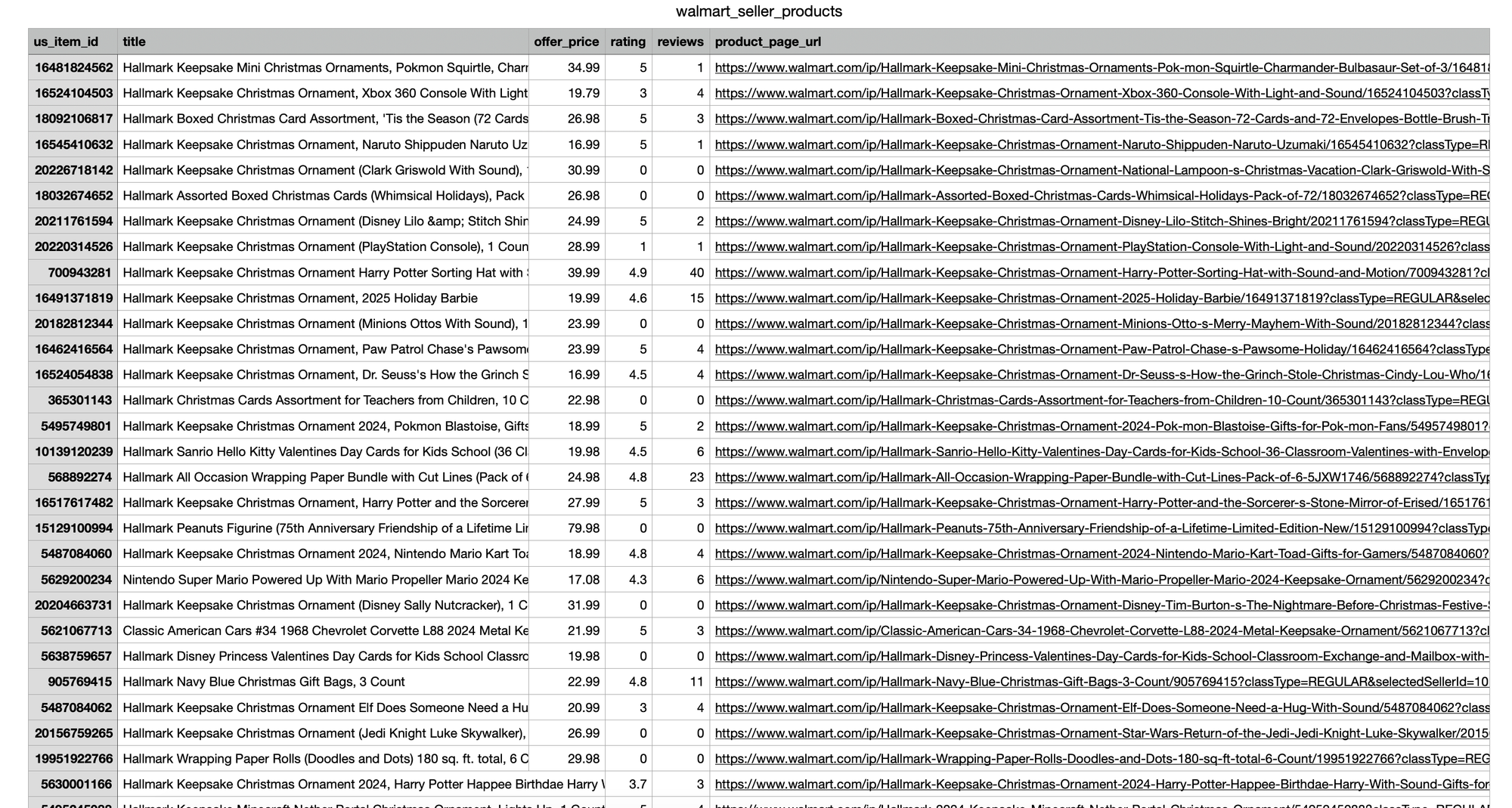
Each product is a repeated record, so the catalog fits neatly into a spreadsheet. Add import csv at the top of main.py, then add this to the end. It reuses the results variable from the request above:
with open("walmart_seller_products.csv", "w", newline="", encoding="utf-8") as file:
    writer = csv.writer(file)
    writer.writerow(["us_item_id", "title", "offer_price", "rating", "reviews", "product_page_url"])

    for product in results.get("organic_results", []):
        writer.writerow([
            product.get("us_item_id"),
            product.get("title"),
            product.get("primary_offer", {}).get("offer_price"),
            product.get("rating"),
            product.get("reviews"),
            product.get("product_page_url"),
        ])
The nested price is flattened into a single offer_price column. Fields that are missing for a product are written as empty cells.
JavaScript implementation
Install the official SerpApi JavaScript library:
npm install serpapiCreate a file named main.js:
async function main() {
  const { getJson } = await import("serpapi");

  const apiKey = process.env.SERPAPI_API_KEY;
  if (!apiKey) {
    throw new Error("Set the SERPAPI_API_KEY environment variable first.");
  }

  const results = await getJson({
    engine: "walmart_seller",
    catalog_seller_id: "101025813",
    api_key: apiKey,
  });

  if (results.error) {
    throw new Error(`Walmart Seller API: ${results.error}`);
  }

  const seller = results.seller_results;
  console.log(`Seller: ${seller.name}`);
  console.log(`Rating: ${seller.rating ?? "n/a"} (${seller.reviews} ratings)`);
  console.log(`Pro Seller: ${seller.pro_seller}`);
  console.log();

  for (const product of results.organic_results ?? []) {
    const price = product.primary_offer?.offer_price;
    console.log(`${product.title} | $${price} | rating: ${product.rating}`);
  }
}

main().catch((error) => {
  console.error(error.message);
  process.exitCode = 1;
});
Run it:
node main.js
You'll see the same seller profile and product list as in the Python example.
Other languages and no-code options
SerpApi also has official libraries for other programming languages. Browse them on the integrations page.
If you'd rather not write code, you can call the Walmart Seller API from automation tools:
- Make.com: Use the Universal "Make an API Call" module in SerpApi's Make.com app. Set the URL to
/search.jsonand addengine=walmart_sellerandcatalog_seller_idas query parameters. Pagination isn't automatic with this module, so addpageyourself. - n8n: SerpApi's verified n8n node supports a set list of popular APIs. For other engines, such as
walmart_seller, use n8n's HTTP Request node with your SerpApi credentials and set theengineparameter, as that post explains.
How to paginate the results
Walmart returns up to 40 products per page. To get more, use the page parameter:
pagestarts at1(the default). Increase it to move through the seller's catalog.- When there's another page,
serpapi_pagination.nextholds the link to it. - The maximum
pagevalue is100, but the pagination links stop at page 25, as they do on Walmart. To reach more of a large seller's catalog, narrow the results withsortandfacet, covered in the next section.
Hallmark has only 33 products, so this example uses 6AVE Electronics (seller 4720), which has thousands. It fetches up to three pages and stops early when there’s no next page:
import os

import serpapi

client = serpapi.Client(api_key=os.environ["SERPAPI_API_KEY"], timeout=60)

for page in range(1, 4):
    results = client.search({
        "engine": "walmart_seller",
        "catalog_seller_id": "4720",
        "page": page,
    })

    if "error" in results:
        print(f"Stopped on page {page}: {results['error']}")
        break

    for product in results.get("organic_results", []):
        print(f"Page {page}: {product['title']}")

    if "next" not in results.get("serpapi_pagination", {}):
        break
Customize or filter the results
Three parameters control which products you get:
sort: Orders the seller's products. Options arebest_match(default),price_low,price_high,best_seller,rating_high, andnew. Usenewto spot recent listings, orbest_sellerto see what sells most.facet: Filters products by attribute, written askey:valuepairs separated by||. For example,brand:Sony||color:Black.include_filters: Set it totrueto add afiltersarray to the response when the seller has products. Each filter'stypeand each value'sidare what you put intofacet, so this is the easiest way to find valid filters for a seller.
Here's a request for products sold by 6AVE Electronics (seller 4720), filtered to the Canon brand, sorted from the lowest price, on page 2:
https://serpapi.com/search?engine=walmart_seller&catalog_seller_id=4720&facet=brand%3ACanon&sort=price_low&page=2&api_key=YOUR_SERPAPI_API_KEY
In Python, pass the same values to client.search(), using the client from the earlier example:
results = client.search({
    "engine": "walmart_seller",
    "catalog_seller_id": "4720",
    "facet": "brand:Canon",
    "sort": "price_low",
    "page": 2,
})
Conclusion
You can now retrieve any Walmart seller's profile and products, including ratings, review counts, Pro Seller status, business details, and a catalog you can page through, sort, filter, and export to CSV. The same request works in cURL, Python, and JavaScript, and it returns Markdown when you're feeding results to an LLM.
Next, open the Walmart Seller API playground and try a seller you want to track.
For more ways to work with Walmart data, see these tutorials:
- How to Scrape Walmart in 2026 (Complete guide): Find products by keyword and get product details. Search results include each seller's
catalog_seller_id. - How to scrape More Seller Options for Walmart Products: List every seller offering a single product, then look up any of them with this API.
- Dropshipping Research Tool Demo in Python: Compare Walmart and eBay prices for the same product.
Frequently asked questions
Is the Walmart Seller API the same as Walmart's Marketplace API?
No. Walmart's Marketplace APIs are for sellers who manage their own accounts. SerpApi's Walmart Seller API retrieves the public seller page for any seller, including their profile and product catalog. You don't need a Walmart seller account.
How do I find a Walmart seller ID?
Open the seller's page on Walmart and copy the number after /seller/ in the URL. For example, the ID in https://www.walmart.com/seller/101025813 is 101025813. You can also find it in the catalog_seller_id field of SerpApi's Walmart Search API, Walmart Product API, and Walmart Product Sellers API results. Use catalog_seller_id, not seller_id, which is Walmart's internal ID.
How can I check whether a Walmart seller has the Pro Seller badge?
Read the pro_seller field in seller_results. It's true when the seller has the Pro Seller badge and false when they don't. The seller's rating, reviews, and account status are in the same object.
How many products can I get from one seller?
Each page returns up to 40 products. You can request pages up to 100 with the page parameter, but the pagination links stop at page 25. For large sellers, use sort and facet to split the catalog into smaller sets.
Can I get the results in Markdown for an LLM?
Yes. Add output=md to your request to get a compact Markdown version of the results. JSON remains the default and works better when your code needs exact fields.
All trademarks belong to their owners. SerpApi is not affiliated with or endorsed by them.