Ruby
Ruby
 Golang
 .Net
.Net
 MCP
MCP
 C++
C++

Customer reviews are one of the richest signals Walmart provides. Ratings, review text, and helpfulness feedback tell you what buyers actually think about a product, where it delights, where it disappoints, and which features drive or sink a purchase. In this tutorial, you'll learn how to scrape Walmart review results using a simple API from SerpApi's Walmart Product Reviews API, page through every review for a product, and export the results to CSV for analysis.
This is a companion to our main guide, How to Scrape Walmart, which covers scraping search listings and product details. If you already have a product_id, you can jump straight in below.
Why scrape Walmart reviews?
A single product page can hold hundreds of reviews, and at scale that feedback becomes a dataset. By scraping Walmart reviews, you can:
- Run sentiment analysis to understand how buyers feel about a product over time.
- Monitor recurring complaints and feature requests to inform product or sourcing decisions.
- Compare review sentiment and ratings across competing products before stocking or dropshipping.
- Track how ratings shift after a price change, a new variant, or a seller switch.
- Feed structured review text into downstream models for summarization or classification.
For e-commerce teams, analysts, and automation builders, review data turns anecdotal feedback into something you can measure and act on.
What can you extract from Walmart product reviews?
The Walmart Product Reviews API returns two things at once. A summary of a product's overall review profile and the individual reviews themselves. Here's what's available:
- Product info: The product name, its Walmart URL, and the category path it sits in.
- Overall rating: The product's average star rating across all reviews (for example, 4.6).
- Total review count: The total number of reviews for the product. It is useful for gauging sample size or weighting sentiment.
- Rating distribution: A breakdown of how many reviews fall under each star level, 1 through 5, so you can see the shape of sentiment at a glance rather than just the average.
- Top positive review: The highest-rated review that other customers found most helpful.
- Top negative review: The lowest-rated review that customers found most helpful. Often, the most actionable complaints surface.
- Individual reviews: For every review on the page, you get the title, full review text, star rating, positive and negative feedback counts (how many users up- or down-voted it), submission date, reviewer nickname, and customer type (such as
VerifiedPurchaser).
You can also filter by star rating (1 - 5) and sort the results by relevancy, helpfulness, newest or oldest submission, or highest or lowest rating to pull exactly the slice of feedback you need.
Why use an API?
Reviews are paginated, rendered dynamically, and protected by the same anti-bot measures as the rest of Walmart, so a DIY scraper means maintaining pagination logic, rotating proxies, and patching parsers every time the markup shifts.
With SerpApi, that overhead disappears. The Walmart Product Reviews API returns clean, structured review data. No browser automation, no HTML parsing, and get fast response times. You can see live response times and success rates on the SerpApi Status page. For the full picture on scraping Walmart search and product pages, see the complete Walmart scraping guide.
Getting the product_id
To pull reviews for a product, you need to pass the product_id parameter. You can get it from:
- The Walmart product URL itself.

product_id from URL- The Walmart Search results. If you're working from search data, extract the
product_idfrom each organic result. See the main Walmart guide for how to scrape those listings.
You can test any product_id on our interactive playground before writing a line of code.
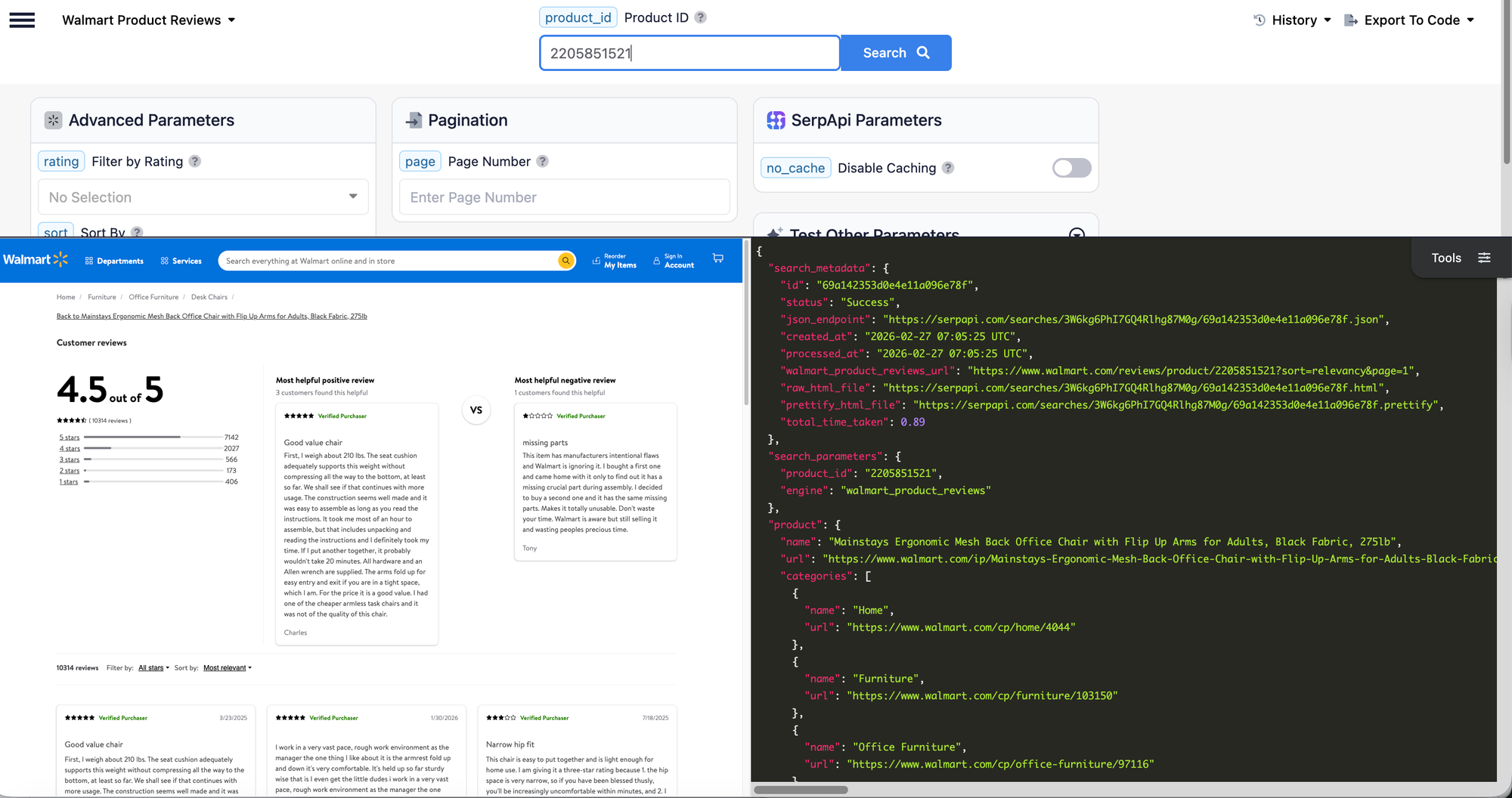
To learn more about the parameters, visit the Walmart Reviews API documentation.
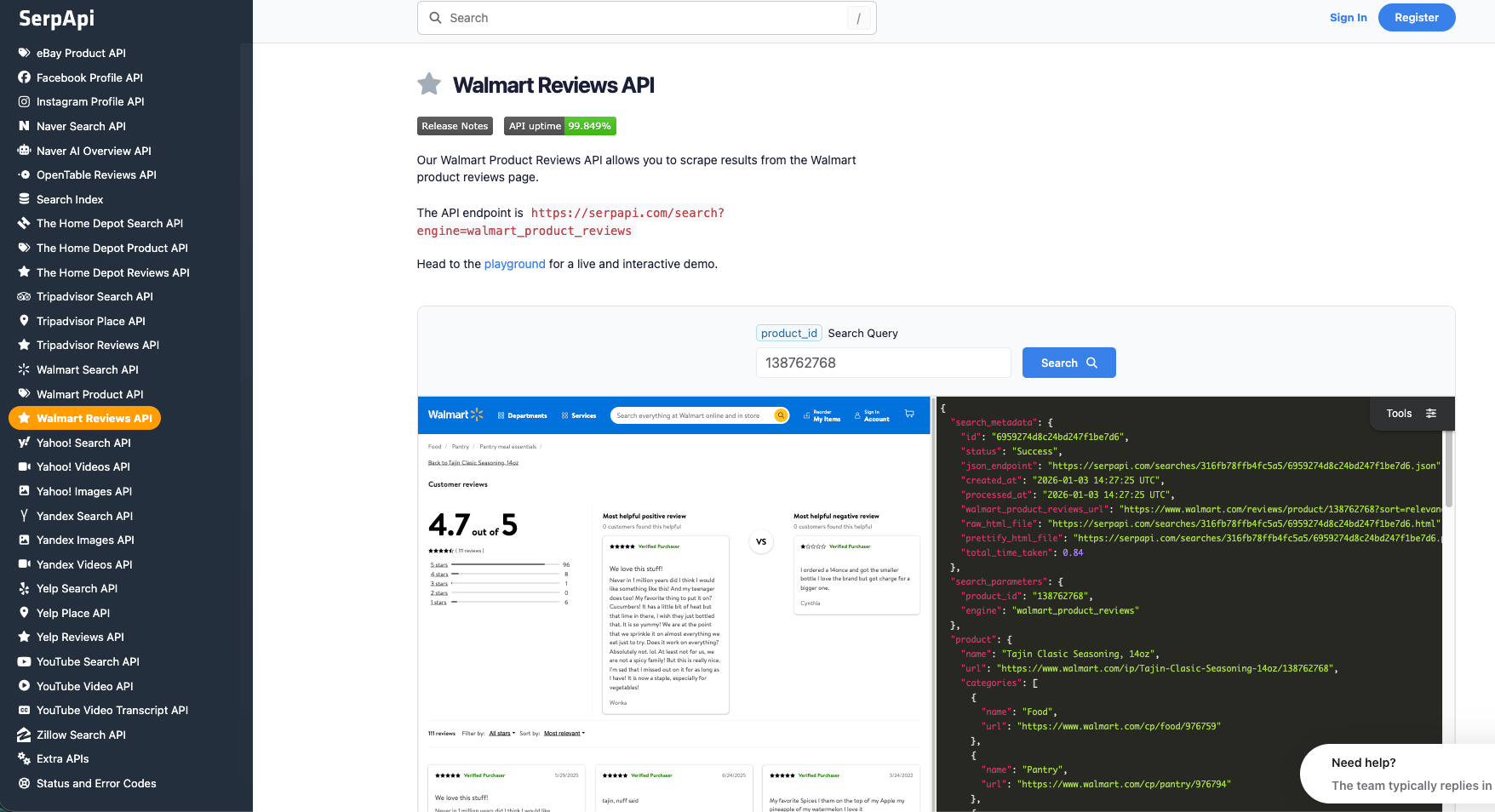
How to scrape Walmart reviews
If you have your API key, you're ready to start pulling review data from Walmart. The results will be identical across every method below, so use whichever one you prefer.
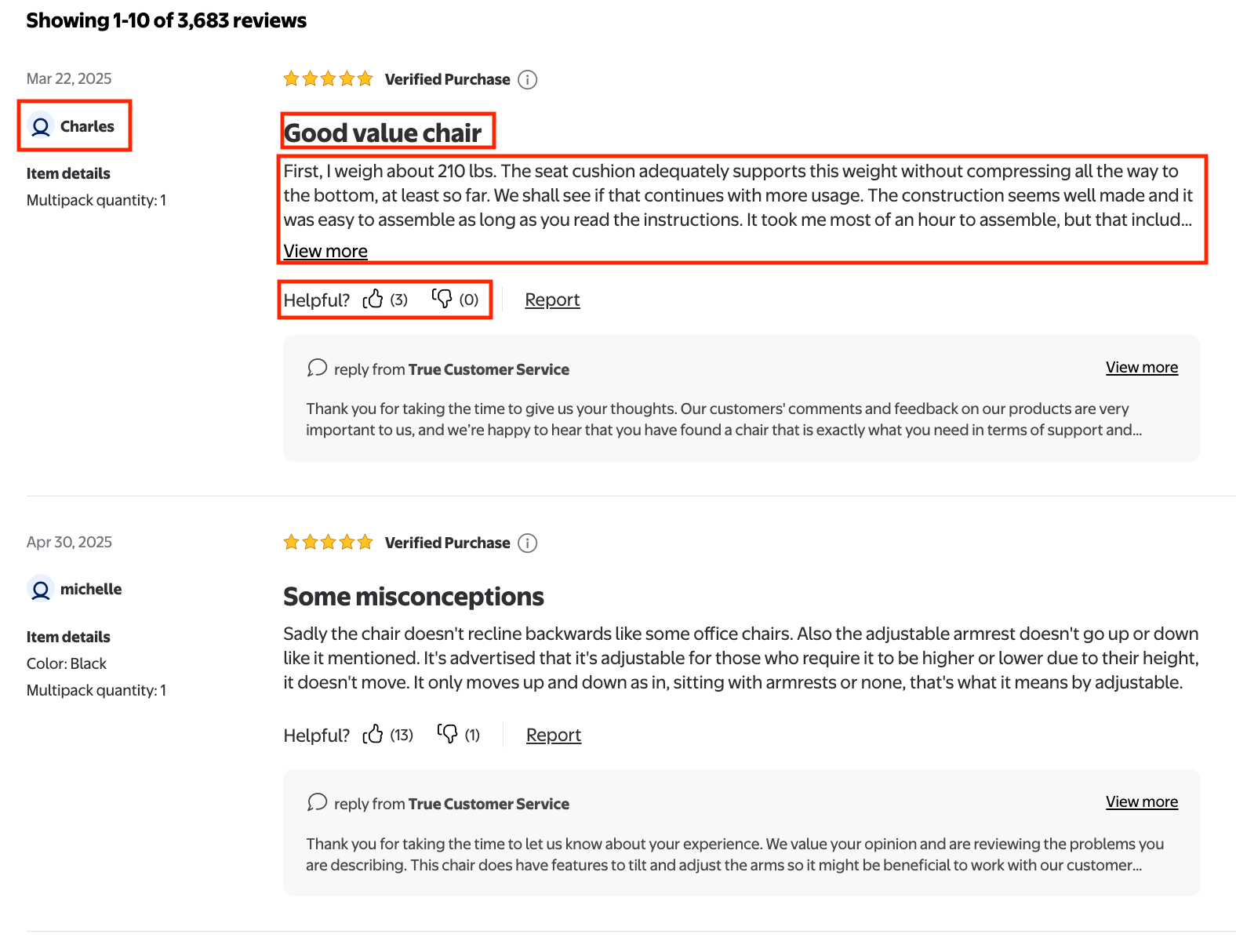
For every review on the page, we'll extract the "title", "rating", "review text", "positive and negative feedback", "review submission time", "user nickname", and "customer type".
GET request
This fetches the first page of reviews for a specific product (product_id), straight from the search.json endpoint:
https://serpapi.com/search.json?engine=walmart_product_reviews&product_id=2205851521&page=1&api_key=SERPAPI_API_KEYIncrement the page parameter to move through additional pages of reviews. By default, each page returns 20 reviews.
Python Tutorial
The examples below use the official SerpApi Python library. This is the most thorough walkthrough. It also covers paging through every review and exporting the results to CSV.
Setup
After installing the serpapi-python package, import the libraries and load your API key.
import serpapi
import os, csv
from dotenv import load_dotenv

load_dotenv()
Note: Make sure you create a .env file to store your API key.
Define the parameters. The page parameter is optional. By default, one page returns 20 reviews.
params = {
    'api_key': os.getenv("SERPAPI_API_KEY"),
    'engine': 'walmart_product_reviews',
    'product_id': '2205851521',
    'page': 1
}
Initialize the SerpApi client:
client = serpapi.Client()
Send the Walmart product reviews request:
results = client.search(params)
Parse the reviews
Loop through the reviews on the page and print each field:
reviews = results.get('reviews', [])

print("Reviews:")
for review in reviews:
    title = review.get('title')
    review_text = review.get('text')
    rating = review.get('rating')
    positive_feedback = review.get('positive_feedback')
    negative_feedback = review.get('negative_feedback')
    review_submission_time = review.get('review_submission_time')
    user_nickname = review.get('user_nickname')
    customer_type = review.get('customer_type')

    print(f"Title: {title}")
    print(f"Review text: {review_text}")
    print(f"Rating: {rating}")
    print(f"Positive feedback: {positive_feedback}")
    print(f"Negative feedback: {negative_feedback}")
    print(f"Review submission time: {review_submission_time}")
    print(f"User nickname: {user_nickname}")
    print(f"Customer type: {customer_type}")
    print("-" * 50)
The output
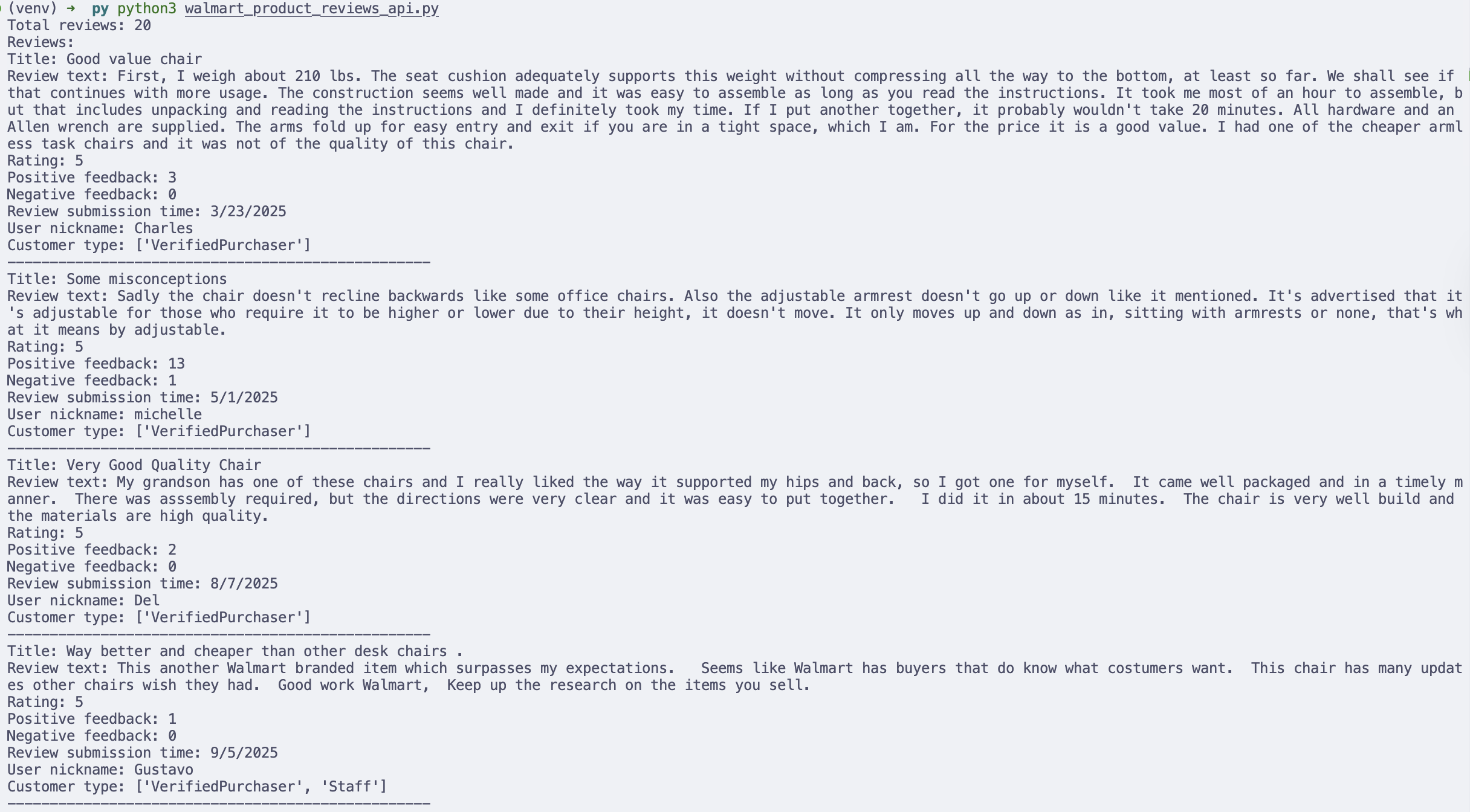
Scrape every page of reviews
A single request returns one page (20 reviews). Popular products have many pages, so to collect all of them you can increment the page parameter until the API stops returning reviews. We add a max_pages cap so the loop always terminates:
client = serpapi.Client()

all_reviews = []
page = 1
max_pages = 50  # safety cap so the loop can't run away

while page <= max_pages:
    params = {
        'api_key': os.getenv("SERPAPI_API_KEY"),
        'engine': 'walmart_product_reviews',
        'product_id': '2205851521',
        'page': page
    }
    results = client.search(params)
    reviews = results.get('reviews', [])

    if not reviews:
        break

    all_reviews.extend(reviews)
    print(f"Page {page}: collected {len(reviews)} reviews (total: {len(all_reviews)})")
    page += 1

print(f"Done. Collected {len(all_reviews)} reviews in total.")
Export the reviews to CSV
Printing to the terminal is useful for debugging, but in real workflows you'll want the data saved for analysis. Here's how to write every collected review to a CSV file you can open in Excel or Google Sheets:
header = [
    'title', 'rating', 'text', 'positive_feedback', 'negative_feedback',
    'review_submission_time', 'user_nickname', 'customer_type'
]

with open('walmart_reviews.csv', 'w', encoding='UTF8', newline='') as f:
    writer = csv.writer(f)
    writer.writerow(header)

    for review in all_reviews:
        writer.writerow([
            review.get('title'),
            review.get('rating'),
            review.get('text'),
            review.get('positive_feedback'),
            review.get('negative_feedback'),
            review.get('review_submission_time'),
            review.get('user_nickname'),
            review.get('customer_type'),
        ])
You now have a clean, structured CSV containing every review for the product, ready for sentiment analysis, dashboards, or cross-product comparisons.
JavaScript and Node.js
This example uses the SerpApi JavaScript library to fetch the first page of reviews for a product and print the title, rating, and text of each one:
import { getJson } from 'serpapi';

const search = await getJson({
  engine: "walmart_product_reviews",
  api_key: SERPAPI_API_KEY,
  product_id: "2205851521",
  page: 1
});

for (let review of search?.reviews ?? []) {
  console.log(`${review.title} - ${review.rating}`);
  console.log(review.text);
  console.log("-".repeat(50));
}
To collect every review, increment the page value until the API stops returning results:
import { getJson } from 'serpapi';

const allReviews = [];
let page = 1;
const maxPages = 50; // safety cap so the loop can't run away

while (page <= maxPages) {
  const search = await getJson({
    engine: "walmart_product_reviews",
    api_key: SERPAPI_API_KEY,
    product_id: "2205851521",
    page
  });

  const reviews = search?.reviews ?? [];
  if (reviews.length === 0) break;

  allReviews.push(...reviews);
  console.log(`Page ${page}: collected ${reviews.length} reviews (total: ${allReviews.length})`);
  page++;
}

console.log(`Done. Collected ${allReviews.length} reviews in total.`);
cURL
This fetches the first page of reviews for a specific product:
curl --get https://serpapi.com/search \
 -d api_key="YOUR_KEY_GOES_HERE" \
 -d engine="walmart_product_reviews" \
 -d product_id="2205851521" \
 -d page="1"
Other languages and no-code solutions
You can use the API directly with GET requests even if there isn't an official SerpApi integration for your language. SerpApi also works with Make.com, n8n, and other no-code tools.
Conclusion
Walmart reviews are a high-signal, high-volume source of customer feedback, but scraping them reliably means wrestling with pagination and anti-bot protections. In this tutorial, we used SerpApi's Walmart Product Reviews API to skip that overhead and pull structured review data directly. You learned how to:
- Find the
product_idyou need to query reviews - Retrieve and parse reviews for a specific product
- Page through every review with a bounded loop
- Export the results to CSV for downstream analysis
Want the full workflow including search listings and product details as well as reviews? Read the complete guide to scraping Walmart.
Ready to start collecting Walmart review data without maintaining a scraper? Create your free SerpApi account today.
Contact us at contact@serpapi.com if you have any questions.