Ruby
Ruby
 Golang
 .Net
.Net
 MCP
MCP
 C++
C++

The Google Play Store is the primary app store and game repository for Android devices. Reviews for a given application can provide insights into current problems, popular features, and device compatibility. That can be incredibly useful information for market research, competitive analysis, and other situations.
With the Google Play Store Product API from SerpApi, you can retrieve details for any app on the Google Play Store in simple JSON or Markdown format, which includes user-published reviews. SerpApi handles the web scraping, HTML parsing, and other challenges for you, so you can focus on your actual business or project.
Getting started with SerpApi
You need a free SerpApi account before you can use the Google Play Store APIs. You can upgrade to a paid account in the future if you need more search capacity, faster speeds, or other features.
First, create an account and verify your email and other details. After that, get the API key from your account dashboard.
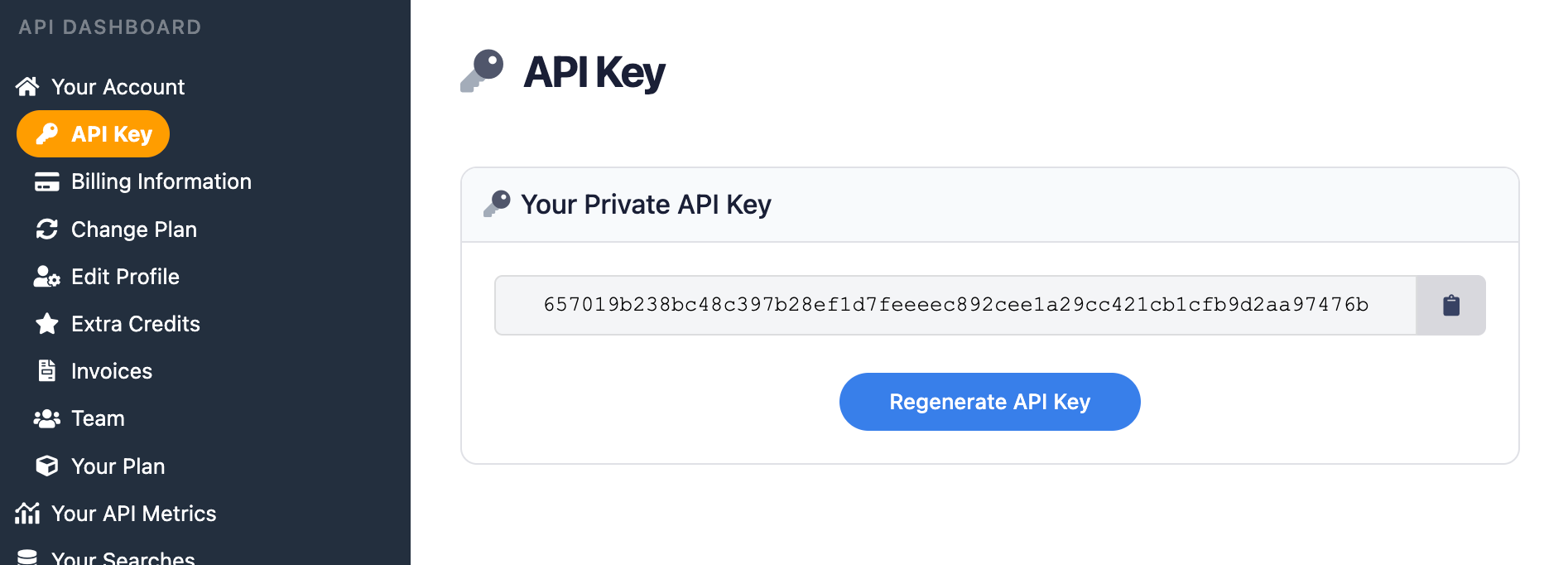
You should store your API key in a safe location if you are sharing or publishing your code. If the key is leaked or stolen, you can make a new one from the SerpApi account dashboard.
Install the SerpApi library (optional)
SerpApi has official integrations for Python, JavaScript, Ruby, Java, and other environments. They aren't required, but they provide a simple wrapper around the API requests.
The APIs can also be used with cURL, fetch() in Node.js, or anything else that can send GET requests and process a JSON response.
Review the Google Play Store documentation
SerpApi has extensive documentation for each of its APIs, covering all supported parameters and filters, code examples for popular languages, and example JSON/Markdown responses. The Google Play Store API is available for fetching the contents of home pages and search results, and the Google Play Product API can retrieve individual app listings with their user reviews.
 SerpApi
The only required parameter for the Google Play Product API is product_id, which represents the package name or product ID for the app you want to check. You can find that in the URL for the app's listing, as the id parameter.
For example, the URL for YouTube in the Play Store includes the com.google.android.youtube ID:
https://play.google.com/store/apps/details?id=com.google.android.youtube&gl=usThe page for Minecraft contains com.mojang.minecraftpe as the ID:
https://play.google.com/store/apps/details?id=com.mojang.minecraftpe&gl=usIf you need to fetch the IDs for apps in an automation, you can use the Google Play Store API first to retrieve that information for any search results, then store that information for a request to the Google Play Product API.
How to scrape app reviews from the Google Play Store
Once you have your API key, you're ready to start pulling app reviews from the Google Play Store. The results will be identical across all libraries and GET requests, so use whichever method you want.
GET request with JSON
Here's how you can fetch reviews for Netflix on the Google Play Store in the United States, using the all_reviews parameter and the app ID com.netflix.mediaclient for Netflix, and get a response in JSON format:
https://serpapi.com/search.json?engine=google_play_product&product_id=com.netflix.mediaclient&gl=us&store=apps&all_reviews=true&platform=phone&sort_by=1&api_key=YOUR_KEY_GOES_HEREYou can fetch up to 199 reviews in one request by adding the num parameter, like this:
https://serpapi.com/search.json?engine=google_play_product&product_id=com.netflix.mediaclient&gl=us&store=apps&all_reviews=true&platform=phone&sort_by=1&num=199&api_key=YOUR_KEY_GOES_HEREIf you need the next page of reviews, find the next_page_token value provided in the serpapi_pagination object of the JSON response, then put it in the next_page_token parameter of the next GET request.
There are three options for sorting reviews, controlled by the sort_by parameter. You can choose 1 for the most relevant reviews, 2 for the newest reviews, or 3 for highest-rated to lowest-rated reviews. This will show the newest reviews for Netflix:
https://serpapi.com/search.json?engine=google_play_product&product_id=com.netflix.mediaclient&gl=us&store=apps&all_reviews=true&platform=phone&sort_by=2&api_key=YOUR_KEY_GOES_HEREGET request with Markdown
If you want reviews in a more human-readable format, or if the data will be used with LLMs, you can try Markdown output instead of JSON. This GET request will fetch the 50 most relevant reviews for WhatsApp in Canada:
https://serpapi.com/search.md?engine=google_play_product&product_id=com.whatsapp&gl=ca&store=apps&all_reviews=true&platform=phone&sort_by=1&num=50&api_key=YOUR_KEY_GOES_HEREThe output will look like this:
## Reviews

| Id | Title | Avatar | Rating | Snippet | Likes | Date | Iso Date |
| --- | --- | --- | --- | --- | --- | --- | --- |
| 8ce66b12-b1a9-489d-b109-316d9b6e7497 | Sheikh Bilal Badar | https://play-lh.googleusercontent.com/a-/ALV-UjWyjZBEOmuUUGnVz8JaZp54_Y4yUNopTMfU15n8-gmBgZvkWp_gAg | 1.0 | Worst customer service I've experienced. My account was blocked without any explanation, and every attempt to get help resulted in automated replies telling me to contact support. There is no real person to assist or explain the issue. After relying on this app for so long, this was extremely disappointing. Be careful before depending on it for important communication because if something goes wrong, getting help seems almost impossible. | 16 | August 06, 2026 | 2026-08-06T12:14:16Z |
| 2592952c-8921-4b35-b756-106b946d8f1a | Noémie Bilinski | https://play-lh.googleusercontent.com/a-/ALV-UjXSeE8Yhqimh4en1zm_t5HcR4ZKVlTr6162dCEuda0g6EWGdXk | 1.0 | Honestly, I didn't have a lot of issues but this app has the most idiotic and awful function that none of the other chatting apps have. it auto downloads all the gifs, videos and photos you receive. you can deactivate the auto download, but then you can't see the media you receive and to see it, you need to MANUALLY download them and it still gets saved on your phone! WHY??? This is so dumb!!! let us receive pictures without downloading them in our phones | 13 | August 14, 2026 | 2026-08-14T21:21:55Z |
| 65c2929d-fa3f-47ca-b2a8-17f6f545dc27 | Ellie | https://play-lh.googleusercontent.com/a/ACg8ocL41zM9q4ejIM09-NW19BU3EUepb6pQJ2_01cuqWo-yqgHfsweY=mo | 4.0 | In my own opinion, WhatsApp is a great app for communicating with family and any communities, it's pretty simple and easy to use once you understand the settings, but it would be better if there was an in-app browser, similar to messenger, for whenever someone sends a link, and you don't have to go into chrome or any browser app you have, since I've noticed in both the reviews and the people I know who use WhatsApp, they'd prefer in-app browsers as well. But overall, a really easy to use app!!𔘓 | 59 | April 30, 2026 | 2026-04-30T01:53:41Z |

## Pagination

- [Next page](https://serpapi.com/search.md?...)
Markdown output supports all the same parameters and options as JSON requests.
Python
This is how you can fetch the 100 most recent reviews for Minecraft in the United States, using the official SerpApi Python library:
import serpapi
client = serpapi.Client(api_key=YOUR_KEY_GOES_HERE)

response = client.search({
  "engine": "google_play_product",
  "store": "apps",
  "platform": "phone",
  "gl": "us",
  "all_reviews": "true",
  # The package name for Minecraft
  "product_id": "com.mojang.minecraftpe",
  # Newest reviews is "2"
  "sort_by": "2"
})

for review in response.get("reviews", {}):
    print(f"\n{review['rating']} stars - {review['snippet']}")
Here's an example of fetching five pages of relevant reviews, at the maximum of 199 reviews per page:
import serpapi
client = serpapi.Client(api_key=YOUR_KEY_GOES_HERE)

settings = {
  "engine": "google_play_product",
  "store": "apps",
  "platform": "phone",
  "gl": "us",
  "all_reviews": "true",
  "num": "199",
  # The package name for Minecraft
  "product_id": "com.mojang.minecraftpe",
  # Most relevant reviews is "1"
  "sort_by": "1"
}

response = client.search(settings)
current_page = 0

while current_page < 5:
  # Set current page
  current_page += 1
  print(f"\nReviews page #{current_page}\n======")
  # Print all reviews on this page
  for review in response.get("reviews", {}):
    print(f"\n{review['rating']} stars - {review['snippet']}")
  # Add the next page token from response to the parameters for the next page's request
  settings["next_page_token"] = response["serpapi_pagination"]["next_page_token"]
  # Make request for next page
  response = client.search(settings)
Ruby
Here's how you can retrieve the 50 most relevant reviews for Netflix in the United States, using the SerpApi Ruby gem:
require "serpapi"

client = SerpApi::Client.new(
  engine: "google_play_product",
  api_key: YOUR_KEY_GOES_HERE,
  gl: "us",
  store: "apps",
  platform: "phone",
  all_reviews: true,
  num: 50,
  # The package name for Netflix
  product_id: "com.netflix.mediaclient",
  # Most relevant reviews is "1"
  sort_by: 1
)

for review in client.search[:reviews] do
  puts "\n#{review[:rating]} stars - #{review[:snippet]}"
end
This fetches the maximum number of reviews (199) per page, and shows the first five pages of relevant reviews:
require "serpapi"

settings = {
  engine: "google_play_product",
  api_key: YOUR_KEY_GOES_HERE,
  gl: "us",
  store: "apps",
  platform: "phone",
  all_reviews: true,
  num: 199,
  # The package name for Netflix
  product_id: "com.netflix.mediaclient",
  # Most relevant reviews is "1"
  sort_by: 1
}

response = SerpApi::Client.new(settings)
current_page = 0

while current_page < 5
  # Set current page
  current_page += 1
  puts "\nReviews page #{current_page}\n======"
  # Print all reviews on this page
  for review in response.search[:reviews] do
    puts "\n#{review[:rating]} stars - #{review[:snippet]}"
  end
  # Add the next page token from response to the parameters for the next page's request
  settings[:next_page_token] = response.search[:serpapi_pagination][:next_page_token]
  # Make request for next page
  response = SerpApi::Client.new(settings)
end
JavaScript and Node.js
This is how you can fetch the 50 most relevant reviews for Spotify in the United States in a Node.js script, using the SerpApi JavaScript library:
import { getJson } from 'serpapi';

const search = await getJson({
  engine: "google_play_product",
  api_key: YOUR_KEY_GOES_HERE,
  gl: "us",
  store: "apps",
  platform: "phone",
  all_reviews: true,
  num: 50,
  // The package name for Netflix
  product_id: "com.spotify.music",
  // Most relevant reviews is "1"
  sort_by: 1
});

for (let review of search.reviews) {
  console.log("\n" + review.rating + " stars - " + review.snippet);
}
This will retrieve five pages of the most recent reviews for Spotify, at the maximum of 199 reviews per page:
import { getJson } from 'serpapi';

let settings = {
  engine: "google_play_product",
  api_key: YOUR_KEY_GOES_HERE,
  gl: "us",
  store: "apps",
  platform: "phone",
  all_reviews: true,
  num: 199,
  // The package name for Netflix
  product_id: "com.spotify.music",
  // Most recent reviews is "1"
  sort_by: 2
}

let search = await getJson(settings);

for (let i = 0; i <= 5; i++) {
  console.log(`\nReviews page #${i}\n======`);
  // Print all reviews on this page
  for (let review of search.reviews) {
    console.log(`\n${review.rating} stars - ${review.snippet}`);
  }
  // Add next page token from this page to the next request
  settings.next_page_token = search.serpapi_pagination.next_page_token;
  // Make request for next page
  search = await getJson(settings);
}
cURL
Here's how you can fetch the 50 most relevant reviews for Gmail in Canada with a cURL request:
curl --get https://serpapi.com/search \
 -d api_key="YOUR_KEY_GOES_HERE" \
 -d engine="google_play_product" \
 -d gl="ca" \
 -d store="apps" \
 -d product_id="com.google.android.gm" \
 -d platform="phone" \
 -d sort_by="1" \
 -d all_reviews="true" \
 -d num="50"
Other languages and no-code solutions
You can still use the API directly with GET requests, even if there isn't an official SerpApi integration for your preferred environment or language. SerpApi also works with Make.com, N8N, and other tools.
Conclusion
The Google Play Store's user reviews for apps and games can help you identify popular (and unpopular) features, ongoing bugs, device compatibility, and other insights. That information is already available to the application's developer through their Google Play Console, but with the Google Play Product API from SerpApi, you can fetch reviews for apps and games published by any developer.
If you need help using SerpApi, please contact us.