






 Ruby
 Golang
 .NET
 MCP
 C++

Google Books is a useful place to find books, magazines, and scanned newspaper archives, along with the passages inside them that match your search. The Google Books API from SerpApi returns search results as structured data, so you can work with titles, authors, publication dates, preview links, and matching snippets in your code.
In this tutorial, we'll look at what the API returns, try it in the Playground, and then call it with a plain GET request, cURL call, Python script, and JavaScript program. After that, we'll cover search operators, filters, pagination, and saving results to CSV. We'll use the search self help throughout.
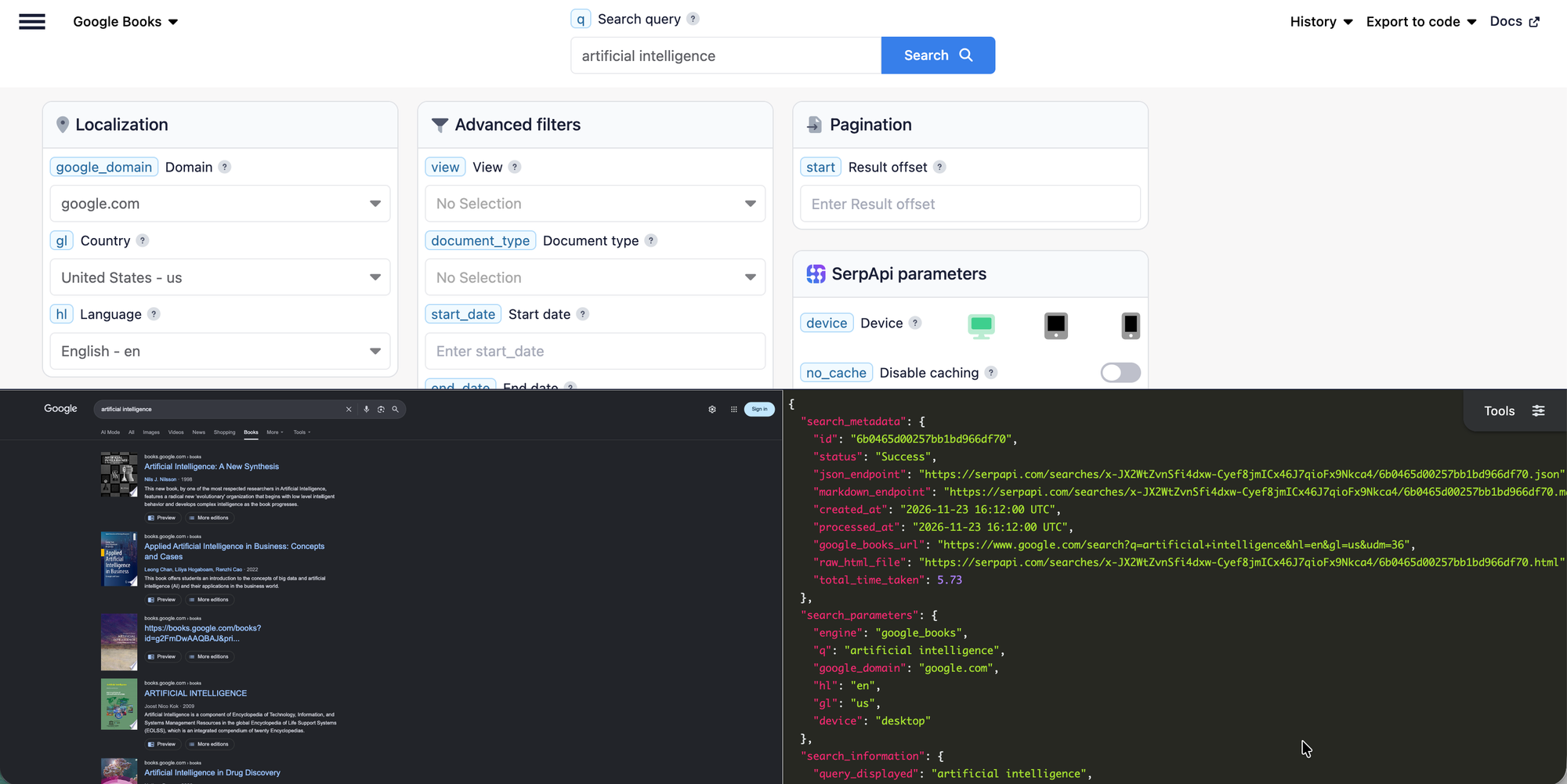
What can you scrape from Google Books?
A Google Books search returns a list of results in organic_results. Depending on the result, you can get:
- Basic book details:
title,link,displayed_link,book_id, andthumbnail - Authors: an
authorsarray with each author'sname. When Google links the author, you also getlinkand aserpapi_linkthat searches that author's books with the same filters - Publication date:
date, such as2019orMar 20, 1969 - Access type:
extensions, such asPreview,Read,Newspaper, orFull view - Matching text:
snippet,snippet_highlighted_words, and, on desktop results,found_inside - More editions:
more_editions_link - Newspaper sources:
sourcefor newspaper results, which don't includeauthors - Search information:
search_informationwithtotal_results,time_taken_displayed, andpage_number. These are desktop-only, andpage_numberstarts on the second page. - Pagination:
serpapi_paginationwithcurrent,previous, andnext
You can narrow results with request parameters like view, document_type, start_date, and end_date.
Getting started with SerpApi
The quickest way to try the API is the Google Books Playground. Run it to see the JSON before you write any code.
To call the API from your own code you need an API key. Sign up for a SerpApi account, then sign in to your dashboard to find your key.
Store it as an environment variable so the examples below can read it:
Mac/Linux:
export SERPAPI_API_KEY="YOUR_SERPAPI_API_KEY"
Windows:
$env:SERPAPI_KEY="YOUR_API_KEY"Replace YOUR_SERPAPI_API_KEY with your own key. In a terminal, this only lasts for the current session.
How to scrape Google Books search results
The Google Books API uses engine=google_books. These parameters get you started:
engine(required): Set togoogle_books.q(required): Your search query. Supports operators likeintitle:andinauthor:.api_key(required): Your SerpApi private API key.hl(optional): Two-letter language code. Defaults toen.gl(optional): Two-letter country code. Defaults tous.start(optional): Result offset for pagination. Defaults to0.
GET request
The basic request is a GET to https://serpapi.com/search.json. JSON is the default output:
https://serpapi.com/search.json?engine=google_books&q=self+help&api_key=YOUR_SERPAPI_API_KEY
Here is a shortened version of the response:
{
  "search_metadata": {
    "id": "...",
    "status": "Success"
  },
  "search_information": {
    "total_results": 0,
    "time_taken_displayed": 0.0,
    "page_number": 0
  },
  "organic_results": [
    {
      "position": 1,
      "title": "...",
      "link": "...",
      "displayed_link": "...",
      "book_id": "...",
      "thumbnail": "...",
      "authors": [
        {
          "name": "...",
          "link": "...",
          "serpapi_link": "..."
        }
      ],
      "date": "...",
      "extensions": ["..."],
      "found_inside": "...",
      "snippet": "...",
      "snippet_highlighted_words": ["..."],
      "more_editions_link": "..."
    }
  ],
  "serpapi_pagination": {
    "current": 1,
    "next": "..."
  }
}
A few things to keep in mind:
search_metadata.statusmoves fromProcessingtoSuccessorError. If the search fails,search_metadata.errorholds the message. See the status and error codes page for details.authorsis missing on newspaper results, which usesourceinstead.- Some authors don't have a Google link, so
linkandserpapi_linkmay be missing for them.
Markdown output
If you want results that are easy to read, or you're sending them to an LLM, add output=md:
https://serpapi.com/search?engine=google_books&q=self+help&output=md&api_key=YOUR_SERPAPI_API_KEY
Markdown trims some data to keep the output compact, such as tracking fields, redirect URLs, nested details, and filter sections. When you need exact field access, like reading authors[].name in code, stick with JSON. All of the code examples below use JSON.
cURL
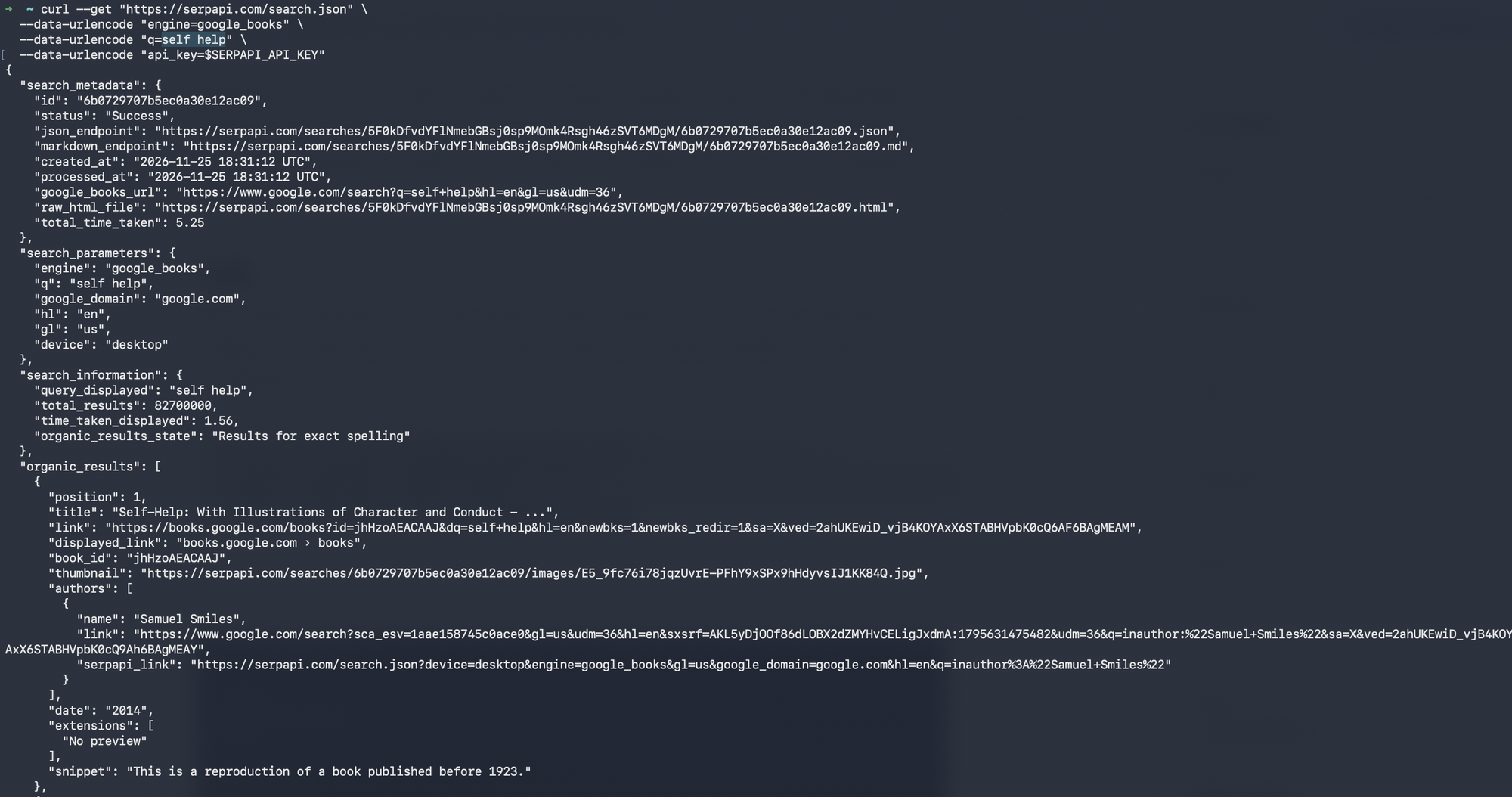
This cURL command is an equivalent request built from the GET endpoint and parameters. --get with --data-urlencode handles the URL encoding for you:
curl --get "https://serpapi.com/search.json" \
  --data-urlencode "engine=google_books" \
  --data-urlencode "q=self help" \
  --data-urlencode "api_key=$SERPAPI_API_KEY"
Python
SerpApi has an official Python library. See the Python integration page for more. Install it with:
pip install serpapi
Create a file named main.py:
import os
import serpapi

client = serpapi.Client(api_key=os.environ["SERPAPI_API_KEY"], timeout=60)
results = client.search({
    "engine":"google_books",
    "q": "self help"
})

if "error" in results:
    sys.exit("SerpApi returned an error for this search.")

books = results.get("organic_results", [])
if not books:
    print("No books found.")

for book in books:
    authors = ", ".join(a["name"] for a in book.get("authors", []))
    print(f'{book["position"]}. {book["title"]}')
    print(f'   Authors: {authors or "Unknown"} | Date: {book.get("date", "n/a")}')
    print(f'   {book["link"]}')
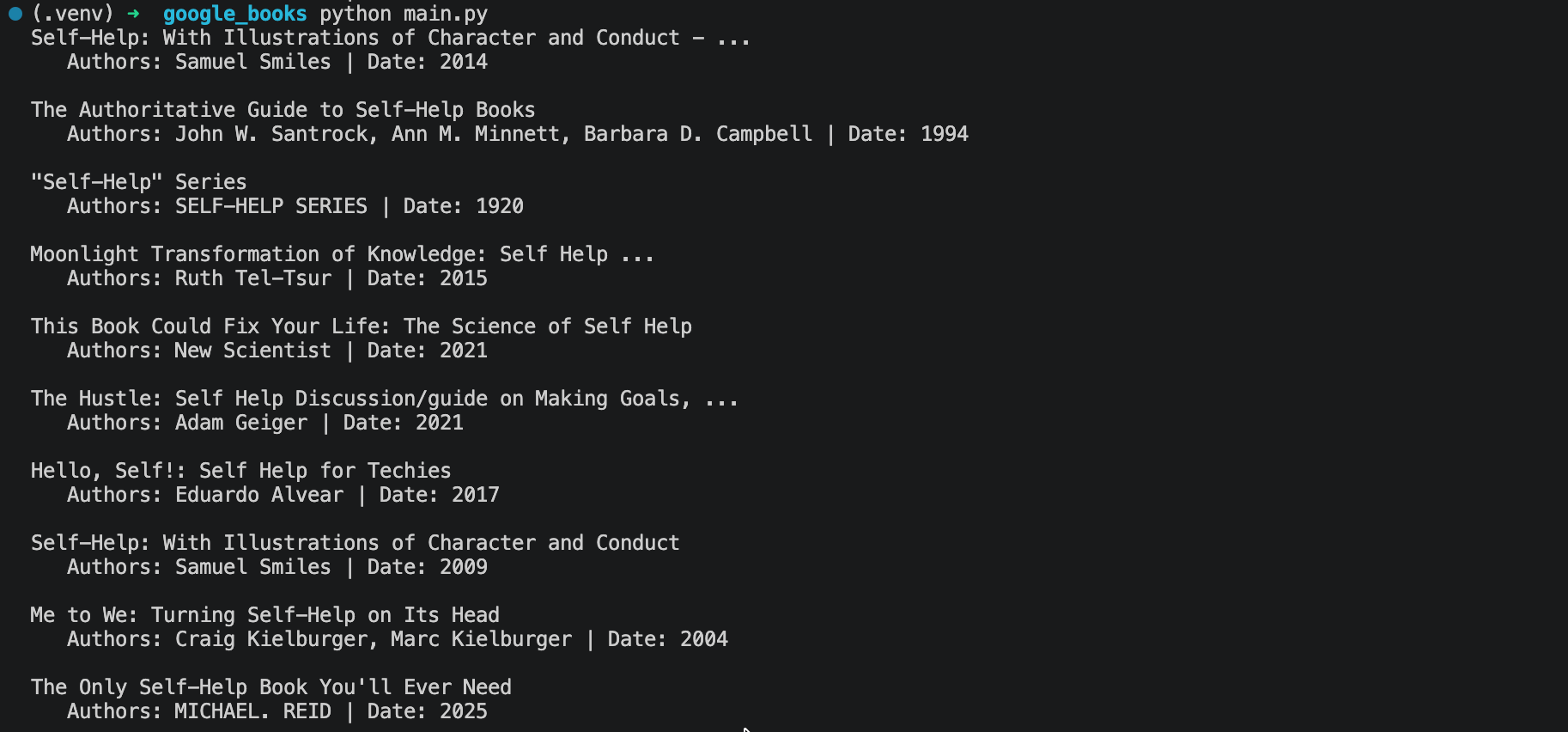
Run it:
python main.py
A few notes on the code:
os.environ["SERPAPI_API_KEY"]raises an error if the variable isn't set, so you'll know right away if the key is missing.timeout=60is in seconds. The library's default is no timeout.- The result behaves like a dictionary, so you can read fields directly with no JSON decoding.
- A request can succeed over HTTP and still return an
errorfield in the body, which is why the code checks for it before reading results. - It only prints three useful fields per book. The response has more, so print or save whatever your project needs.
For production code, you may want to catch the library's documented exceptions: serpapi.HTTPError, serpapi.HTTPConnectionError, and serpapi.TimeoutError.
JavaScript
SerpApi also has an official JavaScript library. Install it with:
npm install serpapi
Create a file named main.js:
async function main() {
  const { getJson } = await import("serpapi");

  const apiKey = process.env.SERPAPI_API_KEY;
  if (!apiKey) {
    console.error("Set the SERPAPI_API_KEY environment variable first.");
    process.exit(1);
  }

  try {
    const results = await getJson({
      engine: "google_books",
      api_key: apiKey,
      q: "self help",
    });

    if (results.error) {
      console.error("SerpApi returned an error for this search.");
      process.exit(1);
    }

    const books = results.organic_results ?? [];
    if (books.length === 0) {
      console.log("No books found.");
      return;
    }

    for (const book of books) {
      const authors = (book.authors ?? []).map((a) => a.name).join(", ");
      console.log(book.title);
      console.log(`   Authors: ${authors || "Unknown"} | Date: ${book.date ?? "n/a"}`);
      console.log(`   ${book.link}`);
    }
  } catch (error) {
    console.error("The request failed or was rejected. Check your API key and parameters.");
    process.exit(1);
  }
}

main();
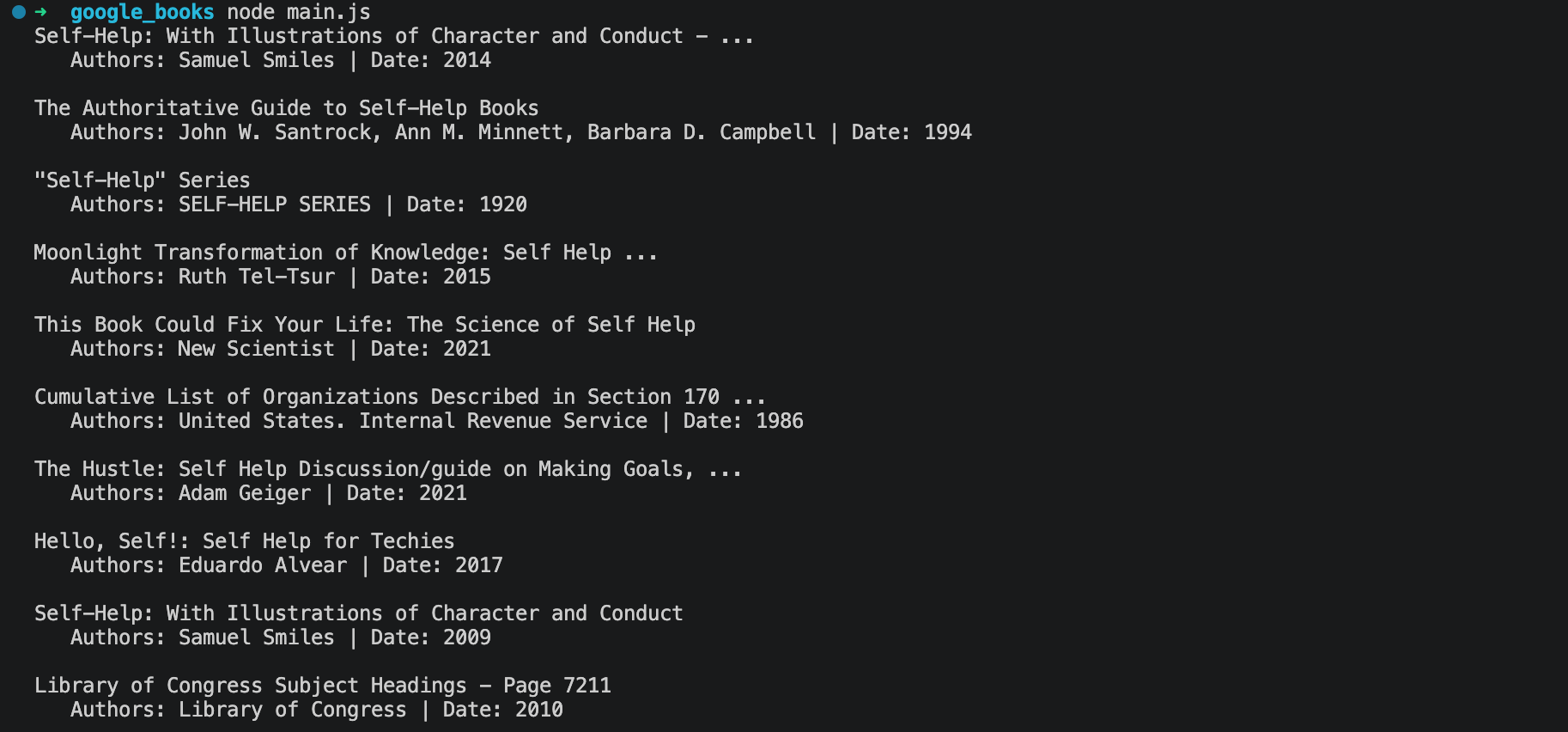
Run it:
node main.js
Results should look like:
Other languages and no-code tools
SerpApi has libraries for other languages too, including Ruby, Go, PHP, Java, Rust, and .NET. Check the integrations page for the full list.
If you prefer no-code tools, SerpApi has an app for Make and a verified node for n8n. The engine value is google_books in both cases.
How to search with operators
The q parameter supports Google Books search operators: intitle:, inauthor:, inpublisher:, subject:, and isbn:. For example, to find books by an author, set q to inauthor:"Stephen King":
https://serpapi.com/search.json?engine=google_books&q=inauthor%3A%22Stephen+King%22&api_key=YOUR_SERPAPI_API_KEY
In Python, you can reuse the client from earlier and pass the operator as plain text, since the library handles the encoding:
results = client.search({
    "engine": "google_books",
    "q": 'inauthor:"Stephen King"',
})
Each author in the results can also include a serpapi_link, which searches that author's books with the same filters you're already using.
How to filter results
Beyond operators, you can filter with these request parameters:
view:previewreturns preview and full view results, andfullreturns full view only. By default, any view is included.document_type:books,magazines, ornewspapers. Thenewspapersoption searches scanned Google News Archive pages. By default, any document type is included.start_dateandend_date: the earliest and latest publication dates, inYYYYMMDDformat.
You can combine them. This request looks for newspaper results from July 1969:
https://serpapi.com/search.json?engine=google_books&q=moon+landing&document_type=newspapers&start_date=19690701&end_date=19690731&api_key=YOUR_SERPAPI_API_KEY
In Python:
results = client.search({
    "engine": "google_books",
    "q": "moon landing",
    "document_type": "newspapers",
    "start_date": "19690701",
    "end_date": "19690731",
})
Newspaper results use source instead of authors, so adjust the fields you print.
How to paginate
Google Books returns up to 10 results per page. Use start as an offset: 0 is page 1, 10 is page 2, 20 is page 3, and so on.
https://serpapi.com/search.json?engine=google_books&q=artificial+intelligence&start=10&api_key=YOUR_SERPAPI_API_KEY
The response's serpapi_pagination object tells you where you are. For start=10, current is 2, previous points to the start=0 request, and next points to the start=20 request.
In Python, reuse the client and change start in a loop:
for start in range(0, 30, 10):
    page = client.search({
        "engine": "google_books",
        "q": "artificial intelligence",
        "start": start,
    })

    if "error" in page:
        raise SystemExit("The search failed. Check your API key and parameters.")

    books = page.get("organic_results", [])
    if not books:
        break

    for book in books:
        print(book["title"])
This fetches up to three pages.
How to save results to CSV
Books are repeated records with the same fields, so they fit nicely into CSV rows. This script uses Python's standard library, writes UTF-8, and joins multiple authors into one cell with ; :
import csv
import os
import serpapi

client = serpapi.Client(api_key=os.environ["SERPAPI_API_KEY"], timeout=60)

results = client.search({
    "engine": "google_books",
    "q": "artificial intelligence",
})

if "error" in results:
    raise SystemExit("The search failed. Check your API key and parameters.")

fields = ["position", "title", "authors", "date", "link", "book_id"]

with open("books.csv", "w", newline="", encoding="utf-8") as file:
    writer = csv.DictWriter(file, fieldnames=fields)
    writer.writeheader()

    for book in results.get("organic_results", []):
        writer.writerow({
            "position": book.get("position"),
            "title": book.get("title"),
            "authors": "; ".join(a["name"] for a in book.get("authors", [])),
            "date": book.get("date"),
            "link": book.get("link"),
            "book_id": book.get("book_id"),
        })

print("Saved books.csv")
Conclusion
The Google Books API gives you search results from books, magazines, and newspaper archives as structured data. You've seen above how to call it with GET, cURL, Python, and JavaScript, and how to use operators, filters, and start pagination to find the results you want.
For the full parameter list and response details, see the Google Books API documentation. You can also see the release notes.
If you're working with research data, check out these additional APIs:
- Google Scholar API and this tutorial for scholarly articles.
- Google Search API and Google News API (tutorial) for web and news results.