


 Ruby
 Golang
 .Net
 MCP
 C++

Have you ever wanted to track a Boeing 777 currently in the air or know which planes are above your city right now? Flightradar24 provides this information on its live map, but passing that data into your own app or spreadsheet is a different process.
With SerpApi's new Flightradar24 API, you can scrape live flights from the Flightradar24 map and get them back as structured JSON. It supports searching a geographic area, looking up a specific flight, or limiting results to particular airlines, aircraft, and airports.
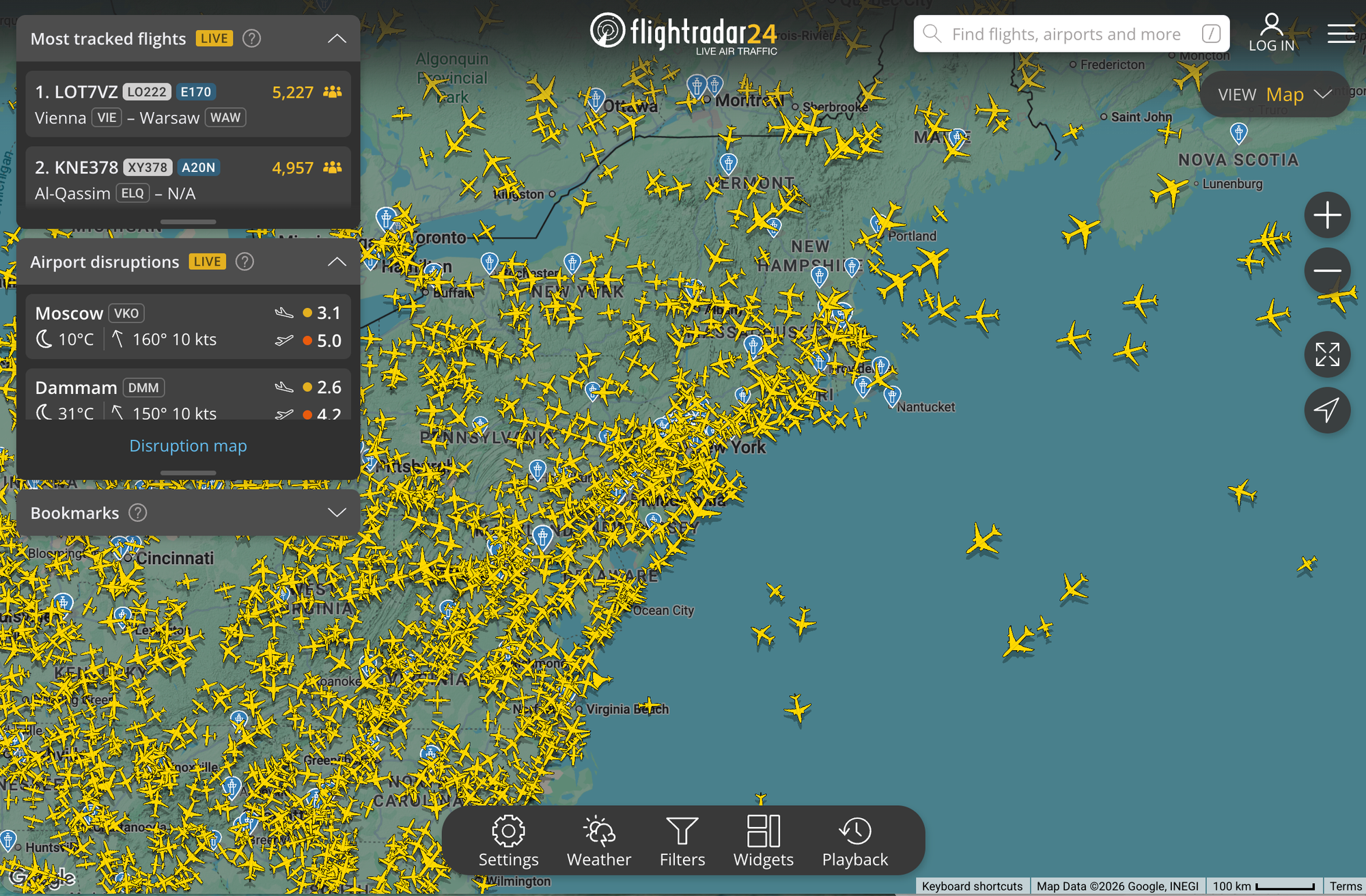
In this tutorial, we'll look at the data provided by the API, then display its results with a plain GET request, cURL, Python, Ruby, and JavaScript scripts.
What data can you get from the Flightradar24 API?
Each flight in the returned flights array can include:
- Flight identity:
flight_id,flight_number,callsign,airline_icao_code - Route:
departure_airport.idandarrival_airport.id(IATA codes) - Aircraft:
aircraft_type(ICAO type designator),registration,icao_24bit_address - Position and movement:
gps_coordinates(latitude and longitude),altitude(feet),vertical_speed(feet per minute),ground_speed(knots),track(degrees from north),on_ground - Additional metadata:
last_updatedand alinkthat opens the flight on Flightradar24
Not every field is present on every flight. For example, some flights have no flight_number, callsign, aircraft_type, or airport codes, and flights without a callsign have no link. So when you write your program, make sure it handles the possibility of missing fields.
Here's one flight from Heathrow as an example:
{
  "flight_id": "42379acf",
  "flight_number": "SQ308",
  "callsign": "SIA308",
  "airline_icao_code": "SIA",
  "departure_airport": { "id": "SIN" },
  "arrival_airport": { "id": "LHR" },
  "aircraft_type": "A388",
  "registration": "9V-SKP",
  "icao_24bit_address": "76CD70",
  "gps_coordinates": { "latitude": 51.5837, "longitude": 0.1169 },
  "altitude": 10975,
  "vertical_speed": -448,
  "ground_speed": 246,
  "track": 127,
  "on_ground": false,
  "last_updated": "2026-10-21T14:25:41Z",
  "link": "https://www.flightradar24.com/SIA308/42379acf"
}
Try it in the playground first
Before writing code, run the search in the SerpApi playground.
It uses engine=flightradar24 and airport=LHR, so you'll see live flights departing from or arriving at London Heathrow. You can tweak the parameters and see the JSON change in real-time.
Get your API key
To run the API outside the playground, you need a SerpApi API key.
- Register for a SerpApi account. There's a free plan to get started.
- Copy your key from the API key page into an environment variable by running
export SERPAPI_API_KEY="YOUR_SERPAPI_API_KEY"macOS/Linux andenv:SERPAPI_API_KEY="YOUR_SERPAPI_API_KEY"for Windows.
The same key works across all SerpApi APIs, including the Flightradar24 API.
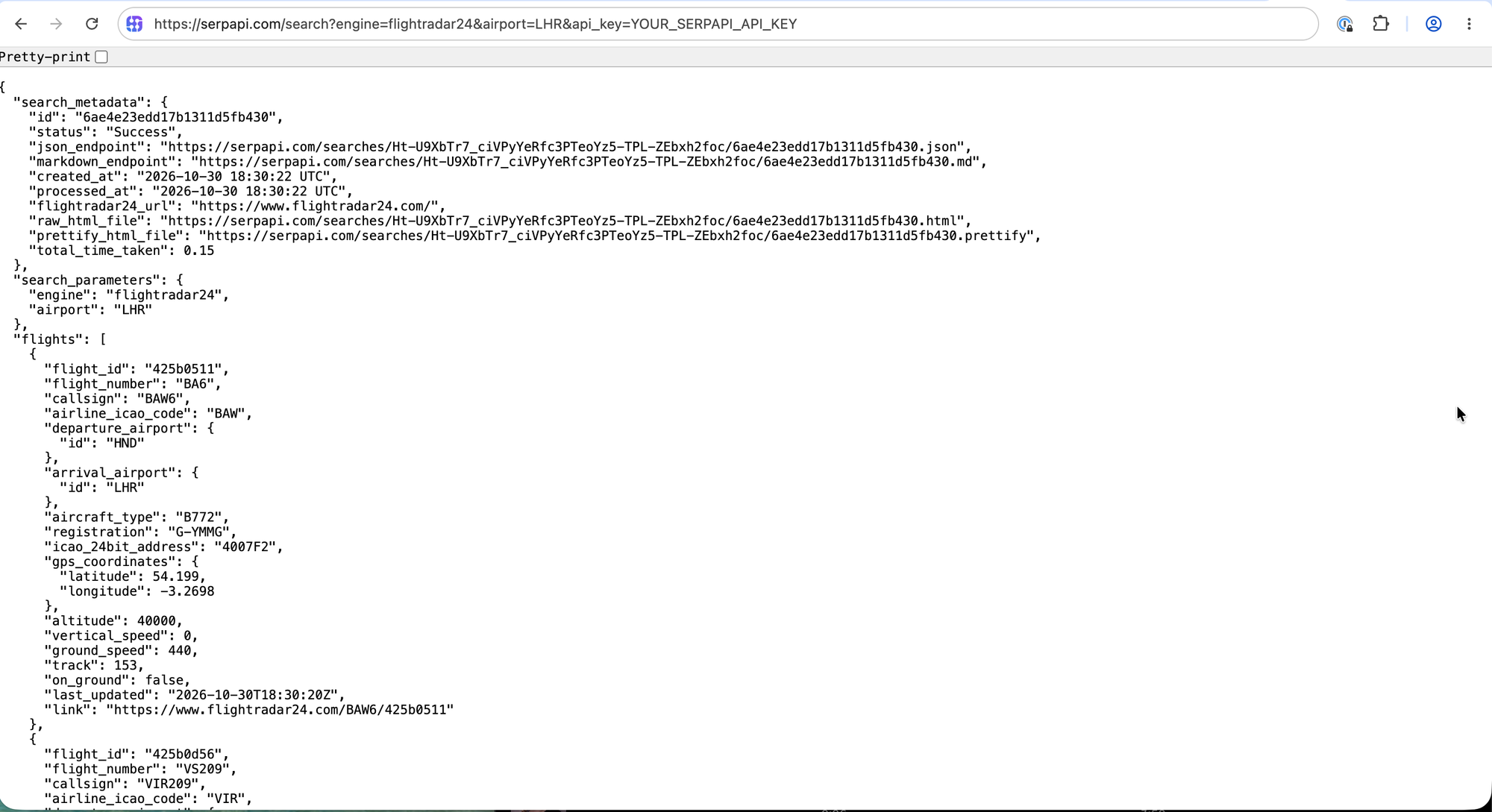
Make a GET request
The API endpoint is https://serpapi.com/search?engine=flightradar24. JSON is the default output, so this request returns flights for London Heathrow:
https://serpapi.com/search?engine=flightradar24&airport=LHR&api_key=YOUR_SERPAPI_API_KEY
Replace YOUR_SERPAPI_API_KEY with your own key.
Results should look like:
Want the same results in a format that's friendlier to LLMs and AI agents? Add output=md to get Markdown output:
https://serpapi.com/search?engine=flightradar24&airport=LHR&output=md&api_key=YOUR_SERPAPI_API_KEY
Markdown is great for reading or feeding to a model. If you need to access exact fields in code, as we do in the next sections, stick with JSON.
cURL example
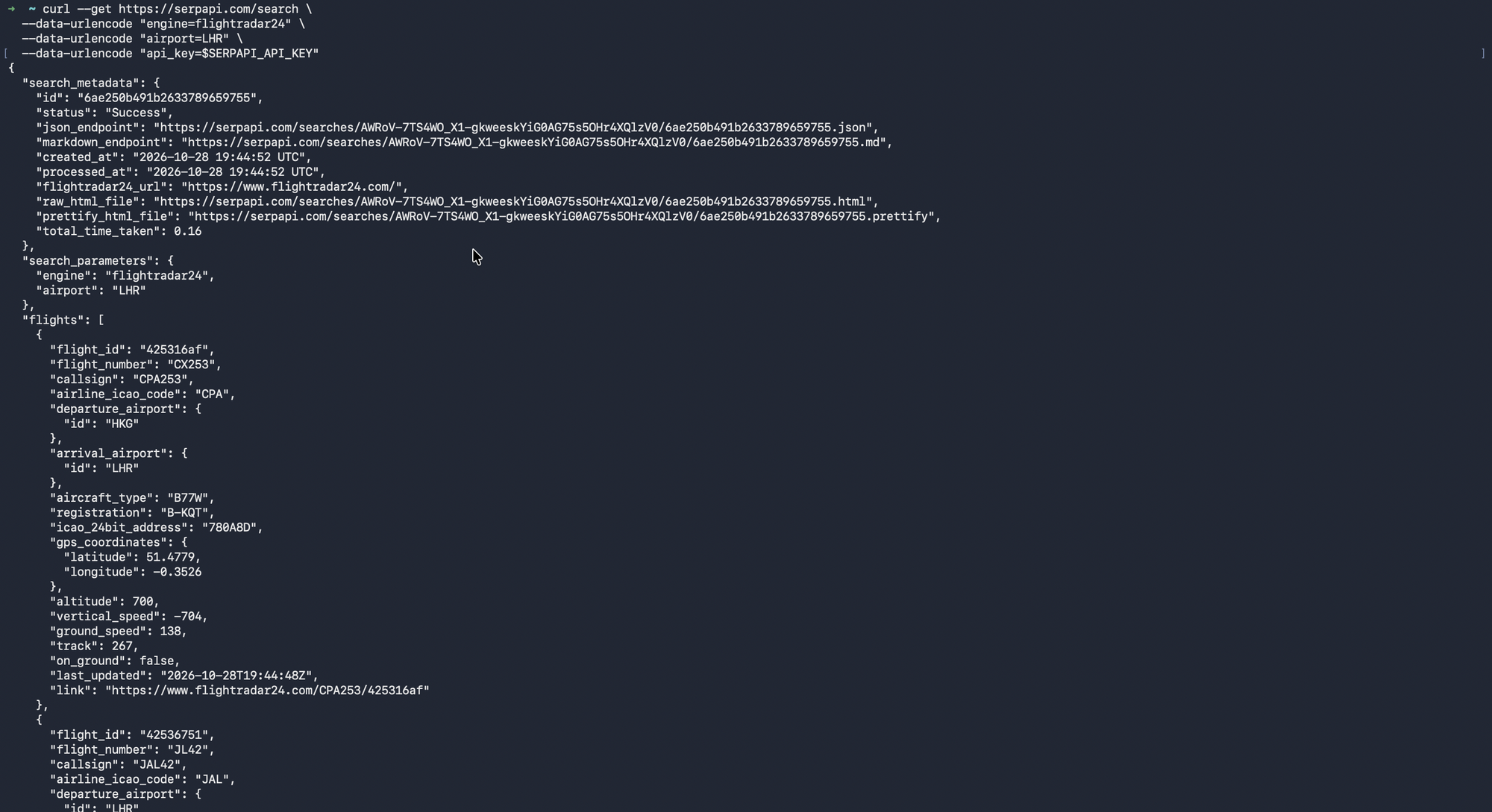
Here's the equivalent request in cURL:
export SERPAPI_API_KEY="YOUR_SERPAPI_API_KEY"

curl --get https://serpapi.com/search \
  --data-urlencode "engine=flightradar24" \
  --data-urlencode "airport=LHR" \
  --data-urlencode "api_key=$SERPAPI_API_KEY"
Results should look like:
Scrape Flightradar24 in Python
Let's see what flight information we can display with a simple script.
Preparation
- Create a new file called
main.py - Make sure your API key from the dashboard is set as an environment variable,
SERPAPI_API_KEY.
The script
import json
import os
import sys
import urllib.error
import urllib.parse
import urllib.request

API_KEY = os.environ.get("SERPAPI_API_KEY")
if not API_KEY:
    sys.exit("Set the SERPAPI_API_KEY environment variable first.")

params = urllib.parse.urlencode({
    "engine": "flightradar24",
    "airport": "LHR",
    "api_key": API_KEY,
})
url = f"https://serpapi.com/search?{params}"

try:
    with urllib.request.urlopen(url, timeout=30) as response:
        data = json.load(response)
except (urllib.error.URLError, json.JSONDecodeError, TimeoutError):
    sys.exit("Request failed. Check your API key and network connection.")

if data.get("error"):
    sys.exit(f"SerpApi error: {data['error']}")

flights = data.get("flights") or []
if not flights:
    print("The request succeeded, but no flights were returned.")
    sys.exit(0)

print(f"Found {len(flights)} flights. Showing the first 5:\n")
for flight in flights[:5]:
    gps = flight.get("gps_coordinates") or {}
    departure = flight.get("departure_airport") or {}
    arrival = flight.get("arrival_airport") or {}

    print(f"Flight: {flight.get('flight_number')} ({flight.get('callsign')})")
    print(f"Route: {departure.get('id')} -> {arrival.get('id')}")
    print(f"Aircraft: {flight.get('aircraft_type')} / {flight.get('registration')}")
    print(f"Position: {gps.get('latitude')}, {gps.get('longitude')}")
    print(
        f"Altitude: {flight.get('altitude')} ft | "
        f"Ground speed: {flight.get('ground_speed')} kt"
    )
    print("-" * 20)
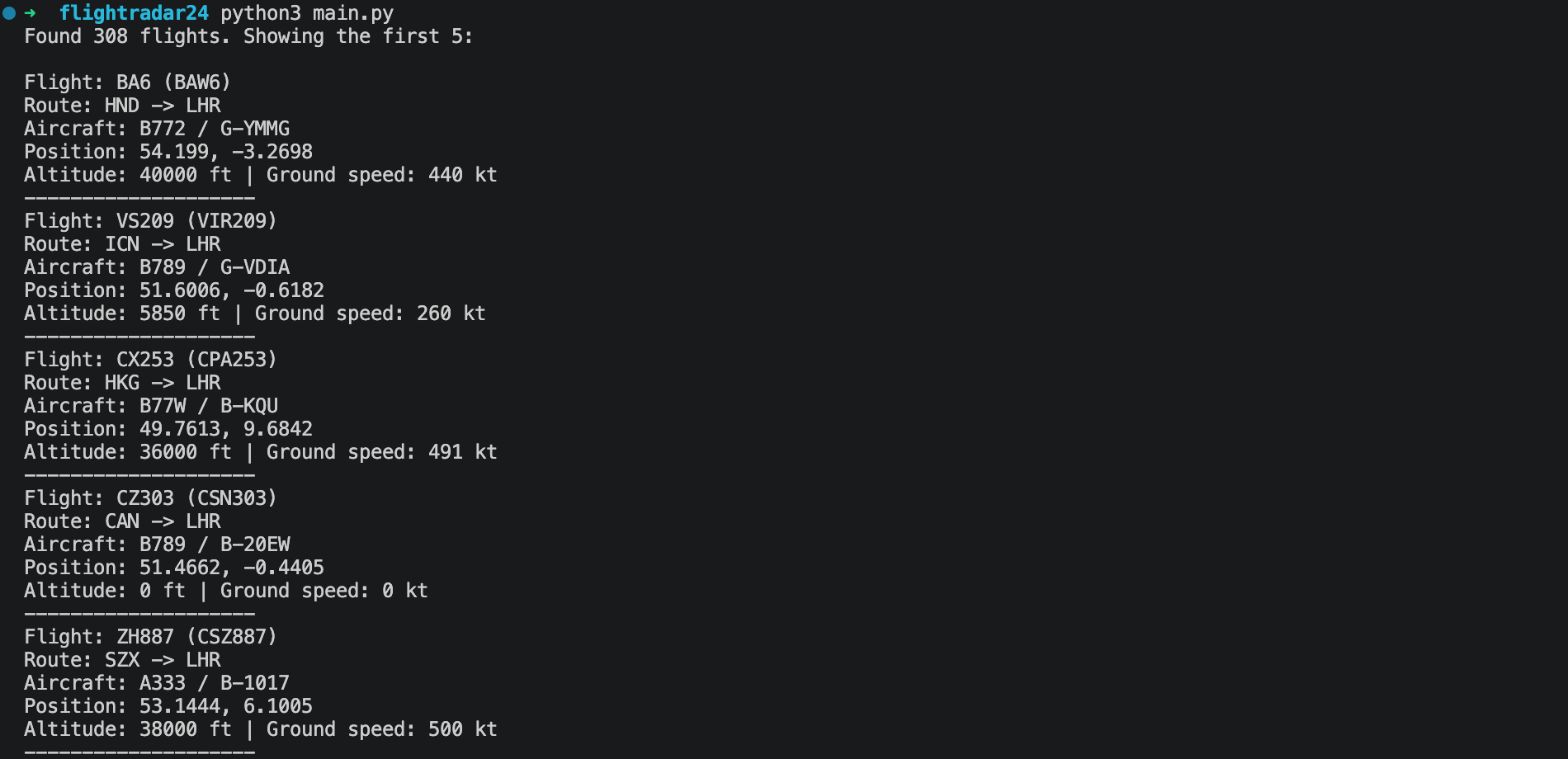
Run it with:
python main.py
Results will look like:
A few things to note:
- The flights live in the
flightsarray, notorganic_resultslike in the Google Search API. - An empty
flightsarray is reported differently from a failed request, so you can tell "no results" apart from "something went wrong".
Scrape Flightradar24 in Ruby
Preparation
- Create a new file called
main.rb - Make sure your API key from the dashboard is set as an environment variable,
SERPAPI_API_KEY.
The script
require "json"
require "net/http"
require "uri"

api_key = ENV["SERPAPI_API_KEY"]
abort "Set the SERPAPI_API_KEY environment variable first." if api_key.nil? || api_key.empty?

uri = URI("https://serpapi.com/search")
uri.query = URI.encode_www_form(
  engine: "flightradar24",
  airport: "LHR",
  api_key: api_key
)

begin
  response = Net::HTTP.start(
    uri.host, uri.port,
    use_ssl: true, open_timeout: 30, read_timeout: 30
  ) { |http| http.get(uri.request_uri) }
  data = JSON.parse(response.body)
rescue SocketError, SystemCallError, Timeout::Error, OpenSSL::SSL::SSLError, JSON::ParserError
  abort "Request failed. Check your API key and network connection."
end

abort "SerpApi error: #{data['error']}" if data["error"]

flights = data["flights"] || []
if flights.empty?
  puts "The request succeeded, but no flights were returned."
  exit 0
end

puts "Found #{flights.length} flights. Showing the first 5:"
puts()

flights.first(5).each do |flight|
  puts "Flight: #{flight['flight_number']} (#{flight['callsign']})"
  puts "Route: #{flight.dig('departure_airport', 'id')} -> #{flight.dig('arrival_airport', 'id')}"
  puts "Aircraft: #{flight['aircraft_type']} / #{flight['registration']}"
  puts "Position: #{flight.dig('gps_coordinates', 'latitude')}, #{flight.dig('gps_coordinates', 'longitude')}"
  puts "Altitude: #{flight['altitude']} ft | Ground speed: #{flight['ground_speed']} kt"
  puts "-" * 20
end
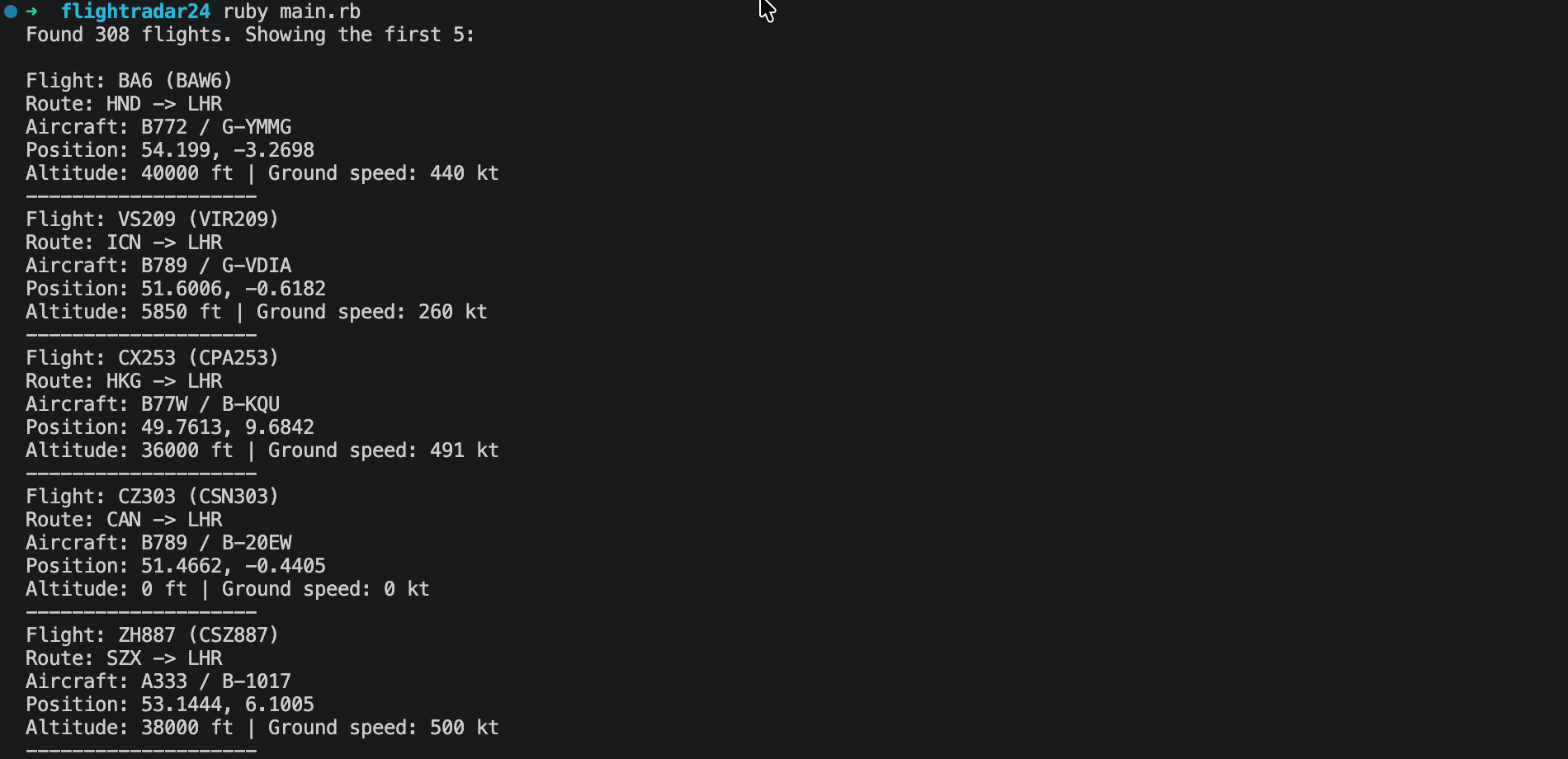
Run it with:
ruby main.rbResults will look like:
Scrape Flightradar24 in JavaScript
Preparation
- Create a new file called
main.js - Install the package:
npm install serpapi
- Make sure your API key from the dashboard is set as an environment variable,
SERPAPI_API_KEY.
The script
const { getJson } = require("serpapi");

async function main() {
  const apiKey = process.env.SERPAPI_API_KEY;
  if (!apiKey) {
    console.error("Set the SERPAPI_API_KEY environment variable first.");
    process.exit(1);
  }

  try {
    const response = await getJson({
      engine: "flightradar24",
      airport: "LHR",
      api_key: apiKey,
    });

    if (response.error) {
      console.error(`SerpApi error: ${response.error}`);
      process.exit(1);
    }

    const flights = response.flights || [];
    if (flights.length === 0) {
      console.log("The request succeeded, but no flights were returned.");
      return;
    }

    console.log(`Found ${flights.length} flights. Showing the first 5:\n`);

    for (const flight of flights.slice(0, 5)) {
      const gps = flight.gps_coordinates || {};
      console.log(`Flight: ${flight.flight_number} (${flight.callsign})`);
      console.log(
        `Route: ${flight.departure_airport?.id} -> ${flight.arrival_airport?.id}`
      );
      console.log(`Aircraft: ${flight.aircraft_type} / ${flight.registration}`);
      console.log(`Position: ${gps.latitude}, ${gps.longitude}`);
      console.log(
        `Altitude: ${flight.altitude} ft | Ground speed: ${flight.ground_speed} kt`
      );
      console.log("-".repeat(20));
    }
  } catch (error) {
    console.error("Request failed. Check your API key and network connection.");
    process.exitCode = 1;
  }
}

main();
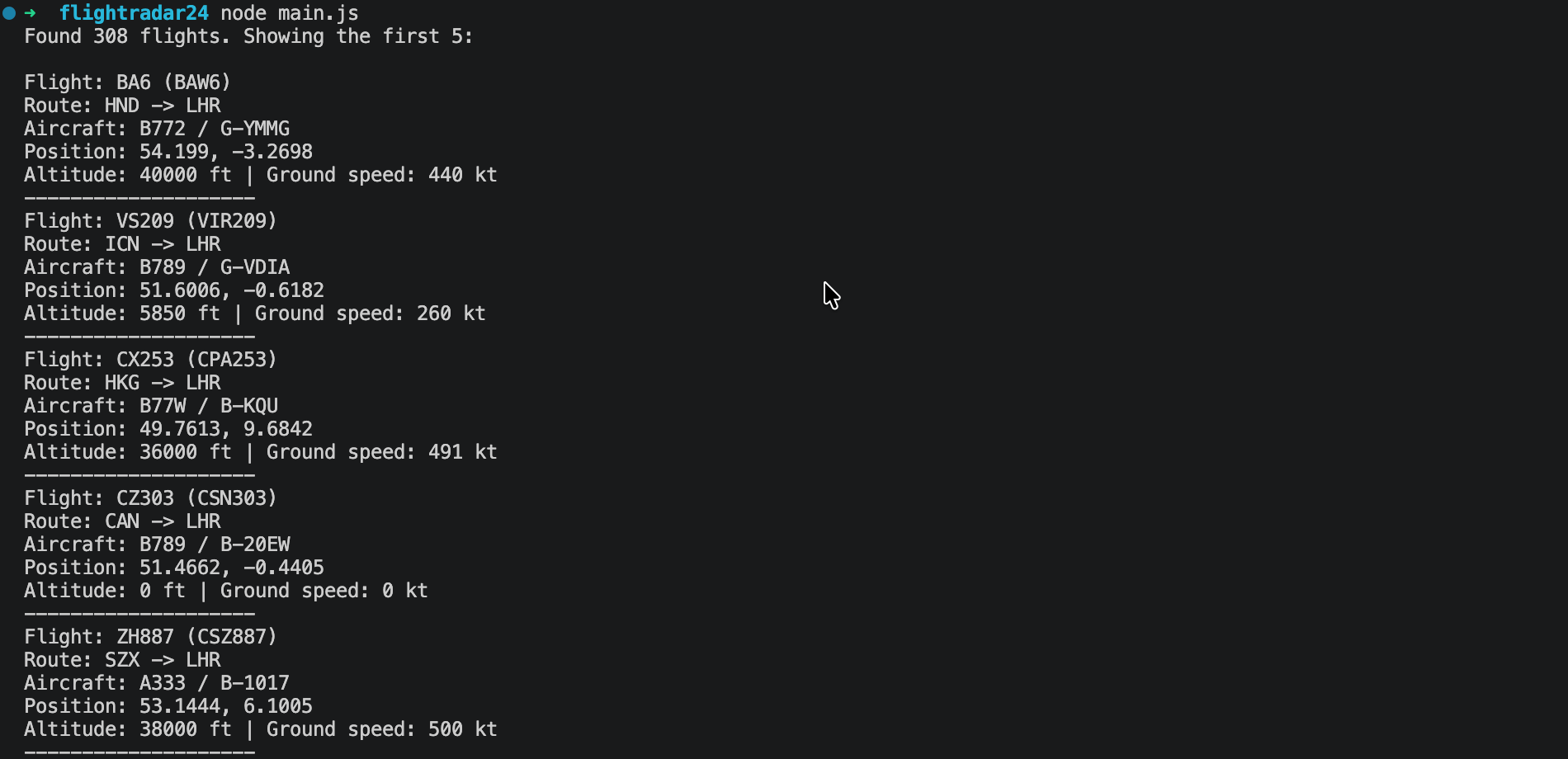
Run it with:
node main.js
Results will look like:
How to customize your search
Filtering by airports is just a start. The Flightradar24 API supports more parameter combinations.
Search a map area with map_bounds.
It takes four comma-separated numbers in the north,east,south,west format, like moving the map on Flightradar24.
For example, this is London:
https://serpapi.com/search?engine=flightradar24&map_bounds=51.69%2C0.33%2C51.28%2C-0.51&api_key=YOUR_SERPAPI_API_KEY
Aircrafts on the ground are included, with on_ground set to true. Airport ground vehicles can be included too, with aircraft_type set to GRND, so filter out on_ground flights and GRND entries if you only want aircraft in the air.
Look up a specific flight with flight_number.
For example, flight_number=BA285 returns London to San Francisco. Flight numbers are matched by prefix, so BA28 also returns BA285 and BA287.
Filter by aircraft type with aircraft_type.
It takes an ICAO type designator such as A388 for the Airbus A380-800. It's also a prefix match, so B77 returns every Boeing 777 variant.
Find results by route with departure_id and arrival_id.
Use 3-letter IATA codes. airport returns flights departing from or arriving at an airport, while these two let you narrow it to just departures or just arrivals.
Other filters include callsign, airline (3-letter ICAO code, such as BAW rather than BA), and registration (prefix match, so G- returns every UK-registered aircraft). Most of these accept multiple comma-separated values, such as airport=LHR,LGW.
One thing to watch: a flight number and a callsign are not always the same. For example, BA285 flies as BAW5L.
Use other programming languages or no-code tools
You can call the API with a simple GET request from any language. If you'd like a ready-to-use library, check out the SerpApi integrations.
If you prefer no-code automation, SerpApi also has apps for Make and n8n.
What if you need flight prices instead?
The Flightradar24 API is about live aircraft positions and flight details. If you want flight prices and booking options, see the Google Flights API.
Conclusion
That's it! You now know how to scrape live flights from Flightradar24 with a plain GET request, cURL, Python, Ruby, and JavaScript, plus how to narrow results by airport, area, flight, airline, and aircraft.
Play with the parameters in the playground, and check the full Flightradar24 API documentation for more information.