Ruby
Ruby
 Golang
 .Net
.Net
 MCP
MCP
 C++
C++

Google Search includes dates and times for many search results, such as news articles, blog posts, videos, social media posts, and other types of links. Many other search engines have a similar behavior, including Bing and DuckDuckGo.
If you are scraping Google Search results, using the date and time provided by Google can save you the step of retrieving the full page. For example, when I was building the Byline tool that searches for all articles from a given writer, I wanted to save the publish date with each article in the exported CSV spreadsheet.
However, there are some catches to using the date and times provided by Google Search or other engines. This guide will explain where to find the dates, how to parse them, and when you might still need to check the destination page for accurate information.
Where is the date or time located?
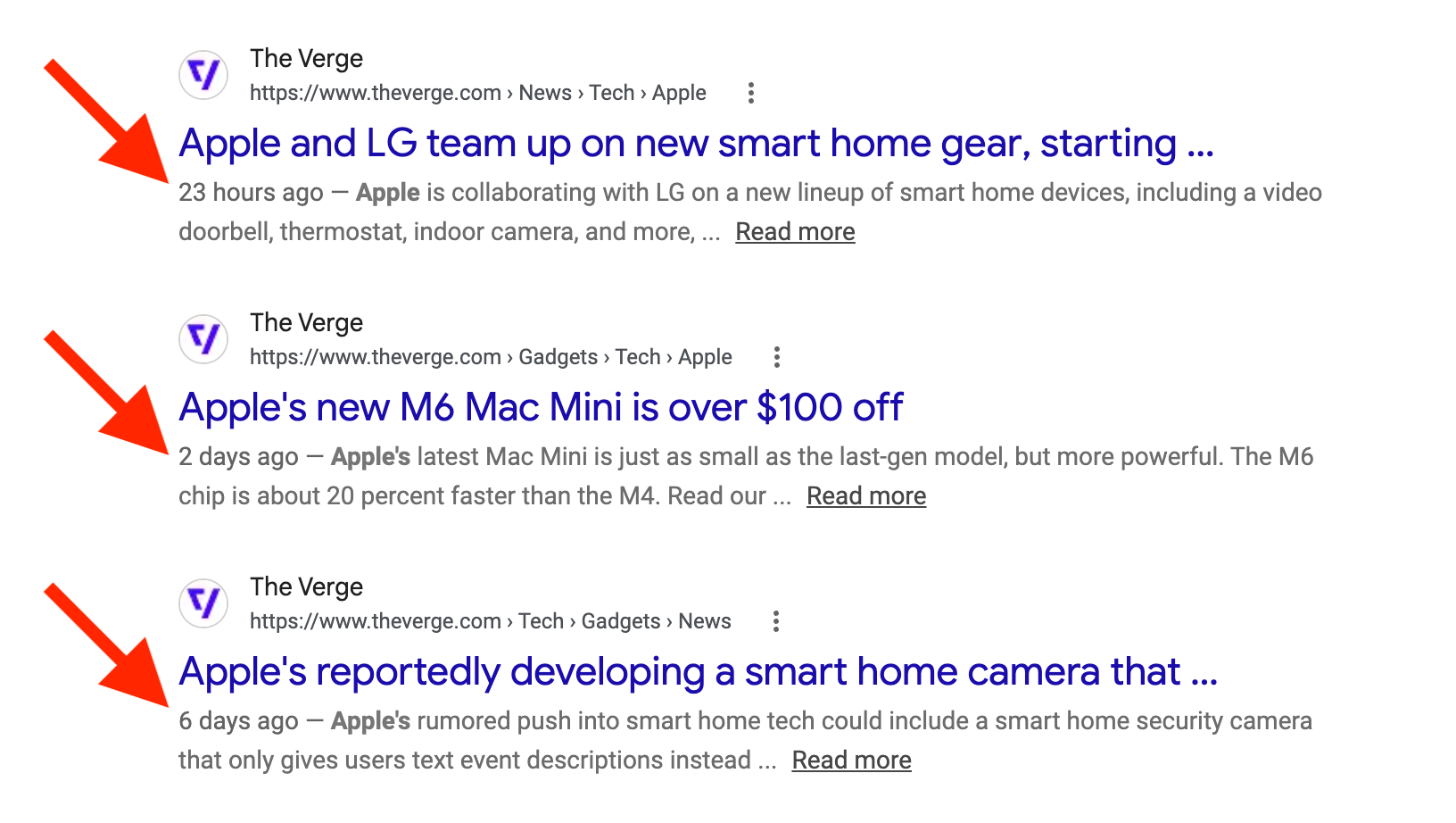
In the regular blue links, also called organic results, Google Search usually places the date or time before the text snippet. It's separated from the text by an em dash (—) and a space character, like this:
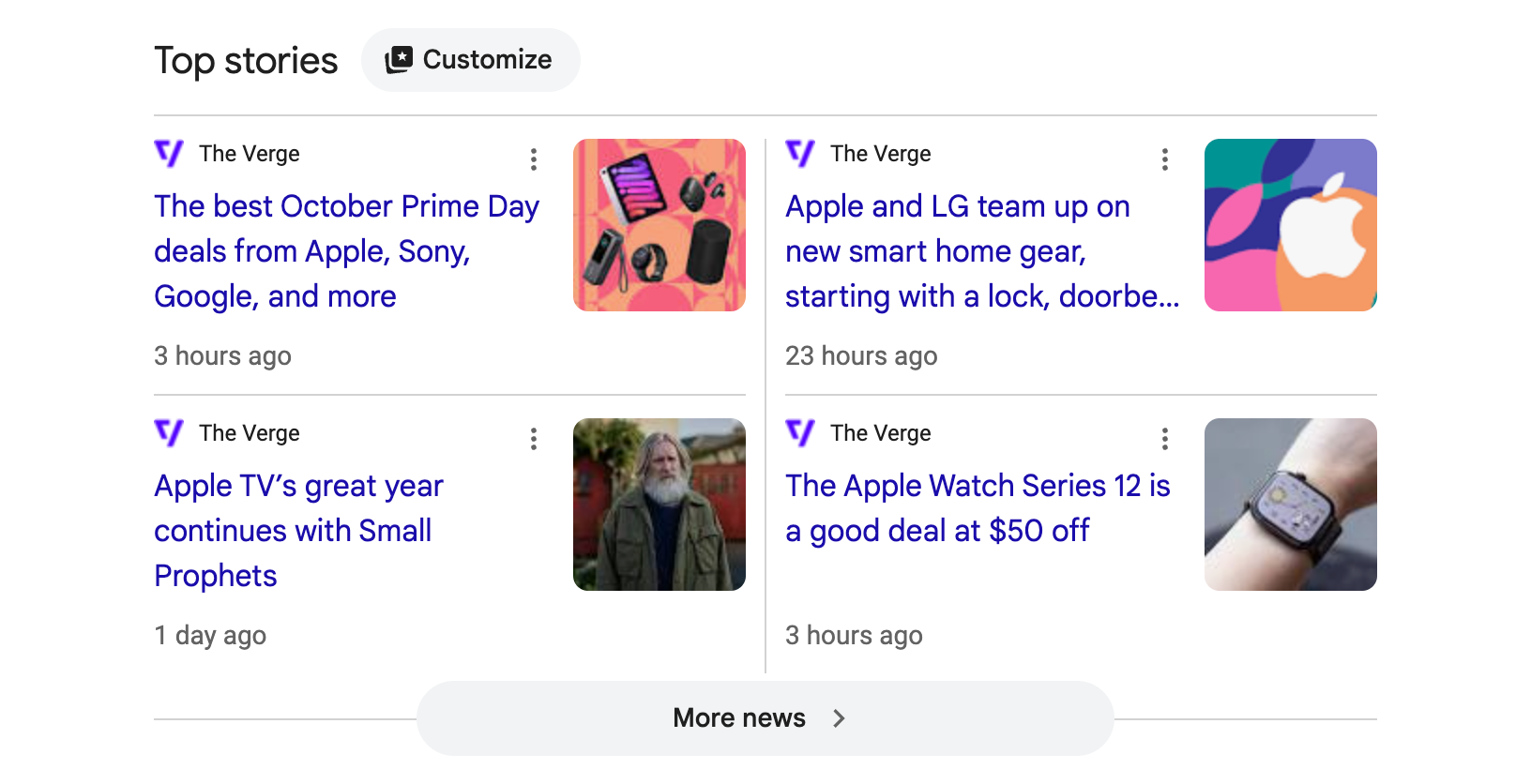
In the "Top stories" widget and other news sections, the date or time is located below the title of each story, like this:
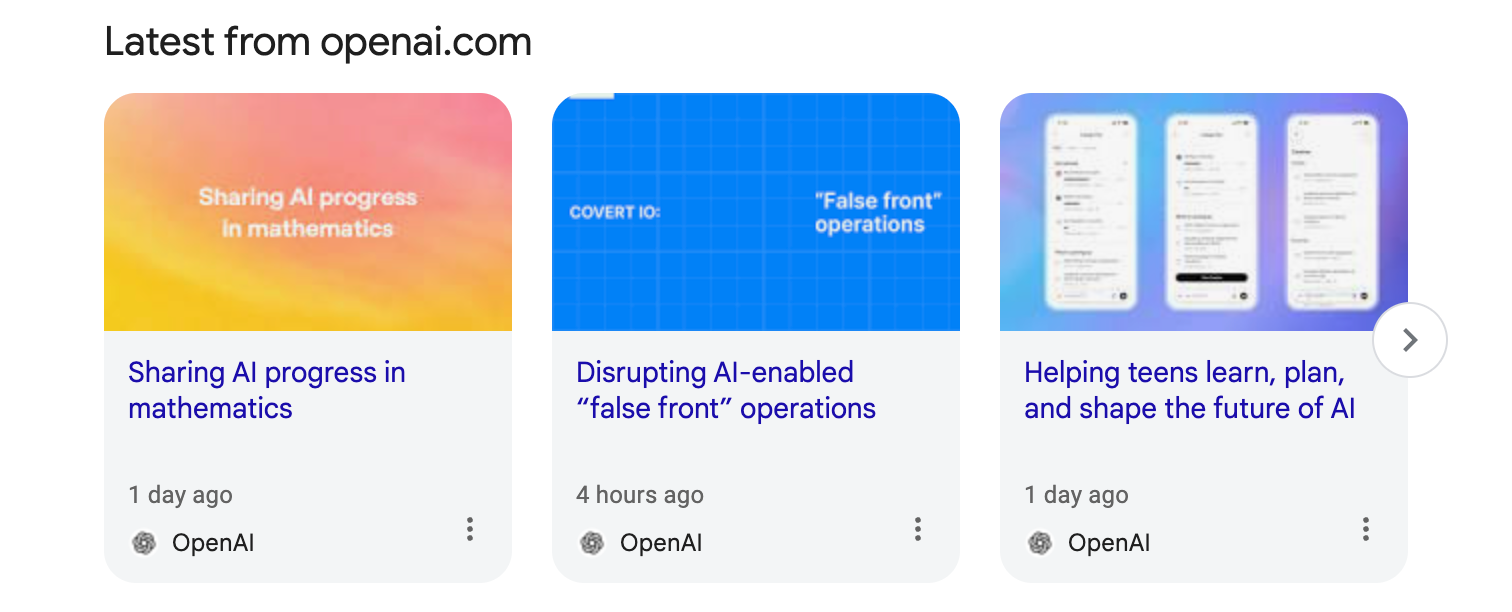
In the "Latest from..." and "What people are saying" carousels, the date or time is also located below the title of each item:
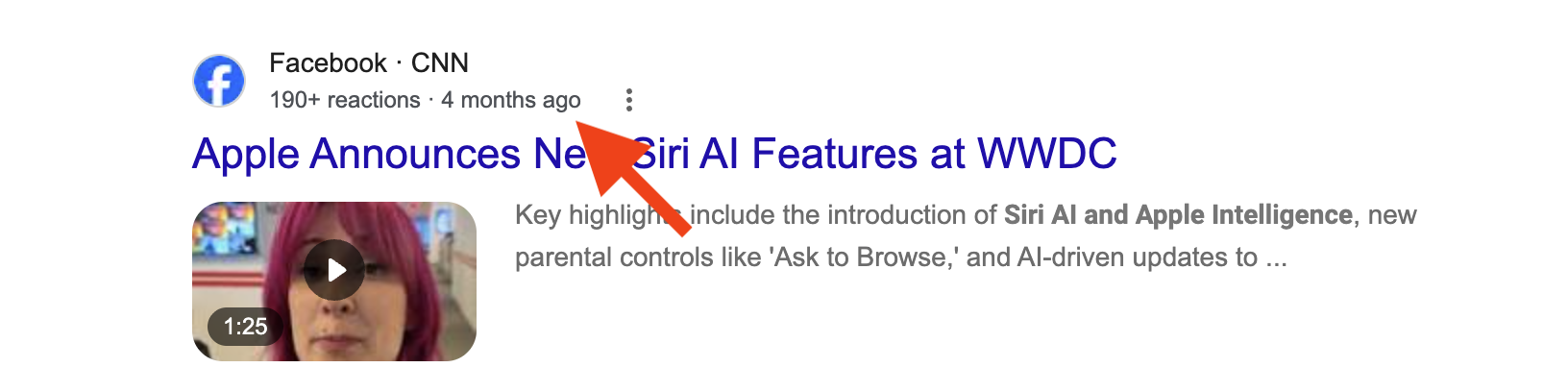
For some results, especially videos and social media posts, the date or time is placed next to the website name and displayed link, separated by a middle dot (·) character. Here are some examples:

If you're using the Google Search Engine Results API from SerpApi, all of these formats are parsed as the date key on each organic_results or top_stories item:
"organic_results": [
    {
      "position": 4,
      "title": "Apple and LG team up on new smart home gear, starting ...",
      "link": "https://www.theverge.com/news/1006238/apple-lg-homekit-rumor-fcc",
      "date": "23 hours ago",
      "snippet": "Apple is collaborating with LG on a new lineup of smart home devices, including a video doorbell, thermostat, indoor camera, and more, ..."
    }
]
What date and time formats does Google use?
Google Search prefers to show relative dates instead of absolute date and times, like "3 days ago" instead of "October 4, 2026." In English language results, we have seen these formats:
- "X minute(s) ago" such as "28 minutes ago" or "1 minute ago"
- "X hour(s) ago" like "4 hours ago" and "1 hour ago"
- "X day(s) ago" such as "6 days ago" and "1 day ago"
- "X week(s) ago" like "2 weeks ago" or "1 week ago"
- "X month(s) ago" like "1 month ago" and "2 months ago"
For older links, Google will use one of these two absolute date formats:
- "d mmm yyyy" in most countries, like "3 Jan 2022" or "31 Mar 2026"
- "mmm d, yyyy" in the United States, like "Sep 30, 2026" or "Jan 27, 2025"
Google seems to pick the date format based on the location, not the user-selected language. For example, a user in the United States with their language (hl parameter) set to UK English (en-gb) will still see the US date format. A user in the United Kingdom or Germany with their language set to US English (en) will still see the UK/German date formats.
The relative date formats are also not exact. For example, if it's currently 4:50 PM, and Google search results says an article was published "5 hours ago," that can mean 12:08 PM and not 11:50 AM. If you need absolute accuracy, you have to go beyond search results and parse the linked page.
How do I parse all date and time formats from Google?
If you are scraping from any location, you will need to parse Google's absolute dates in both the US and international format. If your requests will only come from one region, like the US, you only need to worry about one format.
Parsing the relative date formats is more complicated. You need to ensure the time zone and daylight savings time is consistent between your scraping source and the parsing.
Here is a complete example in JavaScript, which searches for "Apple Event" in the Google Search Engine Results API with the SerpApi JavaScript library and Temporal API, and then parses the dates for all organic results and "Top Stories" results:
import { getJson } from 'serpapi';
import 'temporal-polyfill/global';

// List of months for plain date parser
const months = {
  jan: 1,
  feb: 2,
  mar: 3,
  apr: 4,
  may: 5,
  jun: 6,
  jul: 7,
  aug: 8,
  sep: 9,
  oct: 10,
  nov: 11,
  dec: 12,
};

// Funnction to parse either international or US date formats
function parsePlainDate(input) {
  const value = input.trim();
  const intFormat = value.match(/^(\d{1,2})\s+([A-Za-z]{3})\s+(\d{4})$/);
  const usFormat = value.match(/^([A-Za-z]{3})\s+(\d{1,2}),\s+(\d{4})$/);
  if (intFormat) {
    const [, day, monthName, year] = intFormat;
    return Temporal.PlainDate.from({
      year: Number(year),
      month: months[monthName.toLowerCase()],
      day: Number(day),
    });
  } else if (usFormat) {
    const [, monthName, day, year] = usFormat;
    return Temporal.PlainDate.from({
      year: Number(year),
      month: months[monthName.toLowerCase()],
      day: Number(day),
    });
  }
}

// Time zone and location to use for searches, these need to match
const timeZone = "America/New_York";
const searchLocation = "New York, New York, United States"

// Search for Apple Event news on Google with SerpApi
const search = await getJson({
  engine: "google",
  api_key: YOUR_KEY_GOES_HERE,
  q: "apple event",
  location: searchLocation,
  hl: "en",
  gl: "us"
})

// Combine top stories and organic results from SerpApi
const results = search.top_stories.concat(search.organic_results);

// Iterate through all results
for (let result of results) {
  // Skip results that don't have dates
  if (!result?.date) {
    continue;
  }
  // Parse the date
  let parsedDate;
  const currentDate = Temporal.Now.zonedDateTimeISO(timeZone);
  if (result.date.includes("minute")) {
    const amount = parseInt(result.date, 10);
    parsedDate = currentDate.subtract({ minutes: amount });
  } else if (result.date.includes("hour")) {
    const amount = parseInt(result.date, 10);
    parsedDate = currentDate.subtract({ hours: amount });
  } else if (result.date.includes("day")) {
    const amount = parseInt(result.date, 10);
    parsedDate = currentDate.subtract({ days: amount });
  } else if (result.date.includes("month")) {
    const amount = parseInt(result.date, 10);
    parsedDate = currentDate.subtract({ months: amount });
  } else {
    parsedDate = parsePlainDate(result.date);
  }
  // Display everything
  console.log(`${result.title}\nRetrieved date: ${result.date}\nParsed date: ${parsedDate.toString()}\n----`);
}
The output for that script looks like this:
Apple event is reportedly happening next week, per Mark Gurman
Retrieved date: 3 days ago
Parsed date: 2026-10-05T16:34:23.189-04:00[America/New_York]
----
Apple unveils iPhone Duo
Retrieved date: 1 month ago
Parsed date: 2026-09-08T16:34:23.19-04:00[America/New_York]
----
Apple Events
Retrieved date: Sep 9, 2026
Parsed date: 2026-09-09
----
Sources: Apple Planning Two Sets of Product Launches in ...
Retrieved date: 3 days ago
Parsed date: 2026-10-05T16:34:23.19-04:00[America/New_York]
Keep in mind that the time values will still not be exact. Depending on your use case, it might be better to generalize the converted values to just the date, instead of a full date and time string.