









 Ruby
Ruby
 Golang
 .Net
.Net
 MCP
MCP
 C++
C++

It's sometimes frustrating and time-consuming to decide which place to go for your upcoming vacations. Whether you're planning a long vacation or a quick getaway, it's worth spending your precious time on a place that deserves it. Scraping Tripadvisor Places lets you gather essential data to help you choose where to go for your holiday.
Fortunately, you have the opportunity to do it with little effort and time with our Tripadvisor Place API. Manually retrieving the data or trying to scrape it wastes your time and effort. Let's see how we can get organized data here.
Why Scrape Tripadvisor Place Data?
You'll likely need different perspectives to choose a place to go. Choosing a place to go with only a few aspects may not be a good idea. Let's see what data we can retrieve from Tripadvisor Place API.
- Images: This may be one of the most significant aspects to consider. You can scrape the place's images and get a first impression.
- Operating Hours: You'll be able to decide whether the times align with your plan.
- Price Level: This information helps you check if a place fits your budget, so that you can adjust your plan.
- Reviews: People's opinions are also worth considering. You can easily collect reviews and gain insights.
Getting Started with SerpApi
First, you need a SerpApi account to start scraping Tripadvisor Places. SerpApi gives you 250 free credits per month on the Free Plan to scrape the data you need.
Step 1: Sign up for an account or sign in to SerpApi if you already have one.
Step 2: Get your API key from your dashboard.

Note: Please keep in mind that your API key is sensitive. Keep your API key secure so no one else can access it.
Getting Ready to Scrape
SerpApi has its own integrations for various languages and tools. You are free to perform your searches using GET requests or SerpApi's libraries.
The integrations simplify the process. You can import the library you need and continue building.
Review the Documentation Page
SerpApi has detailed, well-explained documentation for Tripadvisor Place API. You can visit it to explore the API and learn which details it returns when you make a request.
 SerpApi
Tripadvisor Place API Documentation
Finding the Tripadvisor Place ID
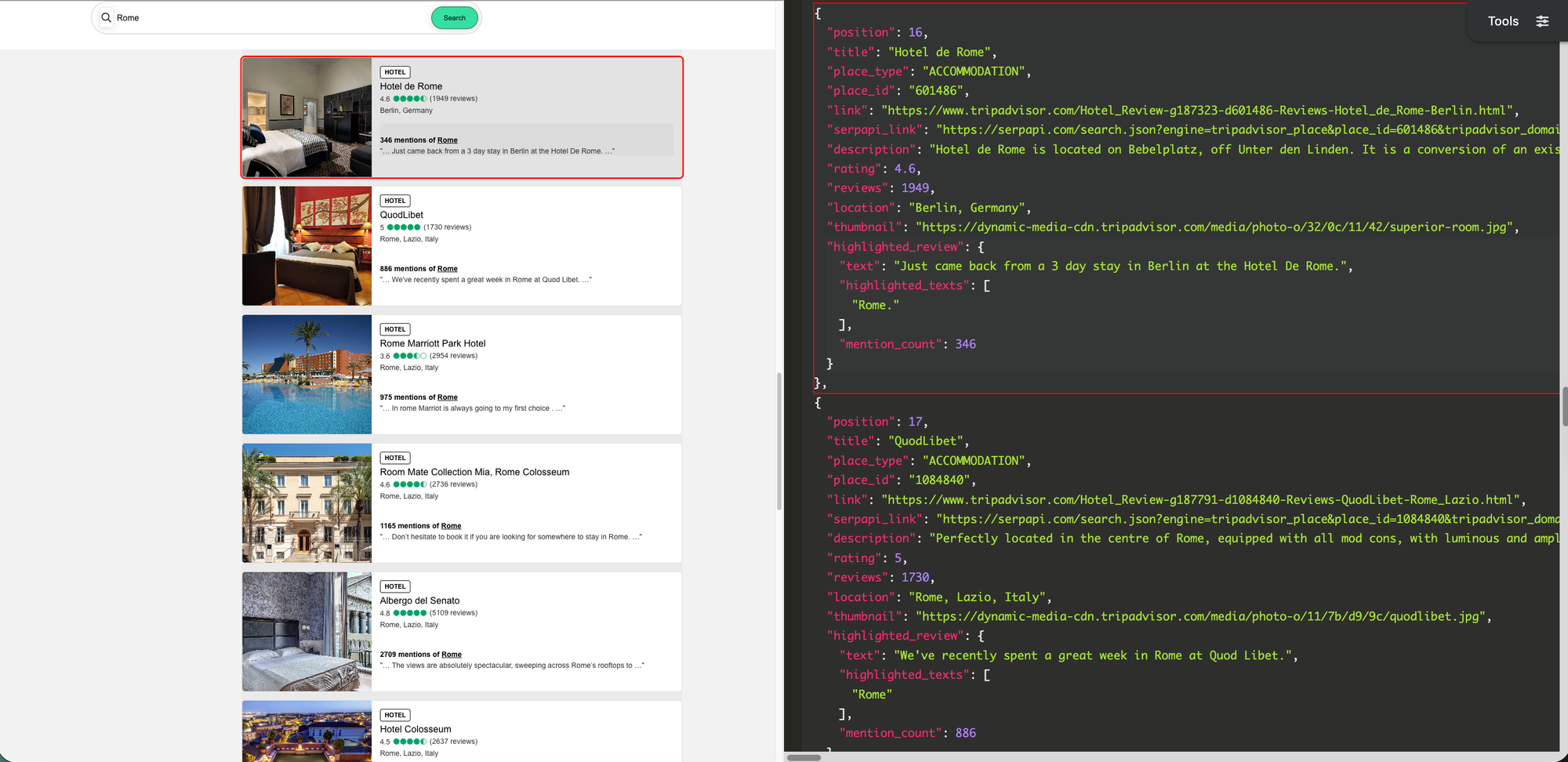
To scrape the data of a place, you'll first need its unique Tripadvisor Place ID. Every place on Tripadvisor has an ID, and you can easily find this ID using our Tripadvisor Search API.
GET Request with JSON
This one lets you fetch the organized data for the requested place_id as JSON. You can get the data you need in a way that can be used programmatically with ease. Please pass your API key below to api_key parameter.
We'll be using place ID 719229 , Le Procope restaurant in Paris, for example.
https://serpapi.com/search.json?engine=tripadvisor_place&place_id=719229&api_key=SERPAPI_API_KEYSerpApi's Tripadvisor Place API returns organized data as JSON
GET Request with MD (Markdown)
This one fetches the needed data for a place_id as Markdown. You can choose this if you want to save tokens in your LLM. Please pass your API key below to api_key parameter.
https://serpapi.com/search.md?engine=tripadvisor_place&place_id=719229&api_key=SERPAPI_API_KEYSerpApi's Tripadvisor Place API returns organized data as Markdown
Scraping with Python
This tutorial is for SerpApi's Python Library. You'll learn how to scrape with Python, from sending the request to getting the data into a CSV file.
First, you need to install SerpApi's Python Library and any other libraries that aren't installed yet. Run these commands in your terminal to install them (you may use pip instead of pip3 in older versions):
pip3 install serpapi
pip3 install python-dotenv
After installing the libraries, let's import them into our script:
import serpapi
import os, csv
from dotenv import load_dotenv

load_dotenv() # This is for loading your SERPAPI_API_KEY from the .env file.
Note: Please use an .env file or any other secure method to store your SerpApi API key and other sensitive information, and never expose them publicly.
We need to prepare our client:
client = serpapi.Client(api_key=os.getenv("SERPAPI_API_KEY"))We already have the place ID 719229 as an example. Let's prepare the parameters:
params = {
    'engine': 'tripadvisor_place',
    'place_id': '719229',
}
After that, we can perform our search and assign the results to results variable:
results = client.search(params)Saving Results to CSV
After getting the results, we can save the organized data as a .csv file. In this way, we'll be able to analyze or import it later.
with open('results.csv', 'w', encoding='UTF-8', newline='') as csvfile:
    writer = csv.writer(csvfile)
    for key, value in results['place_result'].items():
        writer.writerow([key, value])
Final Code
Finally, we've finished the script to get the data for a Tripadvisor Place using Python.
Here we have our complete code to get the data for a place on Tripadvisor:
# Import the necessary libraries
import serpapi
import os, csv
from dotenv import load_dotenv

load_dotenv() # Get environment variables from the .env file

client = serpapi.Client(api_key=os.getenv("SERPAPI_API_KEY")) # Get your SerpApi API key from the environment variables

# Prepare the parameters
params = {
    'engine': 'tripadvisor_place',
    'place_id': '719229',
}

# Perform the search
results = client.search(params)

# Save the results to a CSV file
with open('results.csv', 'w', encoding='UTF-8', newline='') as csvfile:
    writer = csv.writer(csvfile)
    for key, value in results['place_result'].items():
        writer.writerow([key, value])
Conclusion
SerpApi's Tripadvisor Place API retrieves the organized data from Tripadvisor and lets you use it. In this way, you can use the data to review the place by viewing its images, reading people's reviews, checking prices, and more before you go there.
With SerpApi's Tripadvisor Search API, you can get the place_id, and start scraping place data!
If you need help using SerpApi, please contact us at contact@serpapi.com or chat with us at https://serpapi.com.