Ruby
Ruby
 Golang
 .Net
.Net
 MCP
MCP
 C++
C++

Finding the ideal product on eBay often begins with identifying trusted sellers who consistently deliver high-quality items. The eBay Seller API enables users to retrieve comprehensive details about individual sellers, including their product catalog, biography, customer feedback, and promotional information. Users can query a seller's complete inventory with advanced sorting options such as listing time, price, listing type (Auction vs. Buy It Now), and additional criteria. The API is particularly valuable for users who maintain a curated set of trusted sellers and want to monitor new listings, track expiring auctions, or discover similar products efficiently.
What can be scraped with the eBay Seller API?
High-level details about the queried seller are available in the seller_results key of the response. This includes the seller's username, bio, follower count, number of items sold, total number of products listed, and rating, along with positive_feedback_in_percentage, a quick signal for gauging how trustworthy a seller is. When applicable, it also lists the popular product categories associated with the seller.
The product_results key contains every product listing returned for the seller page, with each entry including the product ID, title, image, and pricing information. Results are paginated, so you can walk through a seller's entire inventory. You can also narrow them down by item condition, buying format, or free shipping, and sort by price or listing time. Every item in product_results also includes a serpapi_link to the eBay Product API, where you can retrieve richer details such as shipping and payment information, along with related products from other sellers.
For sellers of type user, the response includes an about key containing their location and member_since date, along with a feedback key that provides an overall_rating, a detailed_rating breakdown across specific service aspects (such as shipping speed), and a seller_feedback list of comments from real buyers.
For sellers of type store, the response surfaces the header banner and any marketing content shown on the page. Many store sellers also expose a featured_categories list that can be used to filter their items.
Why use SerpApi?
Scraping eBay seller pages at scale comes with plenty of headaches: eBay aggressively blocks suspicious IPs, serves CAPTCHAs, enforces rate limits, and frequently changes its page markup, which means your parsers break without warning. On top of that, seller pages come in two distinct flavors (stores and user profiles), each with its own layout, and listing data mixes fixed-price items with live auctions whose bid counts and time remaining change by the minute. SerpApi takes care of all of this for you. We handle the blocking and CAPTCHA challenges, keep up with eBay's layout changes, and return clean, consistently structured JSON for every seller, so you can spend your time analyzing competitor inventory, tracking prices, or monitoring auctions instead of maintaining a scraper.
Setting up a SerpApi Account
Now that you've seen what the eBay Seller API can do, let's get you set up to start using it. It only takes a few minutes.
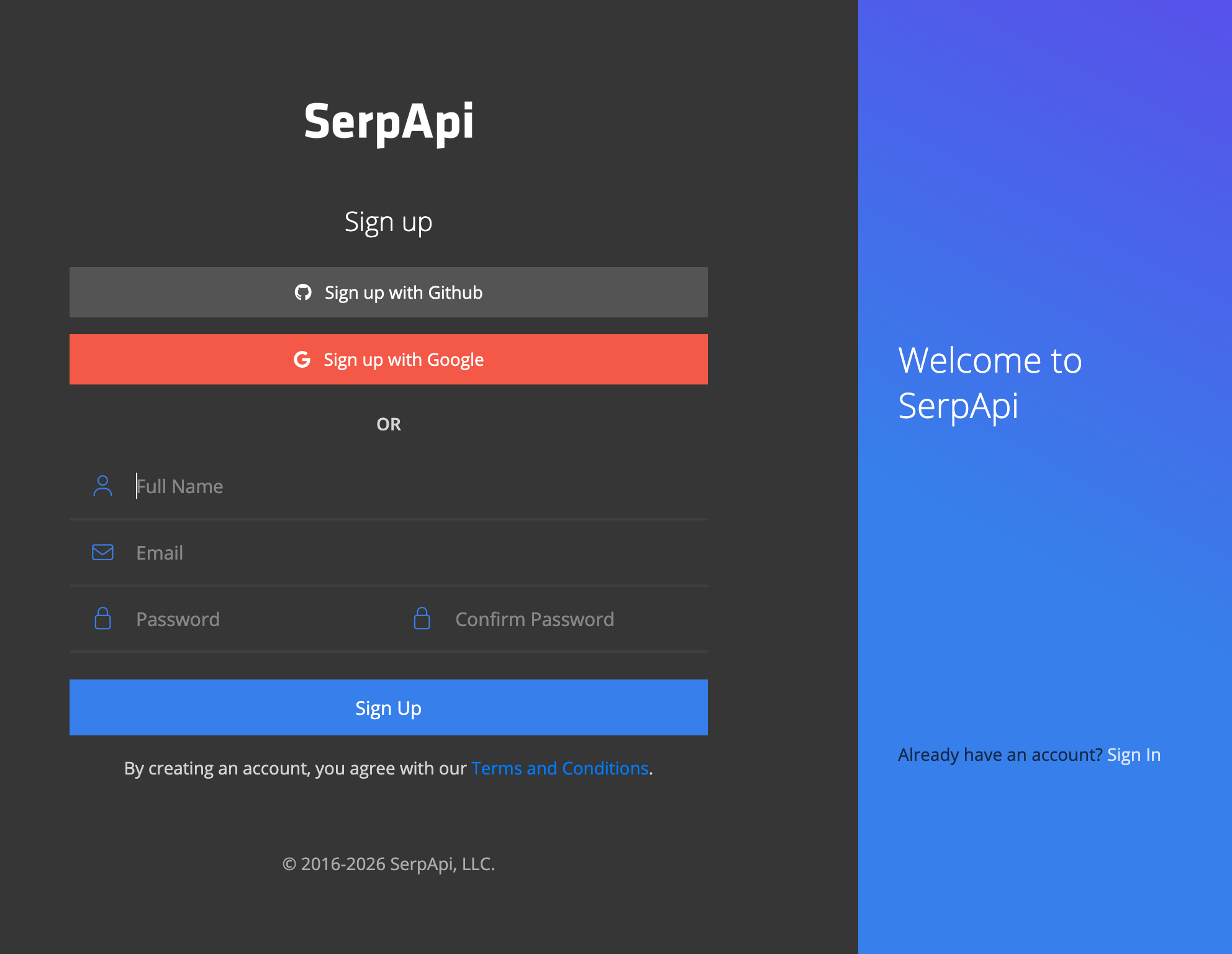
First, you'll need a SerpApi account. SerpApi offers a Free tier with up to 250 searches per month, which is plenty to start exploring seller listings and pricing data.
Head over to the sign-up page to create your account. You'll be asked for a valid email address and phone number to verify your identity. Once that's done, you'll land on your dashboard and be ready to make your first request.
If you'd like a more detailed walkthrough of the sign-up process, this blog post covers it step by step:
 Hilman Ramadhan
Getting Started with eBay Seller API
With an account set up, we can sign in and use SerpApi's Playground to explore how the eBay Seller API fits our use case. The Playground gives you a clear picture of what requests and responses look like, and lets you fine-tune parameters before writing any code.
Before running a search, you'll need to know whether the seller is a user or a store, since type is a required parameter. The quickest way to tell is from the seller's eBay URL: https://www.ebay.com/str/antonline uses /str/, so antonline is a store, while sellers under /usr/ are user sellers. Alternatively, run one of their listings through the eBay Product API and check seller_results.type, or simply follow the serpapi_link in that response straight to the eBay Seller API.
Below is an example search in the Playground for the seller antonline, with the type parameter set to Store and _sop set to Time newly listed. Some other useful _sop options include Best Match, Time ending soonest, and Price + Shipping: lowest or highest first. Each item under product_results comes back with its product_id, title, price, thumbnail, availability_signal, and a serpapi_link for accessing the full product details page.
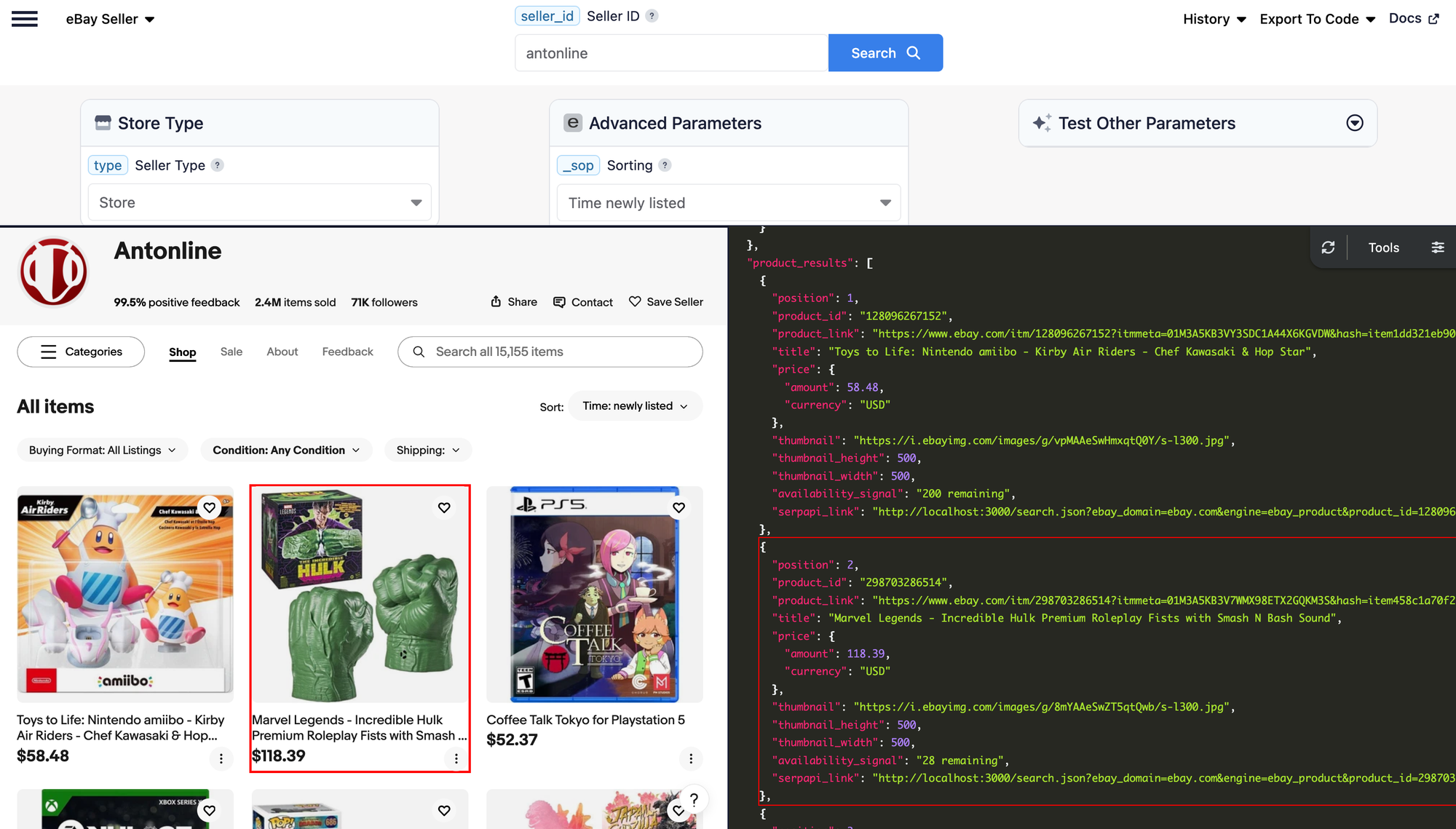
While the store above only shows fixed-price listings, sellers who run auctions expose additional fields on each item, such as bid_count and auction_time_remaining alongside the usual price, so you can track live bidding activity as well. You can also apply more complex filters to these searches using the buying_format and _ipg parameters to restrict results to auctions or Buy It Now listings and control how many items are returned per page.
eBay Seller API Documentation
We recommend familiarizing yourself with the available parameters and details in the eBay Seller API documentation here:
 SerpApi
Integrating with your application
Exploring the eBay Seller API in SerpApi's Playground is a great way to get a feel for the data, but the real value comes from pulling seller and listing data directly into your own code. Whether you're monitoring a competitor's inventory, tracking auction activity across multiple sellers, or building a pricing dashboard, programmatic access lets you automate all of it.
Every request to SerpApi needs to be authenticated with your secret API key. You can copy it straight from your dashboard:
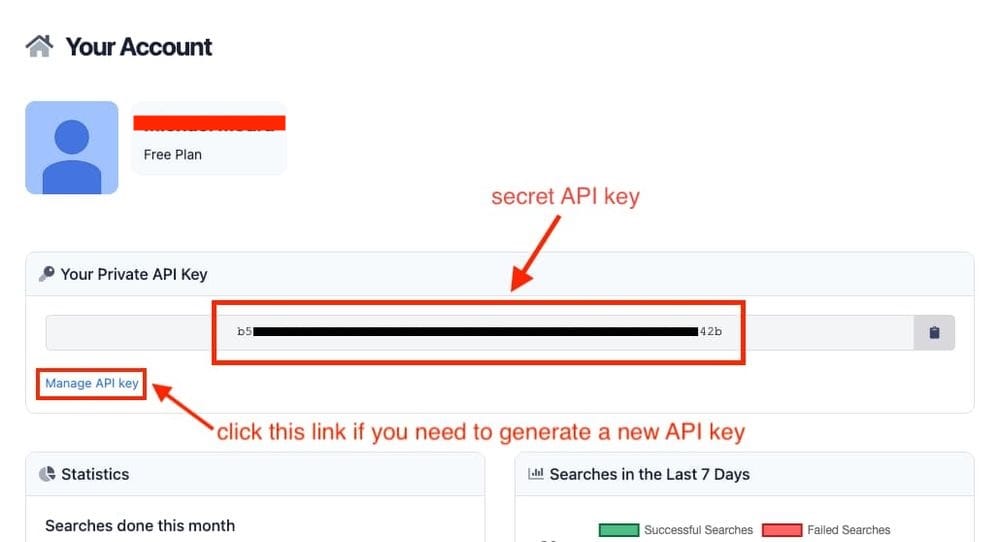
Your API key is tied to your account and grants full access to your search quota, so treat it like a password: keep it out of public repositories, client-side code, and shared screenshots. If it is ever exposed, you can rotate it instantly from the Manage API Key page. Just remember that the old key stops working immediately, so update the key in your application wherever it's used to keep your API requests flowing.
To see just how little code it takes, here's a Ruby example that pulls the first five pages of a seller's inventory. It requests the maximum 72 items per page with _ipg, increments _pgn on each iteration, and prints a running total as it goes, stopping early if a page comes back empty or serpapi_pagination reports there's no next page. Raise max_pages (or drop the cap entirely) to collect a seller's full catalog:
require "serpapi"

client = SerpApi::Client.new(
  api_key: "YOUR_SECRET_API_KEY",
  engine: "ebay_seller",
  type: "store",
  seller_id: "antonline",
  _sop: "10",  # Time newly listed
  _ipg: "72"   # max items per page
)

all_products = []
max_pages = 5

(1..max_pages).each do |page|
  puts "Fetching page #{page}..."
  results = client.search(_pgn: page)
  products = results[:product_results] || []
  break if products.empty?

  all_products.concat(products)
  puts "Page #{page}: #{products.size} listings (#{all_products.size} total)"

  break unless results.dig(:serpapi_pagination, :next)
end

puts "Fetched #{all_products.size} listings from seller"
SerpApi offers client libraries for many popular programming languages, so you're not limited to Ruby, and any search you run in the Playground can be turned into ready-to-use code with the "Export to Code" button in the top right of the page. For more ideas, the eBay Seller API documentation page walks through several other request and response examples, from auction listings sorted by ending time to user feedback and store featured categories.
Each library comes with its own documentation covering installation, authentication, and usage examples. Find the one for your language from our full integrations page or below:
Conclusion
The eBay Seller API makes it easy to retrieve structured information about eBay sellers, including their profile details, complete product catalog, customer feedback, ratings, and store content. This data can be used to build price monitoring tools, seller analytics dashboards, product discovery workflows, and applications that track trusted sellers at scale.
In this guide, we explored the information available through the eBay Seller API, how to test requests using SerpApi's Playground, and how to query that same seller data programmatically from a Ruby application with just a few lines of code. Whether you're tracking expiring auctions, watching for newly listed products, or analyzing seller performance, the eBay Seller API provides a simple way to access and work with seller data at scale.
Do you want to see what else can be done with eBay? Check out this detailed blog post covering how to use SerpApi's eBay Search API:
 Mikhail Zub
Hope you find this useful 🙂
References / Related Blogs
 Nathan Skiles
 Mikhail Zub
 Alex Barron