Ruby
Ruby
 Golang
 .Net
.Net
 MCP
MCP
 C++
C++

When you search for a person, place, movie, TV show, city, or other topic with Google Search, you might get a card the top of the page with organized details. For movie searches, the card might contain ratings, where to watch it, the release date, the genre, and other information. That's called the Knowledge Graph, with a Knowledge Graph ID (kgmid) assigned to each item.
Here's how to find the Knowledge Graph ID for anything that Google has identified, either manually or programmatically, with some additional information about how the IDs are organized.
How the Knowledge Graph ID (kgmid) works
Every person, place, or thing that Google can identify has a Knowledge Graph ID. It's a bit like ISBN numbers for books or ISMN numbers for music releases, but not restricted to any certain category, and (usually) not something a person would ever directly read.
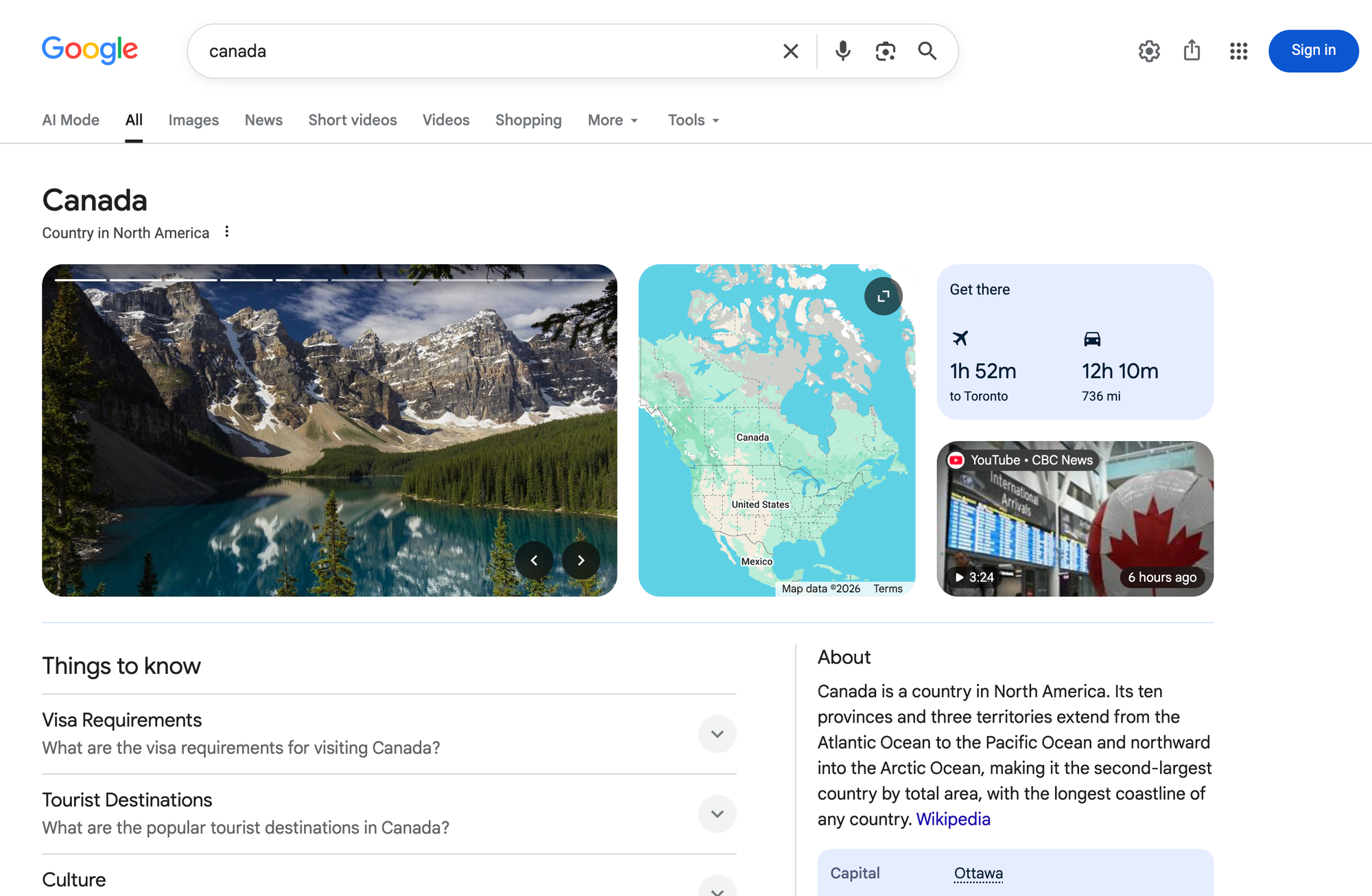
/m/0d060g.These IDs help Google organize different topics, even if they have similar or identical names. Apple the fruit has a different ID than Apple the tech company. The name "Superman" matches the comic book character, the 1978 film with Christopher Reeve, the 2025 film with David Corenswet, the song by Eminem, and the theme song for Scrubs by Lazlo Bane, but they all have different IDs.
If you have the Knowledge Graph ID for a given topic, you can use it to look up all available details for that topic using SerpApi's Google APIs, Google's enterprise cloud APIs (which also use Machine IDs in addition to Graph IDs), and other services. For example, once you know the Knowledge Graph ID for a football team, you can check its current and upcoming games on a regular basis with the SerpApi Google Sports Results API.
The database for Knowledge Graph is actually two databases: the legacy list from Freebase where items (usually) have a /m/ prefix, and the modern Knowledge Graph where items have a /g/ prefix. That's why older topics tend to start with /m/, as their entries were created before the modern Knowledge Graph.
How to find the Knowledge Graph ID (kgmid)
There are a few ways to find the Knowledge Graph ID for a given person, place, or thing.
Find the ID from Google Search
The first option for finding a Knowledge Graph ID is from Google's own search results. If a card (or just the title) appears for a search result, click the three-dot menu next to the title, then click the Share menu option.
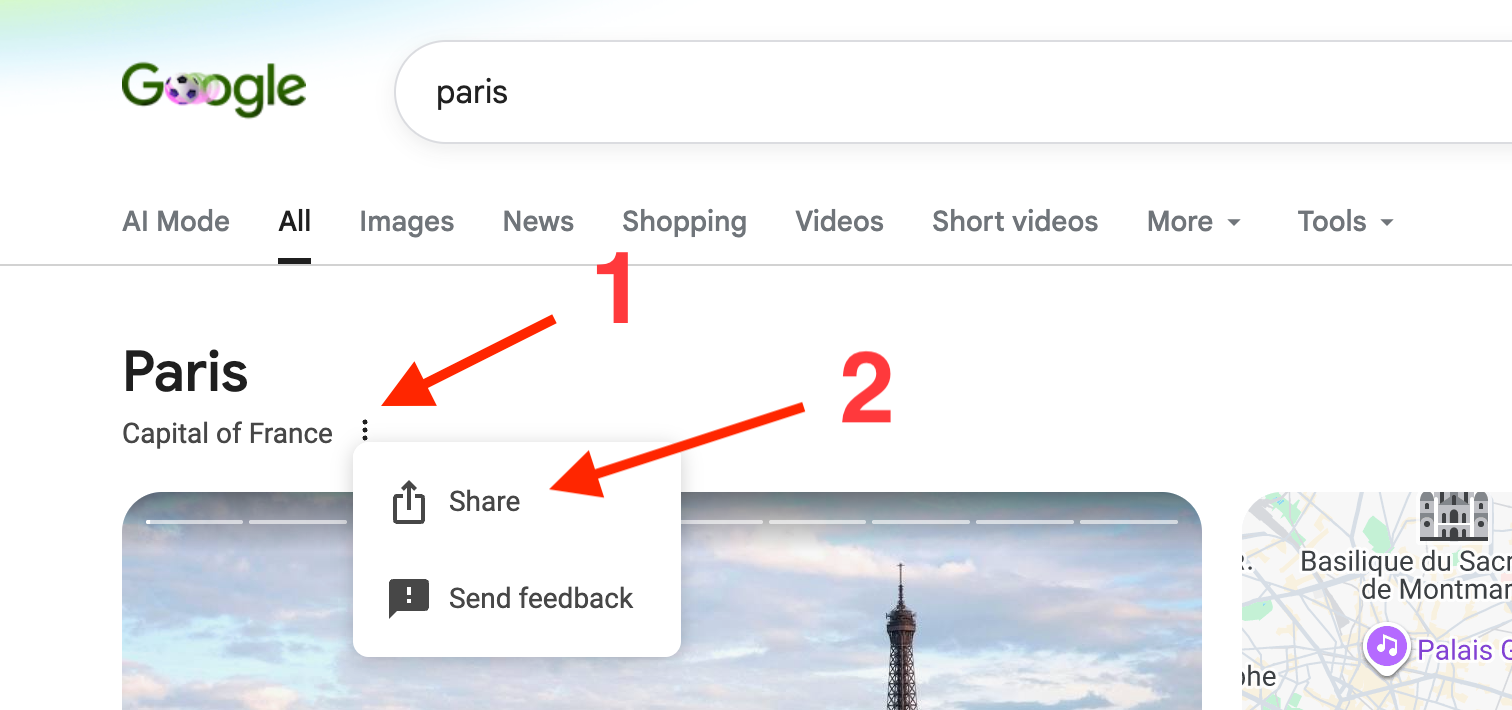
This will give you a share.google URL, which is a shortlink that redirects to the full URL containing the Knowledge Graph ID. You need to open that link in your web browser, and then the ID will be in the address bar as the text between kgmid= and & strings, like /m/05qtj in this example:
https://www.google.com/search?kgmid=/m/05qtj&hl=en-US&q=Paris&she...The ID might be in URL-encoded format, like %2Fm%2F04jpl in this example:
https://www.google.com/search?kgmid=%2Fm%2F04jpl&hl=en-US&q=London&she...For those encoded strings, a URL decode tool can give you the original form, or you can run decodeURIComponent("put-the-id-here") in your browser's JavaScript console.
You can also fetch the share.google link with cURL, set it to follow the first redirect, and look for the kgmid parameter in the final location:
curl -iL --max-redirs 1 https://share.google/examplelinkSome pages on Google Search can have two Knowledge Graph IDs. For example, if you search for "recent nfl games" and click the "See more" button with the arrow icon, it opens a new page using data from two Knowledge Graph topics.
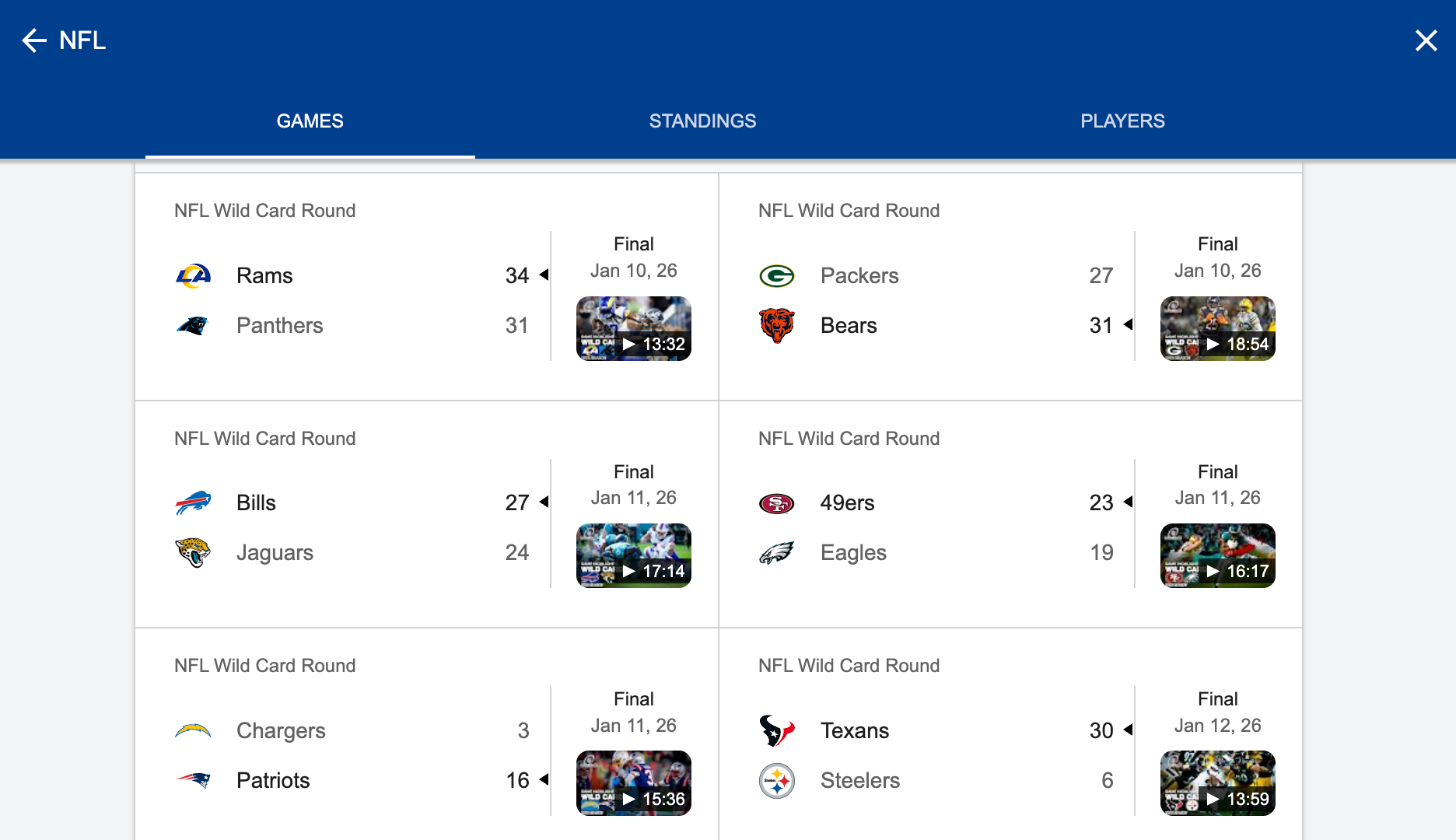
These pages will have the Knowledge Graph IDs in the #sie section of the URL, instead of a kgmid parameter:
https://www.google.com/search?q=recent+nfl+games&sca_esv=b3f...&sclient=gws-wiz-serp#sie=lg;/g/11lyp42zk1;6;/m/059yj;mt;fp;1;;;;-1In this example, the first ID is /g/11lyp42zk1 and represents the 2025 NFL season, while the second ID is /m/059yj and represents the NFL organization. If you're not sure which ID is for which topic, read the section on checking IDs.
For league/tournament pages, the first ID is the current season, and the second ID is the league. For sports teams, the first ID is the team, and the second is the current league/tournament season. For sports games, the first ID is the individual game, and the second ID is the league.
Find the ID with Wikidata
Wikidata is a collaborative knowledge database with over 100 million items, and each item usually includes a linked Google Knowledge Graph ID. Wikidata is one of the main information sources for Google's Knowledge Graph services, and some of its data originated from the Google-owned Freebase, which shut down in 2015.
You can start a search on Wikidata to check if a matching result is available. The number in parentheses for each item is the Wikidata number, not a Knowledge Graph ID.
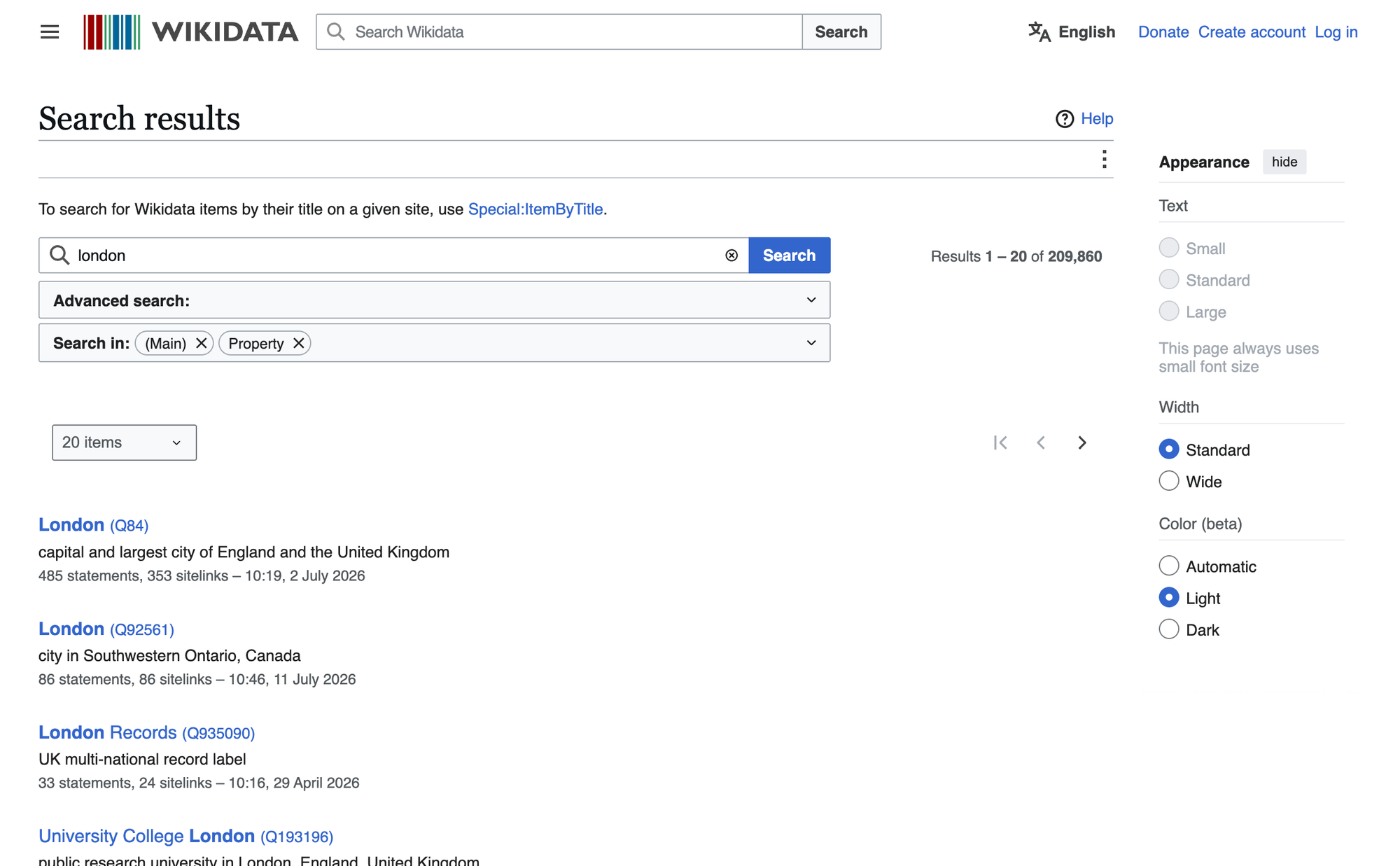
From the search results, select the page for the topic you want, and look for either a "Google Knowledge Graph ID" or "Freebase ID" on the page.

/m/04jpl.
/g/1pznmpnqh.You can also use the Wikidata Query Service to programmatically fetch the IDs for a given topic or item.
Find the ID with SerpApi
Finally, you can use the Google Search Engine Results API from SerpApi to obtain a Knowledge Graph ID from a text search. If you don't have one already, you need to create an account and verify your email and other details. After that, get the API key from your account dashboard.
First, if you perform a search with the SerpApi Playground in your web browser, the JSON results include kgmid values. They might be under the knowledge_graph object.
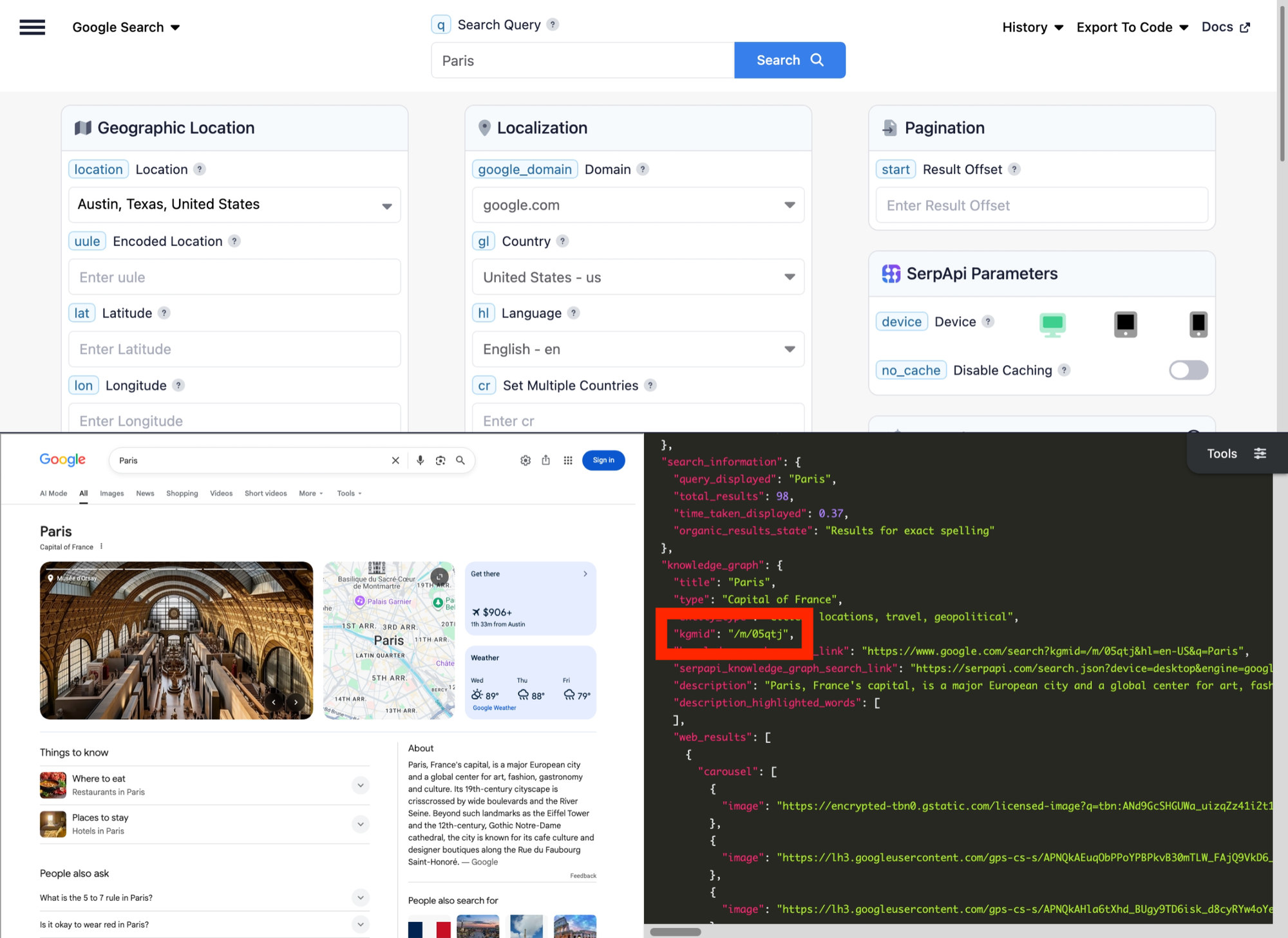
kgmid values in the JSON preview.For sports-related topics, the values can be in the sports_results object. The query "recent NFL games" in Playground includes an ID for each team, game, and stadium/location.
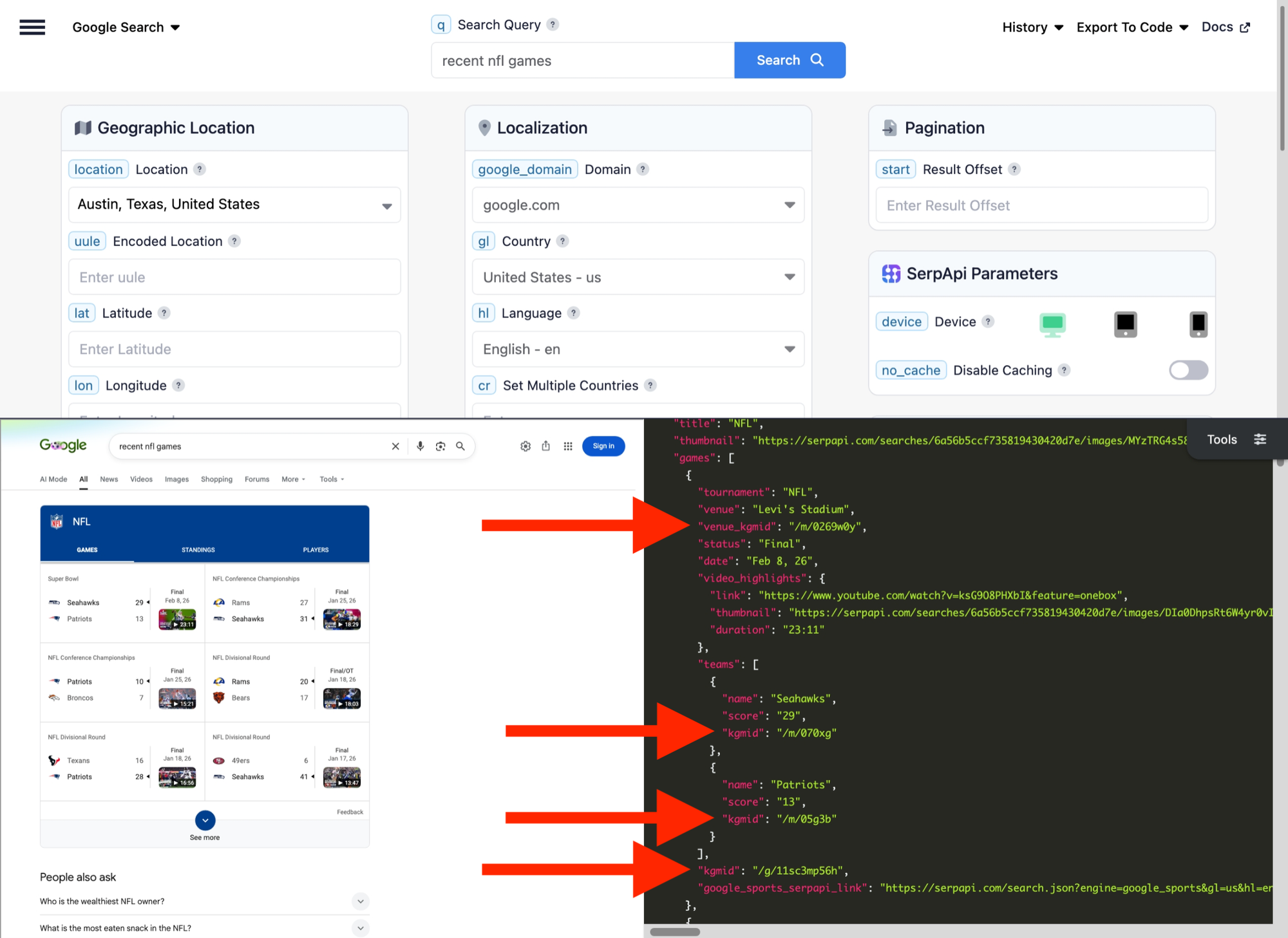
kgmid and venue_kgmid values in the SerpApi Playground.You can also programmatically fetch the main kgmid value for a search, using any of SerpApi's official integrations. Here's how to find the kgmid for London using simple GET request, combined with the JSON Restrictor feature:
https://serpapi.com/search.json?engine=google&q=london&gl=us&json_restrictor=knowledge_graph.kgmid&api_key=YOUR_KEY_GOES_HEREHere's the same search in a Python script, using the official SerpApi Python library:
import serpapi
client = serpapi.Client(api_key=YOUR_KEY_GOES_HERE)

response = client.search({
  "engine": "google",
  "q": "london"
})

if response.get("knowledge_graph", {}).get("kgmid", {}):
  print(f"Found ID: {response['knowledge_graph']['kgmid']}")
else:
  print("No ID found!")
This is the search in Ruby, with the official Ruby gem installed:
require "serpapi"

response = SerpApi::Client.new(
  engine: "google",
  q: "london",
  api_key: YOUR_KEY_GOES_HERE
)

if response.search.dig(:knowledge_graph, :kgmid)
  puts "Found ID: #{response.search[:knowledge_graph][:kgmid]}"
else
  puts "No ID found!"
end
Finally, here's the search in Node.js with the SerpApi JavaScript library:
import { getJson } from 'serpapi';

const search = await getJson({
  engine: "google",
  q: "london",
  api_key: YOUR_KEY_GOES_HERE
});

if (search?.knowledge_graph?.kgmid) {
  console.log(`Found ID: ${search.knowledge_graph.kgmid}`);
} else {
  console.log("No ID found!")
}
You can also make API requests with SerpApi with Make.com, N8N, and other low-code tools. If you need help, please contact us.
How to check a Knowledge Graph ID
If you already have a Knowledge Graph ID and you need to check what it represents, there are a few ways to do that.
First, you can try using it in a Google Search by placing the kgmid in the URL, like this ID for New York City:
https://www.google.com/search?kgmid=/m/02_286The resulting search page should contain a Knowledge Graph card. The text in the search bar will also be filled by the topic's title. This works because kgmid is one of Google's URL parameters and can override the q query parameter. You can see how it fits alongside the others in our guide to Google search parameters.
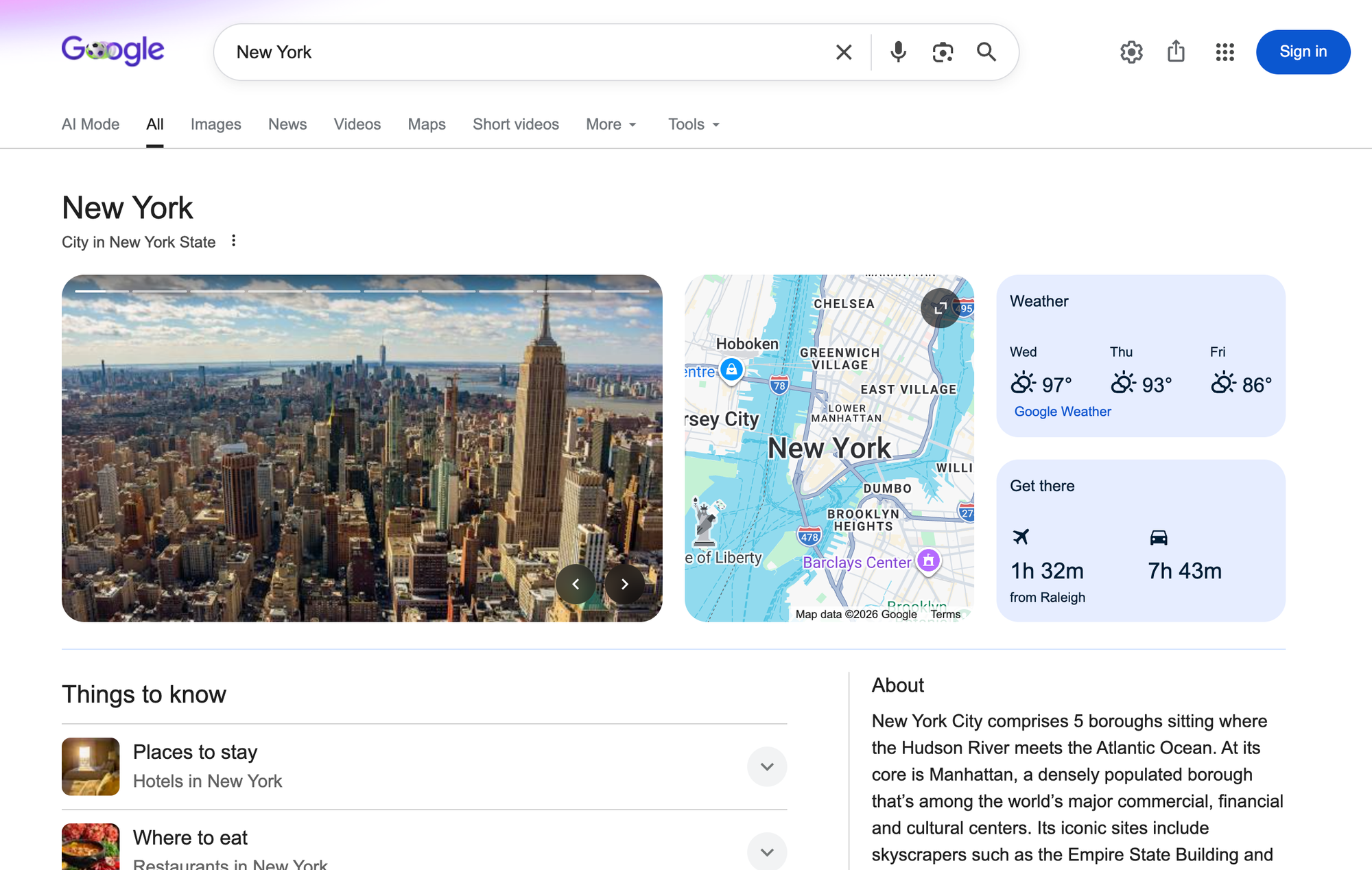
kgmid value instead of a q text search.That method doesn't always work, but you can also try searching the ID on the Wikidata website, Wikidata Query Service, or Google Knowledge Graph Search API. For sports topics, try the Google Sports API Playground from SerpApi.