Ruby
Ruby
 Golang
 .Net
.Net
 MCP
MCP
 C++
C++

Cross-border e-commerce sellers often spend hours comparing the same products across different Amazon marketplaces. Prices, reviews, and seller signals vary by country, but the process is still largely manual.
I wanted to see how far I could automate it with a small AI agent built using Codex, SerpApi, and Lark.
Suppose I ask in Codex:
Compare Grogu products in the US and Japan
The workflow is straightforward:
- search Amazon marketplaces
- fetch product details
- summarize seller signals
- send a report to Lark
I kept the stack intentionally simple:
- Python 3.12
- uv
- Pydantic
- SerpApi Python SDK
- OpenAI structured outputs
- Lark custom bot webhook
- Codex for both development and as the conversational interface
Running the Agent from Codex
Once everything was wired together, I could simply ask Codex:
Compare Grogu products in the US and Japan
Codex understood the request, triggered the CLI workflow, collected marketplace data via SerpApi, and delivered a structured report to Lark.
Here’s the entire flow in action:
The Workflow
The overall flow looks like this:
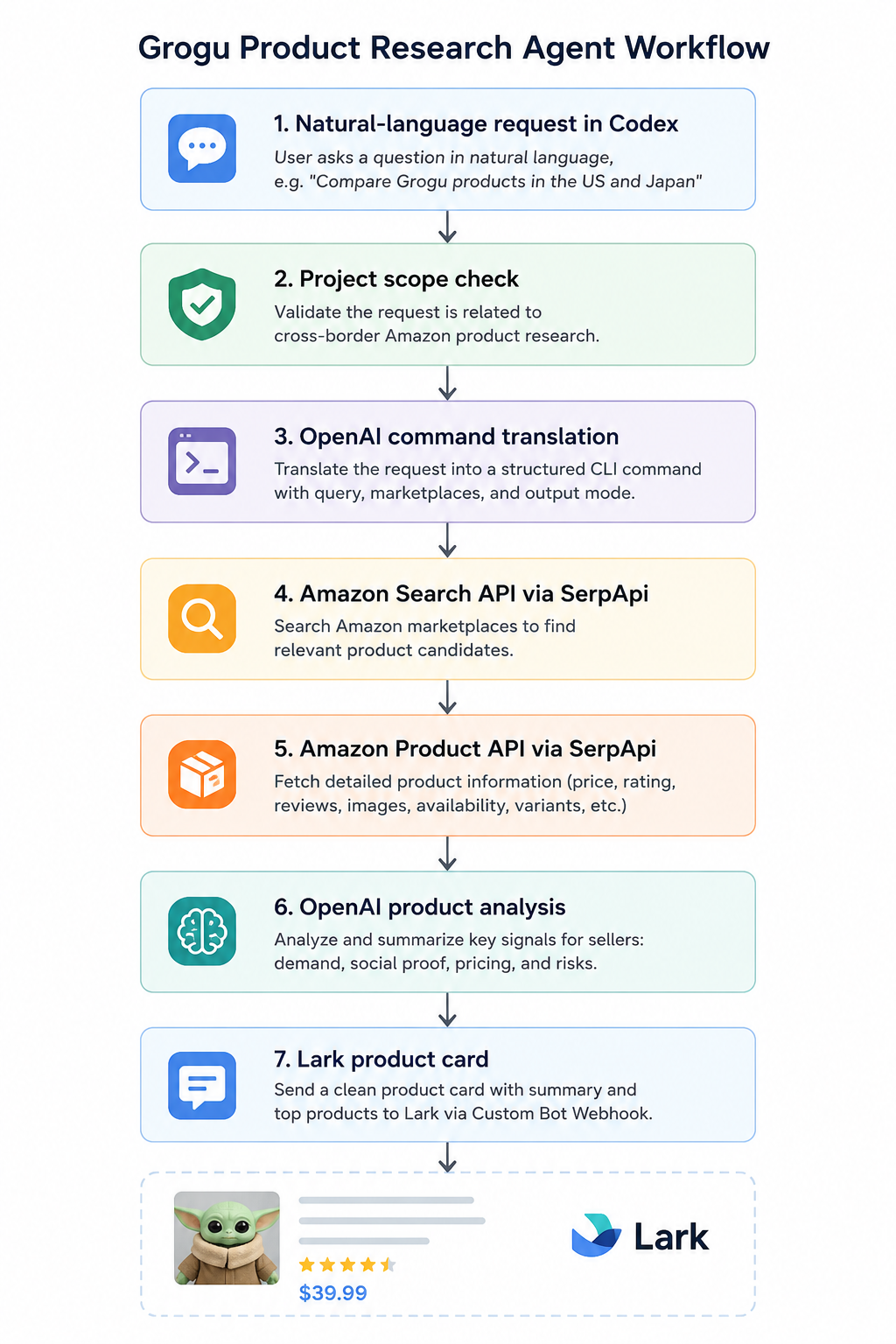
Starting with a natural-language request in Codex, the agent first validates that the question is related to cross-border Amazon research.
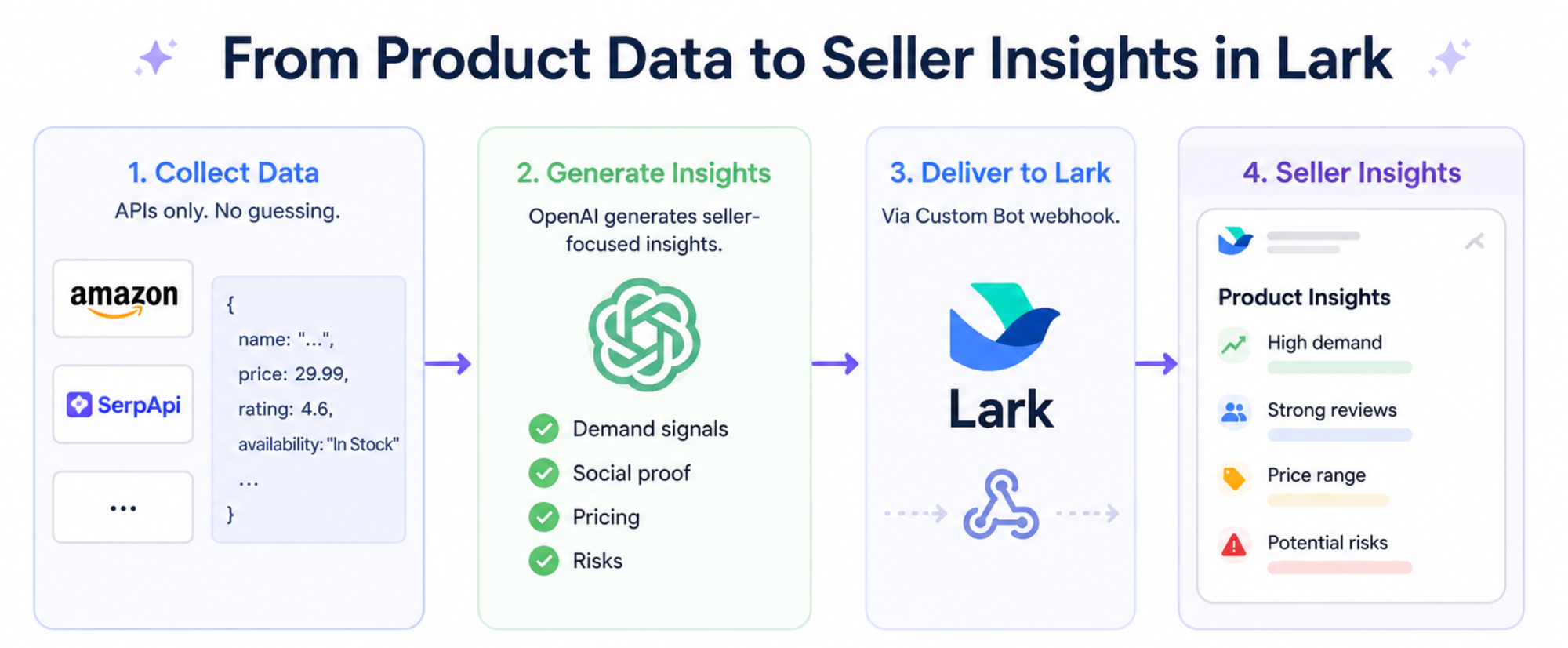
OpenAI then translates the request into a structured command. SerpApi handles both product discovery and detailed product retrieval, while OpenAI extracts seller-focused insights from the collected data.
Finally, the results are packaged into a Lark card and delivered via a Custom Bot webhook.
I intentionally did not start with FastAPI, background jobs, or a database. For the MVP, the important question was simpler: Can I go from a natural-language product question to a useful cross-border product card?
Translating Natural Language into Commands
The natural-language entrypoint uses OpenAI to translate user requests into structured commands.
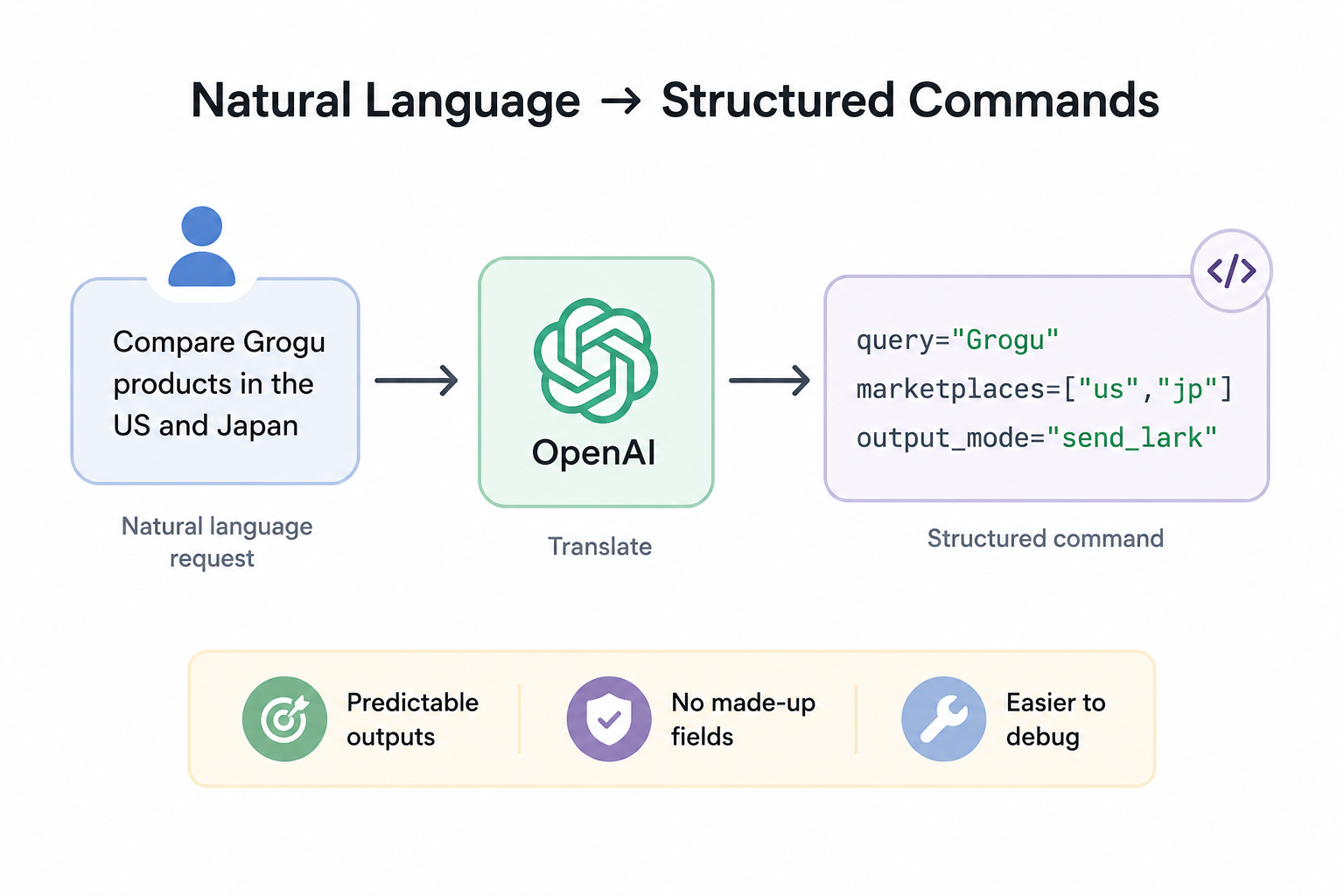
For example:
Compare Grogu products in the US and Japan
becomes:
query="Grogu"
marketplaces=["us","jp"]
output_mode="send_lark"
Using a strict schema keeps the pipeline predictable and much easier to debug. Instead of letting the model orchestrate everything, I only ask it to generate structured commands.
Searching Amazon with SerpApi
This project relies on two SerpApi endpoints.
The Amazon Search API is used to discover candidate products, while the Amazon Product API enriches them with much richer details.
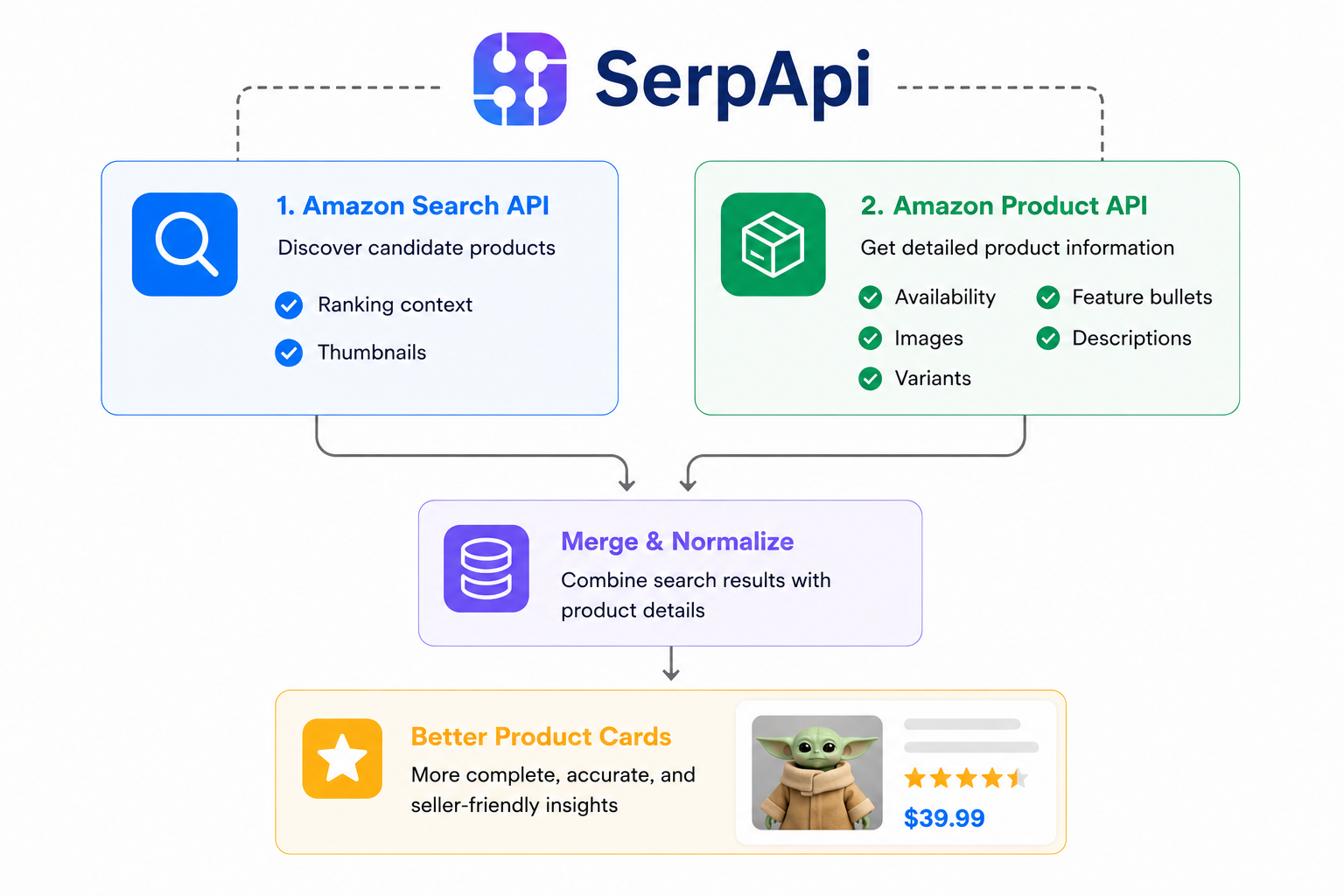
Search results provide ranking context and thumbnails, while product pages contain detailed information such as images, availability, and descriptions.
Combining both produced much better product cards than using either endpoint alone.
Modeling Product Data
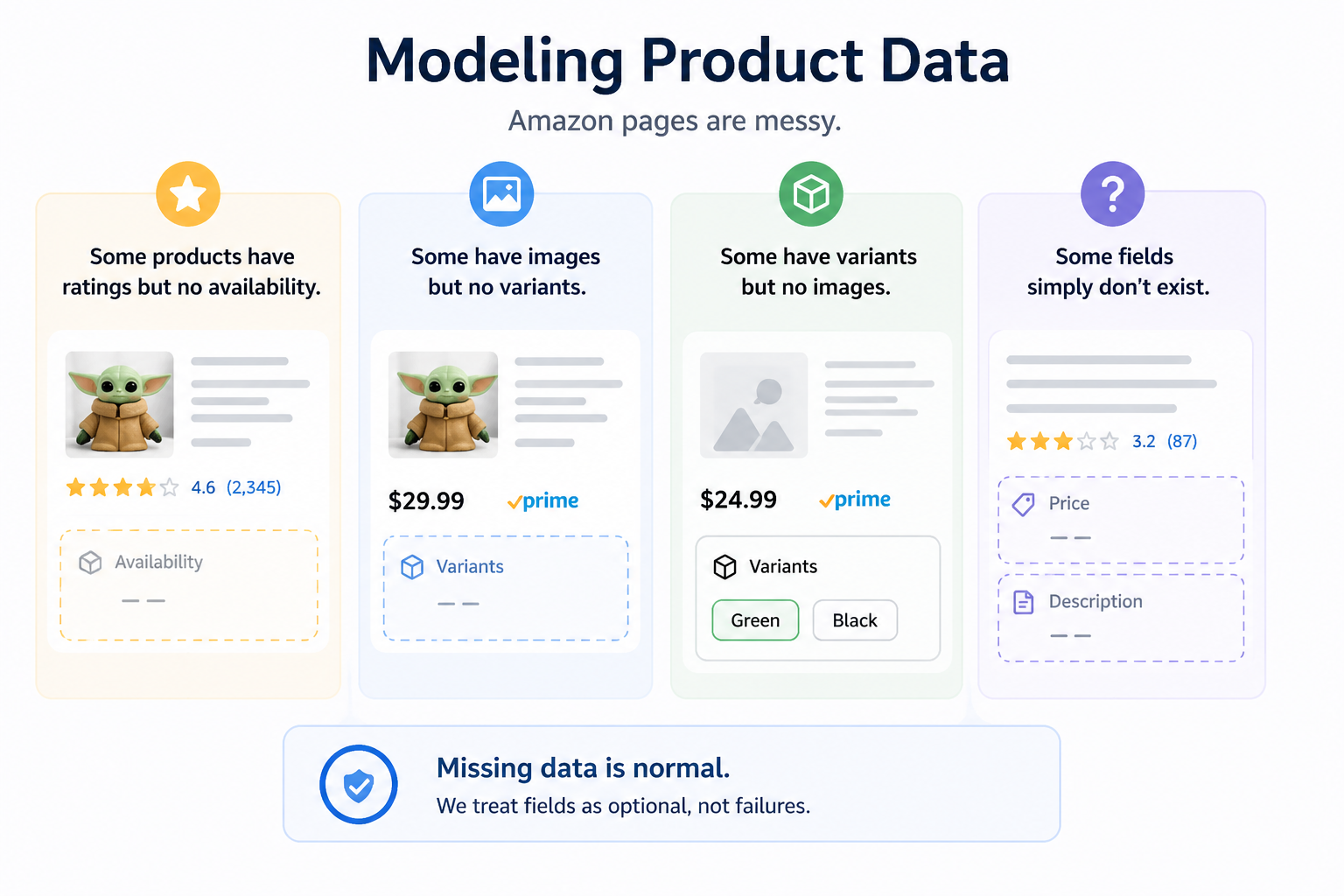
Amazon pages are messy.
Some products have ratings but no availability.
Some have images but no variants.
Some fields simply don't exist.
Missing data is normal, not an exception.
My first instinct was to say, "Why not model most fields as optional?" That is true, but it is not the whole solution.
The real issue was that SerpApi returns useful product data from several different places. Some fields are flat. Some fields are nested. Some fields have different names depending on whether they came from Amazon Search API or Amazon Product API. Some products should not be shown at all if they are missing the signals a seller actually needs.
To make the data usable, I:
- normalized both endpoints into a common
Productmodel; - filtered out products with weak seller signals;
- merged Product API details back into search results;
- treated missing fields as expected rather than failures.
The Product model still uses optional fields, because missing data is normal:
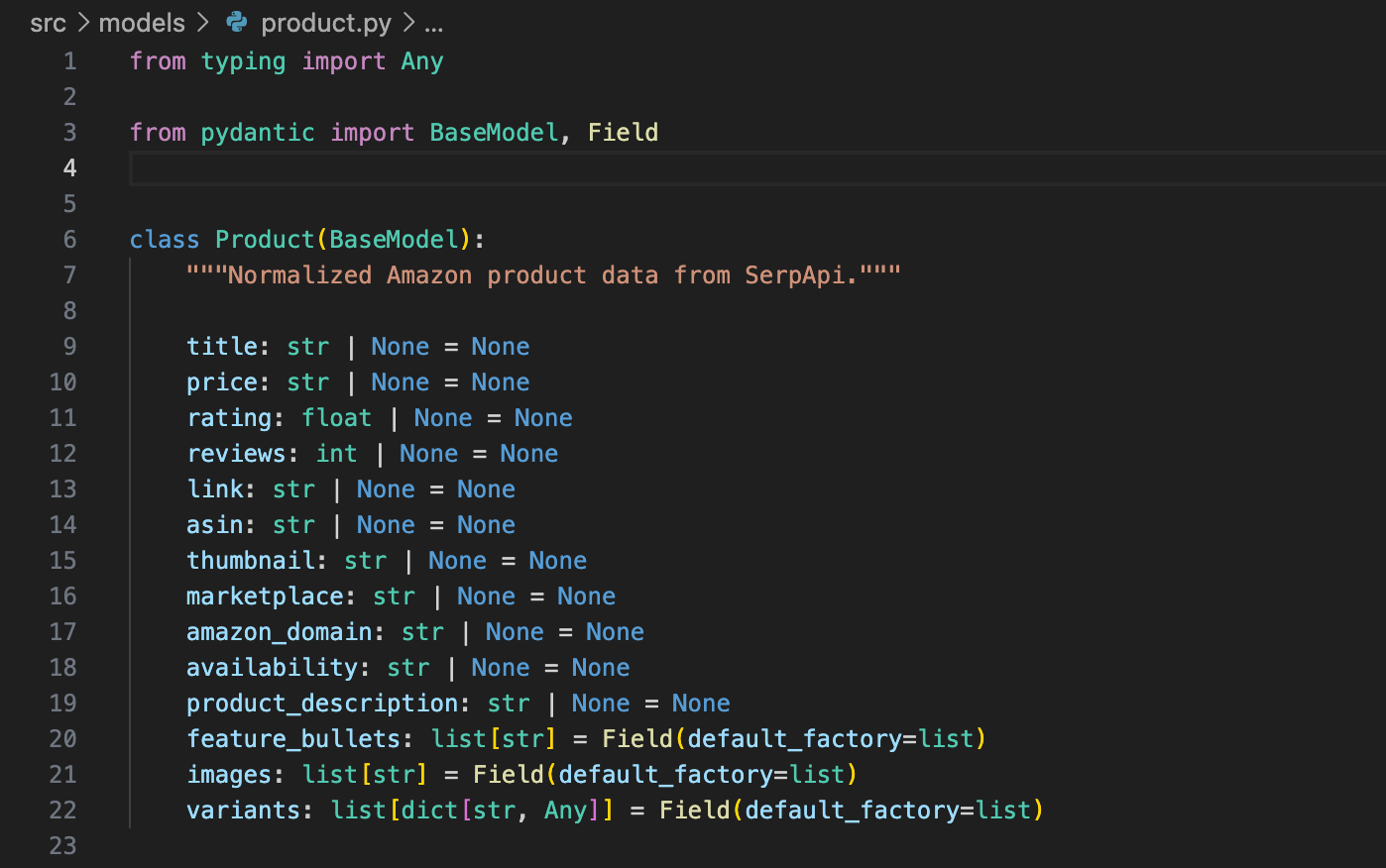
But optional fields alone were not enough. I also filtered search results before choosing products for detail lookup:
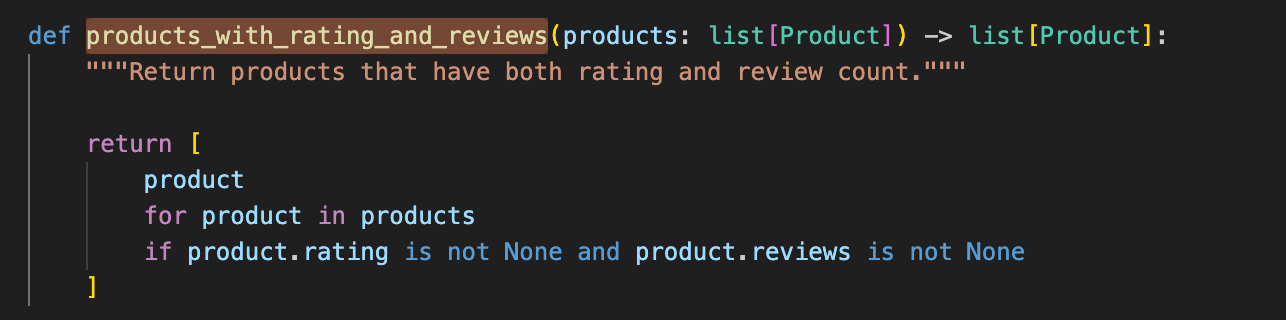
This was important for the Lark card. A cross-border seller does not want a table full of Rating: N/A and Reviews: N/A. Those rows make the card noisy and less actionable.
The next issue was nested and inconsistent JSON.
For price, SerpApi may return a string, a number-like value, or a nested object:
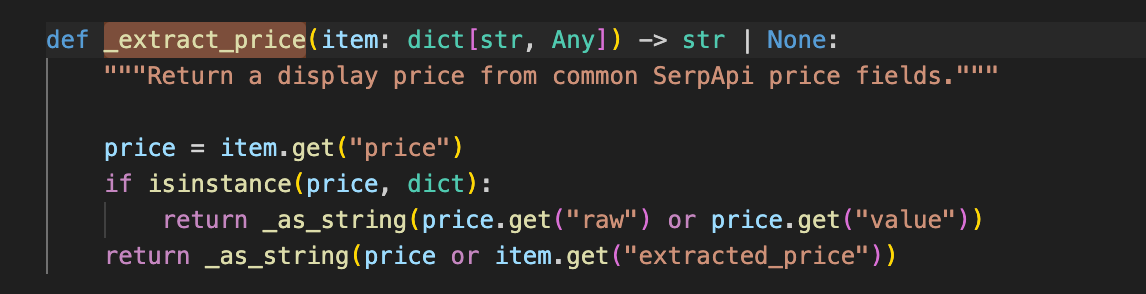
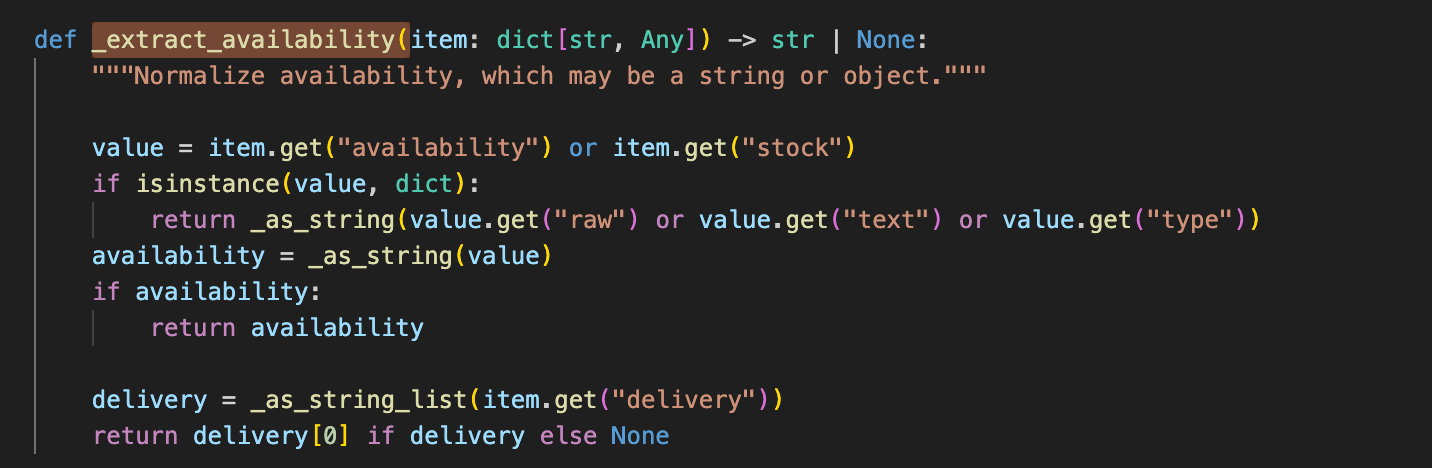
For availability, the Product API does not always use one stable field. I had to check availability, stock, and sometimes delivery:
Keeping the Agent Narrow
The most interesting part of the project isn't Grogu.
It's scope.
The entrypoint only supports cross-border Amazon product research.
If somebody asks:
What is today's weather?
the app simply rejects the request.
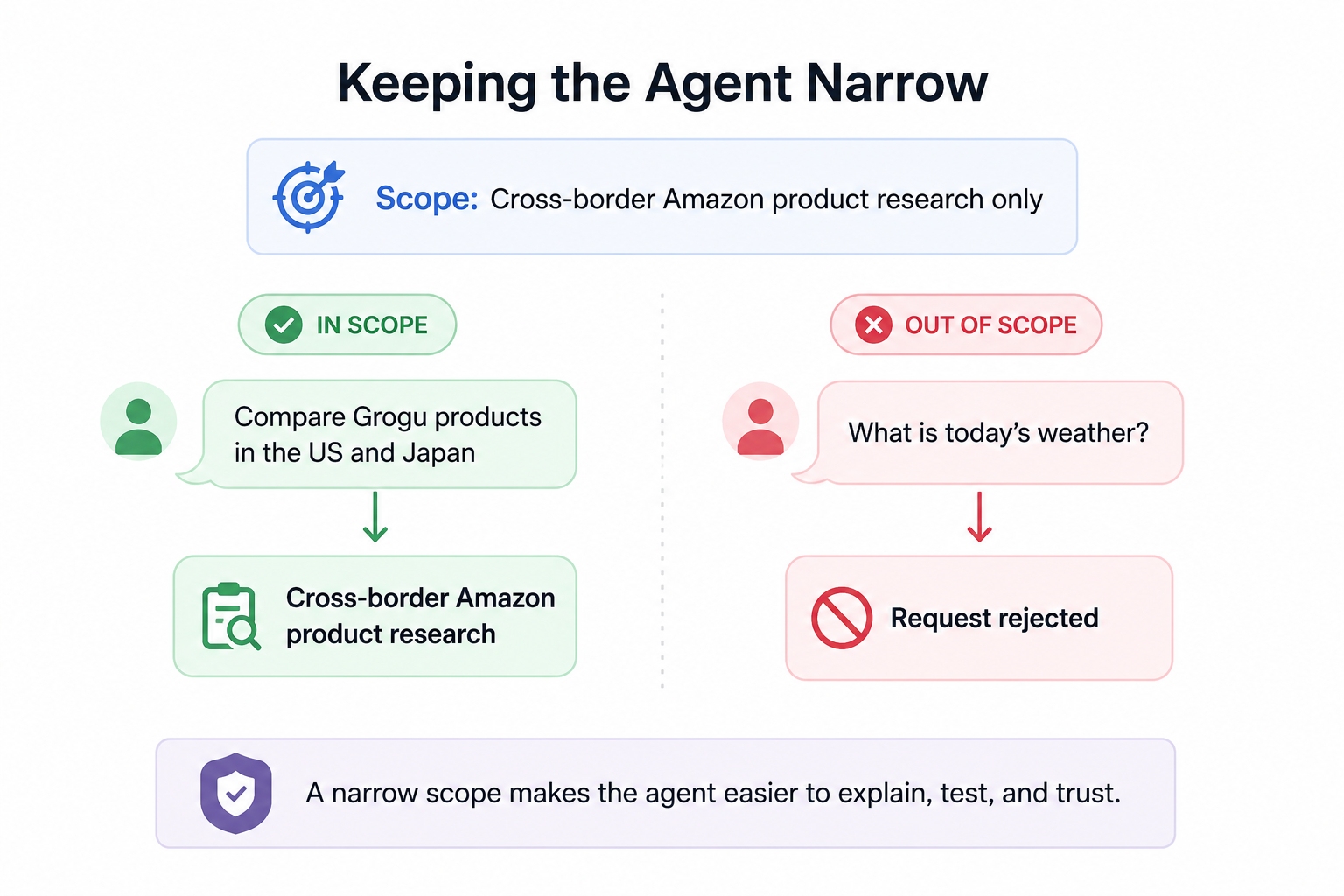
Requests outside the project scope are rejected locally before calling OpenAI.
For supported requests, OpenAI returns a strict command object:
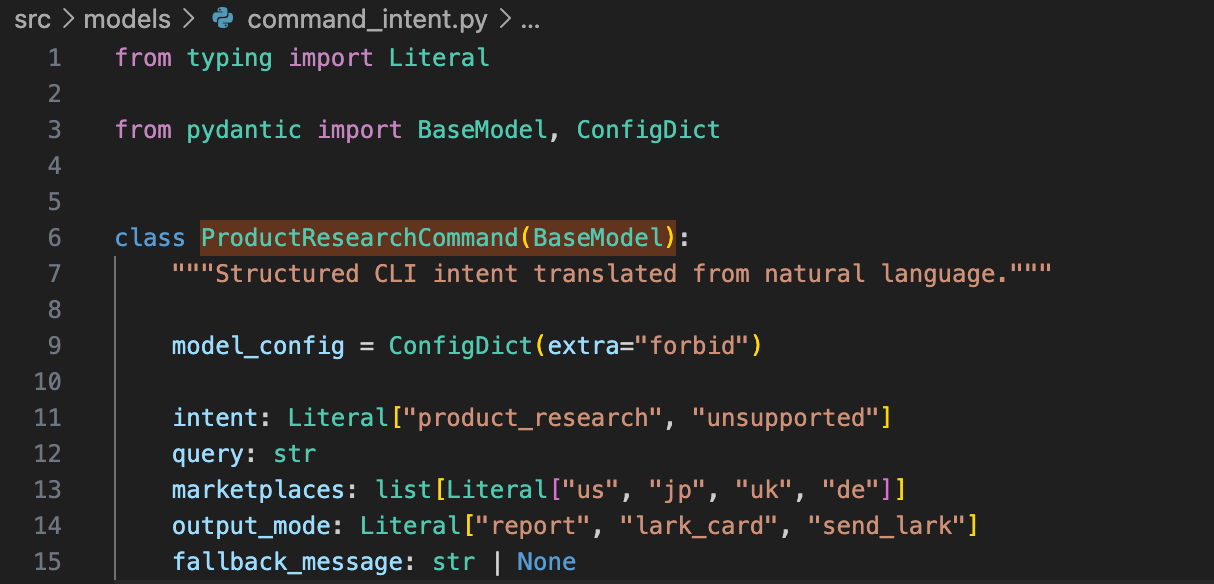
This keeps the agent predictable. It translates requests into commands instead of improvising actions.
I deliberately avoided turning this into a general chatbot.The agent only knows one workflow: cross-border Amazon product research.That narrow scope makes the behavior easier to explain, test, and trust. It also keeps OpenAI API responsible for translation rather than improvisation.
Generating Seller-Friendly Insights and Delivering Them to Lark
Once product data has been collected, OpenAI generates seller-focused insights. I intentionally constrain the model to use only information returned by the APIs, avoiding hallucinated prices, ratings, or availability.
Instead of producing generic summaries, the analysis focuses on demand signals, social proof, pricing, and obvious risks — information that is much more useful for sellers.
The final result is delivered through a Lark Custom Bot webhook.
Error Handling
External APIs fail. That's normal.
I treated each layer independently.
If OpenAI fails, no command is generated.
If SerpApi fails, the analysis stops with a clear message.
If Lark delivery fails, the report can still be viewed locally.
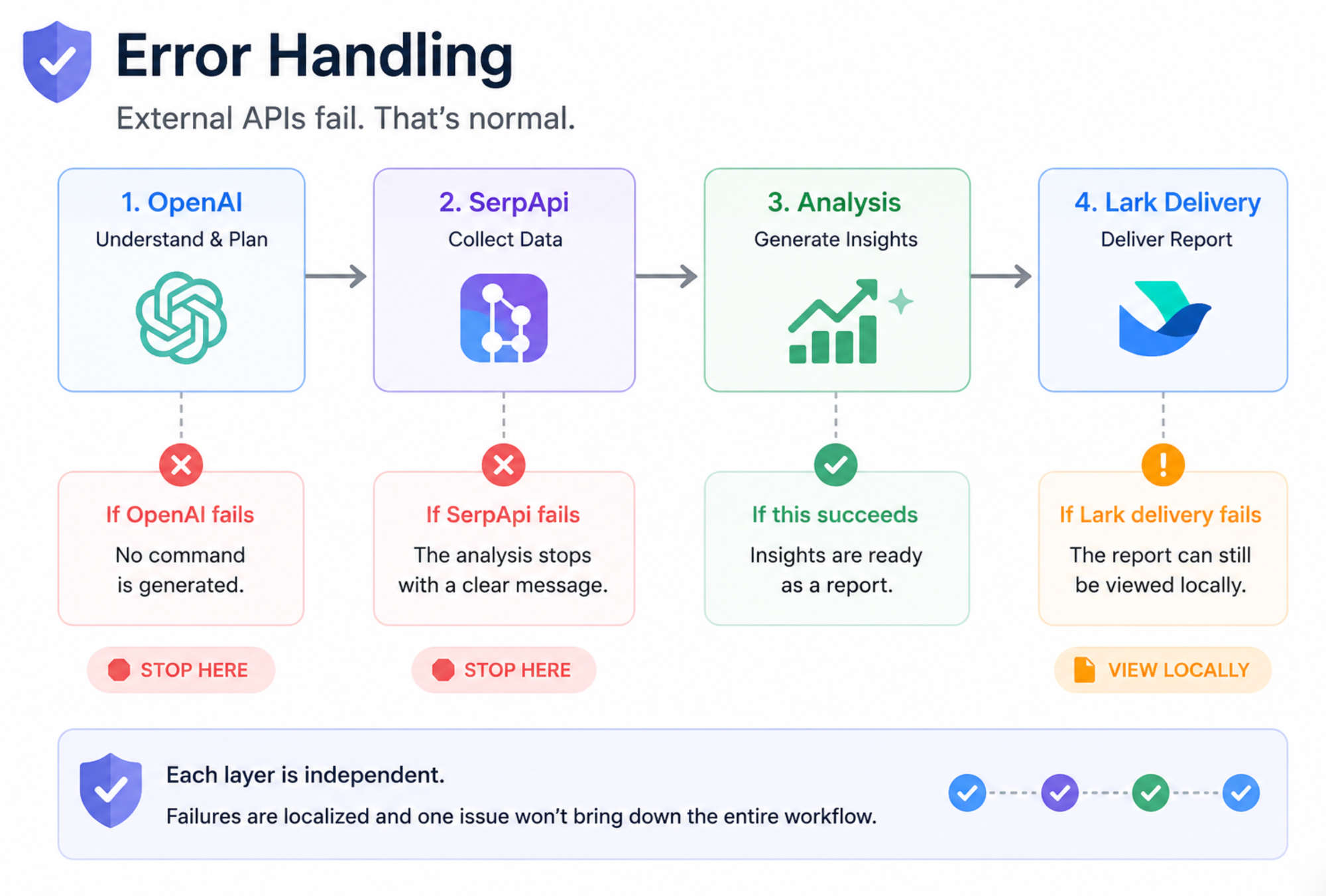
This separation keeps failures localized and prevents one component from bringing down the entire workflow.
Conclusion
The most interesting lesson from this project wasn’t the Grogu theme or the Lark card.
It was learning where the boundaries should be.
The agent works because it stays narrow.
That narrowness makes the system easier to understand, debug, and trust.
And if you’re building tools for cross-border e-commerce, SerpApi’s Amazon API provide a surprisingly rich source of product data. They made this entire workflow possible.
If you’re working on product research, seller analytics, or marketplace intelligence, I’d recommend giving them a try.