Ruby
 Golang
 .Net
 MCP
 C++

If you have already tried ChatGPT Work or Claude Cowork, you know agents can now use their own cloud computer to browse the internet and finish their tasks on the background. Grok Bot takes it even further with an always-on agent. But what is Grok Bot exactly and do you need one? We'll look at what Grok Bot is, how it works day to day, and why it's not just a single bot, but many.
What is Grok Bot?
Grok Bot is an app for AI agents you treat like coworkers. xAI calls them Bots. You give a Bot a name and a job, then message it like you'd message a teammate. For example you might ask the bot to "clean up the CRM before Monday" or "draft follow-ups for everyone I met this week." The Bot does the work with your tools and only checks in when it needs a decision from you.
Here's the short version to understand it quickly:
- Each Bot works on its own computer in the cloud, so it can keep going around the clock.
- You set it up by chatting with it. There's no workflow builder.
- Bots can work together and pass tasks to each other, like a small team.
- They learn. Show a Bot how you do something once, and it can repeat it on a schedule.
- ChatGPT agent and Claude Cowork are great for handing off one task at a time. Grok Bot is built for ongoing work that runs without you.
- Like every agent, it struggles with web search. That's why we're building a SerpApi integration for it.
Grok Bot started as an internal tool at xAI where teams used it for sales outreach, marketing, operations, and bug fixes before it was opened up to everyone. It's built together with Cursor, which runs the app and the cloud computers behind it, so a lot of the documentation lives there. The subscription is also the same.
How to get it
Grok Bot currently (November, 2026) comes with the higher paid tiers of The X Subscription (Premium and up) and with paid Cursor plans. SuperGrok and Grok Business subscribers can get access too. Usage works as a weekly allowance, and bigger plans get more of it. Start by downloading a desktop Grok Bot app for your computer. Remember that the work itself will run in the cloud.
How Grok Bot works
The easiest way to understand Grok Bot is to follow one Bot from its first day.
1. You give it a job
When you sign in, Grok Bot creates your first Bot called Grok Bot and opens its chat window. You tell it what its job is, in plain words:
"You handle account research for our sales team. Always link your sources, and never send an email without my approval. Remember this."
That's the whole setup. You can rename the Bot and add more later. xAI's advice is to give each Bot one clear job, because a focused Bot builds more useful memory.
2. It works on its own computer
Every Bot works on a cloud computer with a browser, a file system, and a terminal. Bots will use integrations for Slack, Gmail, Notion, and other applications if available. When they are not available, bots use the computer the way you would by opening web pages, clicking buttons, and filling up in forms.
Since that computer isn't your laptop, the work keeps going when you close the lid. You can check in on the work from another devise and pick up the same conversation at exact moment you left it.
3. It asks you when it gets stuck
When a Bot hits a login, it uses a password you've saved or asks for one through a secure form, then stays signed in for next time. For steps it can't do on its own, like a passkey or a CAPTCHA, it hands you the computer. You finish that step, and the Bot carries on.
4. You show it how you like things done
To teach a Bot a new workflow, ask it to watch the next time you do it yourself. It saves the steps as a routine, takes your corrections, and from then on it can run the routine by itself, on a schedule if you like. Over time it also picks up your tone, your edge cases, and when to ping you versus just getting on with it.
5. You add more Bots
This is where Grok Bot feels most different. You can run several Bots at once, each with its own specialty, and put them in a group chat. They message each other and hand off work. To do just that, click on the plus sign to add another one:
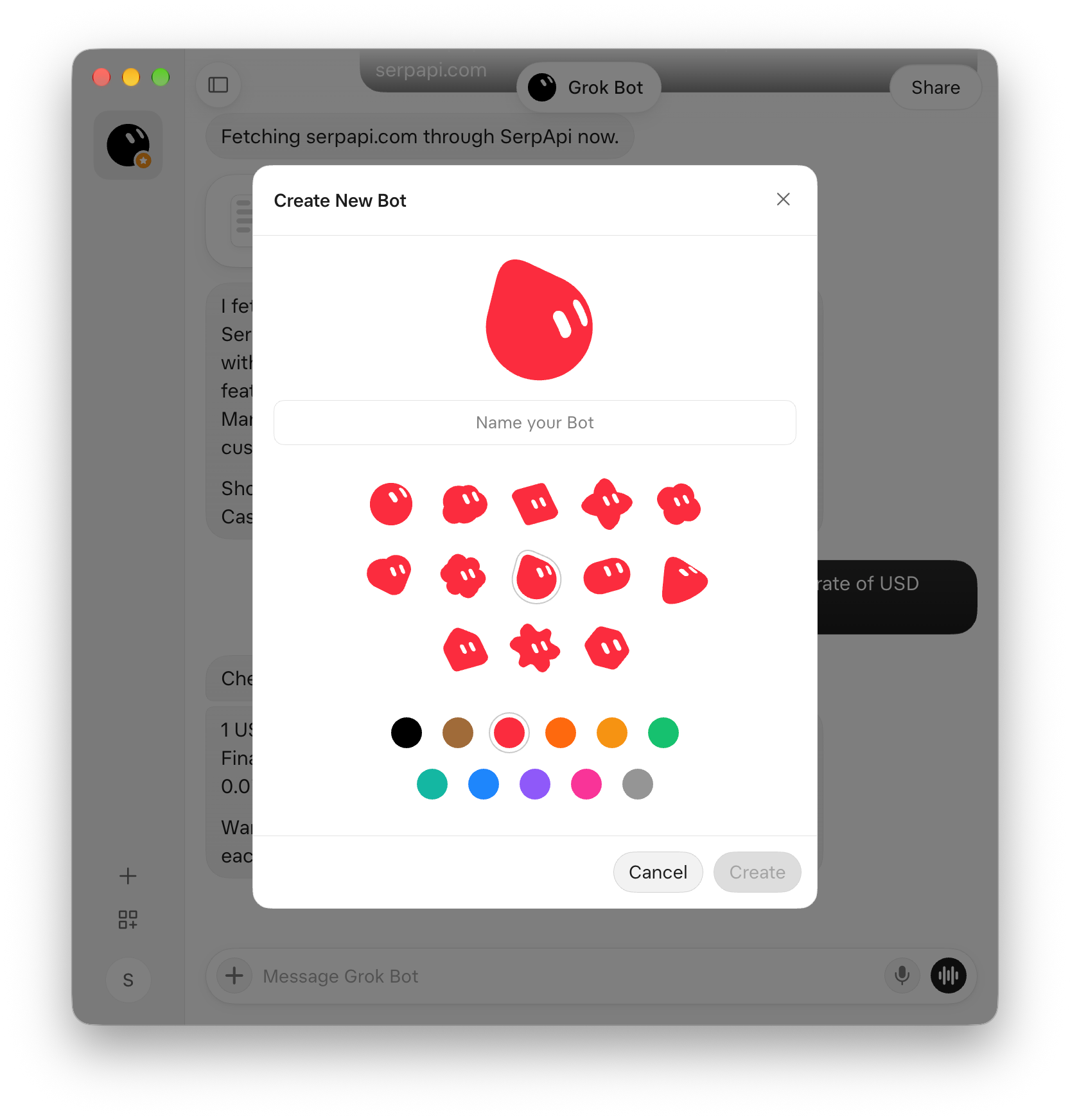
A lot of people might run a "chief of staff" Bot that coordinates the others, so they only have to talk to one. In one xAI example, an engineering Bot reproduces a bug in the product, files a ticket, and passes the fix to a separate debugging Bot.
Remember that all your Bots share the same cloud computer, including files and logged-in sessions. You decide what they're allowed to do with plain language, and a separate review agent checks what a Bot is about to do.
What people use it for
Most of the examples xAI shares are about the busywork around a job, not the job itself:
- Sales outreach. A Bot researches accounts overnight, finds the right contacts, and leaves personalized email drafts ready for approval in the morning.
- Keeping the CRM tidy. A Bot cleans up records, flags deals that have stalled, and posts a scoreboard every Monday.
- Staying on top of messages. One xAI employee runs an inbox Bot, a calendar Bot, and a "scout" Bot that sends a short briefing twice a day. All three report to a fourth Bot, so he only has one place to look.
- Bug triage. One Bot reproduces a bug and files the ticket, then hands the fix to another.
If you want to try it yourself, Cursor's docs suggest a first task that touches a few tools and has a clear finish line:
"Pull this week's pipeline review list from our CRM. Skip anyone already in an active sequence. Research the top five accounts across the web and Slack, pull the right contacts, draft outreach in my voice, and leave me drafts to approve by tomorrow morning."
Grok Bot vs ChatGPT Work vs Claude Cowork
All three let AI do the work instead of just talking about it. The difference is how you work with them.
ChatGPT Work lives inside ChatGPT. You give it a task, it works through it on a virtual computer with a browser, and it reports back when it's done. It's built for one task at a time.
Claude Cowork lives in the Claude desktop app. It works with files on your computer and with connected apps, can run tasks on a schedule, and you can extend it with plugins and skills.
Grok Bot is built around agents that stick around. They have names and jobs, run in the cloud all the time, and work as a team. A true alternative to it is recently released OpenAI dots which we might write about soon.
Here's a comparison table:
| Grok Bot | ChatGPT Work | Claude Cowork | |
|---|---|---|---|
| Where the work happens | A cloud computer shared by your Bots | A virtual computer hosted by OpenAI | The Claude desktop app, with your local files; cloud sessions in beta |
| Keeps working while you're away | Yes, around the clock | While a task runs | Scheduled tasks; cloud sessions in beta |
| Named agents with their own memory | Yes | No, one assistant | No, one assistant with memory and projects |
| Agents working together | Yes, in group chats and handoffs | No | Subagents within a task |
| Learns by watching you | Yes | No | No, but you can write or install skills |
| Runs on a schedule | Yes | Yes | Yes |
| Connects to your apps | Integrations, plus using the computer directly | Connectors, plus a browser | Connectors (MCP), plugins, plus a browser |
| Apps | Desktop and mobile | Web, desktop, and mobile | macOS and Windows desktop |
| Who can use it | Paid X Subscription tiers, paid Cursor plans, SuperGrok | Paid ChatGPT plans | Paid Claude plans |
Which one is for you?
Choose one based on the type of work you do:
- Grok Bot if you have recurring work spread across several tools and you're happy to let a few agents handle it in the background.
- ChatGPT agent if you already live in ChatGPT and mostly need one-off tasks done.
- Claude Cowork if your work revolves around files on your own machine and you like tailoring your setup with plugins, skills, and connectors.
Better search for agents
When an agent doesn't have an integration for something, it falls back to using a browser like a person would. It opens a page, takes a screenshot, reads it, clicks, and repeats. That's usually fine for a small one-off task like filling in a form. It's a poor way to search the web, and search is part of almost every research task.
Cursor's docs are upfront about it:
"A site can still block automation, expire a session, or require a human step. The Bot hands those steps to you rather than working around them."
xAI's own Grok Bot 101 guide describes the same thing from the user's side. When a flow needs him, the author writes, the Bot hands the desktop back: "I fill in a CAPTCHA or a 2FA login."
Now picture our sales Bot researching five accounts by opening Google in a browser:
- It's slow. Every results page means a page load, a screenshot, and a model call to read it.
- It's costly. Screenshots use up a lot of tokens.
- The results are messy. The Bot reads a picture of a page instead of clean fields like title, link, rating, price, or address.
Setting up SerpApi
An agent doesn't need a search page. It needs a search API. The simplest way to add this capability is to sign up for a free SerpApi account, then ask Grok Bot to set up the MCP using simple plain text instructions:
Add a SerpApi MCP server https://mcp.serpapi.com/mcp with header "Authorization: Bearer <key>", the key being [SERPAPI_KEY]Don't forget to replace [SERPAPI_KEY] part with your actual key.
Now you can ask bots to use 100+ search APIs as well as Extract API to scrape any public page. Your bots will be able to work with optimized Markdown directly instead of browsers.
Conclusion
We are now experiencing the next evolution of agents where products like Grok Bot or OpenAI dots let you create proper AI teammates. Agents that keep their own computer, remember how you work, and coordinate with each other make it more than just another agent mode. If your team has repetitive work spread across several tools, it's worth a try. And if you need more precise live data, give agents access to 100+ search APIs with SerpApi MCP.
FAQ
Is Grok Bot free? No. It comes with the higher paid tiers of The X Subscription and with paid Cursor plans, and SuperGrok and Grok Business subscribers can get access too. Usage works as a weekly allowance.
Is Grok Bot the same as Grok? No. Grok is xAI's chat assistant. Grok Bot is a separate app for agents that have their own cloud computer and do multi-step work in your tools.
Does Grok Bot keep working when my computer is off? Yes. Bots run on a cloud computer, so closing your laptop or phone doesn't stop a task or a routine.