Ruby
Ruby
 Golang
 .Net
.Net
 MCP
MCP
 C++
C++

We've added MCP Bundle (MCPB) support to the SerpApi MCP server. You can now download the server as a .mcpb file and install it in a desktop application that supports the bundle's format and runtime.
The server gives AI assistants access to live search results from Google, Bing, YouTube, Amazon, and other sources through SerpApi. You can use it to research a topic, compare shopping results, find local businesses, or look up academic papers. With a bundle, the application handles installation and prompts you for your API key.
You can download it from our GitHub Releases.
What are MCP Bundles?
MCP Bundles package local Model Context Protocol servers for installation in desktop applications. Each .mcpb file is a ZIP archive with a manifest.json at its root. The manifest describes the server, its capabilities, and how the application should launch it.
The format's manifest specification also covers configuration fields and compatibility requirements. A server can declare a required API key, for example, so the application can collect it during setup. Developers can specify the operating systems and runtime versions their server supports.
MCPB is an open packaging format that other applications can implement. The official repository contains the specification, packaging tools, and code used by Claude Desktop to load bundles. An application's ability to connect to MCP servers does not automatically mean it can install .mcpb files. It needs support for the bundle's manifest version and server runtime as well.
Our SerpApi bundle runs the MCP server locally and sends search requests to SerpApi using your account. It includes the search tools and engine parameter schemas, along with the configuration needed to start the server. You can inspect the bundle manifest in our repository.
Adding SerpApi MCP to the Claude Desktop app
Claude Desktop is one application that supports MCP Bundles. This example uses its Extensions settings to install SerpApi, enter an API key, and run a search from a conversation.
You'll need the latest version of Claude Desktop and a SerpApi API key. You can create a SerpApi account if you don't have one yet.
- Download the bundle from SerpApi MCP's GitHub Releases. Under Assets, select the file ending in
.mcpb, such asserpapi-mcp-1.0.3.mcpb. - Open Claude Desktop and go to Settings > Extensions.
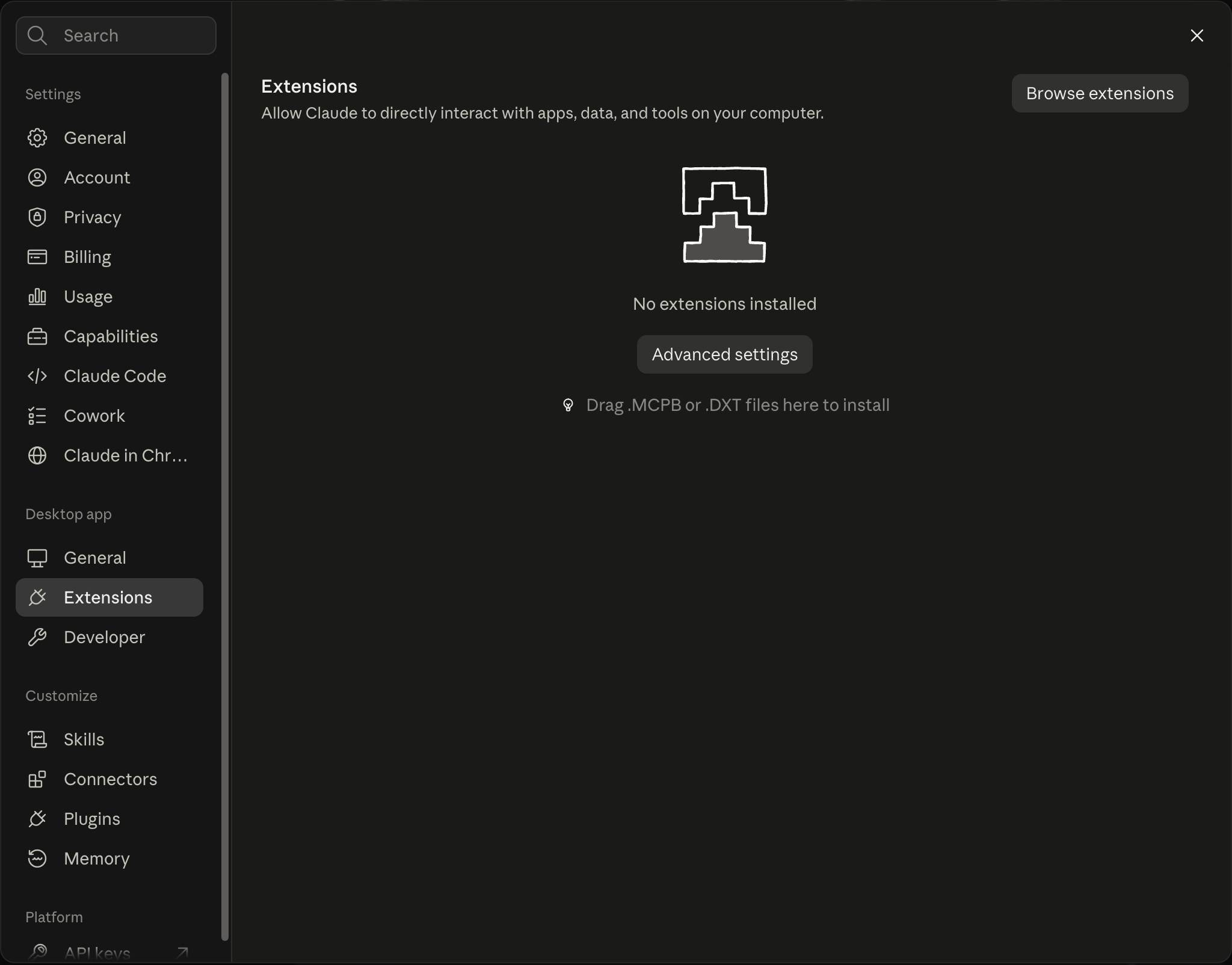
- Drag the downloaded
.mcpbfile onto the Extensions page and follow the installation prompts. When Claude asks for your SerpApi API Key, paste the key from your SerpApi dashboard into that field and complete the setup. Claude stores it as a sensitive setting and supplies it to the server as theSERPAPI_API_KEYenvironment variable.
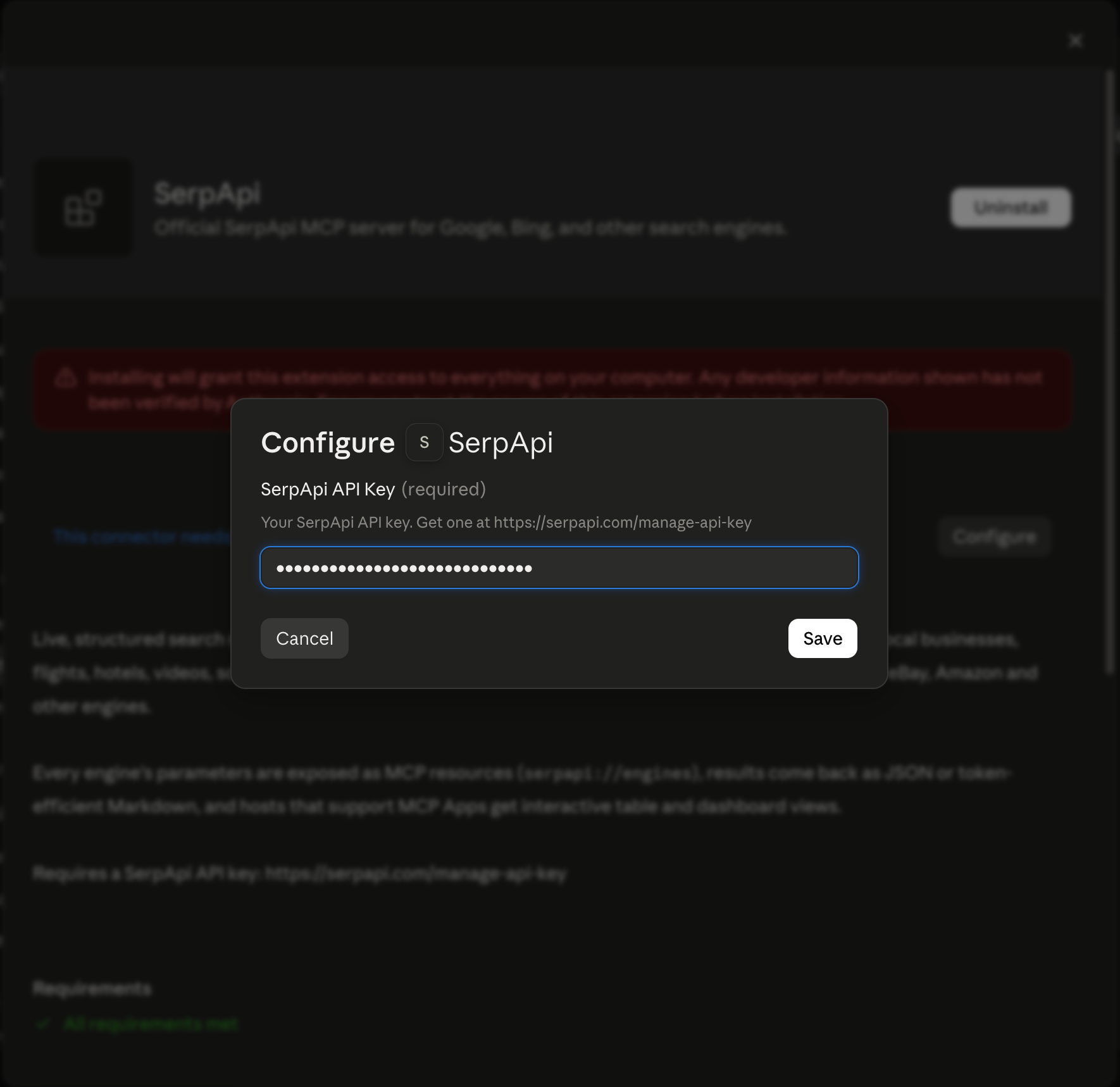
You can also select the file through Advanced settings > Install Extension..., as described in Claude's desktop extension instructions.
After installation, make sure that the SerpApi extension is enabled from the extension settings:
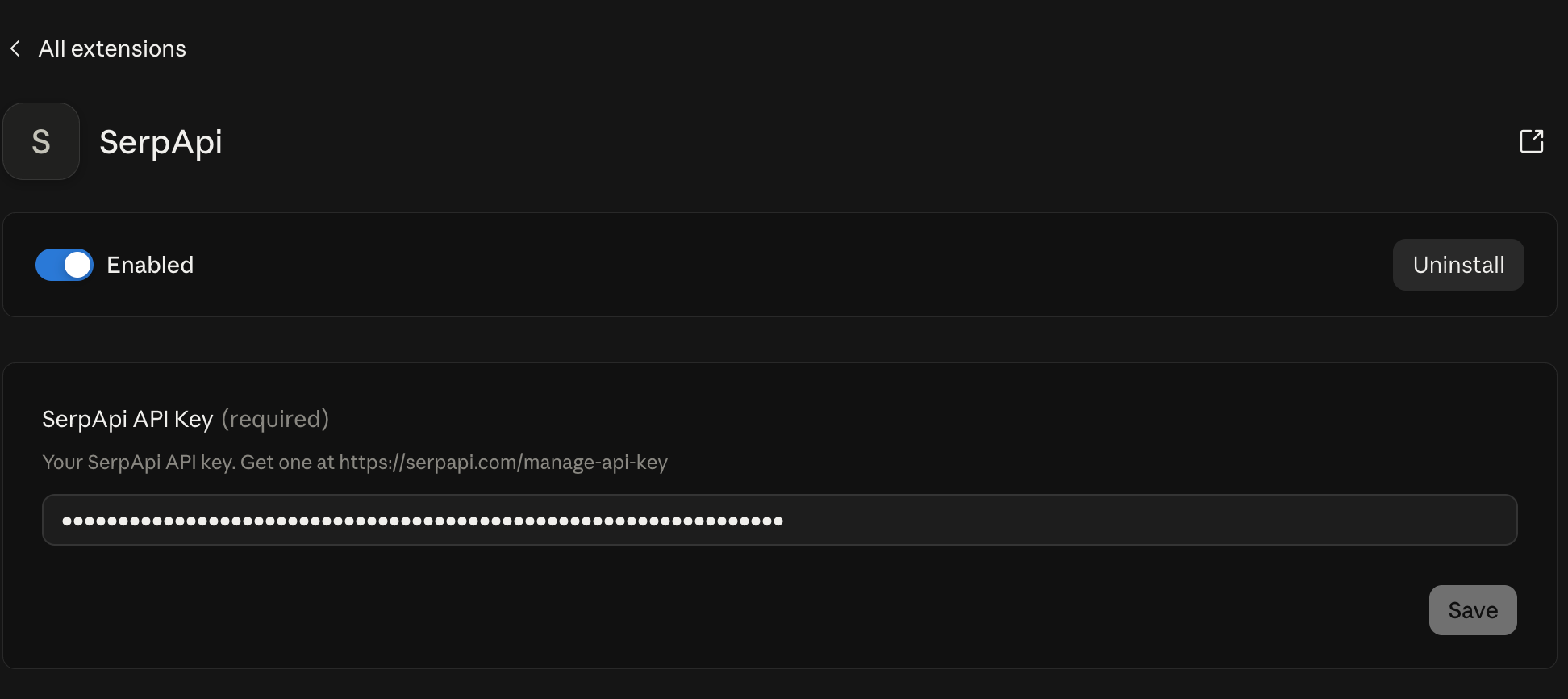
- Start a new conversation and ask Claude to use SerpApi. For example:
Use SerpApi to search Google for "best coffee shops in Austin". Show the top organic results with their ranking positions, titles, and links.
Allow Claude to use the SerpApi tool if prompted. You can then ask follow-up questions about the results in the same conversation.
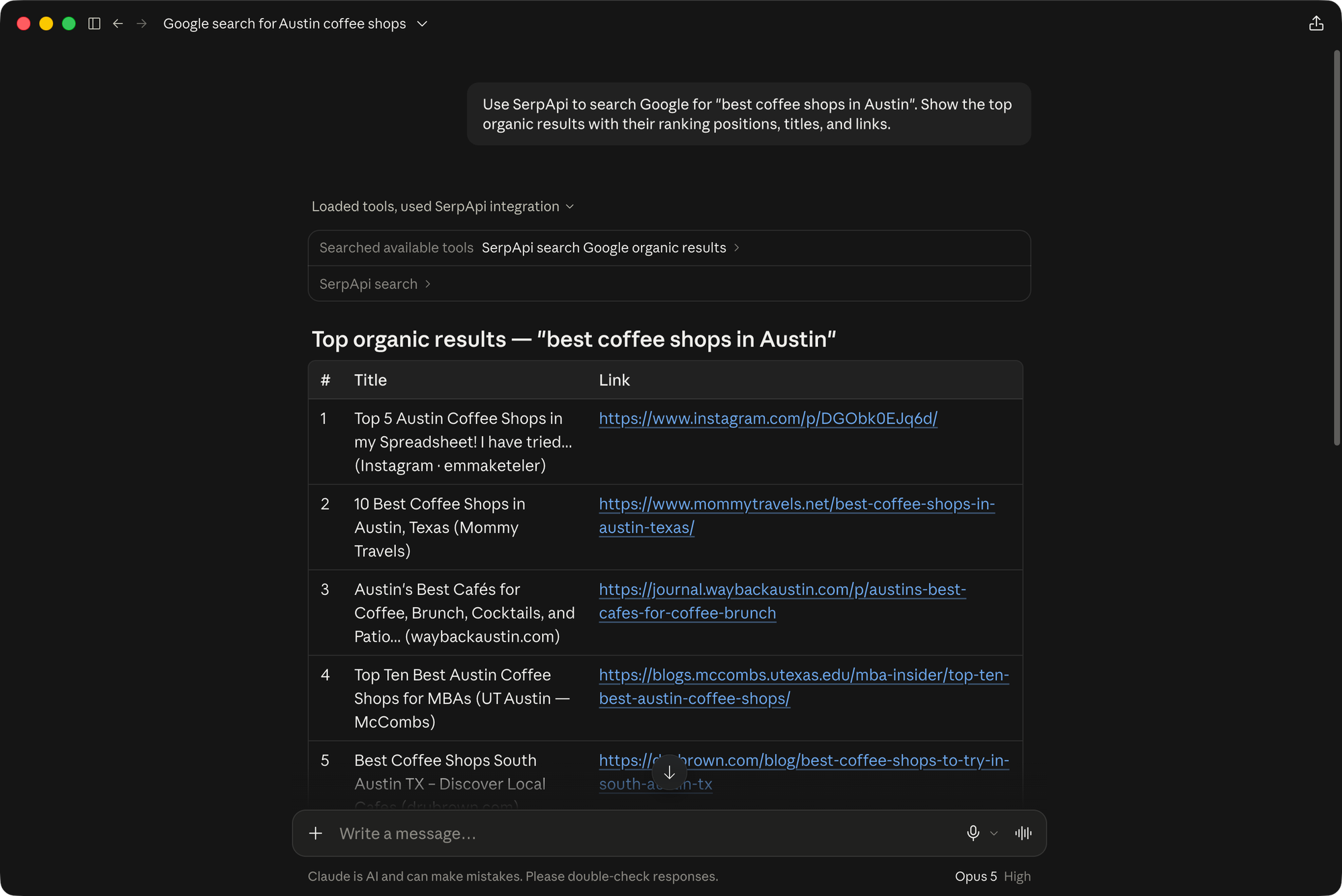
After the first search, try a more specific task:
Find papers on Google Scholar about retrieval-augmented generation. Include the titles, authors, and publication links.
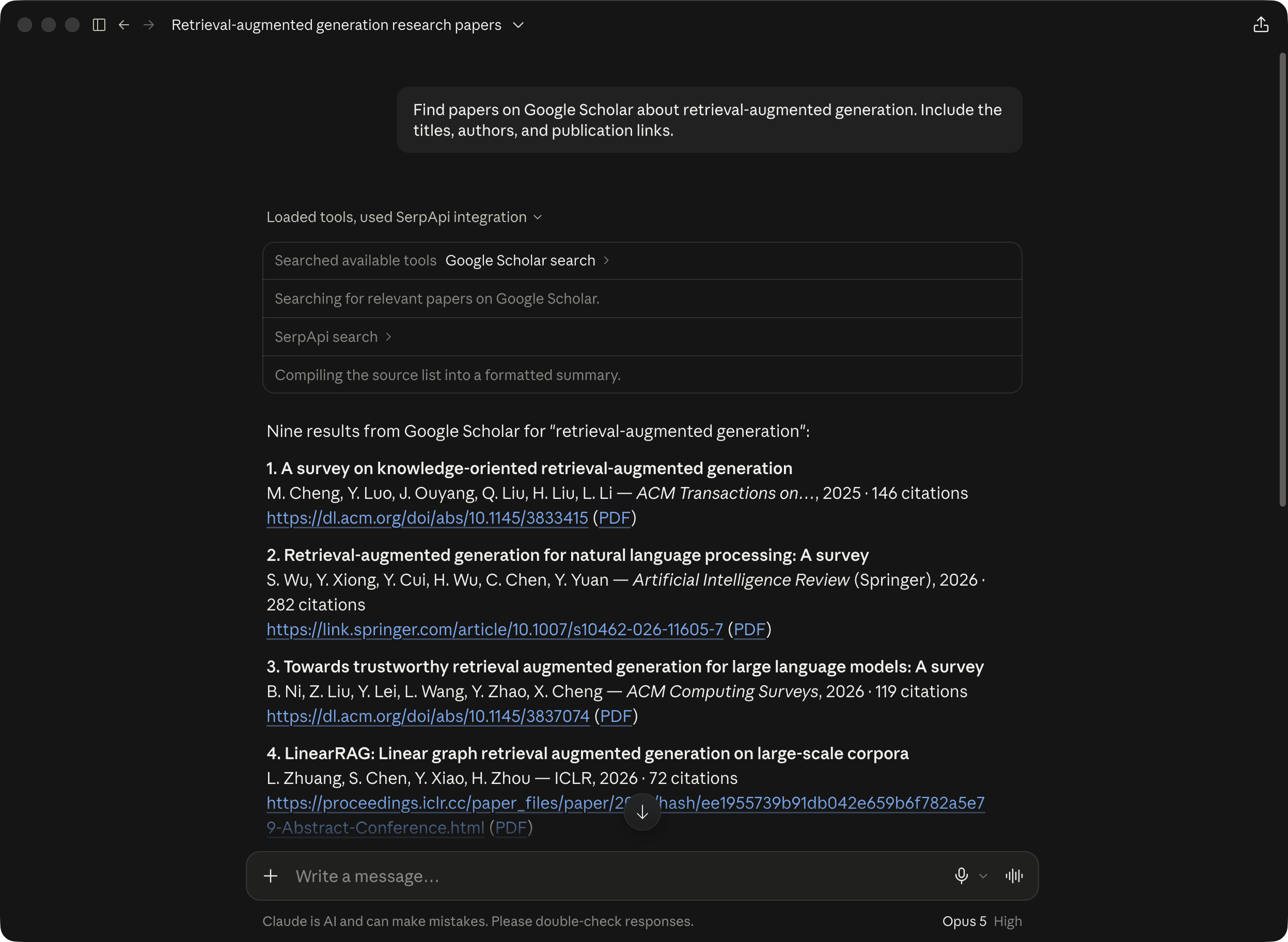
You can also ask for Google Shopping listings or YouTube tutorials. Name SerpApi and the search source in your prompt to specify which tool and data you want Claude to use.
The bundle also includes our MCP Apps tools for interactive search tables and dashboards in compatible hosts. We covered these views in MCP Apps with FastMCP: Turning Tool Output Into Interactive UI.
How to add MCP Bundle support to your server
For an existing local MCP server, start by preparing its runtime files and adding a manifest. The official MCPB CLI can generate that manifest interactively:
npm install -g @anthropic-ai/mcpb
mcpb init
Run mcpb init in the directory you intend to package. Fill in your server's metadata, entry point, and configuration, then prepare its dependencies according to the runtime you choose.
The official packaging guidance recommends Node.js for reducing installation work in Claude Desktop because that application includes Node.js. MCPB also supports Python and compiled executables. The available server types are described in the server configuration reference:
| Server type | What to package |
|---|---|
Node.js (node) |
Include the JavaScript entry point and its dependencies in node_modules. |
Python (python) |
Include the Python entry point and dependencies in server/lib/ or a bundled virtual environment. Declare the required Python version. |
Python with uv (uv) |
Include the source and pyproject.toml. A compatible host installs Python and the dependencies. This option requires manifest version 0.4 or later. |
Compiled executable (binary) |
Include the executable and everything it needs to run on the target platform. |
For Node.js, the guidance recommends reproducible dependency installation with commands such as npm ci. Traditional Python bundles need care with compiled dependencies, which can depend on the operating system and processor architecture. For binaries, the recommendation is to prefer static linking or include required shared libraries, then test on a clean system.
Use a .mcpbignore file to exclude development files from the archive. Once the runtime files are ready, validate the manifest and create the archive:
mcpb validate manifest.json
mcpb pack . my-server.mcpb
Install the finished bundle in your target application and check that it starts, accepts its configuration, and runs a tool successfully. Manifest validation checks the configuration's structure. An installation check exercises the packaged server.
How we package SerpApi
Our server is written in Python, and we use the uv runtime. The bundle includes the source, engine schemas, pyproject.toml, and uv.lock. Its launch command uses uv run --frozen --no-dev, so the host installs the locked dependencies without including development dependencies. We keep installed packages and local virtual environments out of the archive.
The API-key field is declared as required and sensitive. Its value is passed to the server through SERPAPI_API_KEY, which our local entry point reads when making searches.
Our bundle build script prepares the archive, checks its contents, and starts the packaged server over stdio for a smoke check. The release workflow attaches the resulting .mcpb file to a GitHub release. Developers can find the build instructions in the repository's MCP Bundle documentation.
Download the SerpApi bundle from GitHub Releases and try it with your next research task, from comparing products to finding academic papers. We'd like to hear how you're using it and what would make it more useful. Share your feedback, suggest a feature, or report a problem in the SerpApi MCP repository.