Ruby
Ruby
 Golang
 .Net
.Net
 MCP
MCP
 C++
C++

We're releasing AppTrail, an open-source tool for tracking how people find your app in the App Store, Google Play, and AI search. You can follow keyword rankings, compare competitors, and see whether AI answers mention your app or link to it.
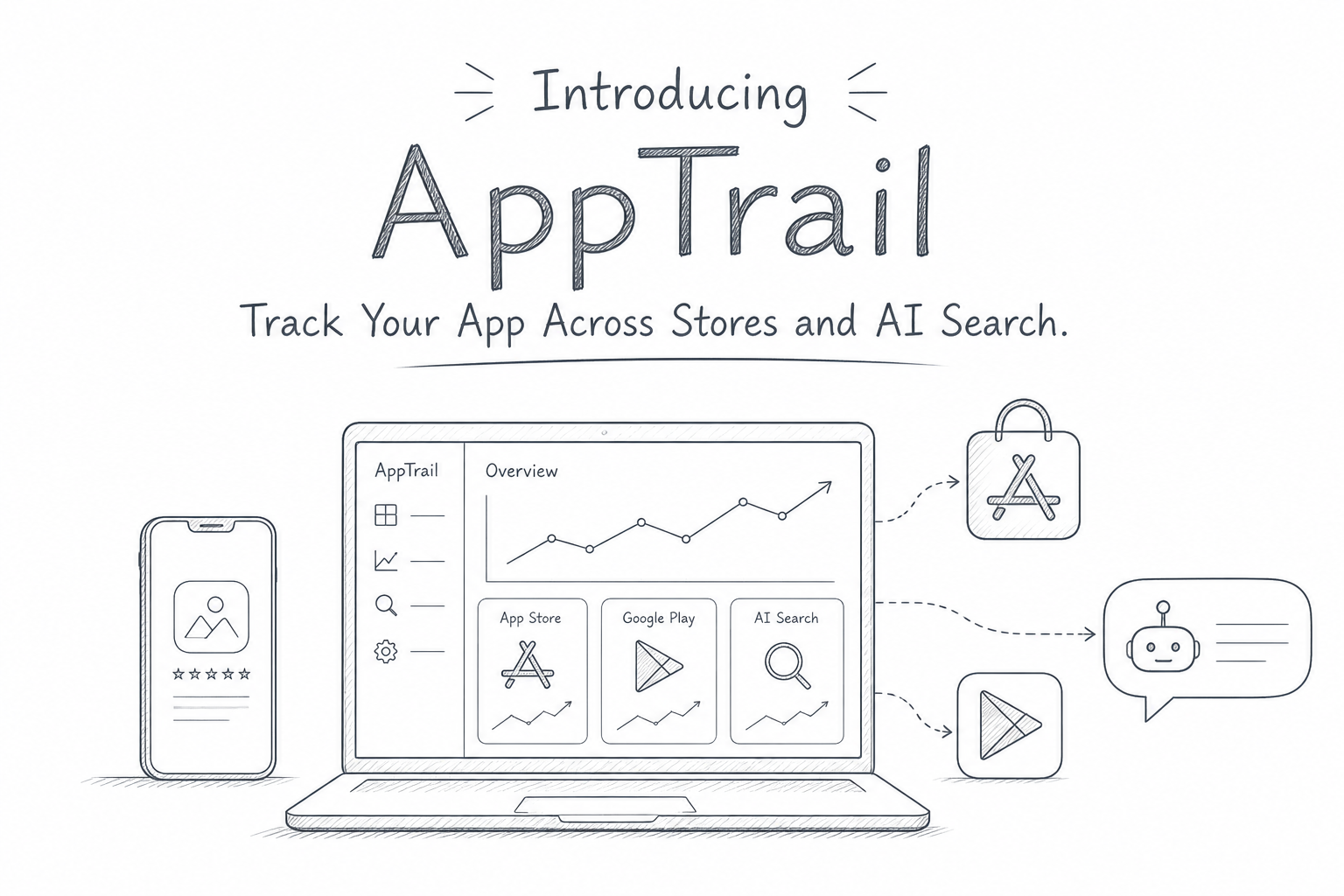
Someone looking for a habit tracker might search the App Store for "daily routine" or ask Google which apps help build better habits. Your app could appear near the top for one search and be missing from another. Checking those searches across stores and countries takes time, and a single check tells you little about how things are changing.
AppTrail uses SerpApi to run those searches and save the results over time. You choose the apps, keywords, questions, and countries to follow. When a ranking or mention changes, you can open the saved check and see the results behind it.
You can run AppTrail on your computer or host it on your own server. It's available on PyPI and Docker Hub, with the source code on GitHub.
Set up AppTrail
You'll need a SerpApi account and your API key. AppTrail uses your account for searches, so discovery, listing verification, and tracking requests can consume SerpApi credits.
Local setup
AppTrail requires Python 3.11 or newer. With uv installed, run:
uvx apptrail
If you don't have uv installed, you can use pip instead:
pip install apptrail
apptrail
Either option starts AppTrail and opens its web interface on an available local port. On the first launch, copy the setup code from your terminal and use it to create your owner account. Then sign in to continue setup.
Your account and tracking history are saved in a user data directory, so they remain available when you restart AppTrail or update the package.
Docker setup
If you'd prefer to run AppTrail in Docker, use the official image.
docker run -d --name apptrail \
  -p 80:80 \
  -v apptrail-data:/data \
  --restart unless-stopped \
  serpapi/apptrail:latest
This runs AppTrail in the background as a container named apptrail and maps port 80 so you can open it at http://localhost. The apptrail-data volume preserves your account and tracking history when you replace the container.
Once it is running, find your one-time setup code in the container logs:
docker logs apptrail
Open http://localhost, use the code to create your owner account, and sign in. If you're running the container on a remote server, open its address instead.
If you need a detailed walkthrough, our self-hosting guide covers CapRover and Coolify deployment, HTTPS configuration, and updates.
If you just purchased a server or VPS and are looking for a simple way to deploy and manage your applications, check out our Coolify guide.
 Josef Strzibny
Once Coolify is up and running, you can deploy AppTrail using the Docker image serpapi/apptrail:latest.
Connect SerpApi and add your app
The remaining setup is the same for both options:
- Enter your SerpApi API key in the setup wizard and verify the connection.
- Search for your iOS or Android app, or paste its store URL. Select at least one listing for AppTrail to verify.
- Add store keywords such as "habit tracker" and AI questions such as "Which apps help build daily habits?"
- Choose your countries, language, and refresh frequency. Review the credit estimate, then start tracking.
The first checks run immediately. You can close the browser while AppTrail works, as long as the local process or Docker container stays running.
What you can track
Let's use Apptrail to track the performance of HabitFern, our example app, with two competitors: RoutineCove and StreakPebble.
Store rankings
Add the keywords people might use to find your app, then follow its position in the App Store and Google Play. For a habit tracker, you might start with "habit tracker," "daily routine," and "streak tracker."
The Overview chart shows how your average store position changes over time. You can compare the two stores, then open individual checks to inspect a particular keyword's results.
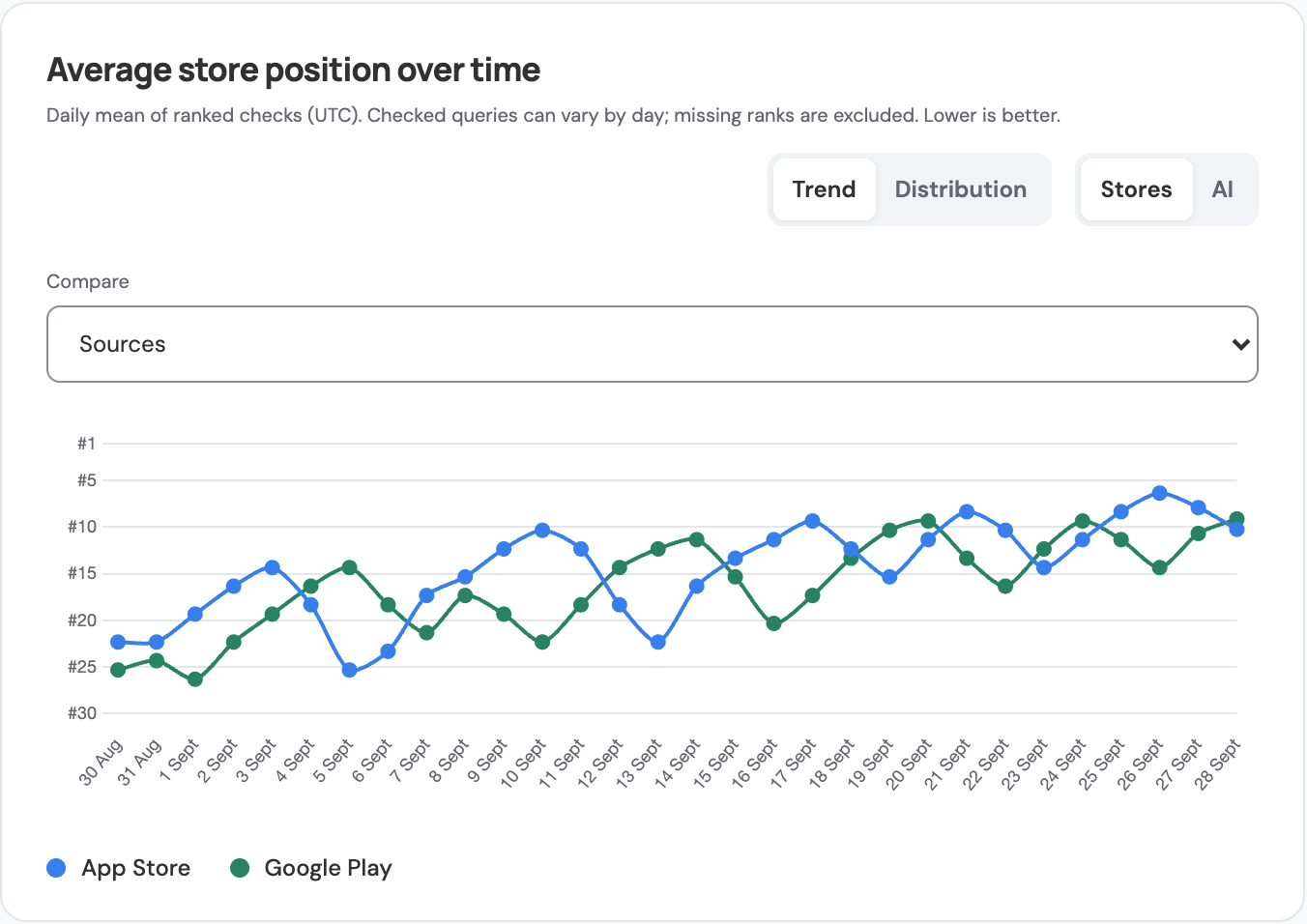
Switch from Trend to Distribution to see how many results fall in positions 1–3, 4–10, 11–50, or 51+, and how often the app wasn't found.
Competitor comparisons
Choose Add competitors beneath a search to compare other apps with your own. The Apps & competitors panel shows their rankings for the same keyword, store, and country. For AI questions, it shows their mentions and citations.
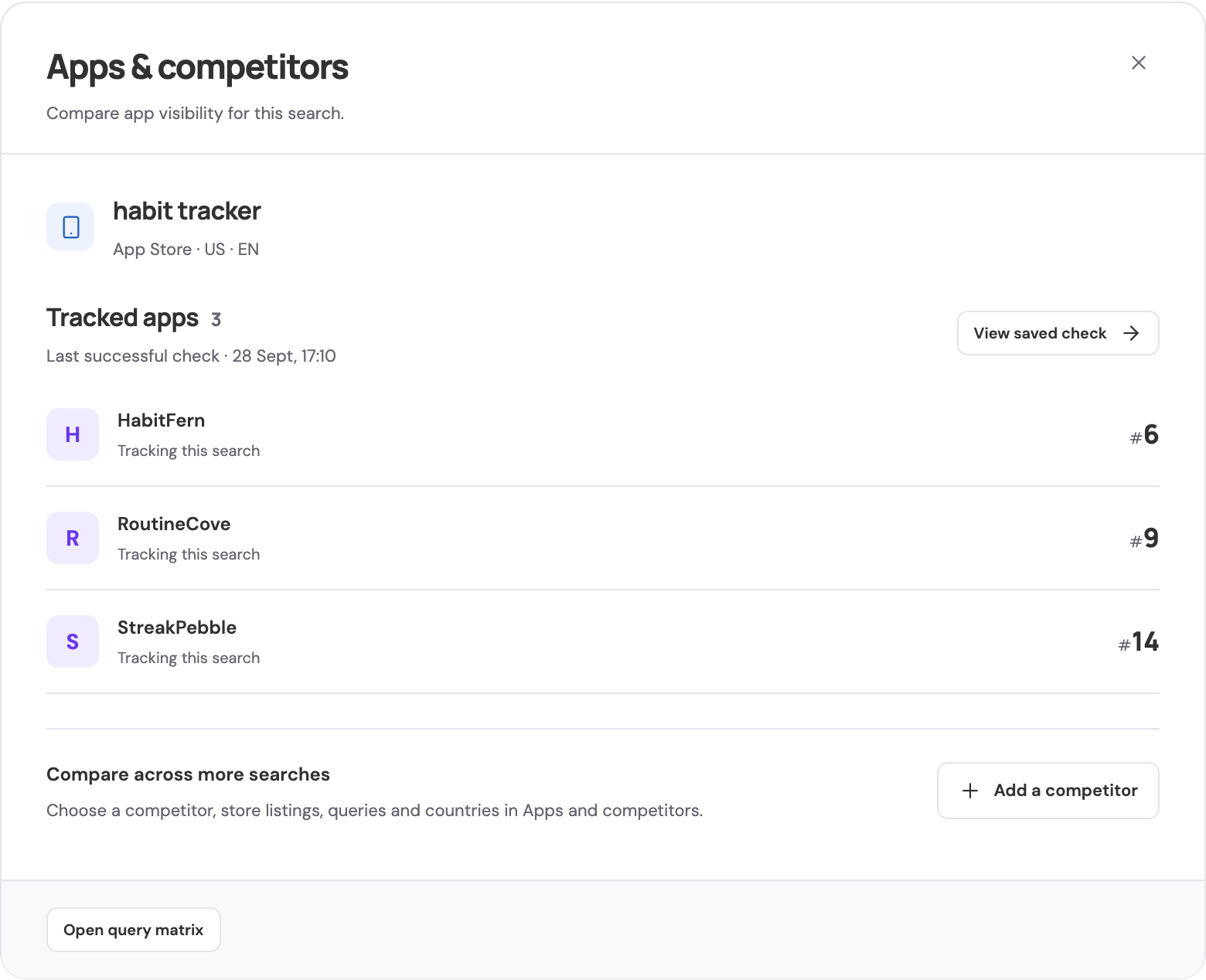
In this example, HabitFern appears ahead of both competitors for "habit tracker" in the US App Store. You can open the saved check to inspect those results.
Countries and regions
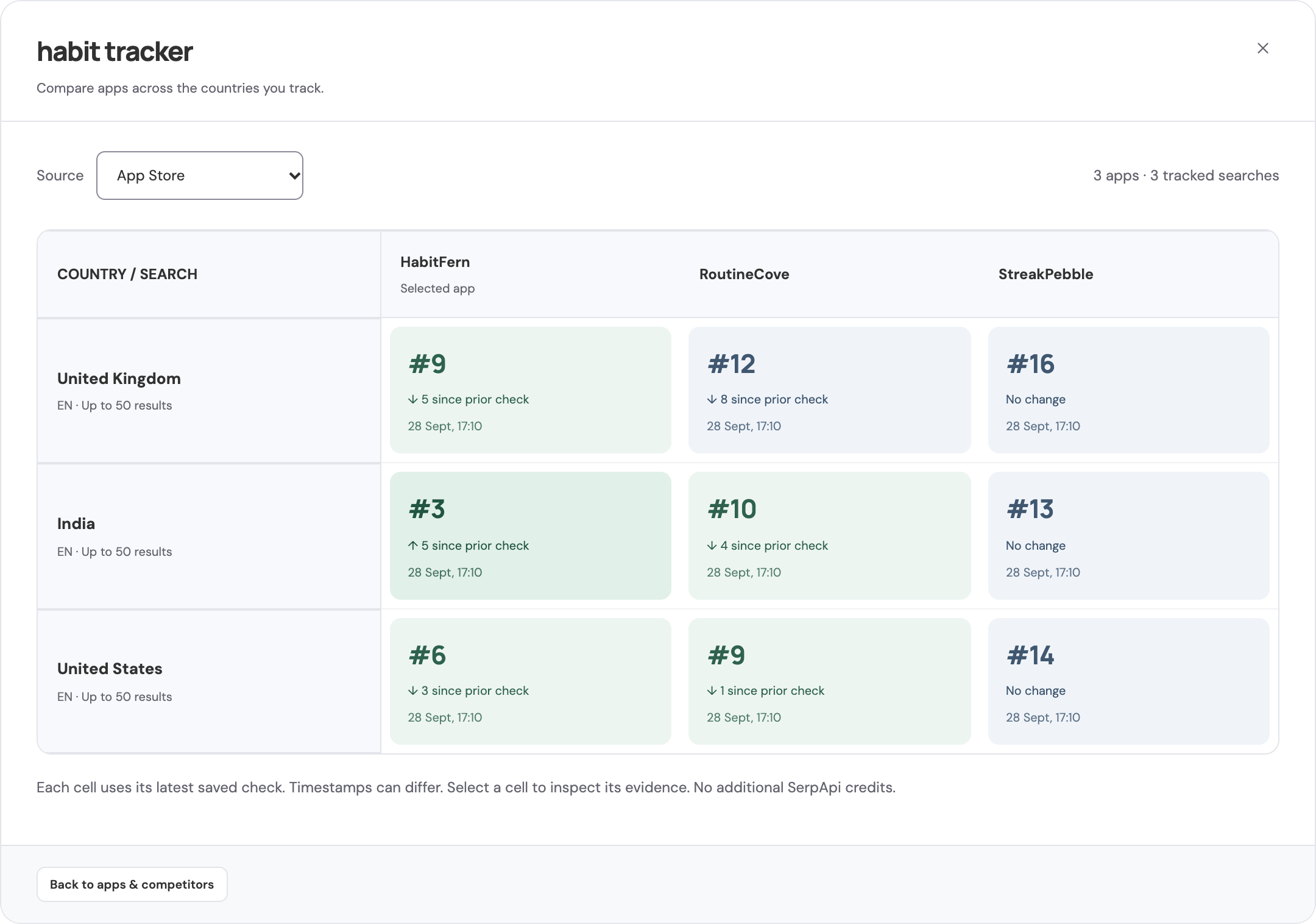
Your app's position can vary between markets. Track the same keyword in several countries to see where it appears and how the results differ.
Open Apps & competitors beneath a query, then choose Open query matrix. The matrix puts each country's results alongside your competitors, with a timestamp and a link to the saved evidence in every cell.
AI mentions and citations
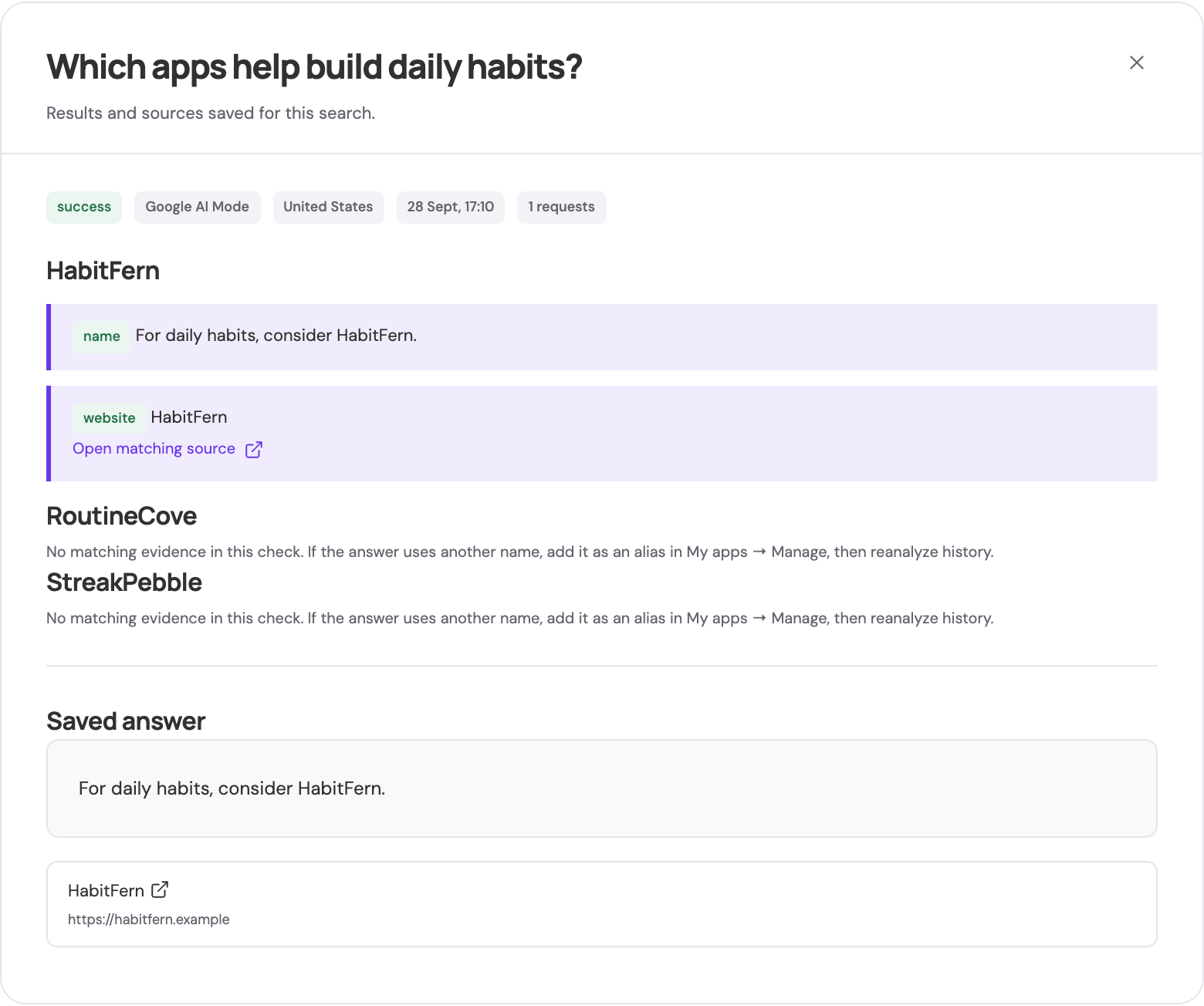
Add questions your potential users might ask, such as "Which apps help build daily habits?" AppTrail checks Google AI Mode, Google AI Overviews, and Bing Copilot for mentions of your app and links to its website or store listing.

Open a check to read the saved answer and inspect the matching text and cited sources. A mention tells you the app appeared in the answer; a citation lets you check whether the answer also linked to your app store listing or website.
Listing history
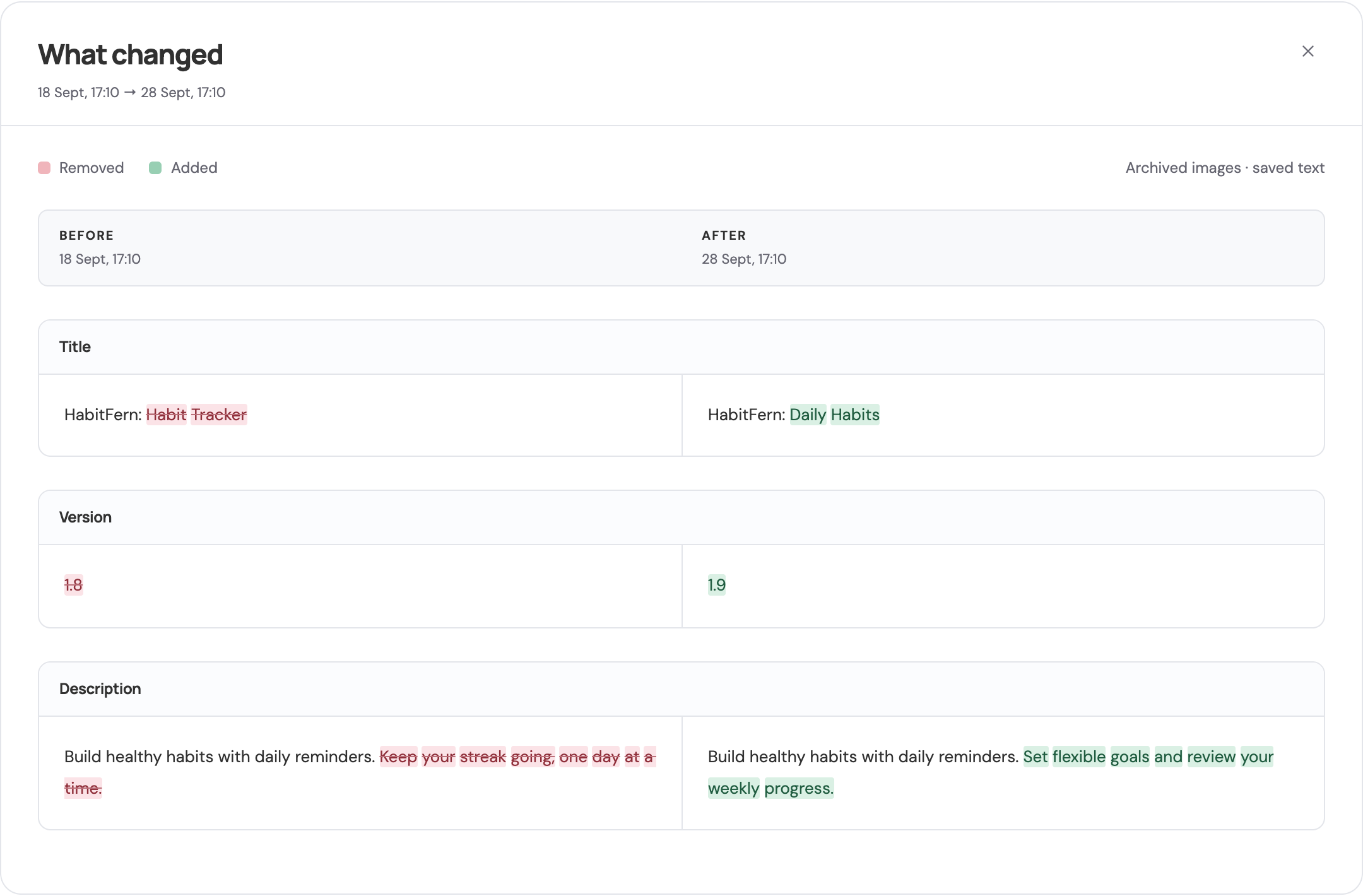
Store listings change too. You might update your app's description, or a competitor might change its title, pricing, or screenshots. AppTrail can keep a timeline of those changes for your own apps and competitors.
Open Listing history, choose Track a listing, and select the app, store, country, and frequency. Collection is off by default, and AppTrail shows a credit estimate before you enable it.
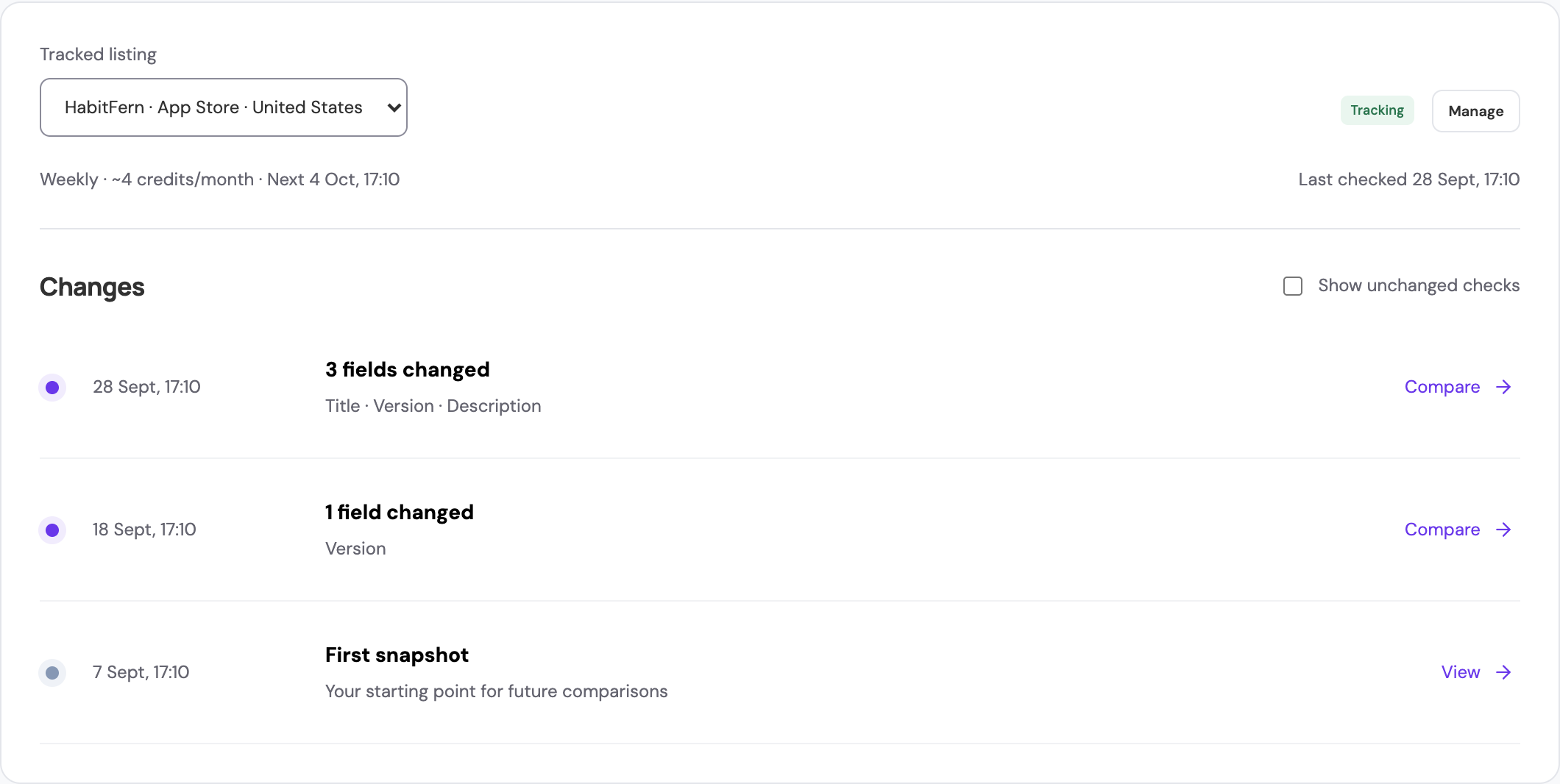
AppTrail tracks the fields returned by the store, including titles, descriptions, versions, pricing, icons, and screenshots.
Ranking alerts
AppTrail sends in-app notifications when a tracked app loses ground after ranking in the top 10. This includes a drop of at least five positions, leaving the top 10, or disappearing from a sufficiently deep set of checked results.
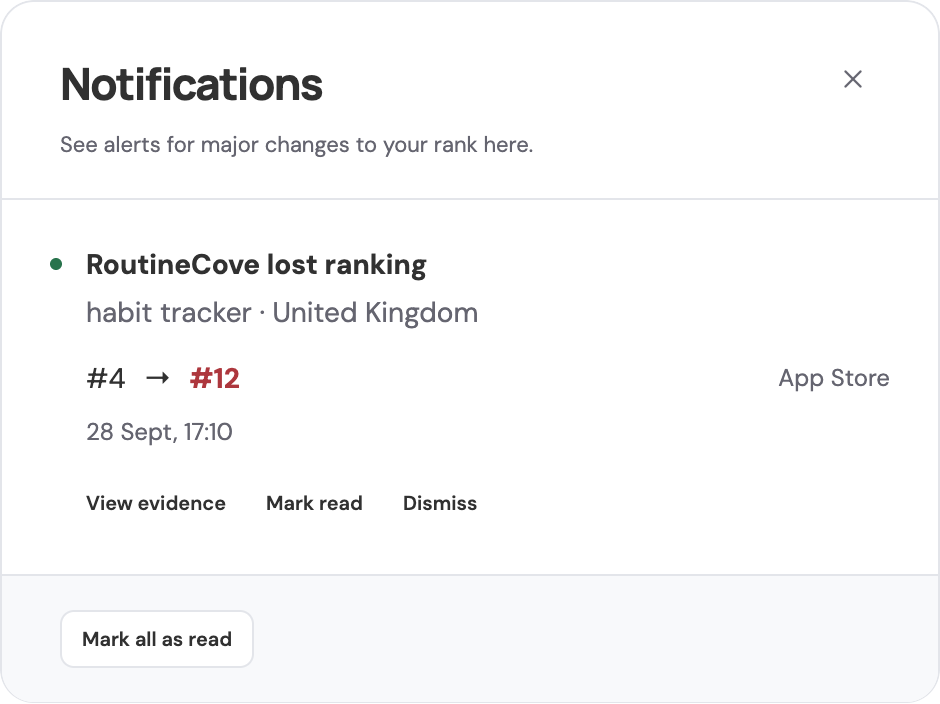
Two successful checks must confirm the loss before AppTrail raises an alert. Open the notification bell, then choose View evidence to inspect the results.
Scheduled or manual checks
You can run a check when you need fresh results, or collect them daily, weekly, every two weeks, or monthly. Open Manage for a query to change its schedule or pause automatic checks.

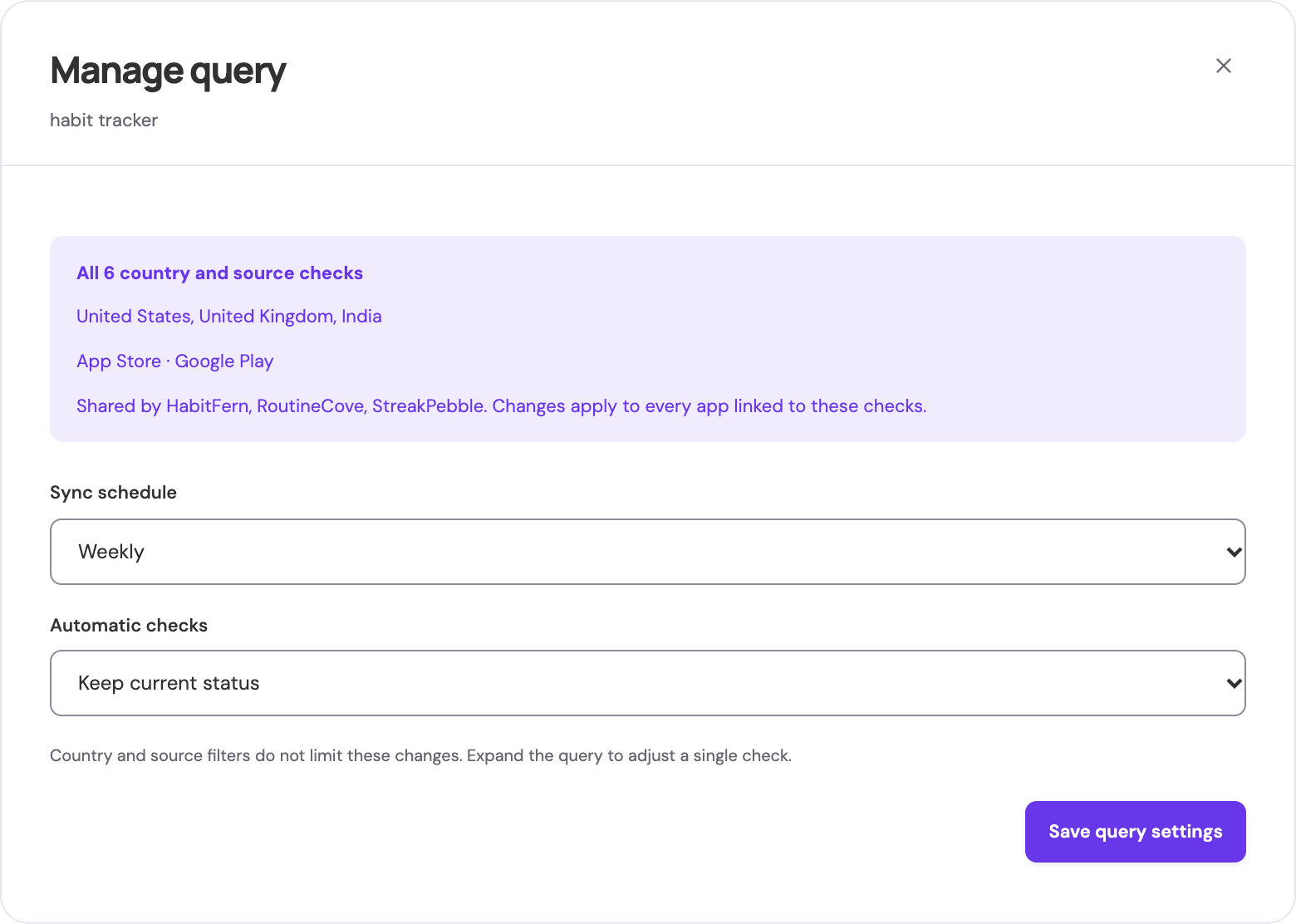
Scheduled checks need the AppTrail process or container to stay running. If it stops, your saved history remains, and overdue checks resume when it starts again.
Your history to keep
You can export search history as CSV for a spreadsheet or your own analysis. Open Settings > Data & backups, then choose Export history CSV.
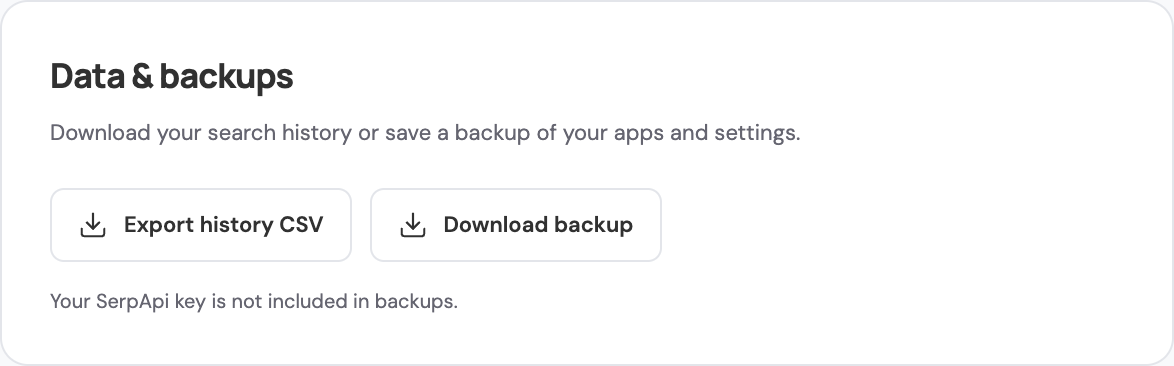
Download backup saves your workspace, including its history and archived listing images.
Try AppTrail and tell us what you'd like next
Start with your app, a few keywords, and the countries you care about. If there's a feature you'd like us to add, open an issue on GitHub and tell us what you want to track.
If you find AppTrail useful, give the repository a star. We'd love to hear how you're using it.