Ruby
Ruby
 Golang
 .Net
.Net
 MCP
MCP
 C++
C++

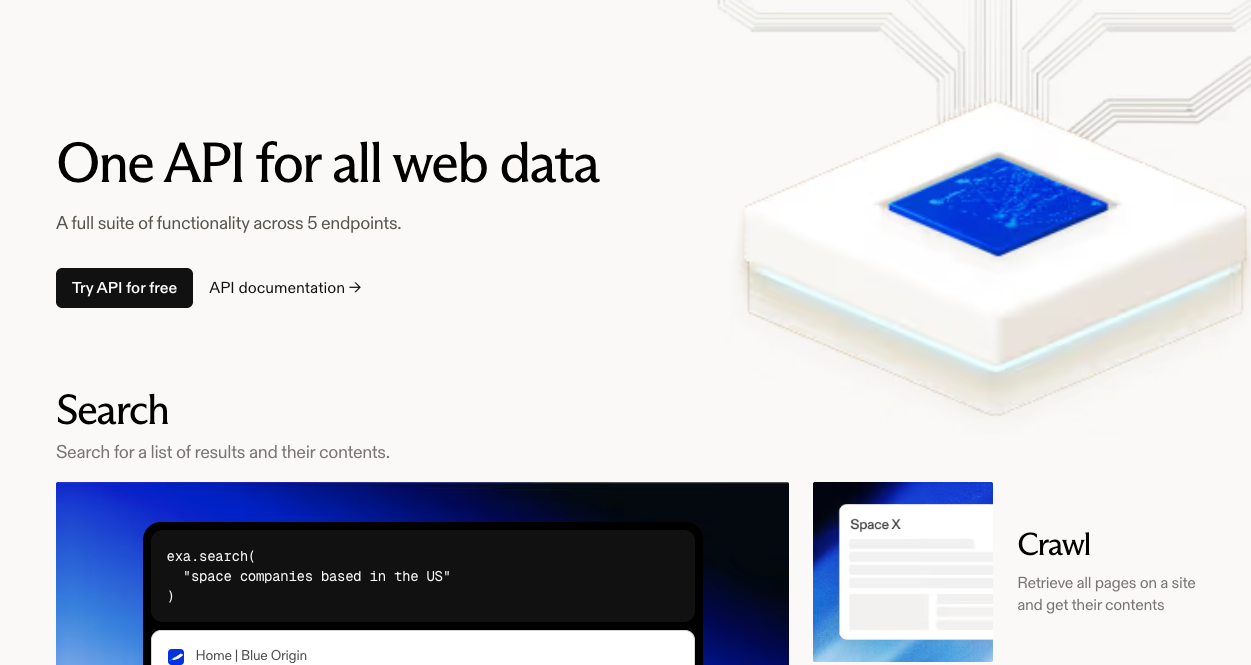
If you're building an AI agent or a tool that needs search data, you've probably seen Exa.ai pop up in your research. The marketing positioning is compelling: "AI-native semantic search." But here's the question that matters: does your application need "an" answer or "the" answer?
Exa describes itself as "the first meaning-based web search API powered by embeddings." What this actually means is that Exa searches its own proprietary index of the web using neural embeddings. It's like having a well-organized library catalog. You get results quickly because you're just querying a database.

SerpApi scrapes Google, Bing, and other search engines in real-time. It's not searching a catalog. It's reading the live dashboard of what search engines are displaying to users right now - like checking an instrument panel that shows current readings, not historical records. That's why SerpApi delivers real-time search intelligence, not cached snapshots.
This isn't a subtle difference. If you're building a RAG chatbot that needs to answer generic questions like "explain quantum computing," Exa might work fine. But if you're building anything that requires market intelligence, SEO rankings, price monitoring, ad verification, or local search results, you need real-time data that reflects the actual state of search engines. That's what SerpApi delivers.
This article breaks down the technical and business differences between these two approaches so you can make an informed decision.
Also, read the best Web Search API options in 2026.
Data Freshness and "The Truth"
The core architectural difference between Exa and SerpApi is what they're actually querying. Exa uses a proprietary index of the web, trained on embeddings for semantic search. This means Exa crawls the web periodically, builds an index, and then serves queries against that index. The problem with this approach is staleness.
Here's a concrete example. Let's say a user asks your AI agent, "What's the price of the iPhone 17 right now?" If you query Exa, you might get a blog post that mentions the iPhone 17's price, but that post could be from three days ago. The price might have changed. The product might be out of stock. You won't know because Exa is showing you what was true when it last crawled that page.
If you query SerpApi's Google Shopping API, you get the actual Google Shopping results. You're seeing the same data that appears when a user searches Google Shopping in their browser. That's real-time truth.
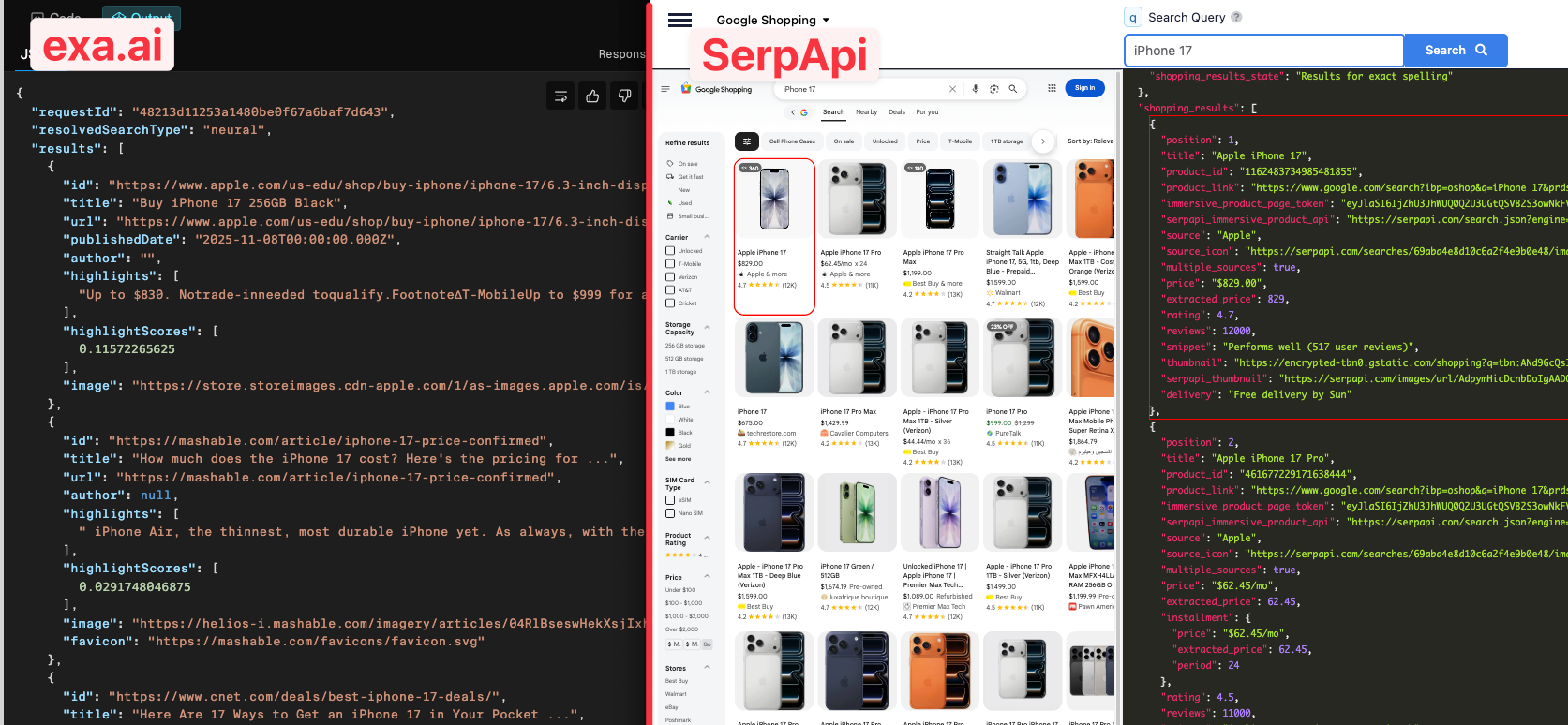
This matters even more for SEO and local search. If you're building a rank tracking tool, your customers want to know where their site ranks today, not where it ranked when Exa last updated its index. SerpApi captures search results exactly as they appear in real-time, including Google Maps, Local Packs, Knowledge Graphs, and Shopping Carousels. Exa doesn't support any of these structured result types because it's searching its own index, not Google's live results.
Let's look at what data types each service actually supports:
Exa's Coverage:
- Text content from web pages
- Semantic search across its index
- Basic filtering (date, domain, category)
SerpApi's Coverage:
- Organic search results from Google, Bing, Yahoo, Baidu, Yandex, DuckDuckGo
- Google Maps and Local Pack results
- Shopping results (Google Shopping, Amazon, eBay, Walmart, Home Depot)
- Image and video results
- Knowledge Graphs and answer boxes
- News results
- Google Flights and Hotels
- Google Trends
If your use case requires anything beyond basic text search, Exa won't work. You can't get local business data, you can't track shopping prices, you can't monitor ad placements. Those data types don't exist in Exa's index.
Performance Wars: "Neural Speed" vs. Real-Time Scraping
Critics point out that scraping Google takes longer than querying a database. That's technically true. Exa can be faster because you're just doing a database lookup.
But here's what that criticism misses: SerpApi has closed the performance gap. SerpApi's measured 30-day average response time is 1.09 seconds. For the majority of requests, you're looking at 1-2 second response times.
For speed-sensitive applications, SerpApi offers Ludicrous Speed mode (using 2x server resources) and Ludicrous Speed Max mode (using 4x server resources) that can deliver sub-second response times while maintaining the same real-time data quality. This means you can get speed comparable to Exa's database lookups without sacrificing data freshness.
Let's put this in perspective. If you're building a chatbot that responds to user queries, a 1-2 second difference in response time is usually acceptable. Users expect a slight delay when they ask a question that requires a web search. What they don't expect is outdated or incomplete information.
The real question is: would you rather have a faster response with potentially stale data, or a response with real-time, accurate data? For most enterprise use cases, the answer is obvious.
SerpApi also offers performance optimization options for speed-sensitive applications. The Google Light Fast API can achieve faster response times depending on your specific needs and the complexity of the search query.
Here's the performance breakdown:
SerpApi:
- Average response time: ~1.09s (30-day measured average)
- Ludicrous Speed modes available for sub-second performance
- Success rate: 99.95% SLA
Exa:
- Fast mode: 178ms P50, 252 P90
The other performance metric that matters is reliability. SerpApi maintains a 99.95% success rate across all requests. When you make a request, you get a result. That reliability matters when you're building production systems.
Feature-by-Feature Comparison
Here's a direct comparison table to help you evaluate the two services:
| Feature | SerpApi | Exa |
|---|---|---|
| Data Source | Real-time scraping of 50+ search engines and platforms | Proprietary internal index |
| Search Engine Coverage | ✅ Google, Bing, Yahoo, Amazon, eBay, Walmart, Yandex, Baidu, DuckDuckGo, Naver, and 40+ more | ❌ Single proprietary index only |
| Freshness | Real-time (live mirror of search engines) | Updated every minute (news); incremental for other content |
| Supported Data Types | Organic results, Maps, Local Pack, Shopping, Images, Videos, Flights, Hotels, Knowledge Graphs, News, Ads | Text content from web pages, semantic search |
| Structured SERP Features | ✅ Knowledge Graphs, Local Pack, Shopping Carousels, Answer Boxes, Featured Snippets, People Also Ask, Related Searches | ❌ Limited to text content |
| E-commerce Platform Support | ✅ Amazon, eBay, Walmart, Home Depot APIs | ❌ None |
| Ad Data | ✅ Paid search ads included in all results | ❌ Not available |
| Local Business Data | ✅ Google Maps, reviews, photos, hours, contact info | ❌ Not available |
| Reliability | 99.95% SLA (actual uptime: 99.967%) | Not publicly disclosed |
| Location Targeting | ✅ Precise geo-targeting with 1000+ locations worldwide | ✅ Worldwide coverage (less granular) |
| Device-Specific Results | ✅ Mobile, tablet, desktop variations | ❌ Not supported |
| CAPTCHA Handling | ✅ Automatic CAPTCHA solving included | N/A (no scraping) |
| Browser Rendering | ✅ Full browser simulation for JavaScript-heavy pages | N/A (index-based) |
| Historical Data | ✅ Search Archive API available | ❌ Not available |
| Caching | ✅ Built-in (free repeated queries) | N/A |
| API Architecture | ✅ JSON output, REST API | ✅ JSON output, REST API |
| Client Libraries/SDKs | ✅ 10+ languages (Python, Node.js, Ruby, PHP, Java, Go, Rust, .NET, Swift, C++) | ✅ Python, JavaScript, curl |
| No-Code Integration | ✅ Google Sheets add-on, Zapier, Make.com, n8n, Bubble | ❌ API-only (requires coding) |
| Interactive Playground | ✅ Test queries in browser before coding | ✅ Available |
| Documentation | ✅ Comprehensive docs and SDKs | ✅ Comprehensive docs and SDKs |
| Enterprise Options | ✅ Custom SLAs available (99.97% for enterprise) | ✅ Custom SLAs available |
| Global Access | ✅ Multi-region proxy networks | ✅ Worldwide index coverage |
| Legal Protection | ✅ US Legal Shield with up to $2M indemnification (Production+ plans) | ❌ None (customers must indemnify Exa) |
| Pricing (1k searches) | Starts at $75/month for 5,000 searches. Getting cheaper as you you scale | $5 (Basic Search 1-25 results), $15 (Deep Search) |
| Use Cases | Data for AI Agent, SEO tracking, price monitoring, ad verification, local search, market intelligence, competitive analysis | Generic RAG, content discovery, semantic search, concept exploration |
The pricing comparison requires context. Exa is cheaper on a per-search basis for basic semantic queries ($5 per 1,000 searches vs. SerpApi's $10-25 per 1,000 at standard tiers). However, SerpApi gets cheaper as you scale. When you factor in the value of real-time data, comprehensive coverage of SERP features, and legal protection, SerpApi's pricing makes sense for production use cases that require search engine accuracy.
Which API Is Right for You?
Choose Exa if you're building a system that benefits from semantic understanding and concept exploration, where speed is critical and data freshness within minutes or hours is acceptable. Exa works well for RAG applications and content discovery tools.
Choose SerpApi if you're building a business that needs data reflecting the actual state of search engines right now. If you need web search data for AI tools, SEO rankings, product prices, ad placements, local results, or any structured SERP features beyond basic text, SerpApi is the only option. If you're an enterprise that needs legal protection for data collection activities, SerpApi provides the US Legal Shield feature.
The fundamental question is this: are you building a system that needs to understand what the web says about a topic (Exa's strength), or are you building a system that needs to understand what search engines are showing users right now (SerpApi's strength)? For most production applications involving market intelligence or user-facing search data, you need the latter.
Don't settle for a "version" of the web when you need real-time accuracy. SerpApi has provided developers, researchers, and businesses with access to real-time search data for over eight years.
Next Steps
Once you've chosen your search API approach, here are the logical next steps based on your use case:
For SEO and Rank Tracking Projects:
Start building your rank tracking system using SerpApi's SERP Tracking API. This guide walks through creating a white-label rank tracker application that monitors search rankings in real-time.
For E-commerce and Price Monitoring:
Implement automated price tracking with the Amazon Price Tracking tutorial. Learn how to monitor product prices over time and detect market trends across multiple platforms.
For Multi-Platform Search Applications:
If you're migrating from another search API or expanding your data sources, review the Bing Search API Replacement guide to understand how SerpApi provides comprehensive coverage across search engines.
For Local Business Intelligence:
Build location-based applications using the Google Maps Data Scraping tutorial. This covers extracting business listings, reviews, and local pack data for market analysis.
For API Optimization and Cost Management:
Understand how to optimize your search credit usage with the Credit Usage Calculation guide. Learn which parameters affect credit consumption and how to structure queries efficiently.
For Technical Implementation:
Master the full range of search customization options in the Google Search Parameters documentation. This comprehensive reference covers all available parameters for fine-tuning your search queries.