Ruby
Ruby
 Golang
 .Net
.Net
 MCP
MCP
 C++
C++




Does Google have its own e-commerce platform? Not exactly.
Google Shopping is a product discovery and comparison service provided by Google. It allows users to search for products, compare prices, and view offers from multiple online retailers, but the actual purchase happens on the retailer's website, not on Google itself.
Google Shopping aggregates product data such as prices, availability, and merchant information to help users make informed buying decisions, acting as a bridge between shoppers and online stores rather than a marketplace. This aggregated product data is surfaced across different Google products depending on how and where users search.
Scraping Google product results allows businesses and developers to conduct price comparison research, monitor competitors, identify market trends, track promotions, and optimize product strategies using real-world search data.
In this guide, you’ll learn how to scrape Google Shopping results and product data using SerpApi without managing scraping infrastructure like proxies, captchas, or browser automation.
Understanding Google Shopping Result Types
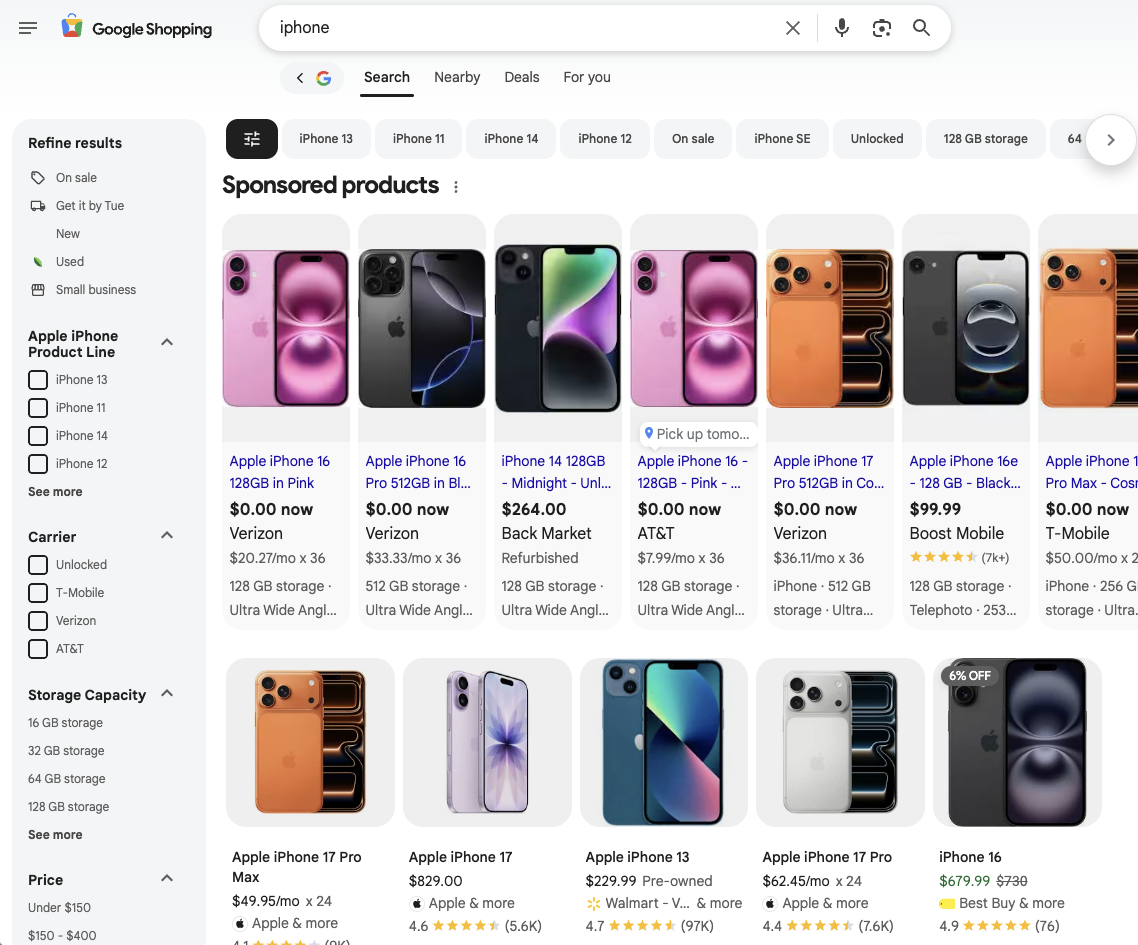
Depending on the search context, device, and Google surface being used, Google presents product data in several distinct formats. Each format corresponds to a different stage of product discovery and comparison and is exposed through a different SerpApi endpoint.
- Google Shopping Results
Standard product listings shown within Google’s Shopping (for example,google.com/shopping), displaying multiple products from different merchants with pricing and basic product details. - Immersive Product Results
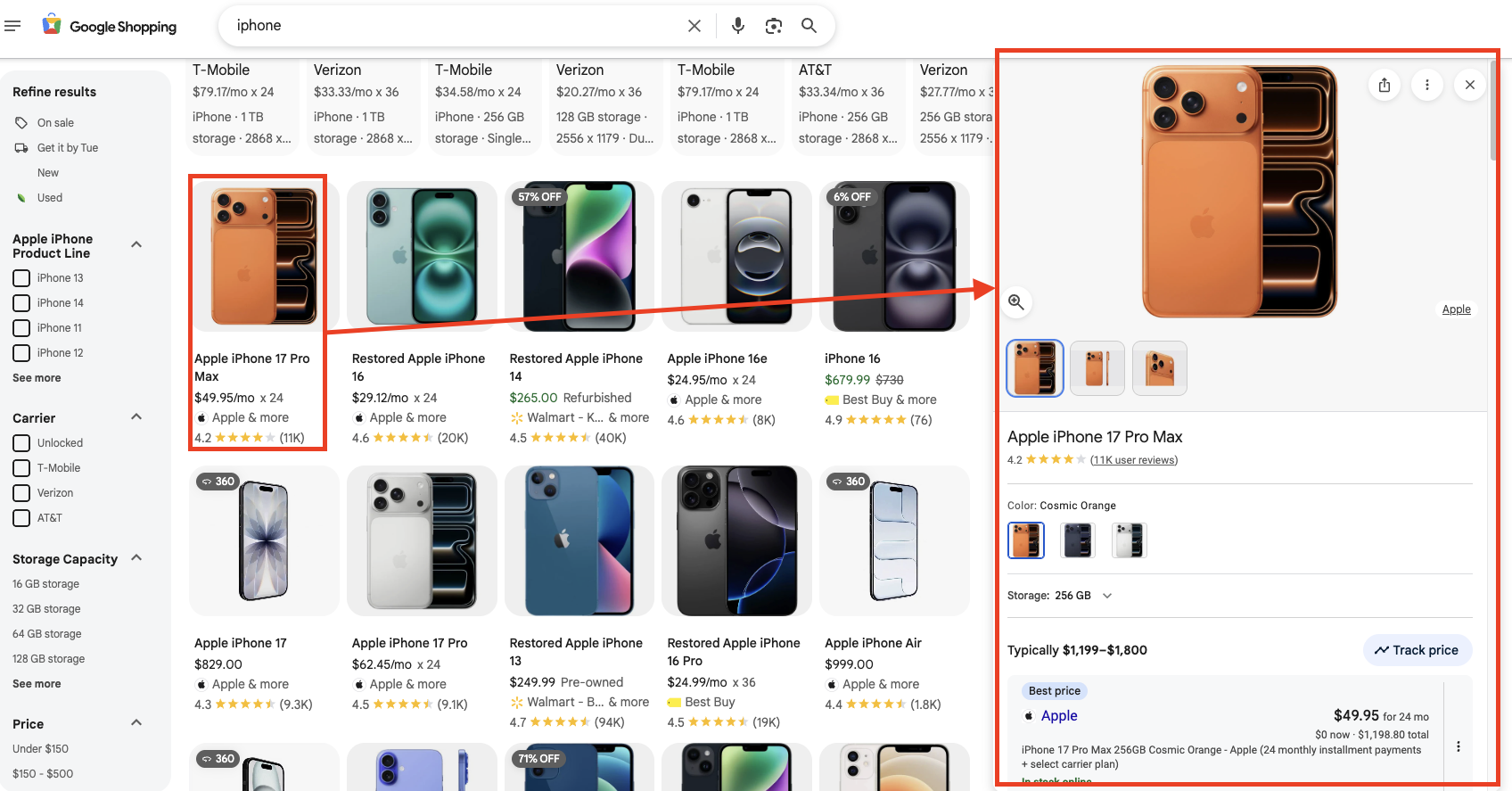
A detailed product view that appears after selecting a product, grouping the same product across multiple retailers and providing additional discovery features such as price comparisons, similar products, and (for certain categories) style ideas.
Video Tutorial
Prefer to watch a video? Check out the video below
Setting up a SerpApi account
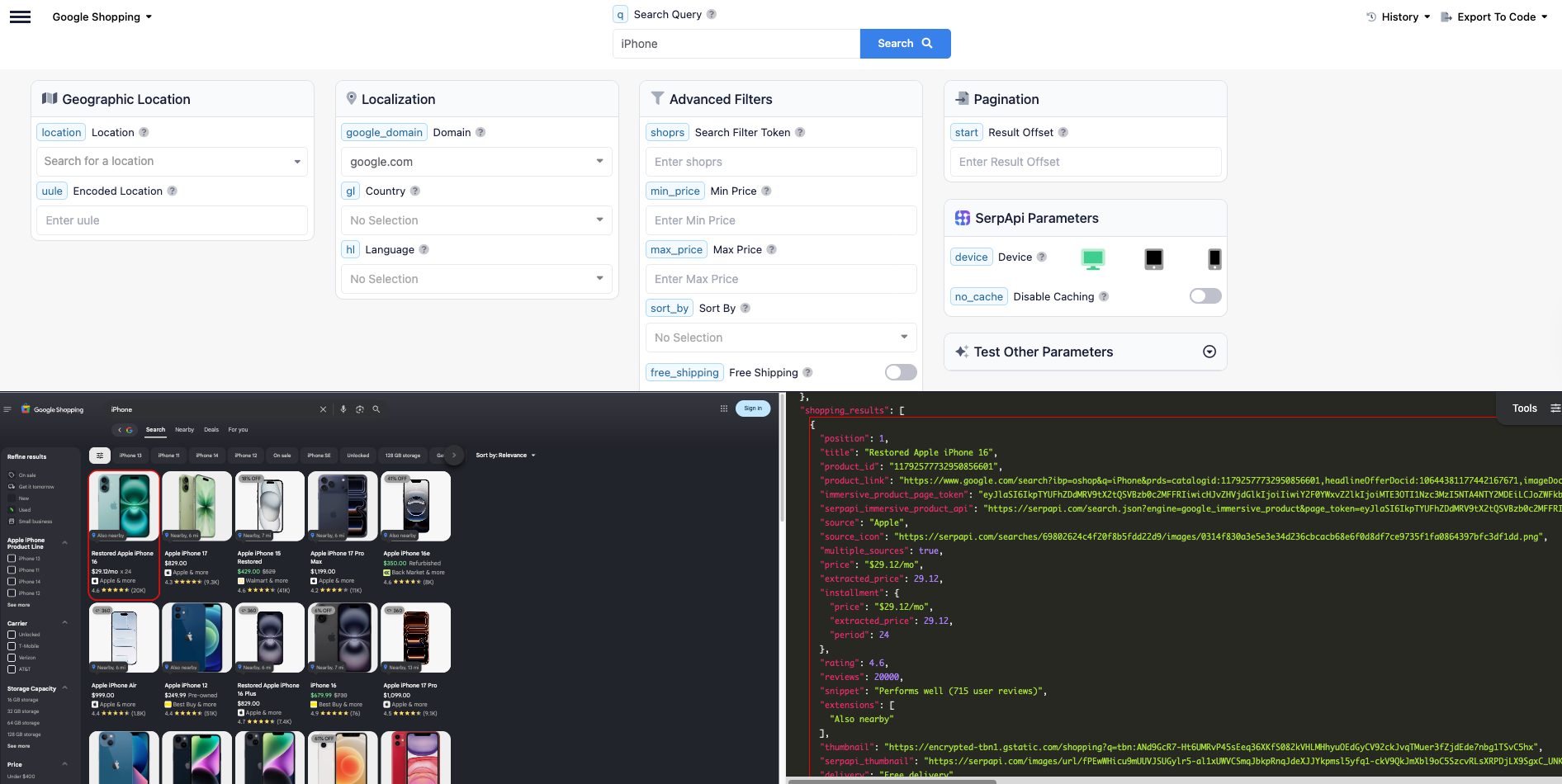
First, head to the sign-up page to register an account. SerpApi offers a free plan for newly created accounts. Then, you can test your first search with our interactive playground.
When you want to do more searches with us, please visit the pricing page.
Once you are familiar with all results, you can utilize SERP APIs with your API Key.
Part 1: Scrape Google Shopping Results
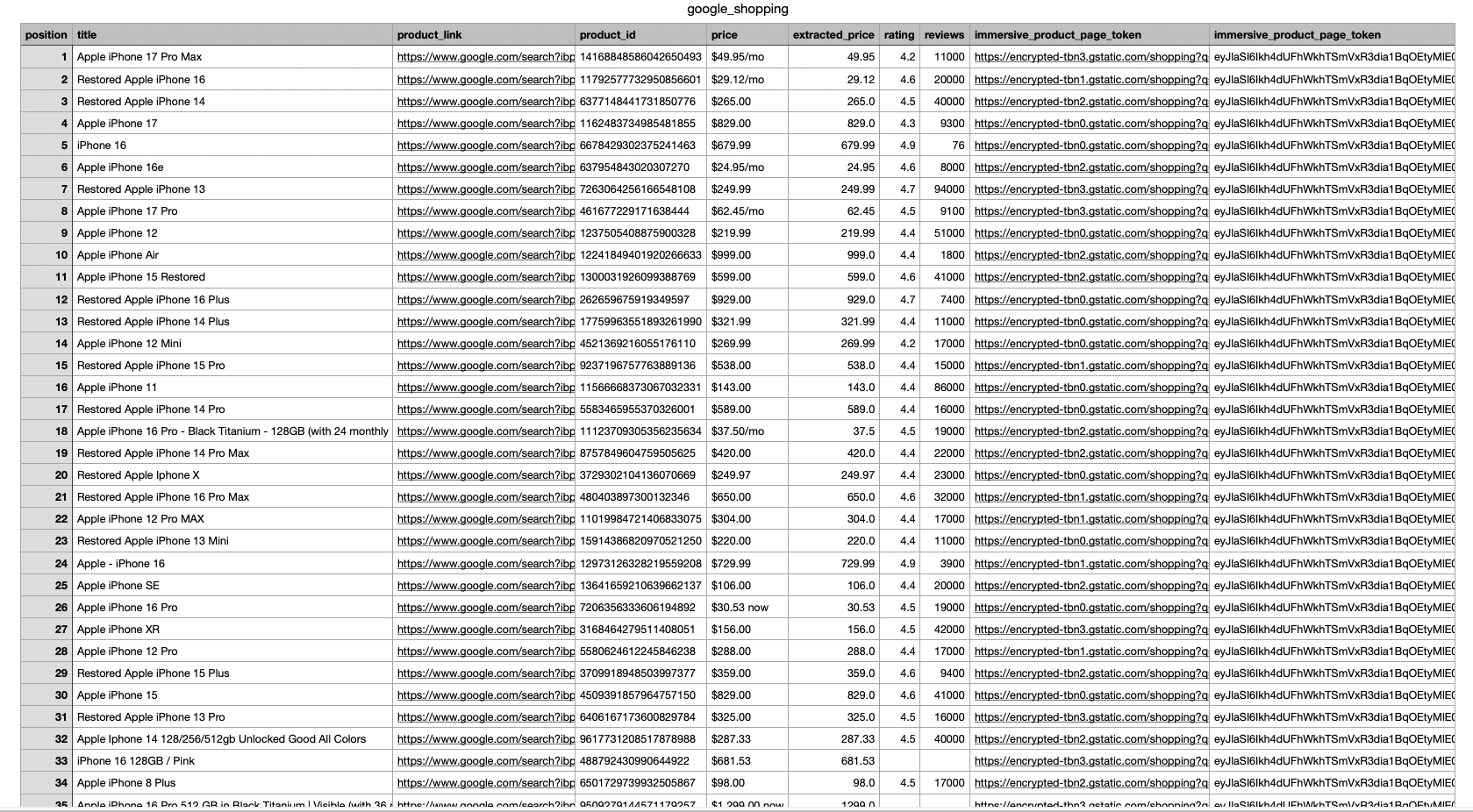
In this example, we scrape Google Shopping results for the keyword "iphone". The response includes fields such as position, title, product_link, product_id, price, extracted_price, rating, reviews, thumbnail, and immersive_product_page_token
We need immersive_product_page_token to scrape the details of the products later.
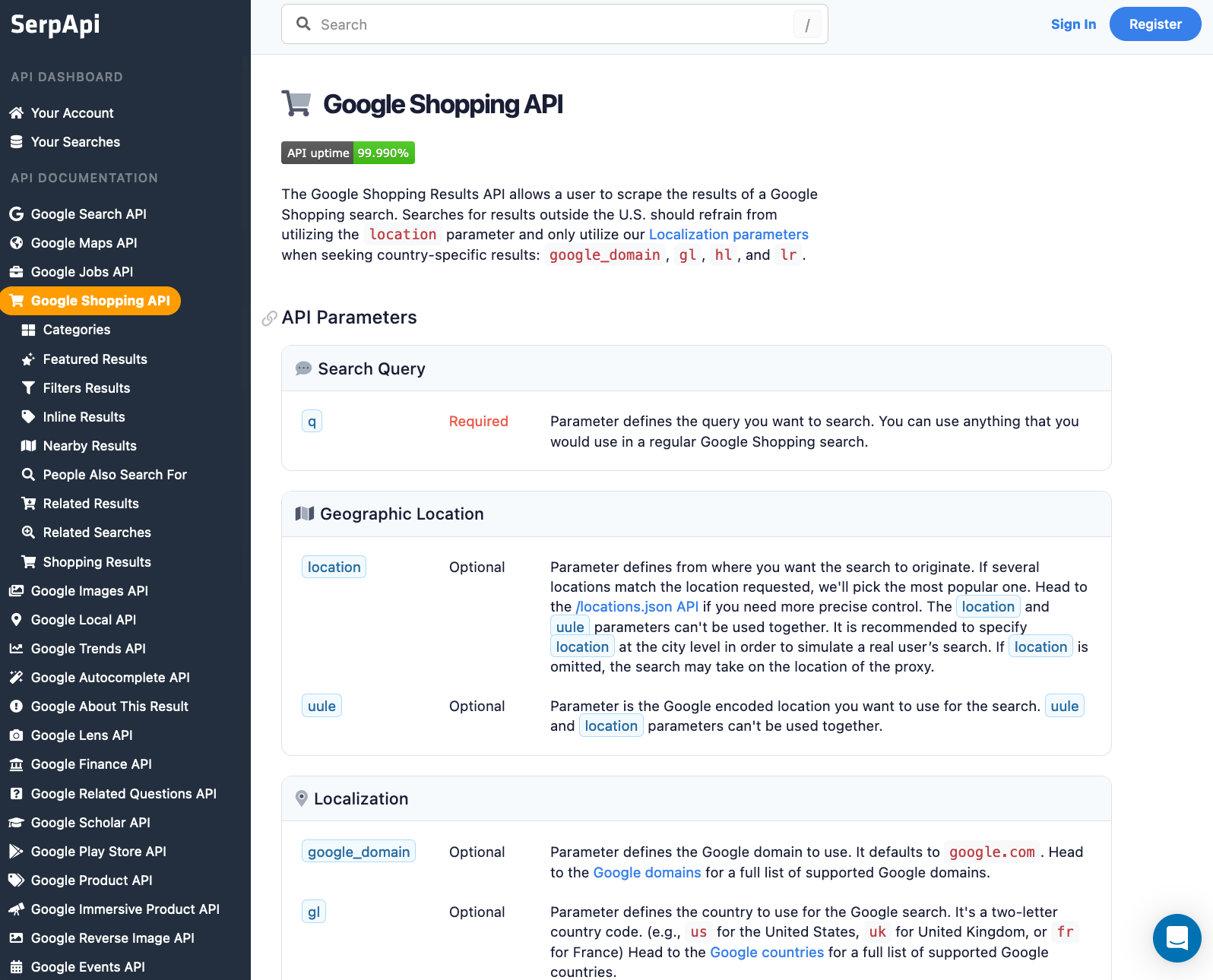
Head to the Google Shopping Results documentation on SerpApi for details.
First, install the SerpApi client library.
pip install google-search-resultsSet up the SerpApi credentials and search.
import serpapi, os, json

params = {
    'api_key': 'YOUR_API_KEY',         # your serpapi api
    'engine': 'google_shopping',       # SerpApi search engine
    'q': 'iphone'
}
To retrieve Google Shopping Results for a given search term, you can use the following code:
results = GoogleSearch(params).get_dict()['shopping_results']You can store Google Shopping Results JSON data in databases or export it to a CSV file.
import csv

header = ['position', 'title', 'product_link', 'product_id', 'price', 'extracted_price', 'rating', 'reviews', 'thumbnail', 'immersive_product_page_token']

with open('google_shopping.csv', 'w', encoding='UTF8', newline='') as f:
    writer = csv.writer(f)

    writer.writerow(header)

    for item in results:
        print(item)
        writer.writerow([item.get('position'), item.get('title'), item.get('link'), item.get('product_id'), item.get('price'), item.get('extracted_price'), item.get('rating'), item.get('reviews'), item.get('thumbnail'), item.get('immersive_product_page_token')])
Alternatively, you can get Google Shopping Results using Google Search API as well. Refer to the post below for a complete tutorial.
 Hilman Ramadhan
Part 2: Scrape Google Shopping Product Data
Next, when we click on a product from the search results, we can see detailed information about the product. We can get this information using our Google Immersive Product API endpoint.
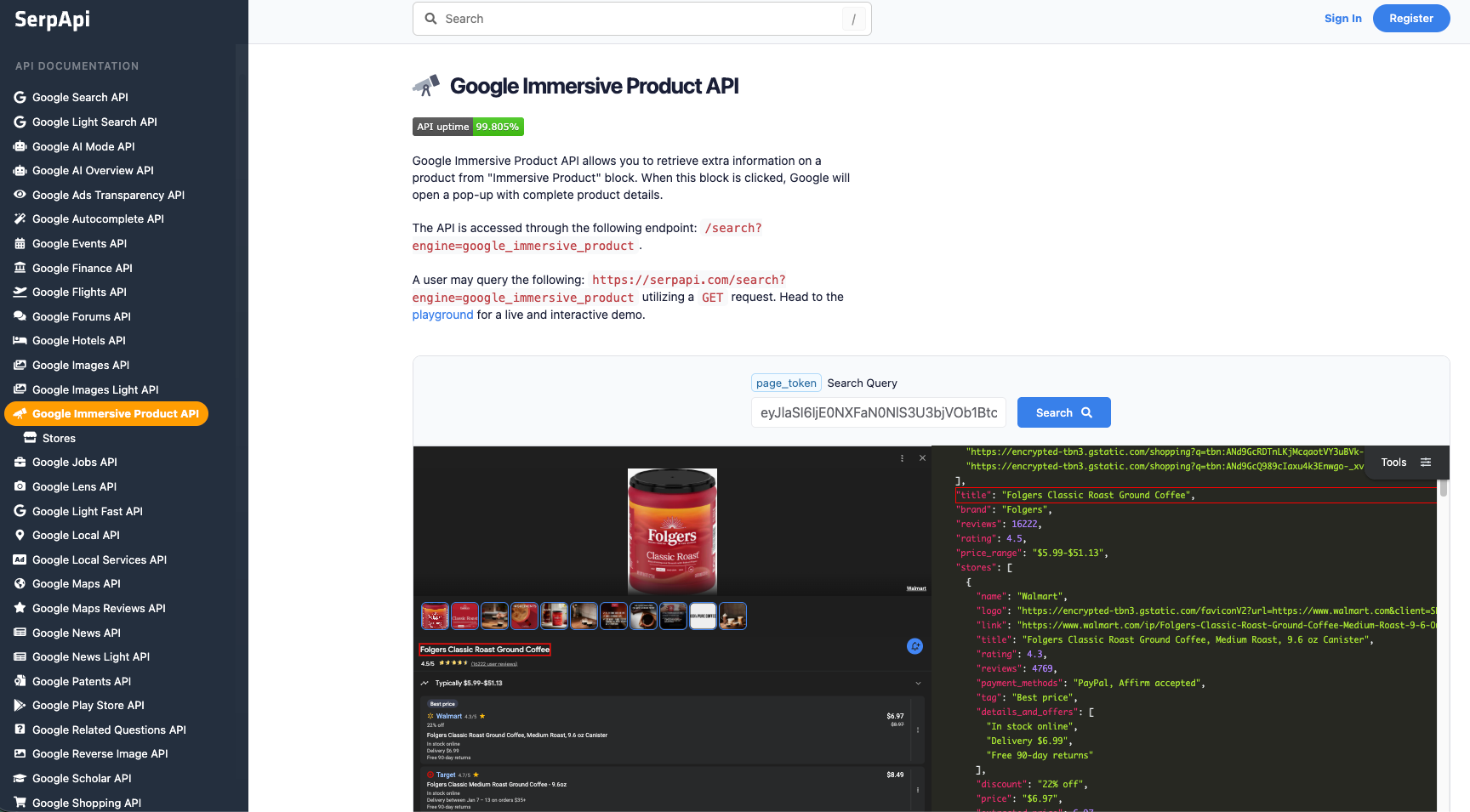
The information we can get from this API includes:
- Product specs
- Real-time pricing across stores
- Reviews, sentiment & media
- Competitive alternatives
- Google-curated consumer insights
import serpapi, os, json

params = {
    "api_key": SERPAPI_API_KEY,
    "engine": "google_immersive_product",
    "page_token": "token_from_previous_part"
}

results = GoogleSearch(params).get_dict()
print(json.dumps(results, indent=2))
The result
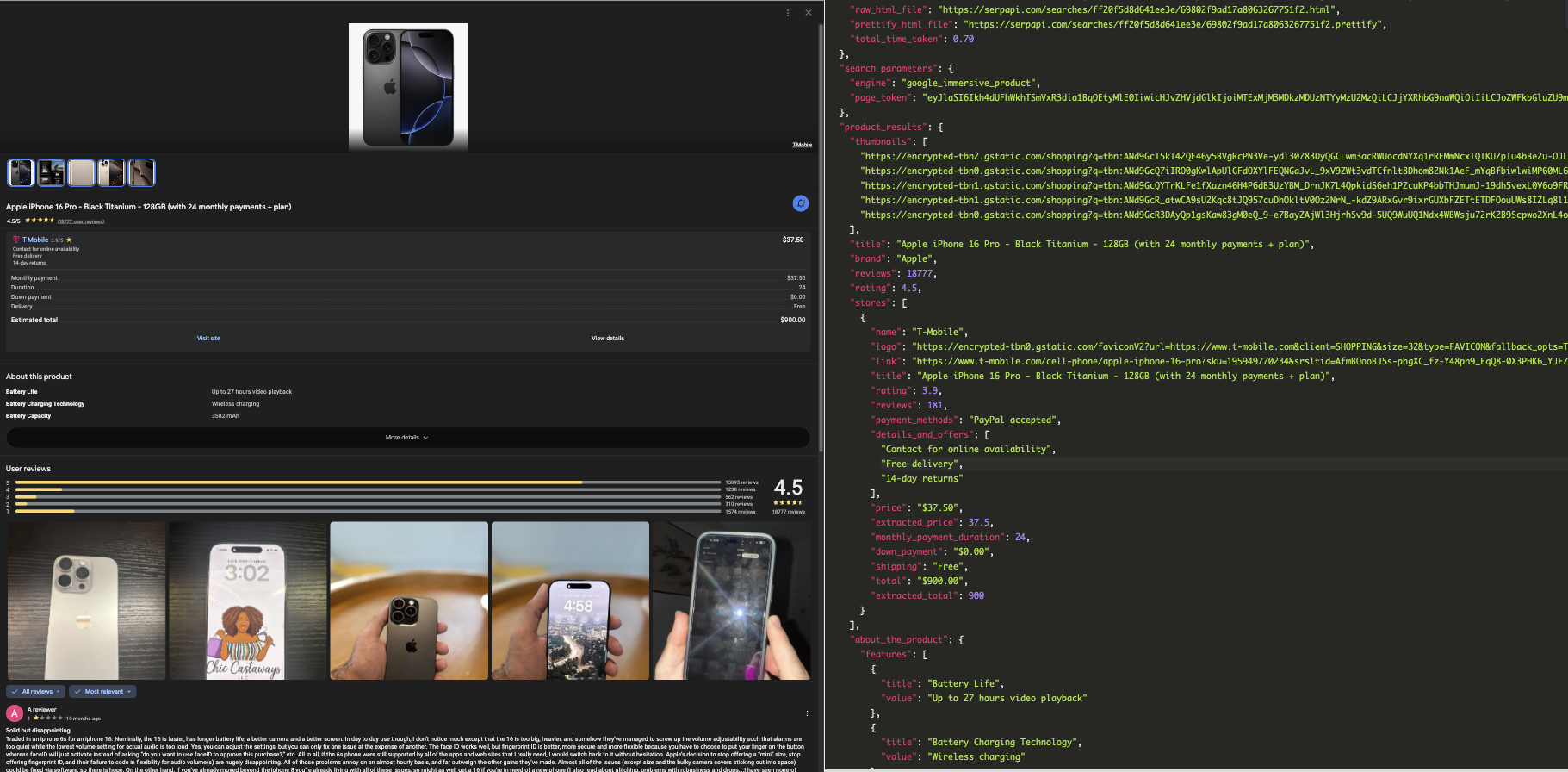
Conclusion
By using SerpApi, you can easily retrieve:
- Google Shopping results for structured product comparison
- Immersive product data for deeper discovery and analysis
Together, these APIs provide a scalable, reliable way to access Google product data without managing scraping infrastructure.
If you haven’t created an account with SerpApi yet, you can sign up and receive 250 free credits per month to get started.
If you have any questions, feel free to reach out at contact@serpapi.com
Hope you find this useful 🙂
Related Posts
If you’re interested in learning what you can do with Google product data after scraping it, check out the blog posts below:
 Autumrose Stubbs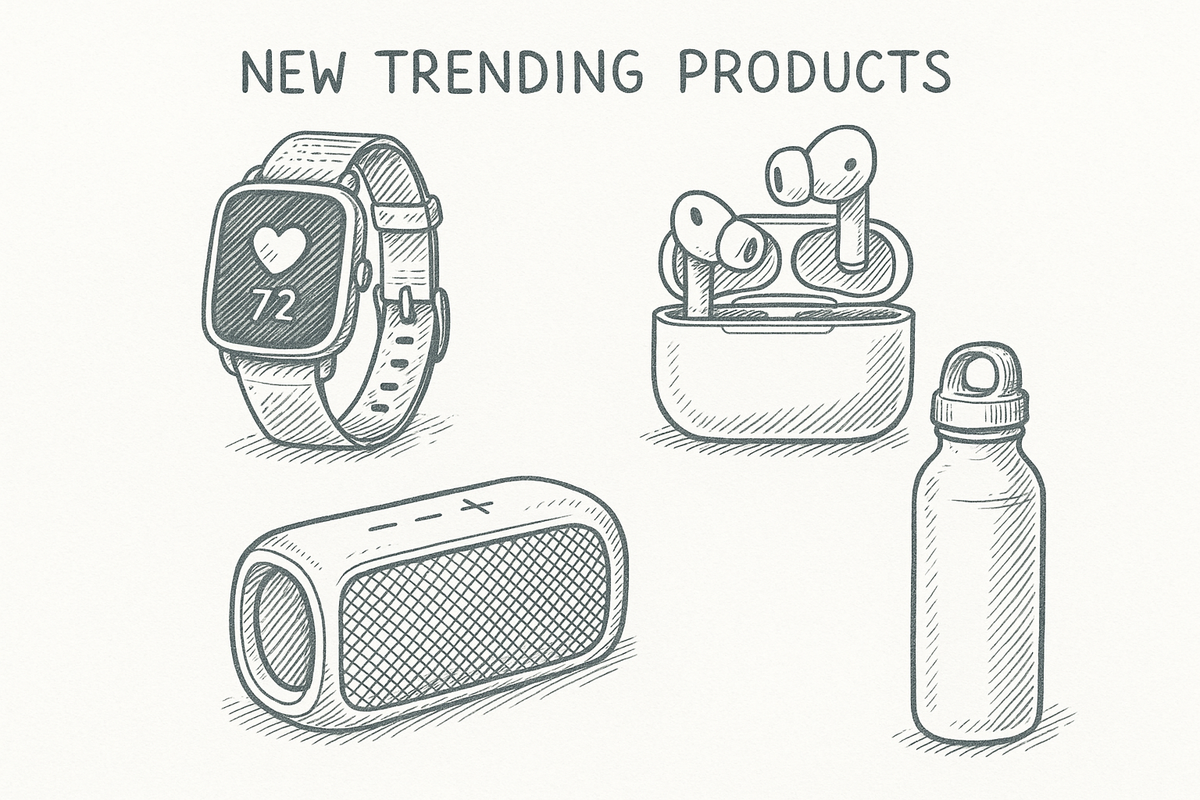
 Gabriela Sosa