Google Local Services API
 Google Travel Explore API
 Baidu Search API
 Bing Search API
 DuckDuckGo Search API
 eBay Search API
 Naver Search API
 OpenTable Reviews API
 The Home Depot Search API
 Tripadvisor Search API
 Walmart Search API
 Ruby
Ruby
 Golang
 .Net
.Net
 MCP
MCP
 C++
C++

Introduction
Yelp is a great platform for people who want to know about local businesses and restaurants. With over 7 million businesses listed, Yelp has a wealth of precious information for market researchers and specialized AI agents and chat bots.
Beyond information about businesses and restaurants, some restaurants list their full menus to Yelp, making this platform even more significant for data collectors and analysts.
How to know which restaurants have Full Menus
In Yelp, for the restaurants that have set up their Full Menu page, there is a big button called "Full Menu" on their Yelp Place page:
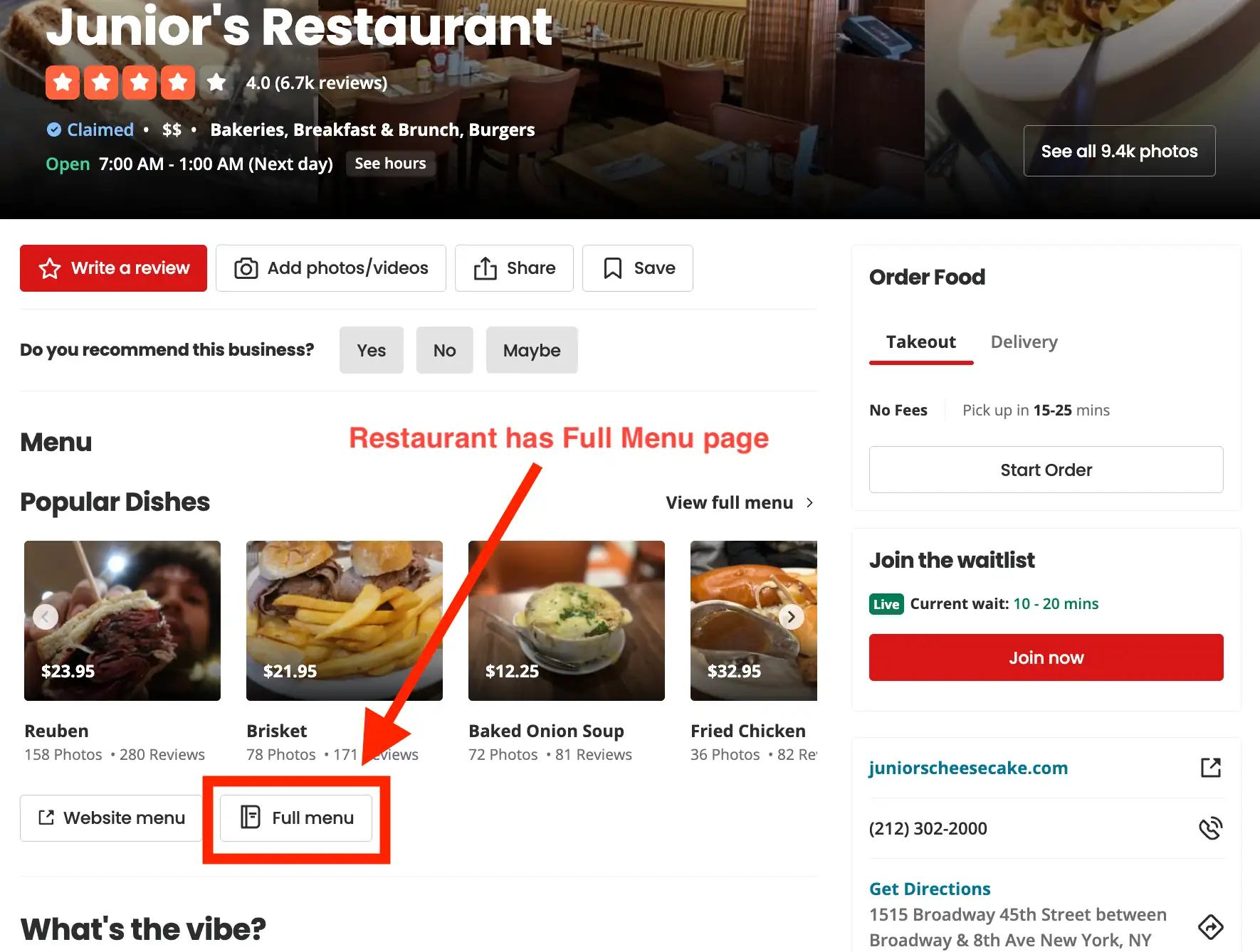
When scraping Yelp Places using SerpApi, we can know when a place has a Full Menu page when we can find the field response[:place_results][:full_menu] in the response:

response.place_results.full_menu in the response.How to scrape Yelp Place Full Menus
Now that we know if a restaurant has a Full Menu page, we can easily scrape it using SerpApi's Yelp Place Scraper API by setting the request parameter full_menu to true to get full_menu_results.
What is available on Yelp Full Menus
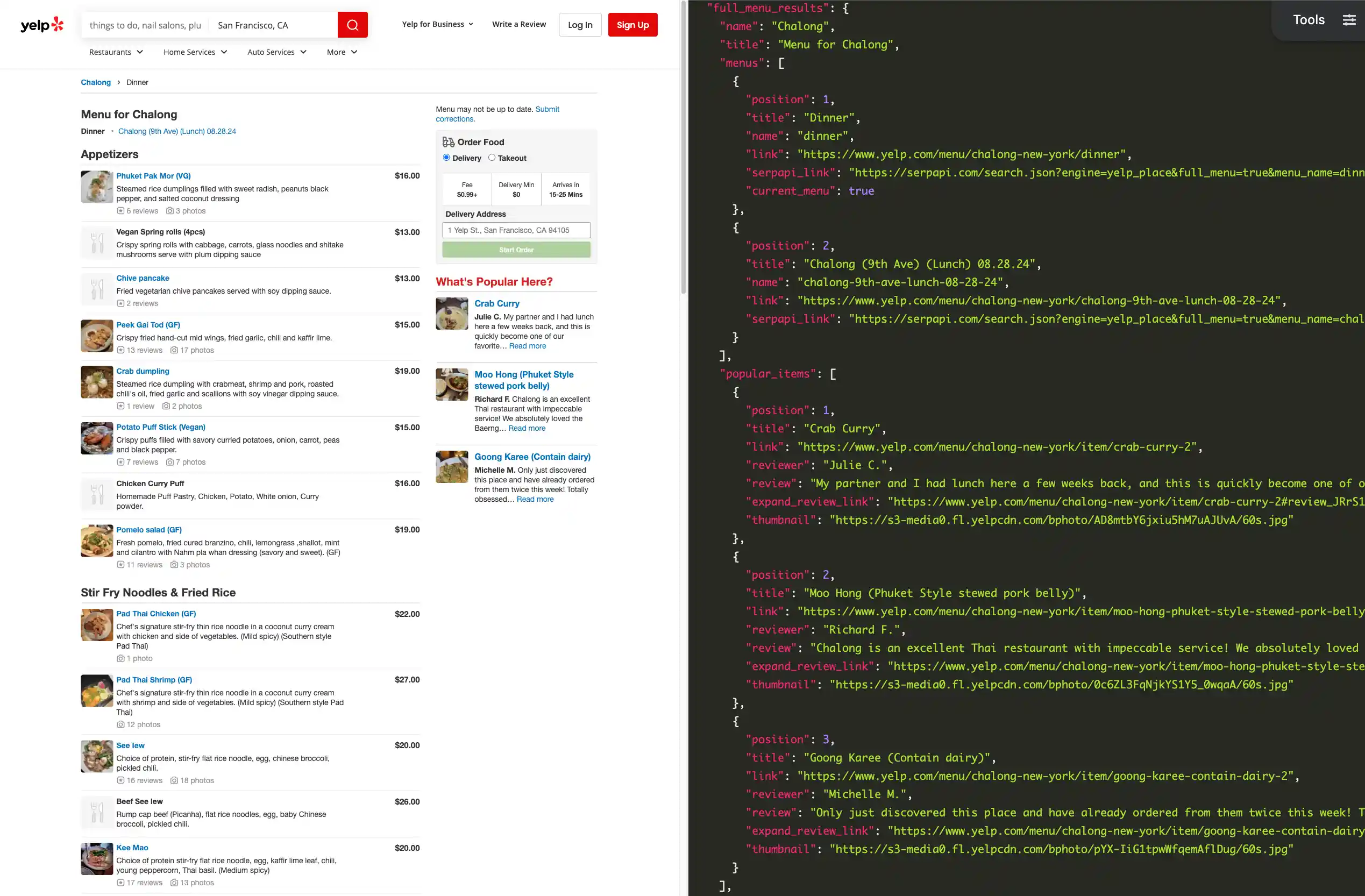
There are lots of useful information available in full_menu_results, such as menu name, title, popular_items with link, review, expand_review_link, thumbnail and more. Also, menu sections with title, items with description, prices, thumbnail, number of photos, number of reviews, reviews_link and much more!
Some restaurants even have more than one menu available. If a restaurant has multiple menus, we can find all available menus in response[:full_menu_results][:menus]:
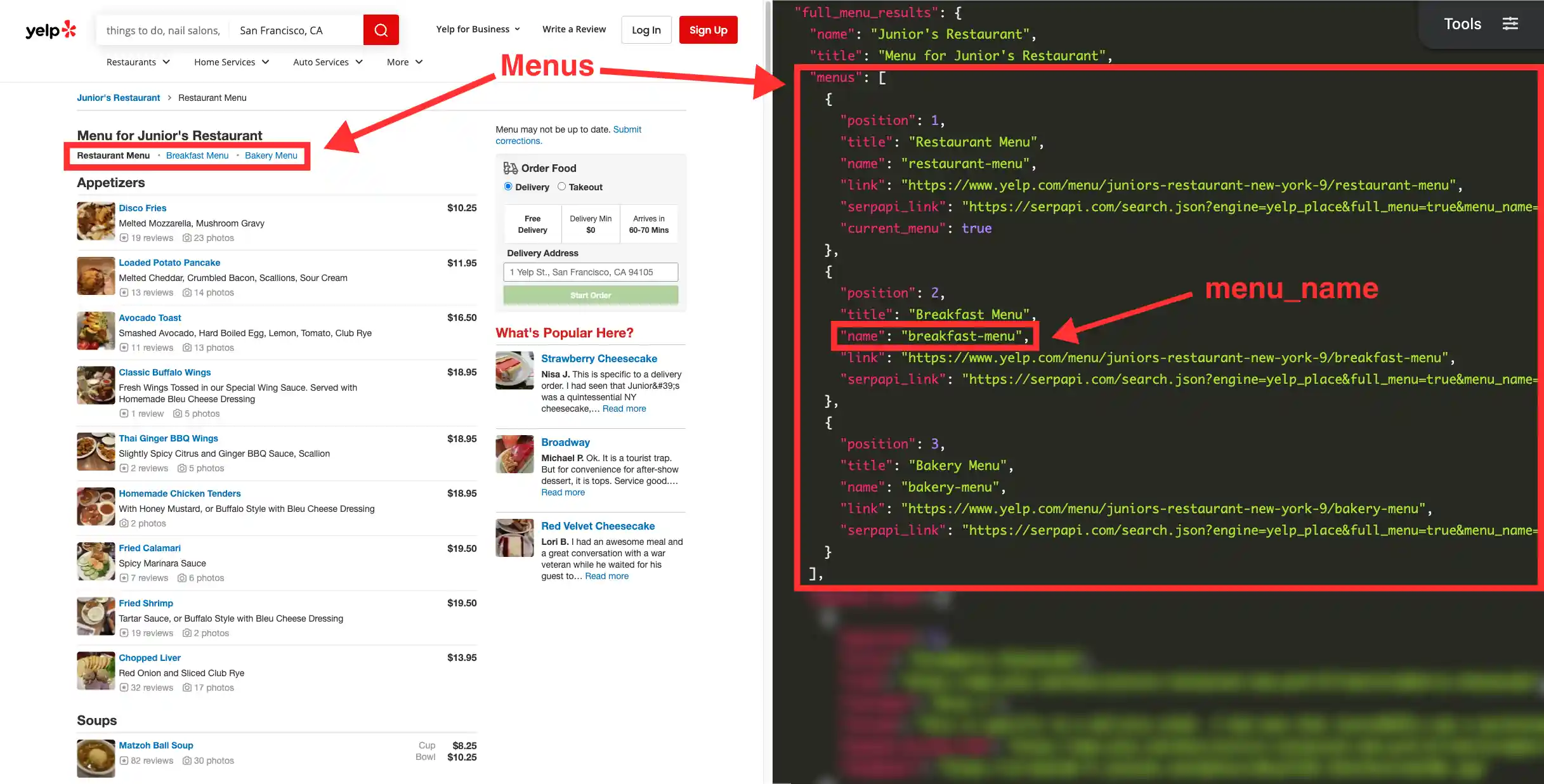
menu_name then the menu the restaurant set as default will be the one scraped.When a restaurant has multiple menus, we can scrape each menu by providing its name to the request parameter menu_name. For example, here's how the request would look like if we wanted to scrape the lunch menu (menu_name: chalong-9th-ave-lunch-08-28-24) for the restaurant Chalong (place_id: chalong-new-york):
require "serpapi"

client = SerpApi::Client.new(
  engine: "yelp_place",
  place_id: "chalong-new-york",
  full_menu: "true",
  menu_name: "chalong-9th-ave-lunch-08-28-24",
  api_key: "YOUR_SECRET_API_KEY"
)

results = client.search
full_menu_results = results[:full_menu_results]
However, if a restaurant has many menus, but no menu_name is provided in the request, then the menu that will be scraped will be the one the restaurant set as their default menu.
Let's walk through how we can use SerpApi to scrape Yelp Place Full Menus with only a few simple steps:
Setting Up a SerpApi Account
First, we need to create a SerpApi account. SerpApi has a Free tier that offers up to 250 searches per month.
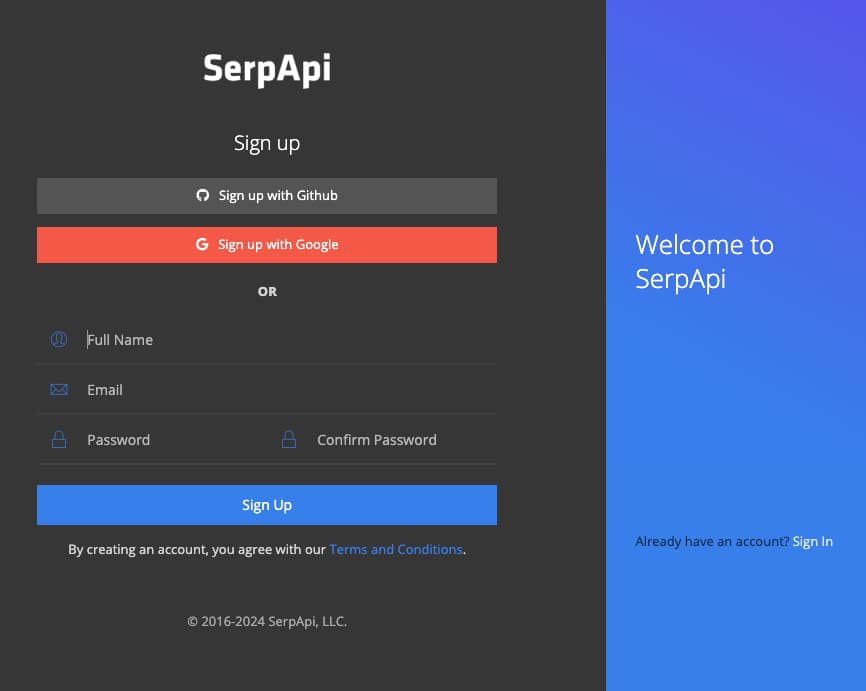
Let's head to the sign-up page to create an account. Provide a valid email and a valid phone number in order to access your account's dashboard.
Exploring Yelp Full Menu
Now that we have an account, we can sign in and use SerpApi's Playground technology to explore all the information we can get from Yelp Place Full Menu.
In this example, I'm scraping one menu from the restaurant Chalong using place_id: chalong-new-york. This restaurant has two menus, the dinner menu and the chalong-9th-ave-lunch-08-28-24 menu. Because I didn't specify any menu in menu_name, the results will be from their default menu, which is the dinner menu. Let's see all the information we can scrape in full_menu_results:
Integrating SerpApi with your application
Exploring SerpApi's vast diversity of Search APIs using Playground is a lot of fun, but to get the most out of SerpApi's services it's best to use the results from Search Engines directly in your application programmatically.
In order to send requests to SerpApi, we will need your unique secret API key that can be copied right from your dashboard:
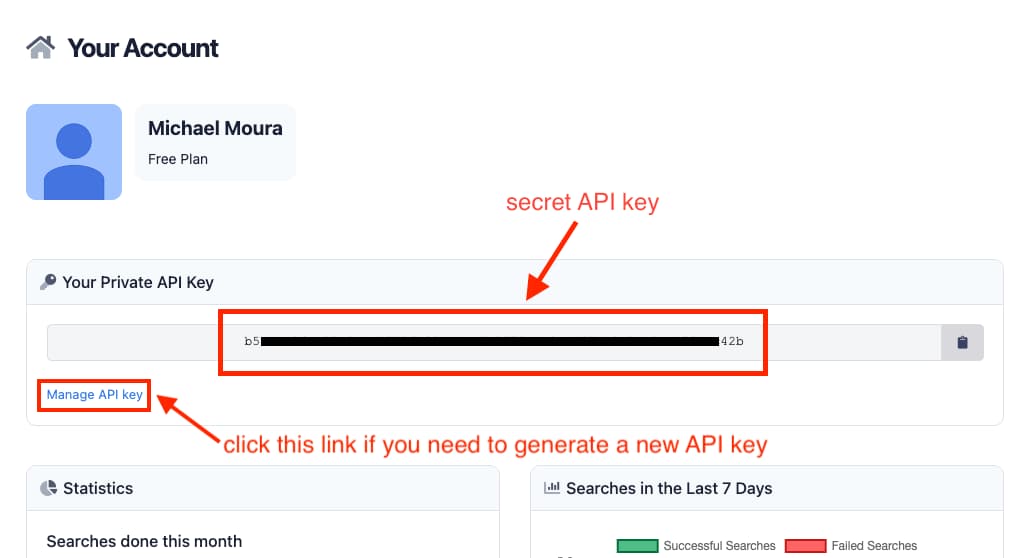
Your API key is unique to you and you should never share it anywhere to avoid other people using your account, but in case you accidentally expose your API key, you can easily generate a new one from the Manage API key page (if you generate a new API key, don't forget to update your application code with the newly generated API key).
Check out the documentation for SerpApi libraries based on the programming language you use:
To demonstrate how simple it is to use SerpApi in your code, here's all you'd need to do to retrieve Yelp Place Full Menu results from your application using the Ruby language, as you can also see in SerpApi's Yelp Place Full Menu documentation page:
require "serpapi"

client = SerpApi::Client.new(
  engine: "yelp_place",
  place_id: "juniors-restaurant-new-york-9",
  full_menu: "true",
  api_key: "YOUR_SECRET_API_KEY"
)

results = client.search
full_menu_results = results[:full_menu_results]
That's all there is to it. Integrating SerpApi is extremely simple and straightforward. You can explore how to use all other Search Engine APIs offered by SerpApi at our documentation page, and play around with each of them using SerpApi's Playground feature.
Have fun! 😃
Want to scrape Yelp Places and Yelp Search? SerpApi got you covered!
We also have a great tutorial going over how to easily scrape Yelp Search and Yelp Places. Check it out:
 Hilman Ramadhan