Google Local Services API
 Google Travel Explore API
 Baidu Search API
 Bing Search API
 DuckDuckGo Search API
 eBay Search API
 Naver Search API
 OpenTable Reviews API
 The Home Depot Search API
 Tripadvisor Search API
 Walmart Search API
 Ruby
Ruby
 Golang
 .Net
.Net
 MCP
MCP
 C++
C++

AI coding tools have made building a mobile app more accessible than ever, but getting it into the App Store is only half the battle. The real challenge is finding product-market fit before you invest weeks of work and vibe-coding into the wrong idea.
That usually means hours of manual research: digging through App Store listings, scrolling review after review, trying to spot patterns in what users love, hate, and desperately wish existed. What gaps are worth pursuing? What language are real users actually using to describe their pain points?
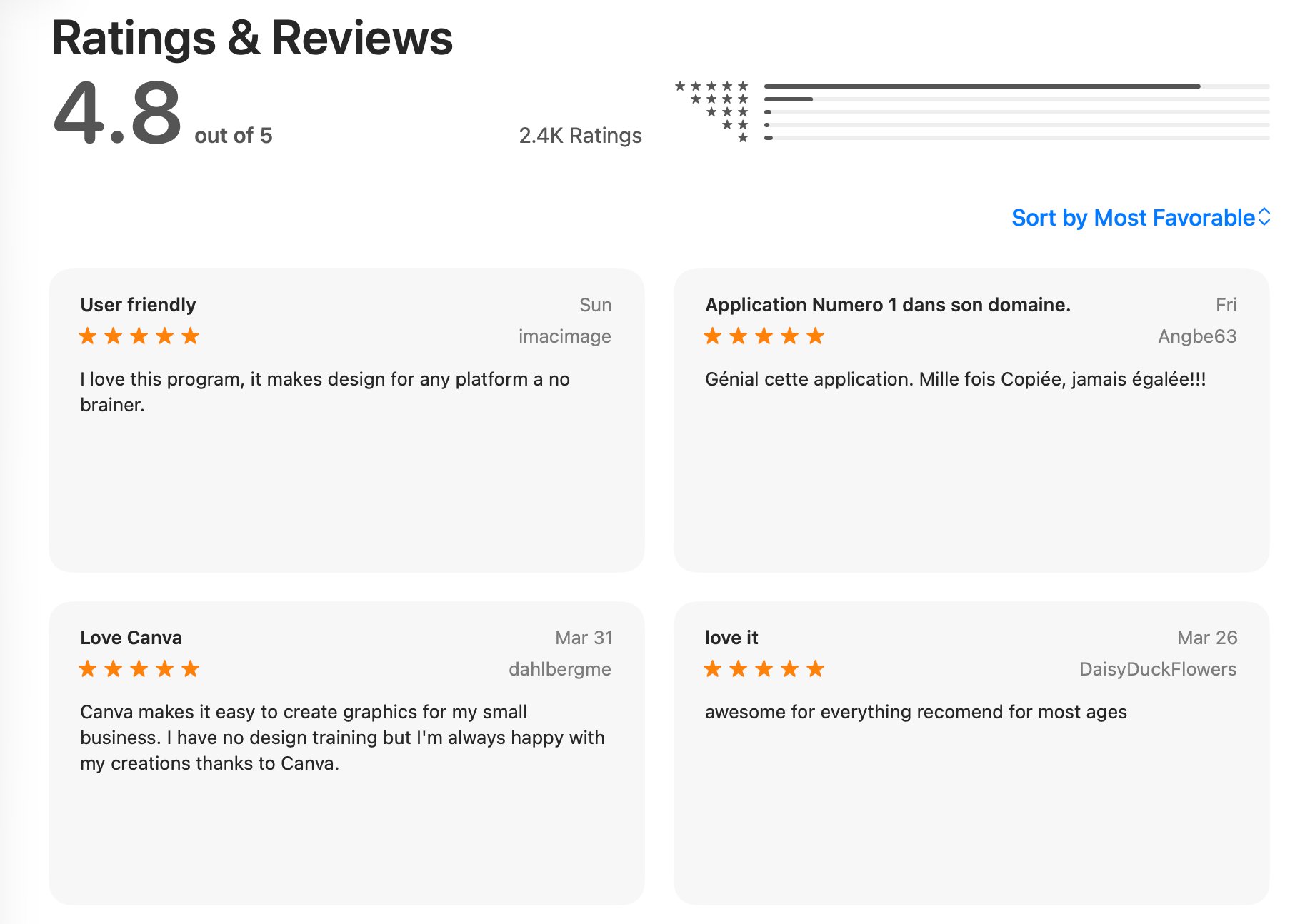
Today, I want to show you a way to fetch all the reviews for a mobile app in the Apple App Store with only a few lines of JavaScript code and a couple of API calls to SerpApi. Since it’s JSON data that you can use anywhere, we’ll even pass along the reviews to OpenAI's large language model so we can get a summary of the reviews.
When building AI-powered applications that rely on recent web data as a review aggregator, you need a reliable data scraping solution. SerpApi leads the market in terms of both reliability and accuracy.
 Artur Chukhrai
For this demo, we're also going to use OpenAI's latest large language model – gpt5.4 – to summarize our reviews.
Setting up your project
First, set up a basic Node.js project. You can do so by running npm init -y in your terminal at the root of your project folder. At the root of the project, create an index.js file.
Install required packages
For this demo, it's highly recommended you install and import into index.js the following packages:
dotenv: Node package that loads environment variables from your.envfile directly intoprocess.envso you can access your API keysserpapi: SerpApi's open-source JavaScript SDKopenai: OpenAI's SDK to interface with their AI model
As per the OpenAI documentation online, you'll also need to create an instance of the OpenAI client to make the API calls:
import OpenAI from "openai";
import dotenv from "dotenv";
import { getJson } from "serpapi"
dotenv.config();

//OpenAI API setup
const openAiKey = process.env.OPEN_AI_KEY;
const client = new OpenAI({ apiKey: openAiKey });

//SerpApi setup
const serpApiKey = process.env.SERP_API_KEY;
Making the API call to SerpApi's Apple App Store API
Now, let’s make a call to SerpApi to get the app information, including its ID. We can just use fetch, but since we’ve imported the SDK, we'll use the getJson from the SerpApi library. And just like fetch, getJson is an asynchronous function that returns a JavaScript Promise. The API has three required parameters: API key, the search term which is the app you want to fetch data for, and the engine which in this case is apple_app_store since app data is what we want to scrape today.
const app = await getJson({
        api_key: serpApiKey,
        engine: "apple_app_store",
        term: "instagram",
        num: "5"
}); Michael Moura
Testing your API calls
If you console.log app, you should see JSON that resembles this in your terminal:
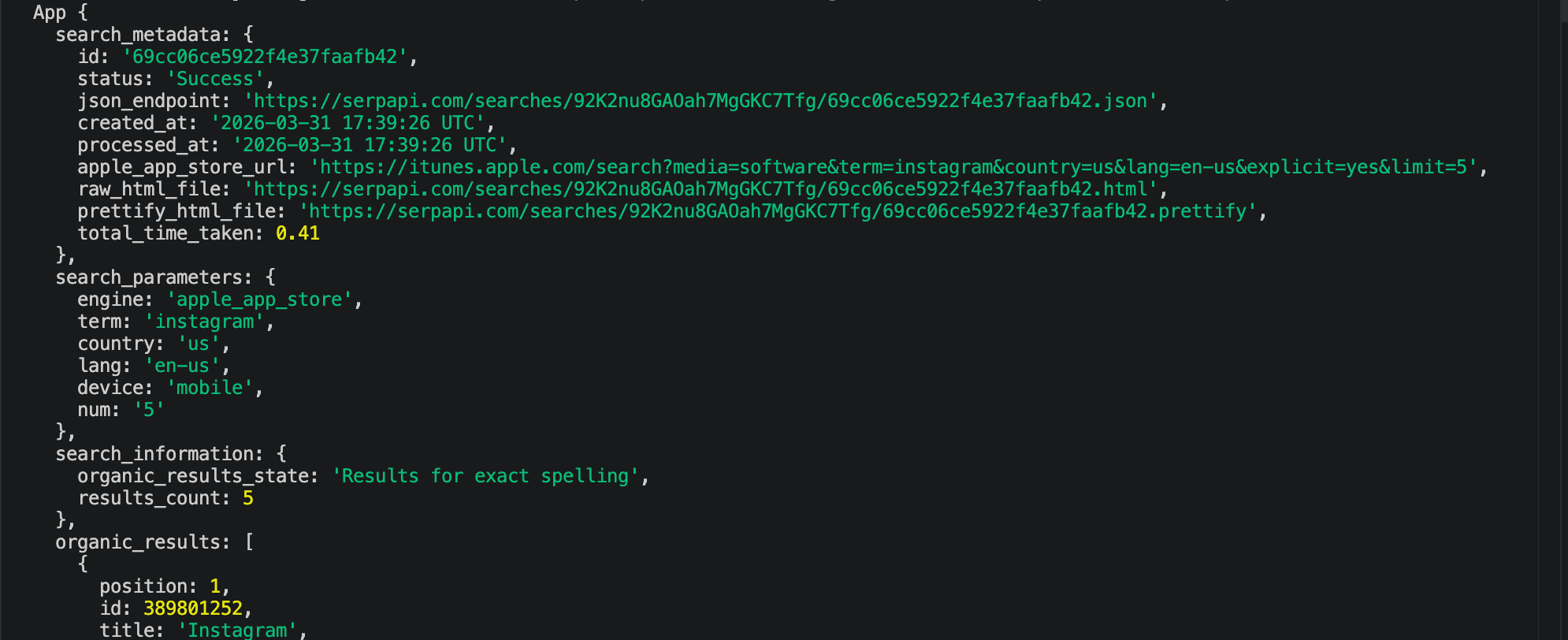
Inside the organic_results array is where you'll find the search results for the query "instagram". As expected, the first item in this array pertains to the Instagram app owned by Meta. We simply need to pass in the id value into the second API call, which will be to SerpApi's Apple App Store Reviews API.
const appId = app?.organic_results[0]?.id;
    appReviews = await getJson({
        api_key: serpApiKey,
        engine: "apple_reviews",
        product_id: appId
    });
If you console.log(appId) and scroll down to the reviews array, you'll see the text of the reviews within the array objects' text property. Now, we just need to parse out the text reviews and send them to OpenAI to get the summary.
Making the API call to OpenAI
let response;
try {
    response = await client.responses.create({
        model: "gpt-5.4",
        input: `Given the list of comma-separated reviews for a mobile app, give me a summary of the main criticisms: ${textReviews.join(", ")}`,
    });
} catch (err) {
    console.error("Failed to get response from OpenAI:", err.message);
    process.exit(1);
}
The above example is a basic API call to OpenAI's Responses API to generate text from a prompt, similar to the way you'd generate text from OpenAI's ChatGPT.
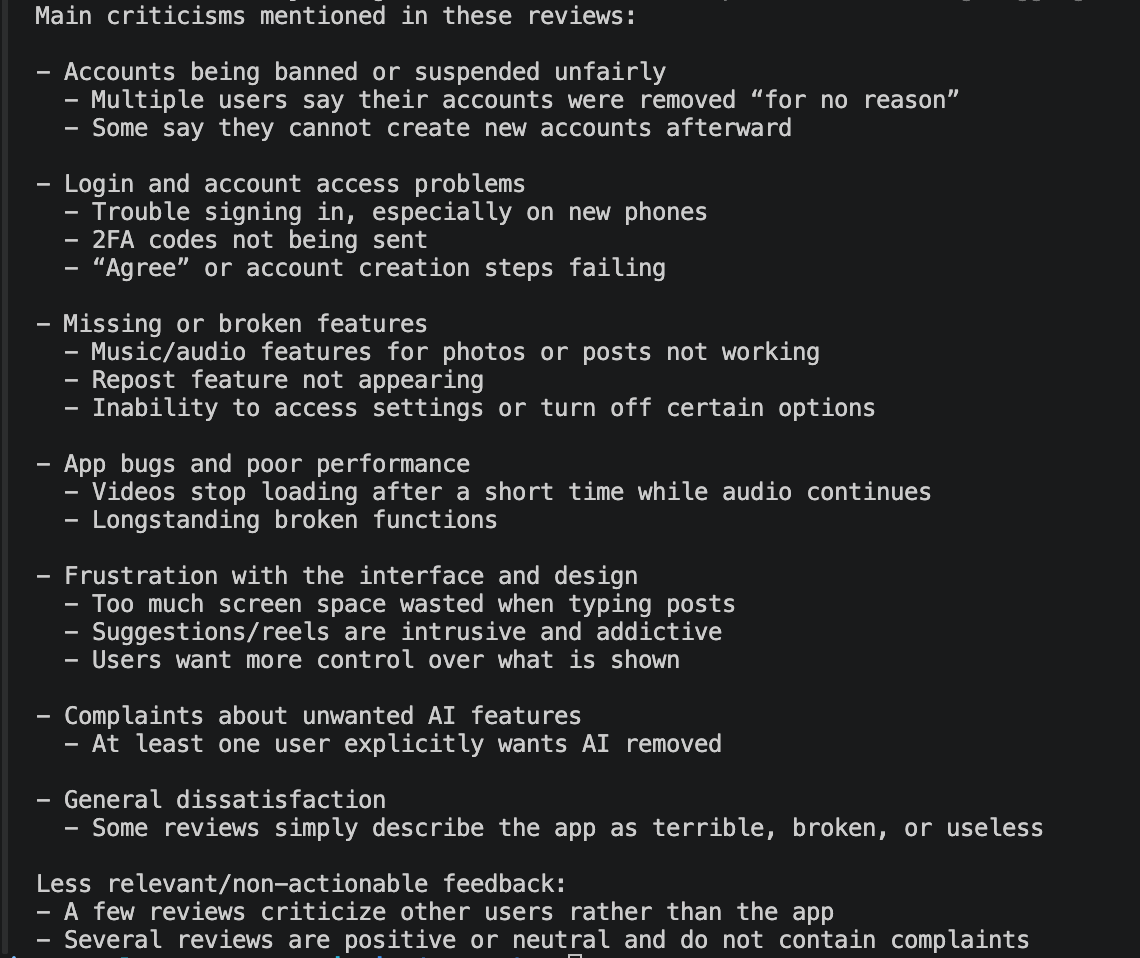
If everything went according to plan, you should be able to see the summary in your terminal:
Next Steps
When running this in your local terminal, don't be alarmed if you don't see any response for a few seconds. As you may know, large language models tend to take some time to generate text. While I'm not doing so in this demo, there's a way to stream the response, which will allow the text to appear chunks at a time so your users are not left waiting until the entire response is complete. Make sure to give streaming a shot if you're building an AI-powered app that relies on timely responses. I hope you've found this post helpful! If you have any questions at all, leave me a comment below or contact us at contact@serpapi.com.
 Emirhan Akdeniz