Google Local Services API
 Google Travel Explore API
 Baidu Search API
 Bing Search API
 DuckDuckGo Search API
 eBay Search API
 Naver Search API
 OpenTable Reviews API
 The Home Depot Search API
 Tripadvisor Search API
 Walmart Search API
 Ruby
Ruby
 Golang
 .Net
.Net
 MCP
MCP
 C++
C++

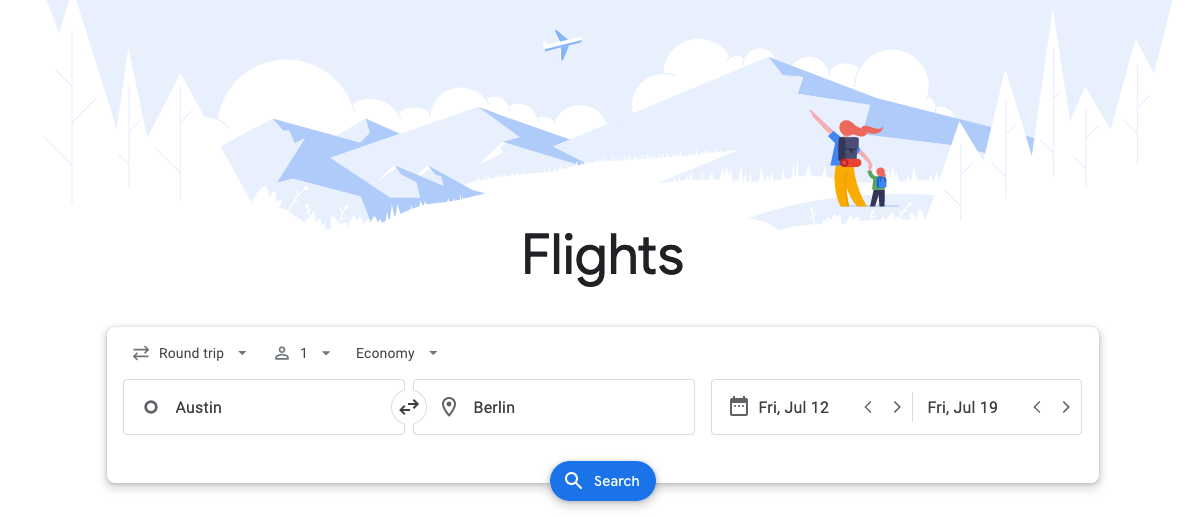
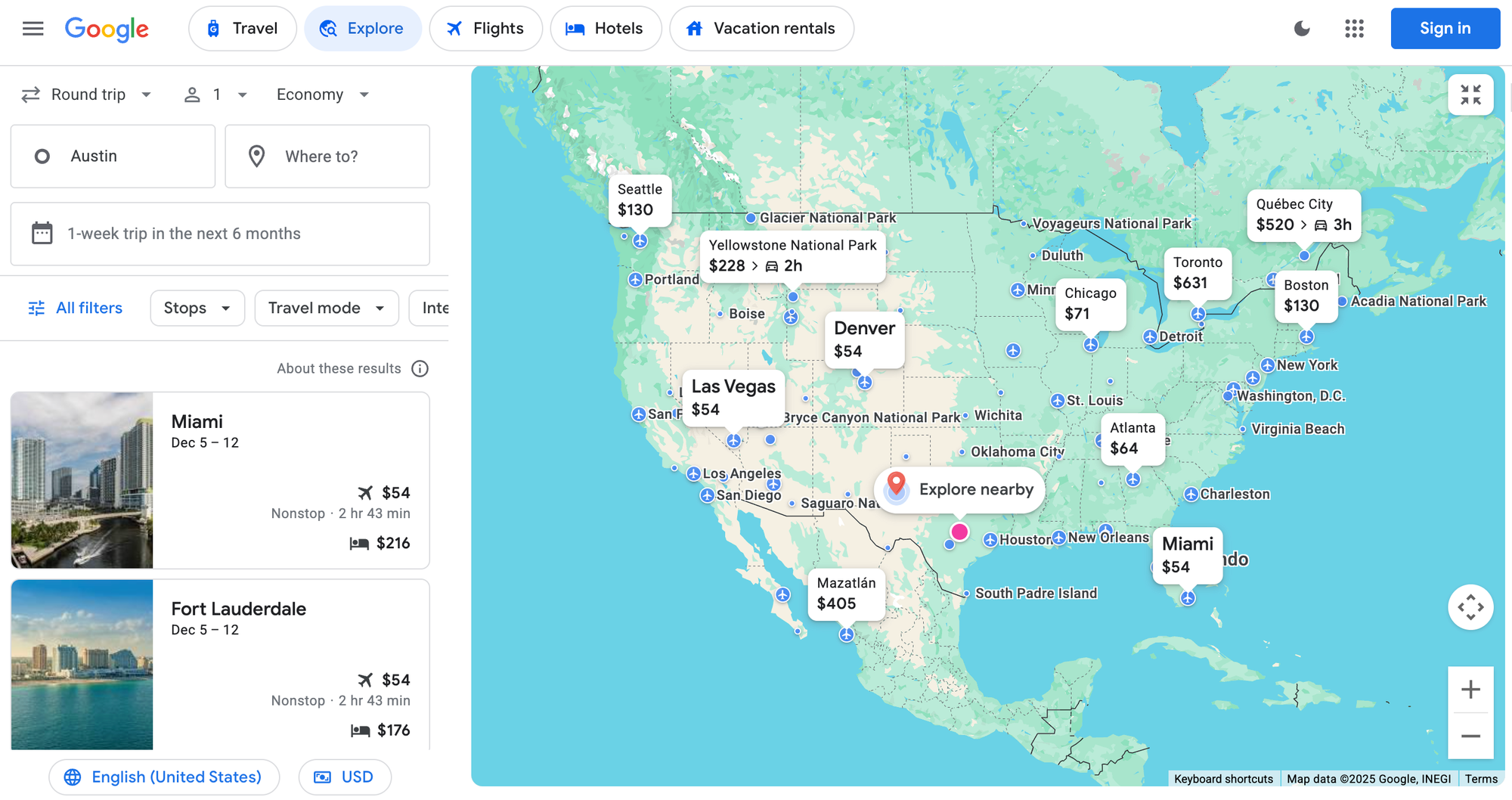
Google Travel Explore is Google’s premier search tool for destination discovery. It helps travelers decide where to go and when to plan their next trip, based on real-time flight deals and hotel pricing. Often found via the homepage of Google Flights, it allows user to browse destinations from a departure city or airport, visually navigating the explore map and uncover affordable trips across entire regions, and interests—whether for specific dates or flexible dates.
SerpApi’s new Google Travel Explore API lets you scrape these explore-style travel data via a simple endpoint (engine=google_travel_explore), returning flight prices, trip dates, travel durations, and more—all in structured JSON. No need to reverse-engineer Google’s complex travel experience or handle anti-bot measures yourself.
What Is Google Travel Explore?
Google Travel Explore is a powerful, price-based travel discovery interface built directly into the Google Flights search engine. When you use Google Flights for a traditional flight search, you typically need a specific destination and fixed dates (or specific dates) to find airfare. However, this rigid approach can often limit your travel planning options.
In contrast, Google Flights Explore offers far more dynamic functionality. It lets users browse popular destinations based on flexible dates (or flexible date ranges), interests, regions, and budget constraints. Whether you are looking for round-trip, one-way, or multi-city flight options, the explore map visualizes the cheapest flights from your departure city or home airport. You can zoom in on specific regions to find the best flight, filter by cabin class (such as business class), and set preferences for nonstop flights versus layovers.
It is the ultimate search tool to find flight deals before you book flights on an online travel agency or the airline’s website. In fact, Explore is the engine behind many popular travel hacks, allowing users to answer an early travel experience question: “Where can I go, and when, for the best flight value?”
How the Explore Search Works
The functionality of the Explore tool changes based on how specific the user's plans are. In all cases, a departure city or airport is required, but the arrival input dictate the mode:
- Open-Ended Discovery: Users leave the arrival blank or select a broad area (like "Europe"). This allows them to zoom in and out of the map to see prices change dynamically. This is the cheapest option for travelers who are flexible, as the tool returns a list of destinations where every result has its own "best dates" pre-calculated based on the chosen duration (e.g., "one week") and time window.
- Specific Destination Analysis: If a user already knows where they want to go, they can input a specific arrival city. In this case, there is no exploration; the tool simply returns the best available flight options for that route. It provides a clear snapshot of the cost, the airline, the total trip duration, and the number of stops of layovers involved.
Why Scrape Google Travel Explore?
Google Flights Explore display pricing and destination data that’s especially valuable for early-stage trip planning. Whether you are building an online travel agency or a niche flight deal site, scraping this data allows you to unlock capabilities that major aggregators often miss and offer users better flight options:
- Flexible date discovery: Quickly identify the best time to travel without brute-forcing many date combinations.
- Destination discovery: Suggest popular destinations to travel even when the user doesn’t have a destination in mind, both globally or within broader regions.
- Flight + hotel price context: Understand not just airfare but full Google Flights price picture by including rough lodging costs to estimate total trip value.
- Automatically suggested travel windows: Use Explore’s proposed date ranges to highlight the best deals and highest-value periods.
- Smart budget matching: Filter results to show only destinations that meet user cost constraints, helping them find cheap flights effortlessly.
Building Next-Gen Travel Tools
By leveraging this API, developers can build sophisticated applications that go beyond what a standard airline's website offers. Here is how you can use this data to enhance your users' search:
- Advanced Filtering: Create tools that filter by cabin class (Economy vs. Business class), number of stops, or prioritize nonstop flights for convenience.
- Cost Analysis: Help users calculate the true cost of travel by factoring in carry-on baggage fees or specific airlines (filtering for airline alliances) to maximize credit card points or savings.
- Comparison Features: While standard Google Flights is great for simple lookups, your app could compare multi-city possibilities by aggregating Explore data for different regions.
- Actionable Insights: Provide travel tips on when to book flights by programmatically comparing prices across flexible dates. This helps build a custom price tracking engine that identifies the cheapest flight possible for a specific window.
Why use SerpApi for Google Travel Explore Scraping?
Building and maintaining a scraper for Google Travel Explore is challenging: the UI is dynamic, pricing layers update frequently, and anti-bot countermeasures can block automated extraction. SerpApi solves this complexity so you can build on the data:
- Structured results: Receive consistently formatted JSON ready for immediate use.
- Fully managed scraping and anti-bot protection: need to maintain headless browsers, manage proxy pools, or deal with captchas and rate limits. SerpApi handles them all for you.
- Up-to-Date Support: The SerpApi team continuously monitors for UI and structural changes in Google Travel Explore and update extraction logic as needed. Your data pipeline keeps working even as Google evolves the product.
- Built for scale: Whether running a few queries or thousands, SerpApi provides robust infrastructure to handle concurrency, traffic spikes, and large-volume workloads without additional engineering effort.
Querying the Google Travel Explore API
Getting started is easy. Sign up at SerpApi and grab your API key. Then you can query the Google Travel Explore API by sending a GET request to SerpApi with engine=google_travel_explore. At minimum, you’ll want to specify a departure_id, which represents the city or airport you’re flying from. The API can then retrieve suggested destinations, price windows, and travel details. You can also try it interactively in the SerpApi Playground by selecting the “Google Travel Explore” engine.
Key parameters:
departure_id: Indicates where the trip begins. You can pass either an airport code (e.g.,JFK) or an Google Knowledge Graph ID (e.g.,/m/02_286→ New York City – this ID can be easily found its Wikidata page under Freebase ID).arrival_area_id: Useful when you want to browse broader areas instead of a single city.arrival_id: Use when you already know where you want to go, ideal for date selection and routes lookups.
For more informations on all the parameters refer o the API documentation.
Python example
from serpapi import GoogleSearch

params = {
    "engine": "google_travel_explore",
    "departure_id": "/m/02_286",  # New York City
    "api_key": "YOUR_SERPAPI_KEY"
}

search = GoogleSearch(params)
result = search.get_dict()

print("Top destination recommendations:")
for d in result.get("destinations")[:3]:
    name = d.get("name")
    start = d.get("start_date")
    end = d.get("end_date")
    price = d.get("flight_price")
    print(f"{name}: {start} → {end} — ${price}")
This will print the top three recommended destinations from the specified departure city, including their date ranges and flight prices.
JavaScript (Node.js) example
const SerpApi = require('google-search-results-nodejs');
const search = new SerpApi.GoogleSearch("YOUR_SERPAPI_KEY");

search.json(
  {
    engine: "google_travel_explore",
    departure_id: "EWR",     // Airport code
    outbound_date: "2026-01-20",   // fixed start date
    return_date: "2026-01-25",     // fixed return date
  },
  (data) => {
    console.log(`Top destination recommendations for ${params.outbound_date} → ${params.return_date}:`);

    const top3 = data.destinations.slice(0, 3);
    top3.forEach(dest => {
      console.log(`${dest.name}: $${dest.flight_price}`);
    });
  }
);
This will print the top three results for the chosen travel dates, showing each destination and its corresponding flight price.
Try It Out!
The new Google Travel Explore API is available now to all SerpApi users. To get started, create a free SerpApi account (the free tier includes 250 queries/month) and find your API key. Then visit the Playground or use the endpoints above to begin scraping Google Travel Explore answers. You can find API documentation here.
Whether you are building a dedicated flight search engine, a blog sharing travel tips, or a tool to help users book flights cheaper, the Google Travel Explore API makes it simple.
If you are looking for specific route data rather than broad destination discovery, check out our guide on how to scrape the Google Flights API:
 Andy L