Google Local Services API
 Google Travel Explore API
 Baidu Search API
 Bing Search API
 DuckDuckGo Search API
 eBay Search API
 Naver Search API
 OpenTable Reviews API
 The Home Depot Search API
 Tripadvisor Search API
 Walmart Search API
 Ruby
Ruby
 Golang
 .Net
.Net
 MCP
MCP
 C++
C++




Why scrape Walmart?
Walmart is one of the world's largest retailers and offers millions of products across various categories. These product listings represent an invaluable treasure trove of data for businesses.
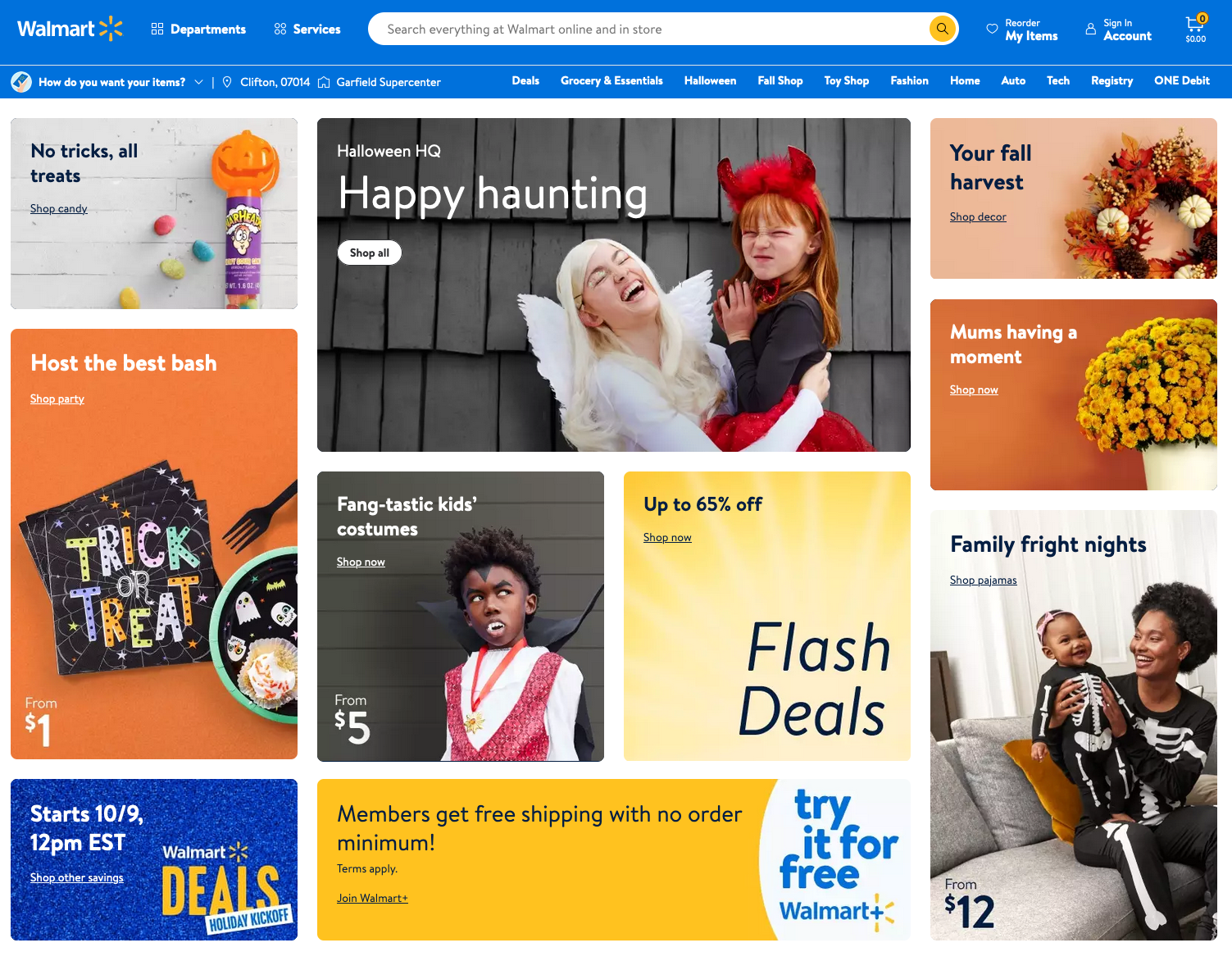
By scraping Walmart product listings, you can:
- Conduct market research to understand demand trends.
- Monitor pricing strategies and competitor positioning
- Track product availability and inventory signals.
- Analyze customer reviews and ratings for sentiment insights.
- Identify top-performing products in specific categories
For e-commerce founders, analysts, and automation builders, this data can help validate product ideas, optimize pricing, and uncover competitive opportunities without relying on guesswork.
Why use an API?
Building a Walmart scraper may take weeks or months, as Walmart has many categories and products. Walmart even blocks some scrapers by IP, and it can be slow when too many people visit.
With SerpApi, you don’t need to worry about all these distractions, we provide a high-quality Walmart scraper, that helps you scrape everything products, data on Walmart with a fast response time. Spend your time growing your business!
It does everything on the backend, with fast response times under ~1.2 seconds per request, without browser automation, which makes it much faster. Response times and status rates are shown under SerpApi Status page.
However, if you still want to set up a Walmart scraper on your own, you can visit the blog post from our Engineering Director to read his thoughts and findings:
 Illia Zub
In this tutorial, we'll cover:
- The simple method to scrape Walmart products from the search page with the Walmart Search API from SerpApi using Python or JavaScript
- Scrape the details for a specific product from Walmart
- Scrape the reviews of each product.
Scrape Walmart Search Product Data using a simple API
For teams that prefer a more stable and maintenance-free solution, SerpApi provides a dedicated Walmart Search API that exposes the same data in a structured JSON format without requiring cookie reverse-engineering or HTML parsing.
Setting up a SerpApi account
SerpApi offers a free plan for newly created accounts. Head to the sign-up page to register an account and complete your first search with our interactive playground. When you want to do more searches with us, please visit the pricing page for pricing information
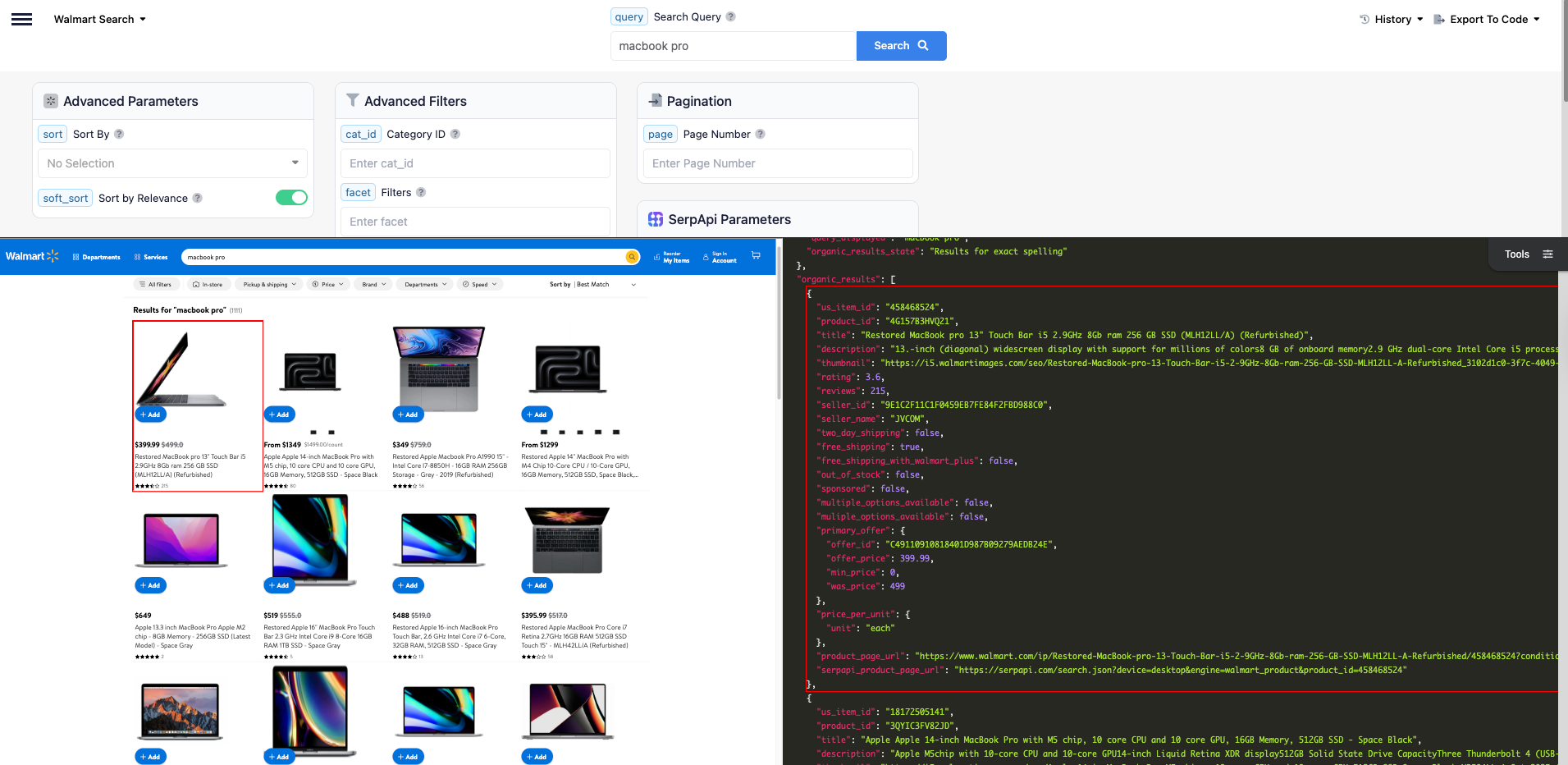
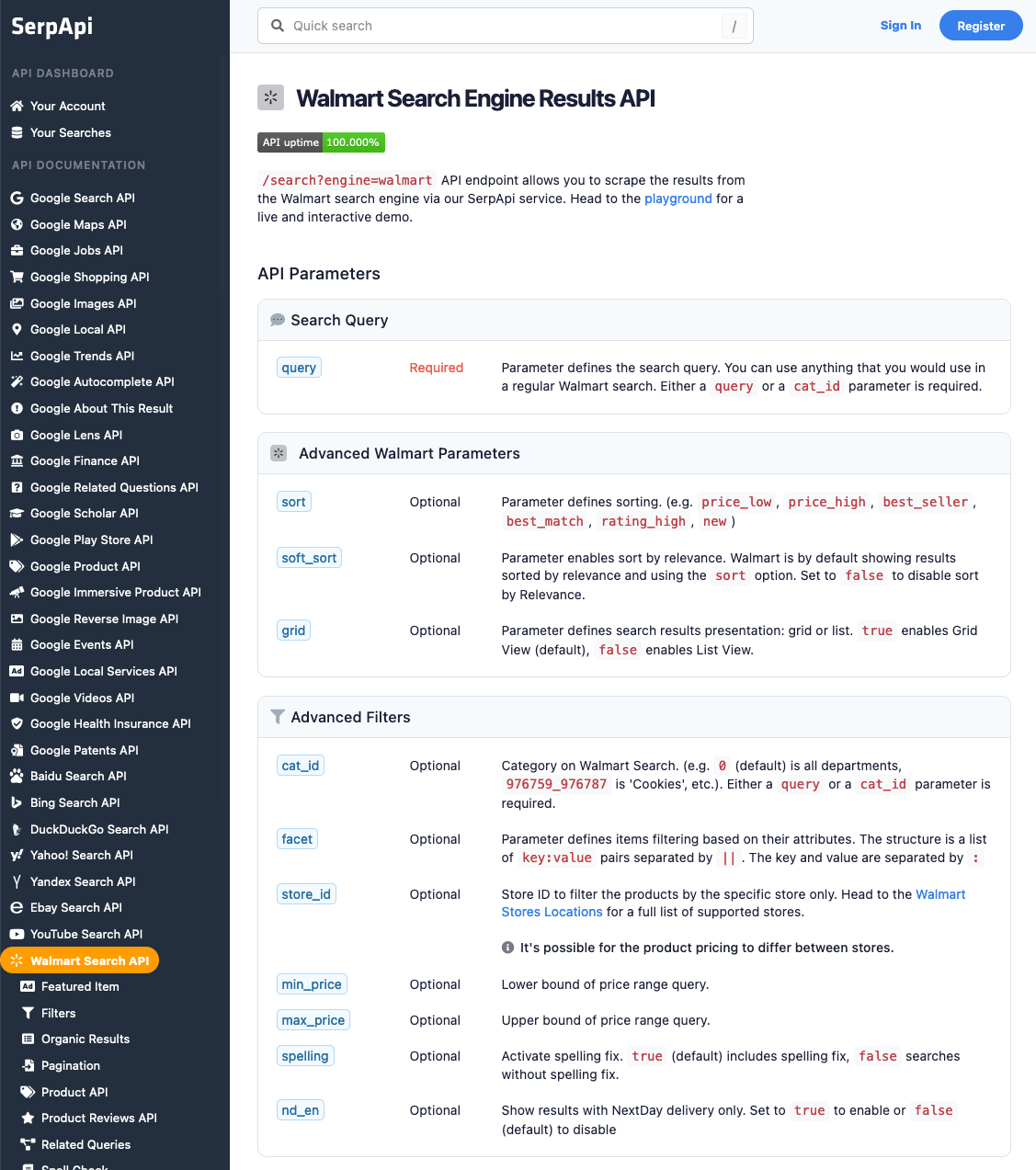
To learn more about the parameters, visit Walmart Search API documentation.
Once you are familiar with all results, you can utilize SERP APIs using your API Key.
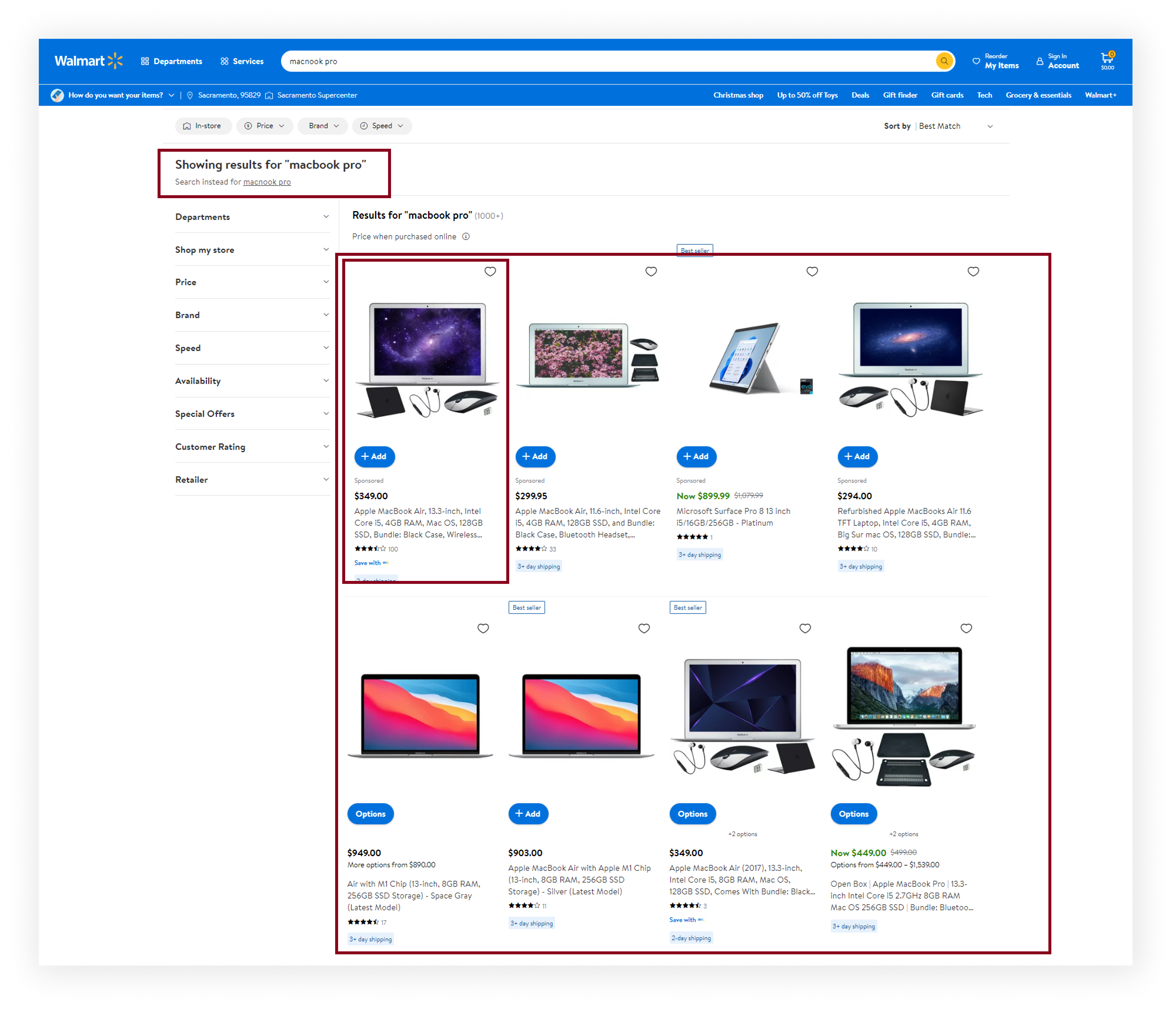
What we'll scrape
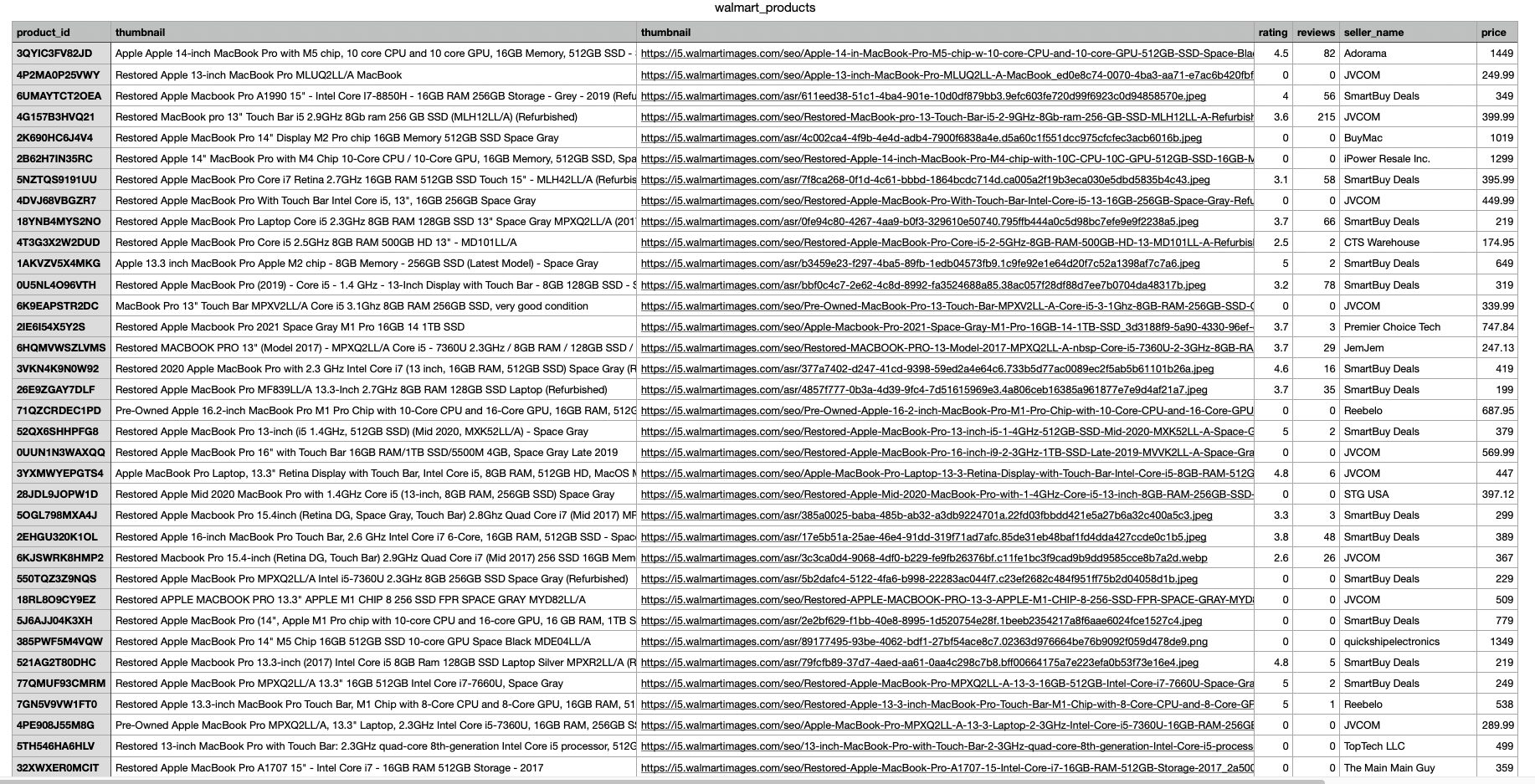
In this part of the tutorial, we will scrape and extract the organic results for all "MacBook Pro" product listings on Walmart. The data contains: "product_id", "title", "thumbnail", "rating", "reviews", "seller_name", "price", and more. You can also scrape more information with SerpApi.
Python Tutorial
First, install the SerpApi client library and python-dotenv to store your API keys.
pip install serpapi python-dotenvSet up the SerpApi credentials and search.
import serpapi
import os
from dotenv import load_dotenv

load_dotenv()
Define the parameters
params = {
    'api_key': os.getenv("SERPAPI_API_KEY"),
    'engine': 'walmart',
    'query': 'macbook pro'
}
Note: Make sure you create a .env file to store your API keys.
Initialize SerpApi Client
client = serpapi.Client()To retrieve the Walmart products for a given search query, you can use the following code:
results = client.search(params)['organic_results']You can store Walmart reviews JSON data in databases or export it to a CSV file.
import csv

header = ['product_id', 'title', 'thumbnail', 'rating', 'reviews', 'seller_name', 'price']

with open('walmart_products.csv', 'w', encoding='UTF8', newline='') as f:
    writer = csv.writer(f)

    writer.writerow(header)

    for item in results:
        print(item)
        writer.writerow([item.get('product_id'), item.get('title'), item.get('thumbnail'), item.get('rating'), item.get('reviews'), item.get('seller_name'), item.get('primary_offer', {}).get('offer_price')])
The output in CSV
JavaScript Tutorial
First, we need to create a Node.js project and add npm packages serpapi and dotenv.
To do this, in the directory with our project, open the command line and enter:
npm init -yAnd then:
npm i serpapi dotenvIf you don't have Node.js installed, you can download it from nodejs.org and follow the installation documentation.
- SerpApi package is used to scrape and parse search engine results using SerpApi. Get search results from Google, Bing, Baidu, Yandex, Yahoo, Home Depot, eBay, and more.
- dotenv package is a zero-dependency module that loads environment variables from a
.envfile intoprocess.env.
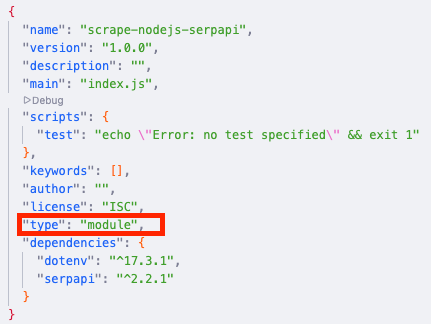
Next, we need to add a top-level "type" field with a value of "module" in our package.json file to allow using ES6 modules in Node.JS:
For now, we complete the setup of the Node.js environment for our project and move to the step-by-step code explanation.
import dotenv from "dotenv";
import { config, getJson } from "serpapi";
Then, we apply some config. Call dotenv config() method, set your SerpApi Private API key to global config object, and how many results we want to receive (resultsLimit constant).
dotenv.config();
config.api_key = process.env.SERPAPI_API_KEY; //your API key from serpapi.com
const resultsLimit = 40; // hardcoded limit for demonstration purposedotenv.config()will read your.envfile, parse the contents, assign it toprocess.env, and return an object with aparsedkey containing the loaded content or anerrorkey if it failed.config.api_keyallows you declare a globalapi_keyvalue by modifying the config object.
Next, we write search engine and write the necessary search parameters for making a request (get the full JSON list of supported Walmart Stores):
const engine = "walmart"; // search engine
const params = {
  query: "macnook pro", // Parameter defines the search query
  page: 1, // Value is used to get the items on a specific page
  device: "desktop", // Parameter defines the device to use to get the results
  store_id: "2280", //Store ID to filter the products by the specific store only
};
You can see all available parameters in the API documentation.
Next, we declare the function getResult that gets data from the page and return it:
const getResults = async () => {
  ...
};
In this function, we need to declare an object with two keys: fixedQuery is equal to null, and empty organicResults array, then using while loop get json with results, add spelling_fix to the fixedQuery on the first iteration, and add organic_results to organicResults array (push() method) from each page and set the next page index (to params.page value).
If there are no more results on the page or if the number of received results is more than reviewsLimit we stop the loop (using break) and return an array with results:
async function getResults() {
  const results = {
    fixedQuery: null,
    organicResults: [],
  };
  while (results.organicResults.length < resultsLimit) {
    const json = await getJson(engine, params);
    if (!results.fixedQuery) results.fixedQuery = json.search_information?.spelling_fix;
    if (json.organic_results) {
      results.organicResults.push(...json.organic_results);
      params.page += 1;
    } else break;
  }
  return results;
}
And finally, we run the getResults function and print all the received information in the console with the console.dir method, which allows you to use an object with the necessary parameters to change default output options:
getResults().then((result) => console.dir(result, { depth: null }));The output in JSON
{
  fixedQuery: 'macbook pro',
  organicResults: [
    {
      us_item_id: '18172505141',
      product_id: '3QYIC3FV82JD',
      title: 'Apple Apple 14-inch MacBook Pro with M5 chip, 10 core CPU and 10 core GPU, 16GB Memory, 512GB SSD - Space Black',
      description: 'Apple M5chip with 10-core CPU and 10-core GPU14-inch Liquid Retina XDR display512GB Solid State Drive CapacityThree Thunderbolt 4 (USB-C) ports, SDXC card slot, HDMI',
      thumbnail: 'https://i5.walmartimages.com/seo/Apple-14-in-MacBook-Pro-M5-chip-w-10-core-CPU-and-10-core-GPU-512GB-SSD-Space-Black-MDE04LL-A-Oct-2025_4e3b8c12-f9f5-48d3-a583-d88c4c43eba8.0e0f740308ed071c0fa921b14f18c6da.jpeg?odnHeight=180&odnWidth=180&odnBg=FFFFFF',
      rating: 4.5,
      reviews: 82,
      seller_id: '1F94731C2621441B90812CB343D18B39',
      seller_name: 'Adorama',
      two_day_shipping: false,
      free_shipping: true,
      free_shipping_with_walmart_plus: false,
      out_of_stock: false,
      sponsored: false,
      multiple_options_available: true,
      muliple_options_available: true,
      variant_swatches: [
        {
          name: 'Silver',
          swatch_image_url: 'https://i5.walmartimages.com/asr/980656ef-eaed-4bd9-87d2-ad83739131f8.df66ce8d1b2765b9e25e0af55f20805c.jpeg?odnBg=FFFFFF&odnHeight=30&odnWidth=30',
          image_url: 'https://i5.walmartimages.com/asr/980656ef-eaed-4bd9-87d2-ad83739131f8.df66ce8d1b2765b9e25e0af55f20805c.jpeg?odnHeight=180&odnWidth=180&odnBg=FFFFFF',
          product_page_url: 'https://www.walmart.com/ip/Apple-14-in-MacBook-Pro-M5-chip-w-10-core-CPU-and-10-core-GPU-512GB-SSD-Silver-MDE44LL-A-Oct-2025/18126271773?classType=undefined&variantFieldId=actual_color',
          variant_field_id: '23B2WIWEN67T'
        },
        {
          name: 'Space Black',
          swatch_image_url: 'https://i5.walmartimages.com/asr/6f4f492f-555c-4c85-ac10-2dc2c1498833.0e0f740308ed071c0fa921b14f18c6da.jpeg?odnBg=FFFFFF&odnHeight=30&odnWidth=30',
          image_url: 'https://i5.walmartimages.com/asr/6f4f492f-555c-4c85-ac10-2dc2c1498833.0e0f740308ed071c0fa921b14f18c6da.jpeg?odnHeight=180&odnWidth=180&odnBg=FFFFFF',
          product_page_url: 'https://www.walmart.com/ip/Apple-14-in-MacBook-Pro-M5-chip-w-10-core-CPU-and-10-core-GPU-1TB-SSD-Space-Black-MDE14LL-A-Oct-2025/18124851966?classType=undefined&variantFieldId=actual_color',
          variant_field_id: '1UTQMBM8AWVX'
        }
      ],
      primary_offer: {
        offer_id: '623E276C004034E99A522BD7B96E90A3',
        offer_price: 1449,
        min_price: 1349
      },
      price_per_unit: { unit: 'each', amount: '$1449.00/count' },
      product_page_url: 'https://www.walmart.com/ip/Apple-14-in-MacBook-Pro-M5-chip-w-10-core-CPU-and-10-core-GPU-512GB-SSD-Space-Black-MDE04LL-A-Oct-2025/18172505141?classType=VARIANT&athbdg=L1103',
      serpapi_product_page_url: 'https://serpapi.com/search.json?device=desktop&engine=walmart_product&product_id=18172505141'
    },
    ... and other results
   ]
}
These examples use Python and JavaScript; you can use your favorite programming languages, such as Ruby, Java, PHP, or many more.
Scrape Walmart Product Details
In this part of the blog post, we'll go through the process of extracting product data from Walmart using Walmart Product API and the Python programming language.
In order to successfully extract Walmart Product results, you will need to pass the product_id parameter, which is responsible for a specific product. You can get product_id from:
- The Walmart product URL itself

product_id from URL- Extract this parameter from the Walmart Search results. Refer to the output in CSV and JSON for Python and JavaScript, respectively.
Test it on our interactive playground
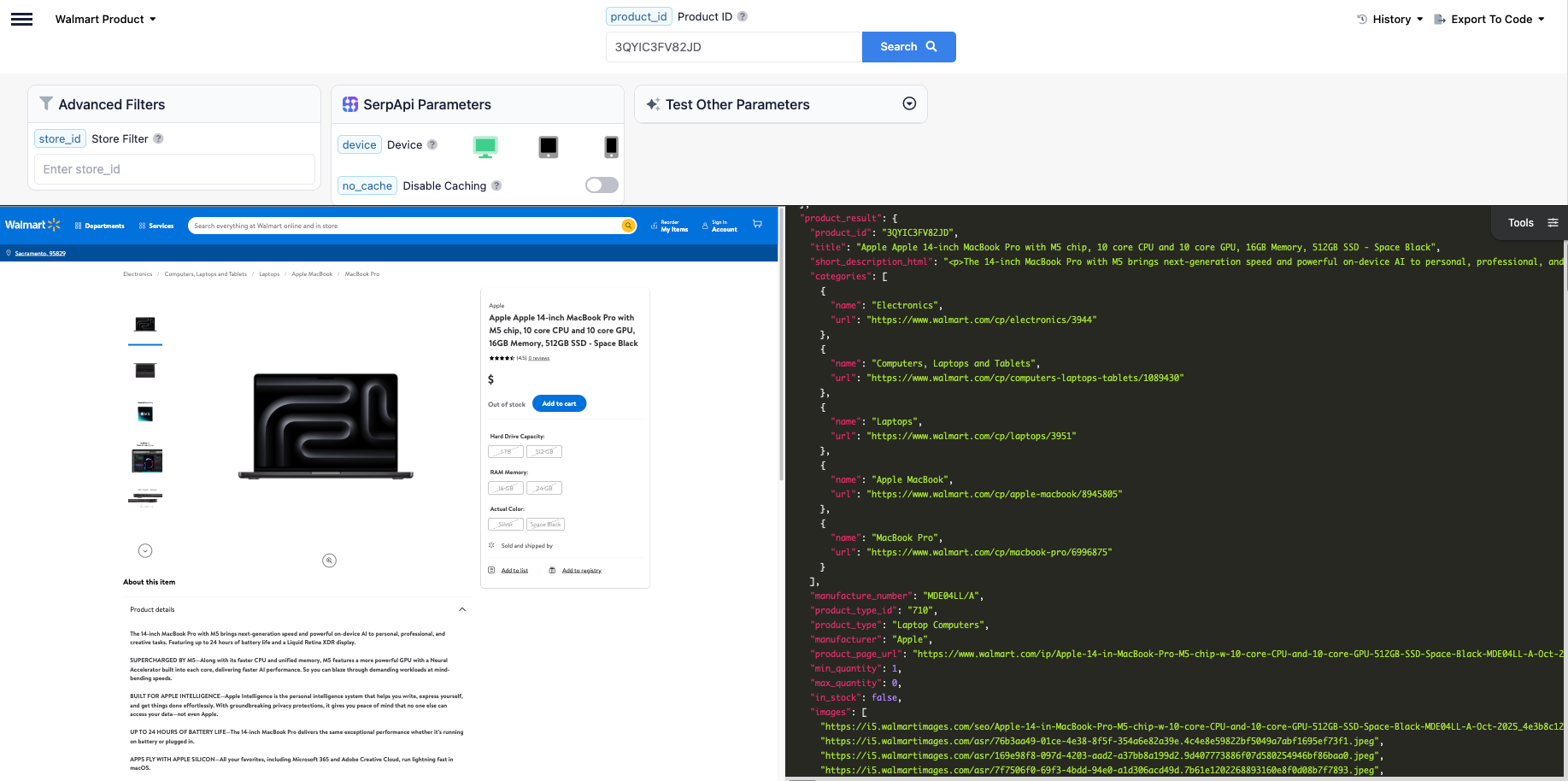
To learn more about the parameters, visit Walmart Product API documentation.
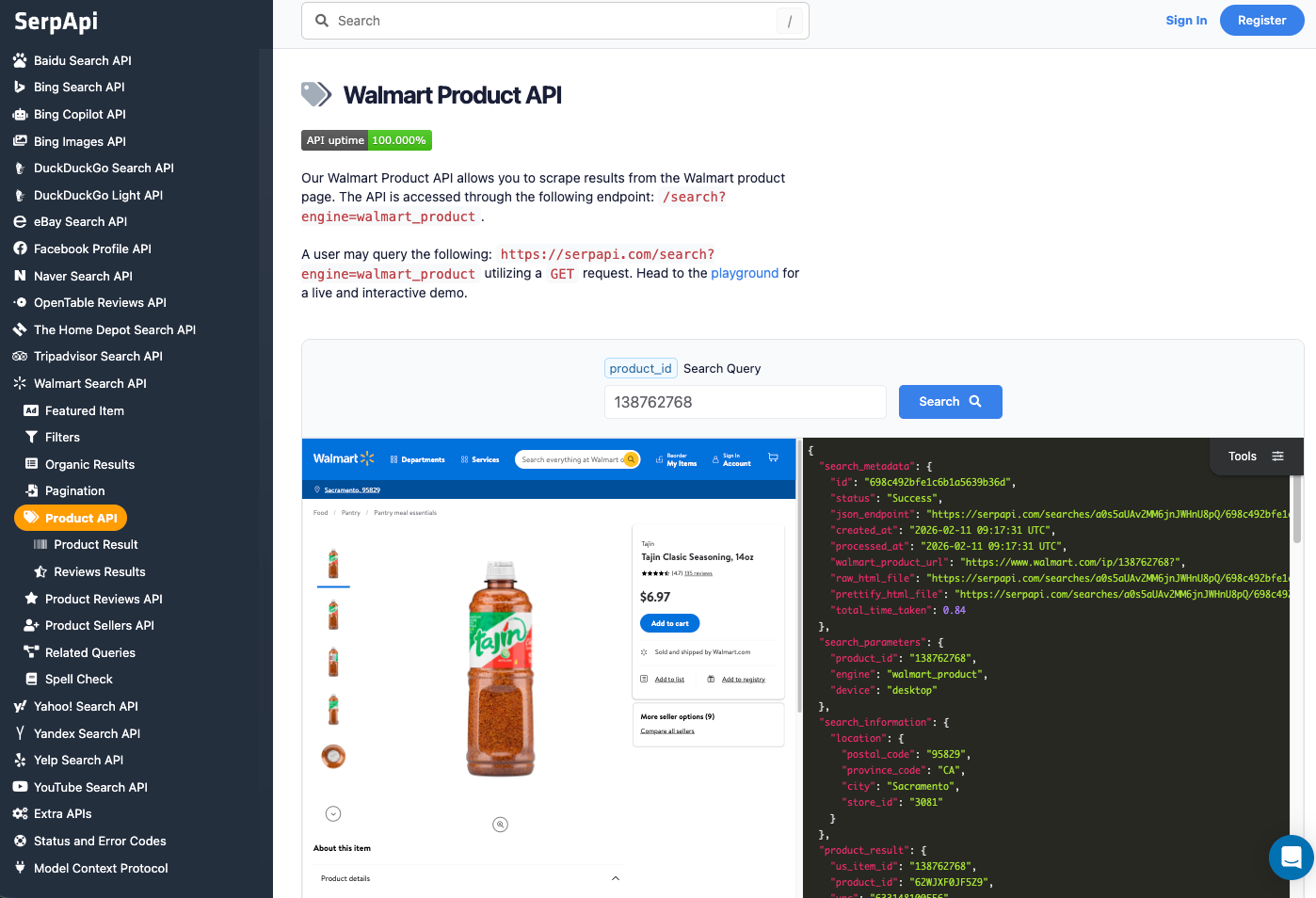
What we'll scrape
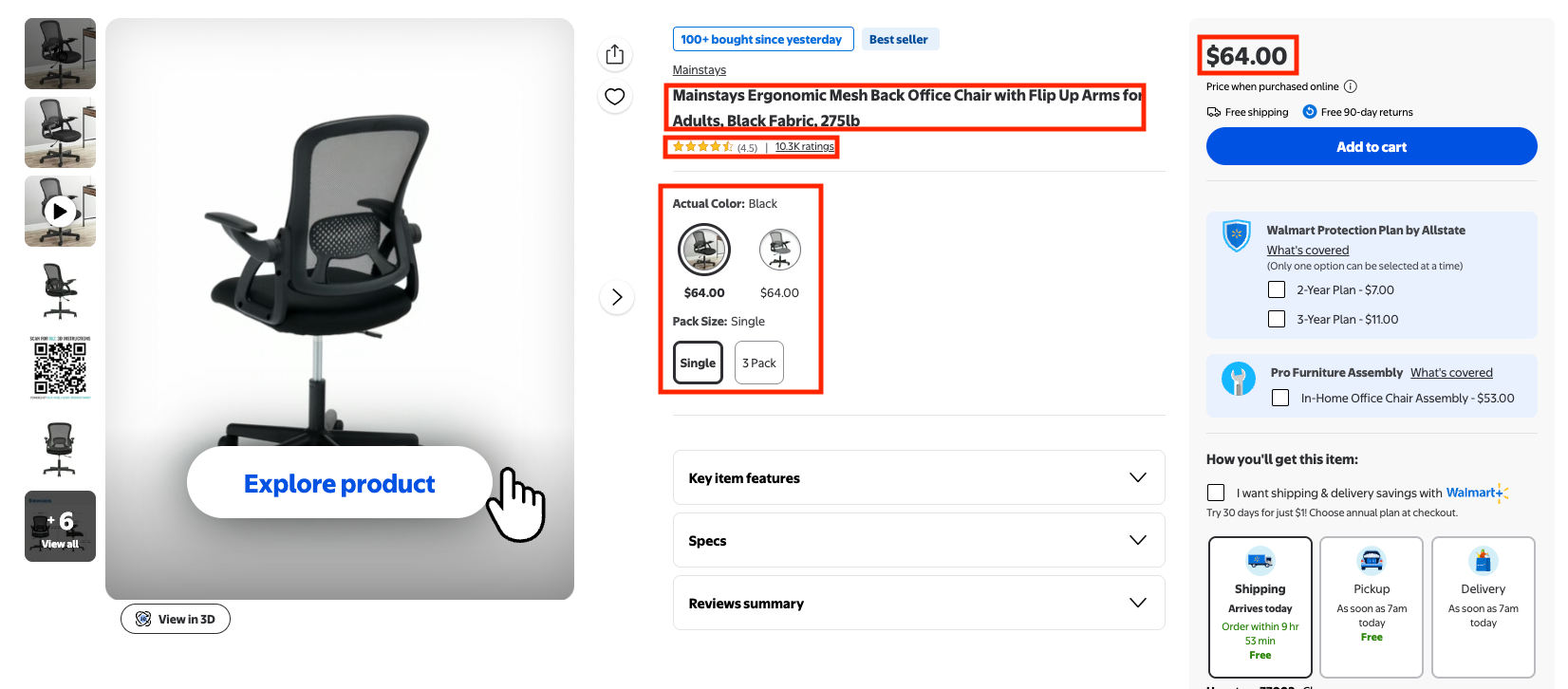
In this part of the tutorial, we'll scrape the "full title", "product URL", "price", "product ratings", "number of reviews", "product variations" and "product details".
Refer to the video below if you prefer a video version.
Python Tutorial
After installing the serpapi-python package, import these libraries and your api keys
import serpapi
import os, json
from dotenv import load_dotenv
import json

load_dotenv()
Define the parameters
params = {
    'api_key': os.getenv("SERPAPI_API_KEY"),
    'engine': 'walmart_product',
    'product_id': '2205851521'
}
Note: Make sure you create a .env file to store your API keys.
Initialize SerpApi Client
client = serpapi.Client()Send Walmart product request:
results = client.search(params)Extract product URL
product_url = results.get('search_metadata', {}).get('walmart_product_url')Extract main product info:
products = results.get('product_result', {})

title = products.get('title')
price = products.get('price_map', {}).get('price')
rating = products.get('rating')
no_of_reviews = products.get('reviews')
product_details = products.get('short_description_html', {})
variations = products.get('variant_swatches', [])
Print the product's details and extract the variations:
print(f"Title: {title}")
print(f"Product URL: {product_url}")
print(f"Price: {price}")
print(f"Rating: {rating}")
print(f"Number of reviews: {no_of_reviews}")
print(f"Product details: {product_details}")
print("Variations:")
for variation in variations:
    available_selections = variation.get('available_selections', [])
    for selection in available_selections:
        if isinstance(selection, dict) and 'products' in selection:
            print(f"  Selection name: {selection.get('name')}")
            print(f"  Swatch image: {selection.get('swatch_image_url')}")
            for product in selection['products']:
                product_id = product.get('product_id')
                price = product.get('price_map', {}).get('price')
                currency = product.get('price_map', {}).get('currency')
                in_stock = product.get('in_stock')
                print(f"    Product ID: {product_id}, Price: {price} {currency}, In Stock: {in_stock}")
The output extracted
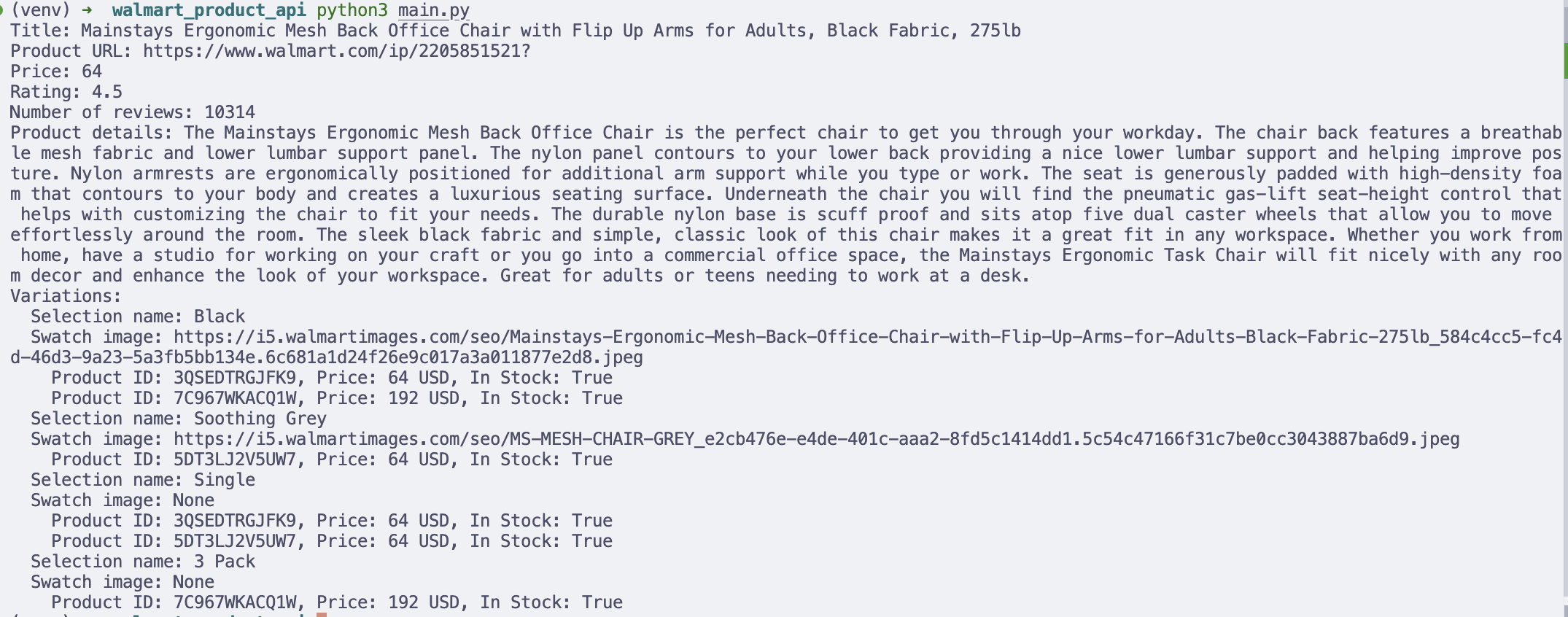
Printing results in the terminal is useful for debugging, but in real workflows, you may want to store the data for analysis.
For example, you can save product variant data into a CSV file and open it in Excel or Google Sheets.
Scrape Walmart Reviews Results
Now, let's move on to scrape the reviews results for a specific products.
Same as the previous part, in order to successfully extract Walmart Product reviews, you will need to pass the product_id parameter, which you can get product_id from:
- The Walmart product URL itself
product_id from URL- Extract this parameter from the Walmart Search results. Refer to the output in CSV and JSON for Python and JavaScript, respectively.
Test it on our interactive playground
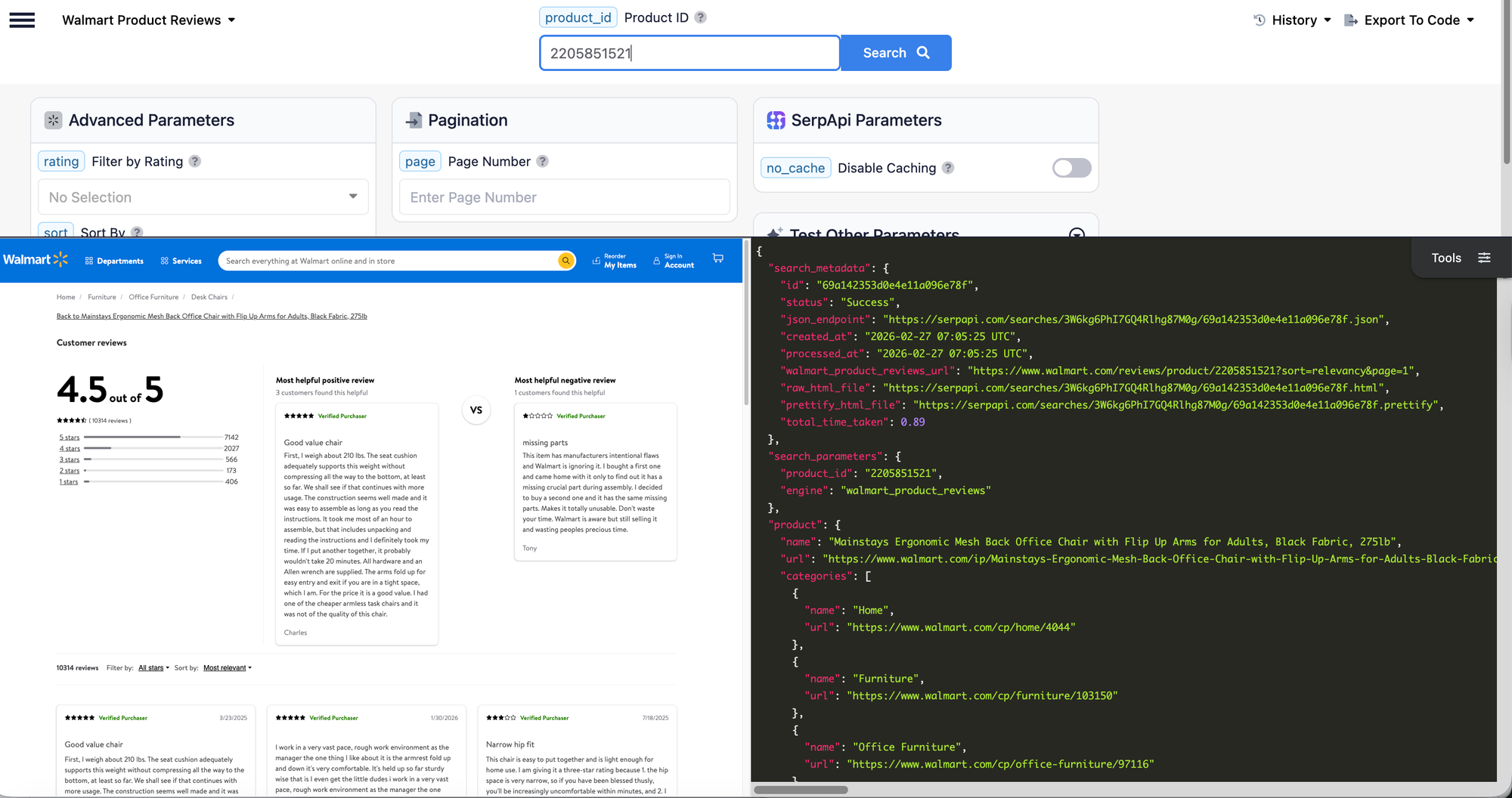
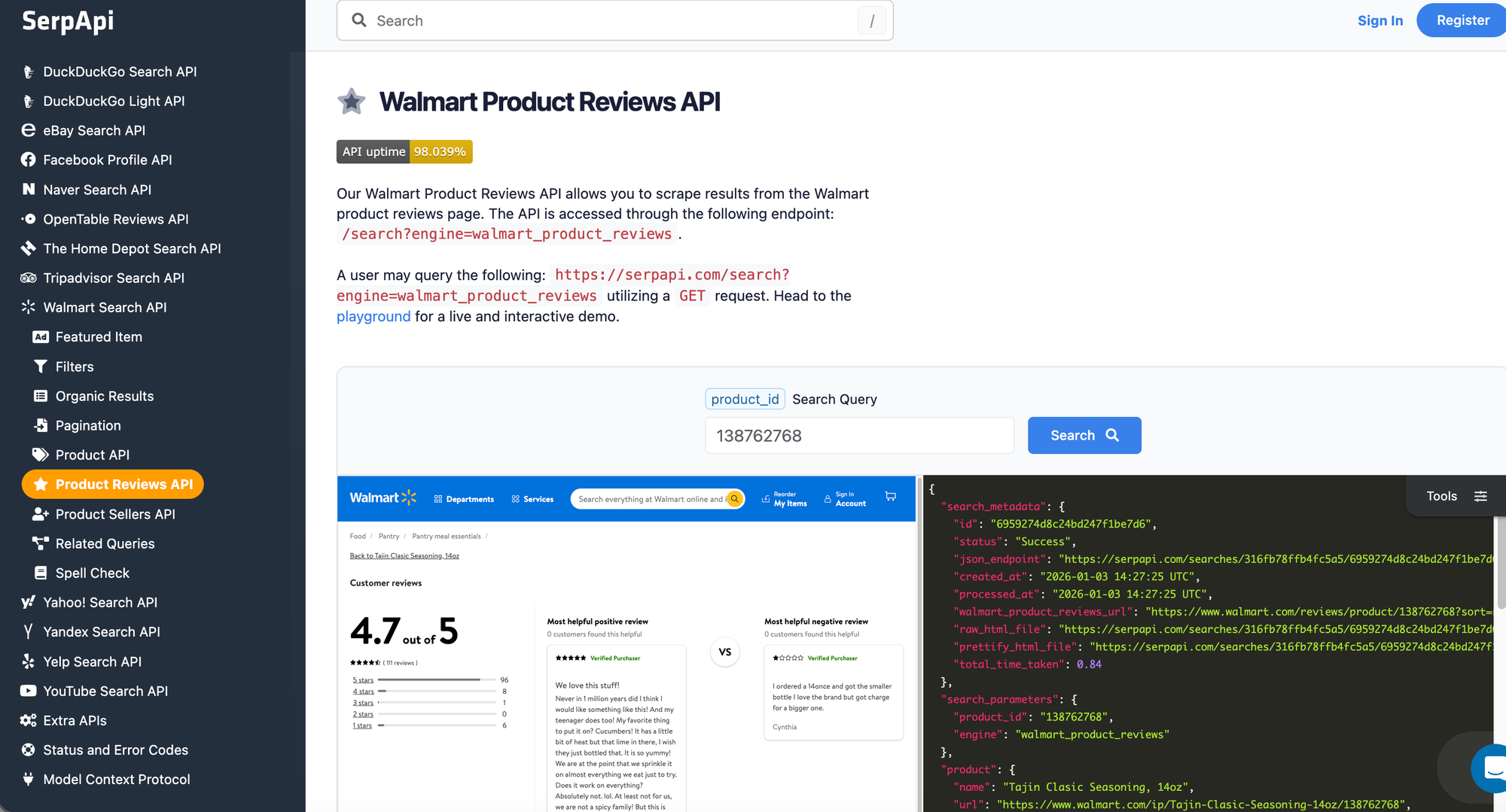
To learn more about the parameters, visit Walmart Product Reviews API documentation.
What we'll scrape
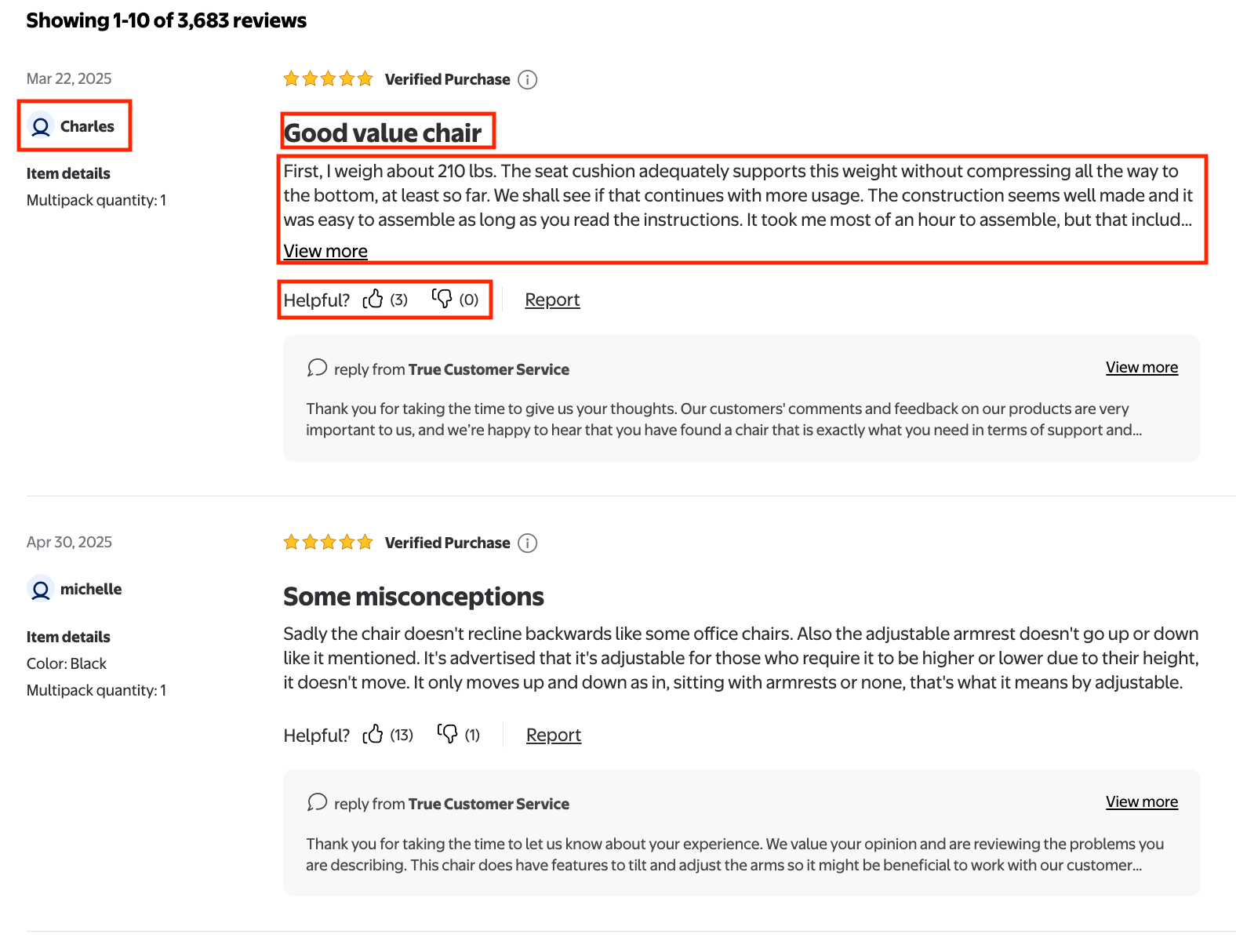
The data that we'll scrape from this part are "title", "rating", "review text", "positive and negative feedback", "Review submission time", "User nickname", and "Customer type" for all the reviews on the page.
Python Tutorial
After installing the serpapi-python package, import these libraries and your api keys
import serpapi
import os, json
from dotenv import load_dotenv
import json

load_dotenv()
Define parameters
params = {
    'api_key': os.getenv("SERPAPI_API_KEY"),
    'engine': 'walmart_product_reviews',
    'product_id': '2205851521',
    'page': 1
}
Note: Make sure you create a .env file to store your API keys. We use page parameter, this parameter is optional, but since some reviews are more than 1 page, we can loop through all pages to get reviews from other pages as well. By default, one page consists of 20 reviews.
Initialize SerpApi Client
client = serpapi.Client()Send Walmart product reviews request:
results = client.search(params)reviews = results.get('reviews', {})
print("Reviews:")
for review in reviews:
title = review.get('title')
review_text = review.get('text')
rating = review.get('rating')
positive_feedback = review.get('positive_feedback')
negative_feedback = review.get('negative_feedback')
review_submission_time = review.get('review_submission_time')
user_nickname = review.get('user_nickname')
customer_type = review.get('customer_type')
print(f"Title: {title}")
print(f"Review text: {review_text}")
print(f"Rating: {rating}")
print(f"Positive feedback: {positive_feedback}")
print(f"Negative feedback: {negative_feedback}")
print(f"Review submission time: {review_submission_time}")
print(f"User nickname: {user_nickname}")
print(f"Customer type: {customer_type}")
print("-" * 50)The output
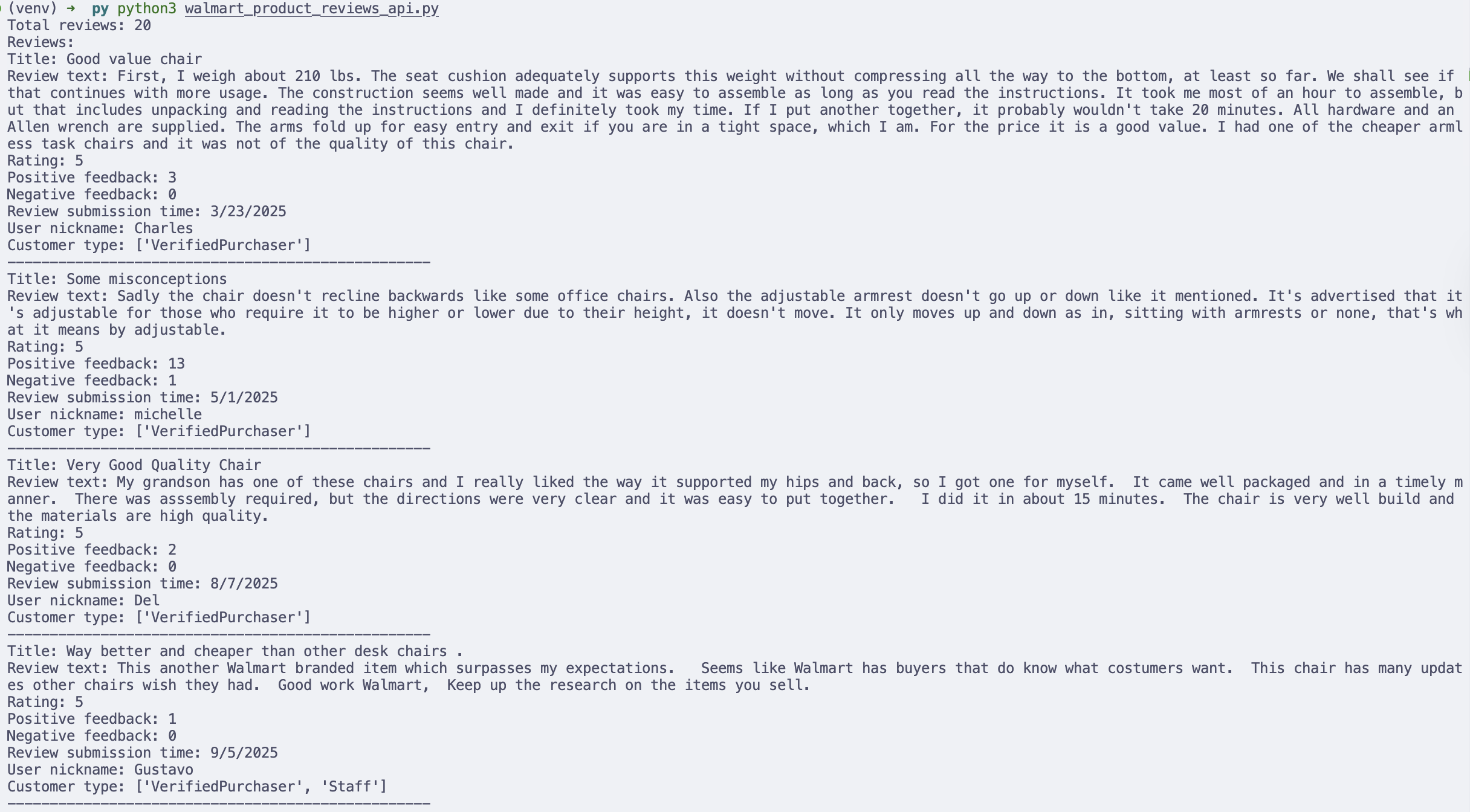
Printing results in the terminal is useful for debugging, but in real workflows, you may want to store the data for analysis.
For example, you can save product variant data into a CSV file and open it in Excel or Google Sheets.
Conclusions
Walmart hosts an enormous catalog of products, pricing signals, and customer feedback, making it a valuable data source for e-commerce teams, researchers, and automation builders. However, building and maintaining a reliable Walmart scraper can quickly become complex due to anti-bot protections, site changes, and infrastructure overhead.
In this tutorial, we demonstrated how SerpApi simplifies the entire process by providing structured Walmart data through a stable API. You learned how to:
- Retrieve product listings from Walmart search results
- Extract detailed information for a specific product
- Collect customer reviews for deeper sentiment and feedback analysis
- Export results into formats like CSV for downstream workflows and analysis
Ready to start collecting Walmart data without the hassle of maintaining a scraper? Create your free SerpApi account today and begin scraping structured Walmart search, product, and review data in minutes.
Contact us at contact@serpapi.com if you have any questions.
Related post
If you’re interested in learning what you can do with Walmart product data after scraping it, check out the blog posts below:
 Dmitriy Zub
 Charles Mabwa
 Artur Chukhrai
 Mikhail Zub