Google Local Services API
 Google Travel Explore API
 Baidu Search API
 Bing Search API
 DuckDuckGo Search API
 eBay Search API
 Naver Search API
 The Home Depot Search API
 Tripadvisor Search API
 Walmart Search API
 Ruby
Ruby
 Golang
 .Net
.Net
 C++
C++

Introduction
Google Lens is an extremely powerful tool, by allowing users to search using images or image links, it helps users easily find more information about products, places, and more!
Beyond searching, Google Lens allows for showing only Exact Matches, Products, Visual matches, and also results with information about the image queried with their About this image tab.
SerpApi helps you scraping Google Lens and all its different tabs. Let's see how we can scrape the About this image section:
Scraping About This Image tab on Google Lens
Scraping Google Lens results using SerpApi's Google Lens API is completely frictionless. We can choose which Google Lens tab we want to scrape by only changing the request parameter type to any of the available options: all (default), exact_matches, products, visual_matches, and finally about_this_image, which is the type needed to scrape the About This Image tab.

about_this_image value for the type parameter in SerpApi's Google Lens API.What is available on Google Lens About This Image results
All the results related to About This Image tab is returned under the about_this_image hash.
It's split into the header hash, that comes with title and image (link), and the sections array, which shows the position of the section, its title and page_results, which is where the pages about the image queried are located.
There's a lot of information scraped in these page_results, such as page position, title, link, source, displayed_link, date, snippet, thumbnail, and favicon.
Let's create a SerpApi account so we can start scraping Google Lens and all other Search Engines SerpApi offers:
Setting Up a SerpApi Account
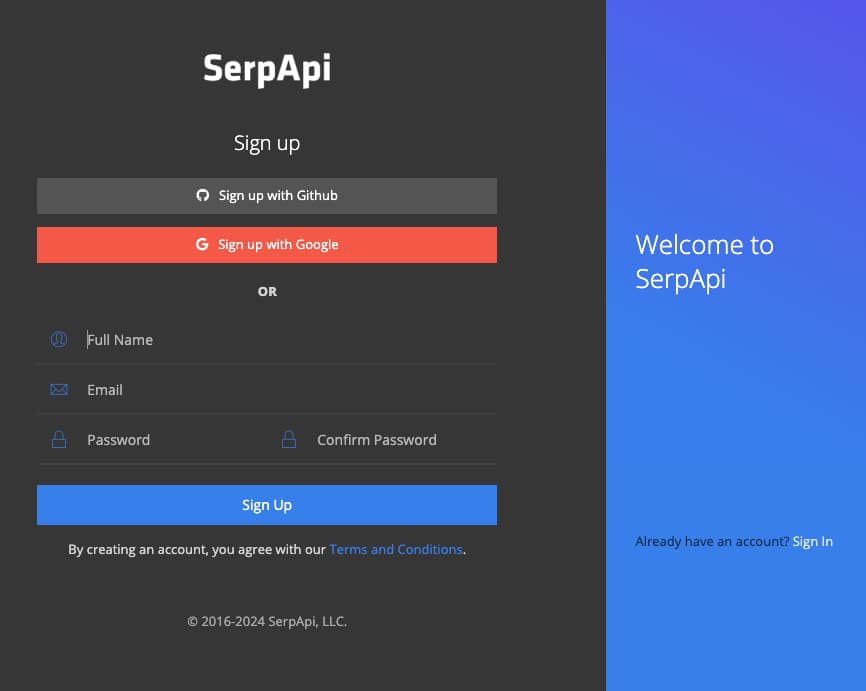
First, we need to create a SerpApi account. SerpApi has a Free tier that offers up to 250 searches per month.
Let's head to the sign-up page to create an account. Provide a valid email and a valid phone number in order to access your account's dashboard.
Exploring Google Lens API About This Image
Now that we have an account, we can sign in and use SerpApi's Playground technology to explore all the information we can get from Google Lens API, including the About This Image tab.
For this example, we're scraping Google Lens API About This Image (engine: google_lens, type: about_this_image) for the Danny DeVito image (url: https://i.imgur.com/HBrB8p0.png). We can also change the type parameter to see what else we can get when we set it to all, exact_matches, products, and visual_matches.
Integrating SerpApi with your application
Exploring SerpApi's vast diversity of Search APIs using Playground is a lot of fun, but to get the most out of SerpApi's services it's best to use the results from Search Engines directly in your application programmatically.
In order to send requests to SerpApi, we will need your unique secret API key that can be copied right from your dashboard:
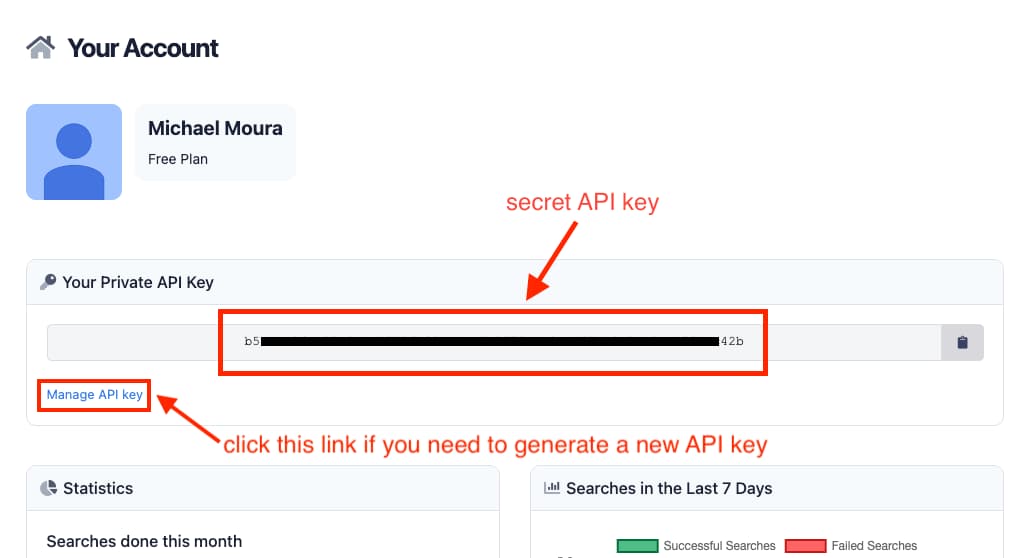
Your API key is unique to you and you should never share it anywhere to avoid other people using your account, but in case you accidentally expose your API key, you can easily generate a new one from the Manage API key page (if you generate a new API key, don't forget to update your application code with the newly generated API key).
Check out the documentation for SerpApi libraries based on the programming language you use:
To demonstrate how simple it is to use SerpApi in your code, here's all you'd need to do to retrieve Google Lens API About This Image results from your application using the Ruby language, as you can also see in SerpApi's Google Lens API About This Image documentation page:
require "serpapi"

client = SerpApi::Client.new(
  engine: "google_lens",
  url: "https://i.imgur.com/HBrB8p0.png",
  type: "about_this_image",
  api_key: "YOUR_SECRET_API_KEY"
)

results = client.search
about_this_image_results = results[:about_this_image]
That's all there is to it. Integrating SerpApi is extremely simple and straightforward. You can explore how to use all other Search Engine APIs offered by SerpApi at our documentation page, and play around with each of them using SerpApi's Playground feature.
Have fun! 😃
Enjoyed learning about Google Lens About This Image and want to build fun projects using SerpApi's Google Lens API?
I got you covered! Why don't you get started with these:
 Terry Tan
 Hilman Ramadhan
 Nathan Skiles
 Hilman Ramadhan