Does Google have its own e-commerce platform? Not exactly.

Google Shopping is a product discovery and comparison service provided by Google. It allows users to search for products, compare prices, and view offers from multiple online retailers, but the actual purchase happens on the retailer's website, not on Google itself.

Google Shopping aggregates product data such as prices, availability, and merchant information to help users make informed buying decisions, acting as a bridge between shoppers and online stores rather than a marketplace. This aggregated product data is surfaced across different Google products depending on how and where users search.
Scraping Google product results allows businesses and developers to conduct price comparison research, monitor competitors, identify market trends, track promotions, and optimize product strategies using real-world search data.

In this guide, you’ll learn how to scrape Google Shopping results and product data using SerpApi without managing scraping infrastructure like proxies, captchas, or browser automation.

Understanding Google Shopping Result Types

Depending on the search context, device, and Google product being used, Google surfaces product data in several distinct formats, each designed for a different stage of product discovery and comparison:

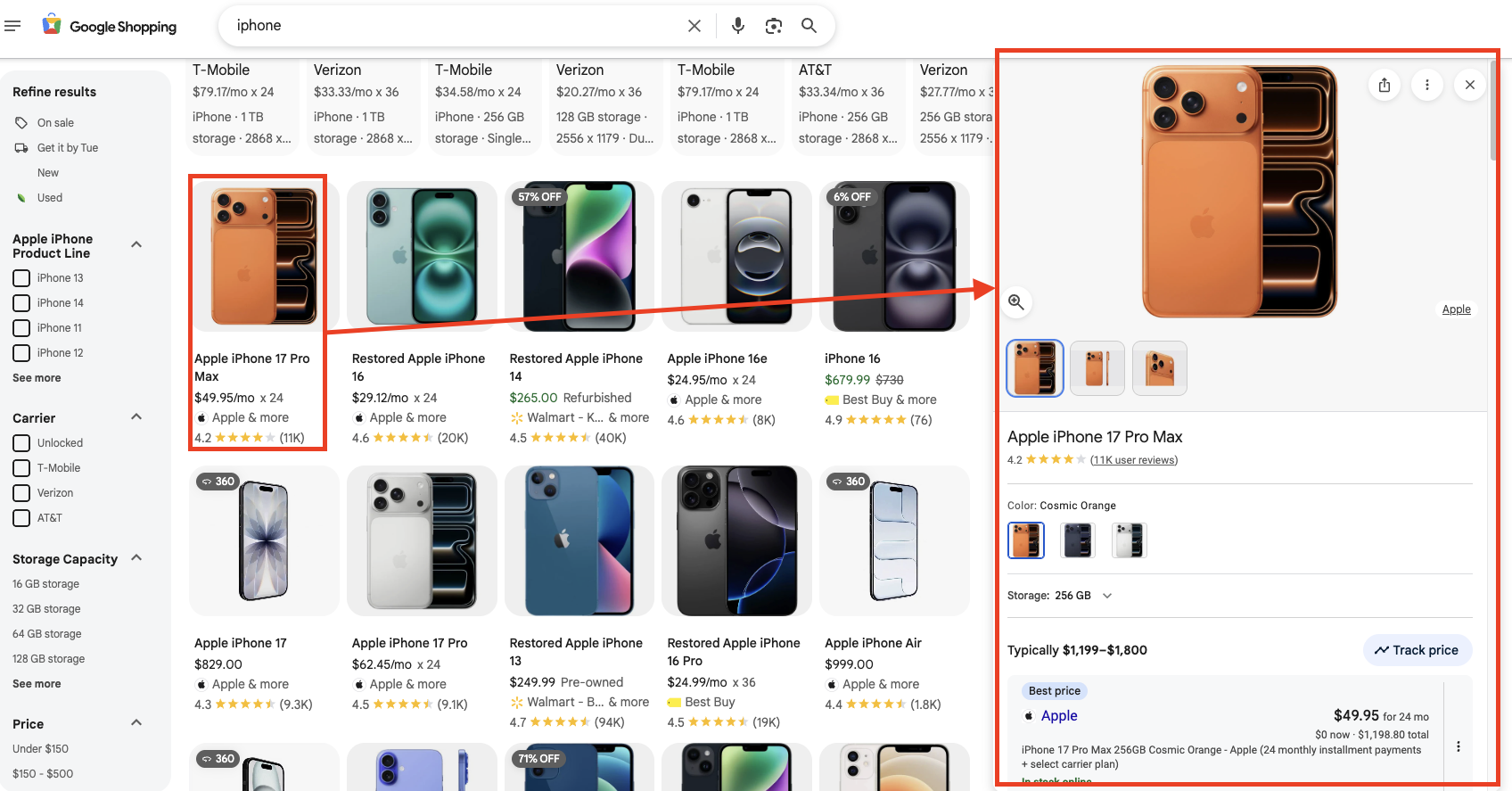
  • Google Shopping results page: A standalone product aggregation experience available at "shopping.google.com".
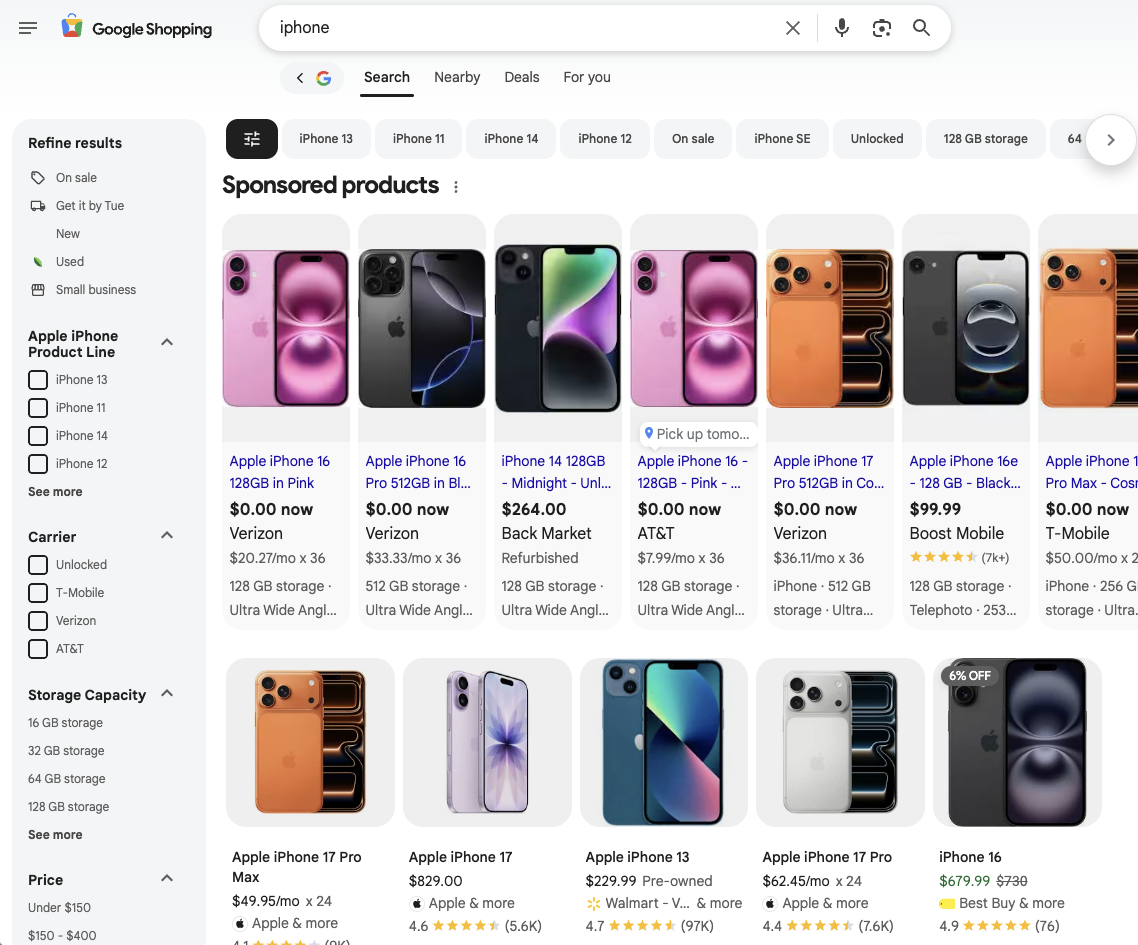
  • Google Shopping Inline Results: Product listings under the "Sponsored" section.
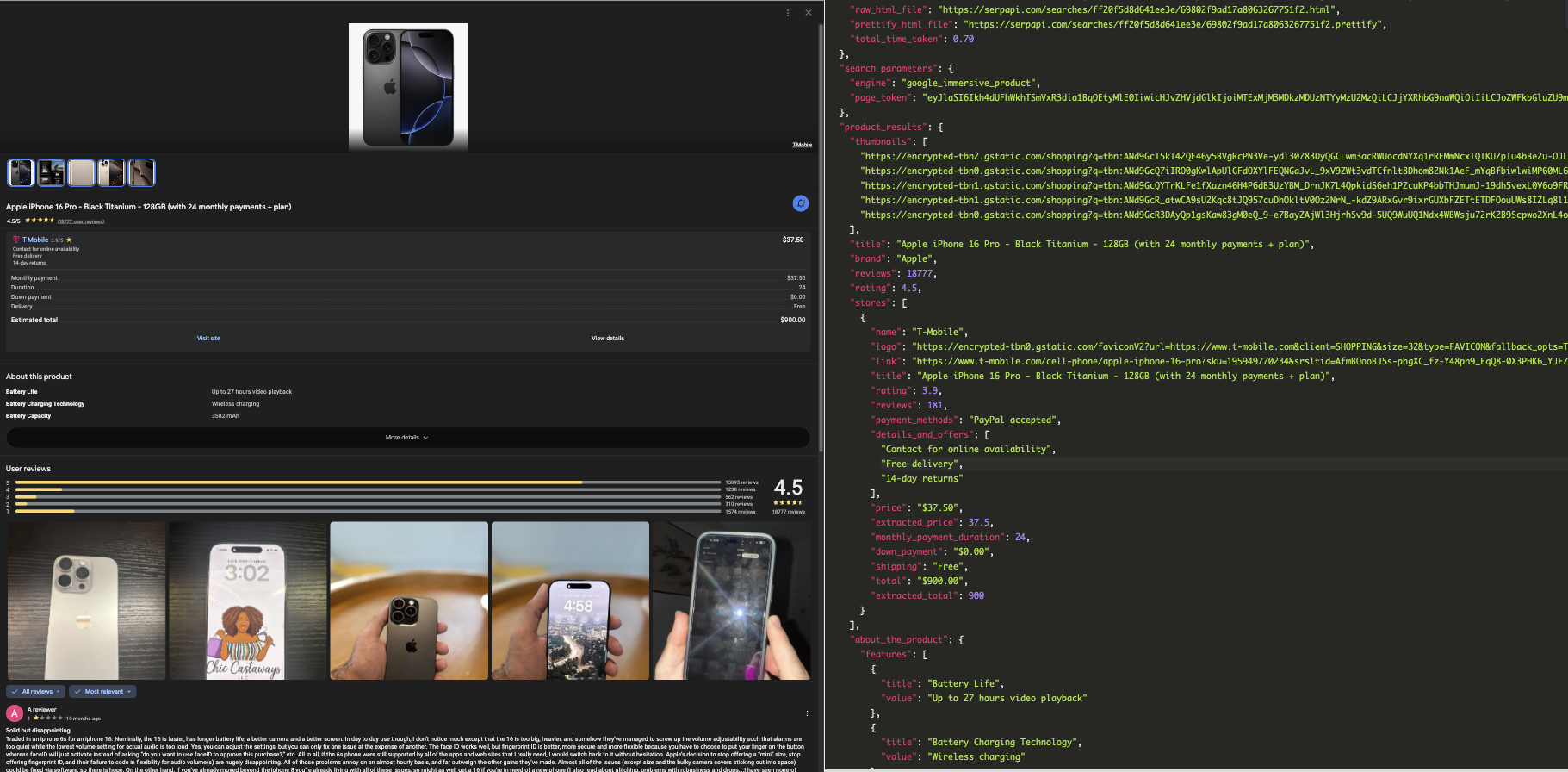
  • Product details: A detailed product view that appears after clicking on a product from search results, grouping the same product from multiple stores with additional details such as similar products and style ideas.
Google Shopping Result Page
Google Inline Shopping Results
Product Details on Google Shopping

Setting up a SerpApi account

SerpApi offers a free plan for newly created accounts. Head to the sign-up page to register an account and complete your first search with our interactive playground. When you want to do more searches with us, please visit the pricing page.
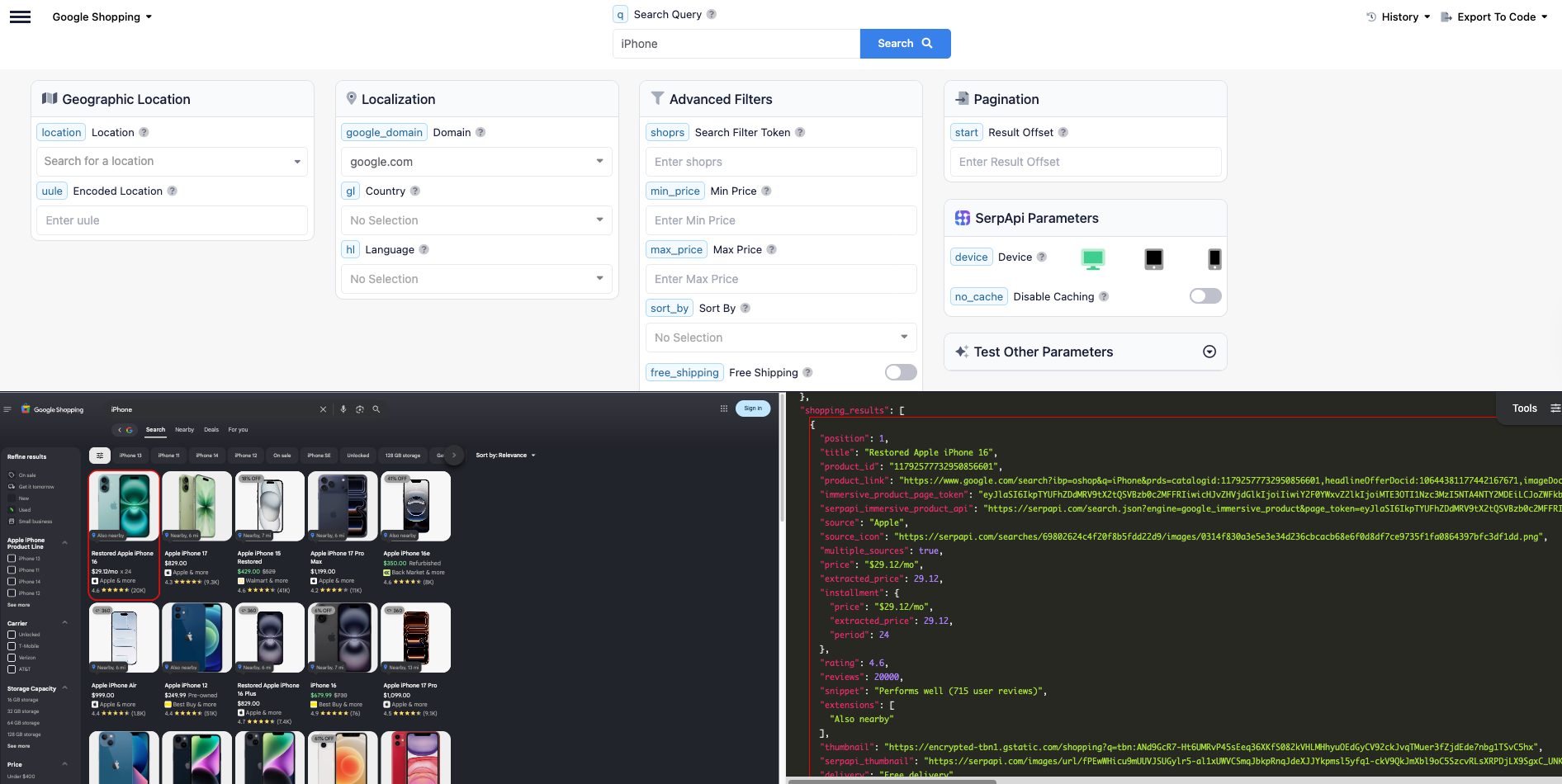
Once you are familiar with all results, you can utilize SERP APIs with your API Key.

Part 1: Scrape Google Shopping Results

Head to the Google Shopping Results documentation on SerpApi for details.
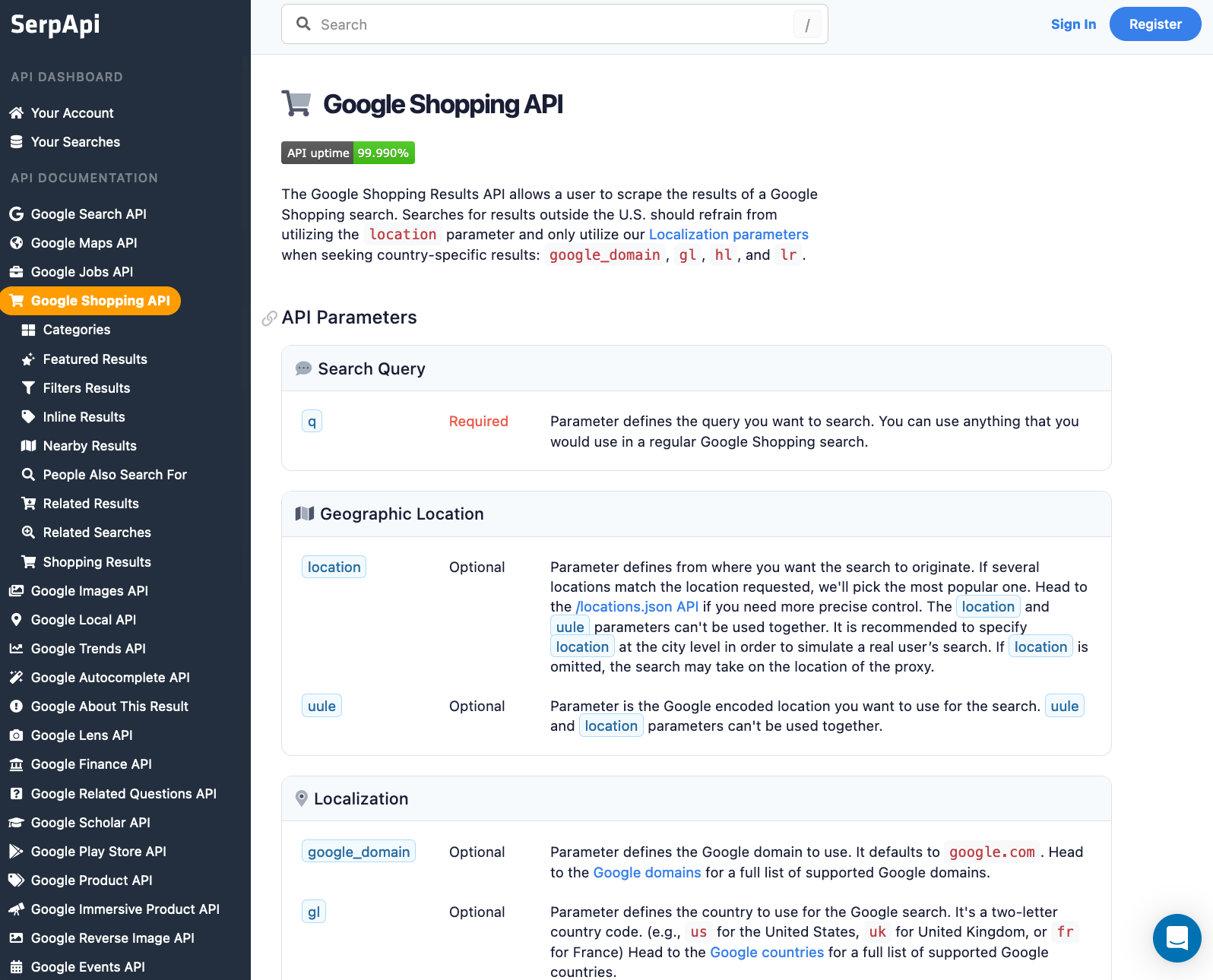
Google Shopping API documentation

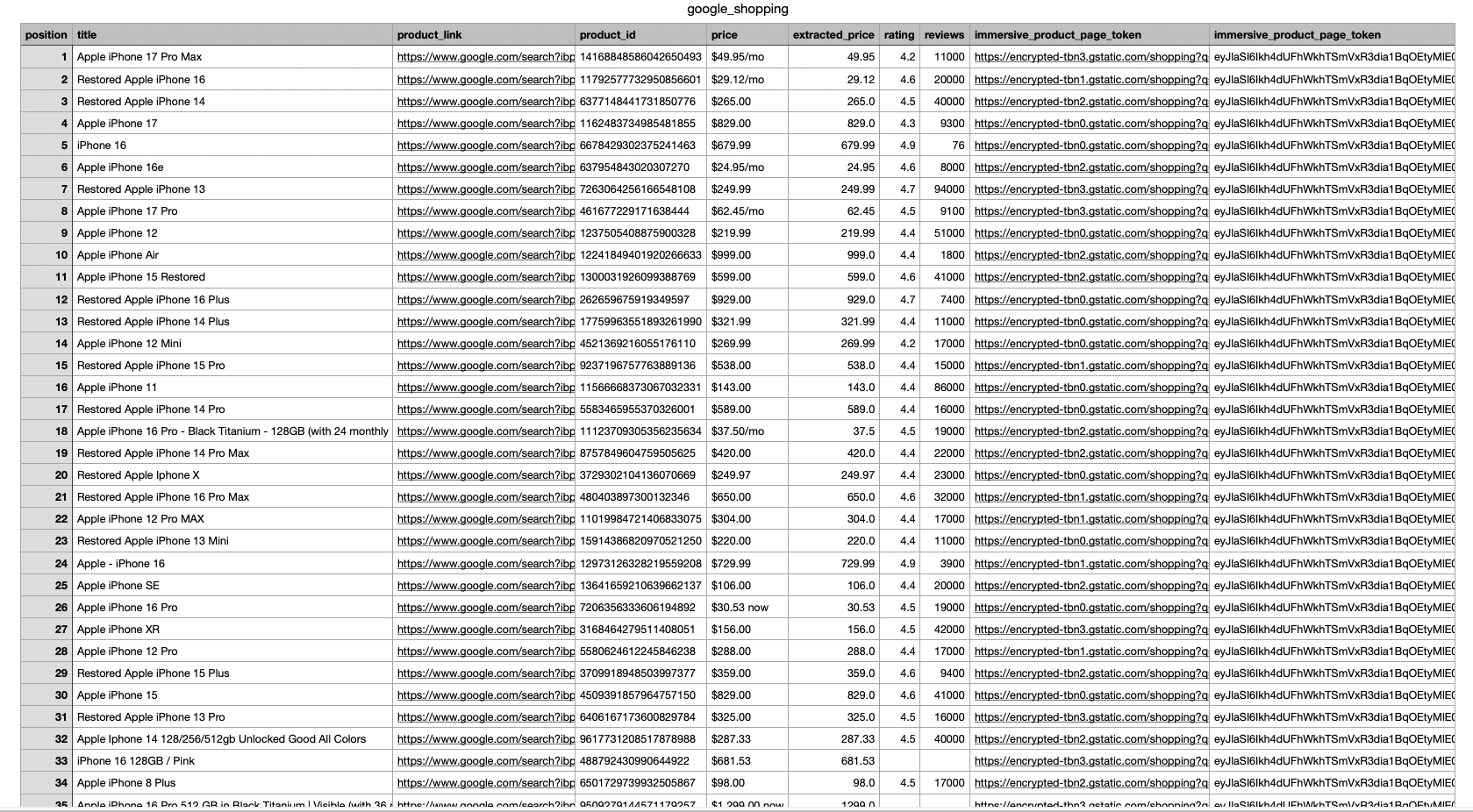
In this example, we scrape Google Shopping results for the keyword "iphone". The response includes fields such as position, title, link, product_id, price, extracted_price, rating, reviews, thumbnail, and more.

First, install the SerpApi client library.

pip install google-search-results

Set up the SerpApi credentials and search.

import serpapi, os, json

params = {
    'api_key': 'YOUR_API_KEY',         # your serpapi api
    'engine': 'google_shopping',       # SerpApi search engine	
    'q': 'iphone'
}

To retrieve Google Shopping Results for a given search term, you can use the following code:


results = serpapi.Client().search(params).get_dict()['shopping_results']

You can store Google Shopping Results JSON data in databases or export it to a CSV file.

import csv

header = ['position', 'title', 'link', 'product_id', 'price', 'extracted_price', 'rating', 'reviews', 'thumbnail']

with open('google_shopping.csv', 'w', encoding='UTF8', newline='') as f:
    writer = csv.writer(f)

    writer.writerow(header)

    for item in results:
        print(item)
        writer.writerow([item.get('position'), item.get('title'), item.get('link'), item.get('product_id'), item.get('price'), item.get('extracted_price'), item.get('rating'), item.get('reviews'), item.get('thumbnail')])

While Google Shopping focuses on structured comparison, Google also provides a richer product exploration experience through immersive product views.

Part 2: Scrape Google Inline Shopping Results

Head to the Google Inline Shopping Results from the documentation on SerpApi for details.

Google Inline Shopping API documentation

In this tutorial, we will scrape all inline shopping results when searching for "PlayStation 5" . The data contains: position, title, price, extracted_price, link, second_hand_condition, source, thumbnail, rating, reviews and more.

First, install the SerpApi client library.

pip install google-search-results

Set up the SerpApi credentials and search.

from serpapi import GoogleSearch
import os, json, csv

params = {
    'api_key': 'YOUR_API_KEY',             # your serpapi api
    'engine': 'google',                    # SerpApi search engine
    'q': 'PlayStation 5'
}

To retrieve Google Inline Shopping Results for a given search query, you can use the following code:

results = GoogleSearch(params).get_dict()['shopping_results']

You can store Google Inline Shopping Results JSON data in databases or export them to a CSV file.

import csv

results = serpapi.Client().search(params)['shopping_results']

header = ["position", "title", "price", "extracted_price", "link", "second_hand_condition", "source", "thumbnail", "rating", "reviews"]

with open("google_shopping_results.csv", "w", encoding="UTF8", newline="") as f:
    writer = csv.writer(f)
    writer.writerow(header)
    for item in results:
        writer.writerow([item.get('position'), item.get('title'), item.get('price'), item.get('extracted_price'), item.get('link'), item.get('second_hand_condition'), item.get('source'), item.get('thumbnail'), item.get('rating'), item.get('reviews')])

This example is using Python, but you can also use all your favorite programming languages like Ruby, NodeJS, Java, PHP, and more.

Part 3: Scrape product details from Google Shopping

In addition to inline and Shopping results, Google surfaces immersive product when users click on a product from search results.

These experiences appear on both desktop and mobile and group the same product from multiple stores into a single detailed view. This view often includes:

  • Price variations across retailers
  • Similar or alternative products
  • Additional merchant offers
  • Style ideas for categories such as clothing

Let's start with a search for "men's sweater", which will show the following results. Google aggregates the same product from different e-commerce stores.

Google Shopping Results Page from a search for "men's sweater" on mobile view

Clicking on any item opens a more detailed product view showing pricing from multiple stores, reviews, and related products.

Individual product page when clicked on
  1. You can start by making a regular Google search request using the same query as the mobile example. Try it yourself using the Playground.
  2. In the response, you’ll find the immersive_products field, which contains important product information such as thumbnails, sources, prices, ratings, and page tokens.
SerpApi's Google Search Playground with mobile view activated
{
   ...
   "immersive_products":[
      {
         "thumbnail":"https://serpapi.com/searches/62e364798b7ed27bc10236ef/images/319f326bfebd487321f51d99a03b959b0fcb79b13373940a2948259912f02b97.jpeg",
         "source_logo":"https://serpapi.com/searches/62e364798b7ed27bc10236ef/images/319f326bfebd487321f51d99a03b959b9d74edb7b38f0363288fcdd2f3f379c10a12d00e91eb7482.png",
         "source":"Amazon.com, 1+ stores",
         "title":"Amazon Essentials Men's Crewneck Sweater",
         "price":"$22.90",
         "extracted_price":22.9,
         "immersive_product_page_token":"eyJlaSI6ImVtVGpZcFVuMEtHUzlBX1FuTEtBQnciLCJjYXRhbG9naWQiOiIxNjY0NDk5MDE3NTI4NTE5MDk3OCIsInZjIjoiNzUwMDUxODQyODExNjc3MTE3OCIsInZzYyI6IjEwMzYzMDgzODI5NTAyODUxMiIsImhlYWRsaW5lT2ZmZXJEb2NpZCI6IjEzNDI5MDcxNjM0Mjc5NDEzMjM1IiwiaW1hZ2VEb2NpZCI6IjcyNTYzNzQxOTY5NTMzNDQwNTUiLCJyZHMiOiIiLCJxdWVyeSI6Im1lbnMrc3dlYXRlciJ9",
         "serpapi_link":"https://serpapi.com/search.json?engine=google_immersive_product&page_token=eyJlaSI6ImVtVGpZcFVuMEtHUzlBX1FuTEtBQnciLCJjYXRhbG9naWQiOiIxNjY0NDk5MDE3NTI4NTE5MDk3OCIsInZjIjoiNzUwMDUxODQyODExNjc3MTE3OCIsInZzYyI6IjEwMzYzMDgzODI5NTAyODUxMiIsImhlYWRsaW5lT2ZmZXJEb2NpZCI6IjEzNDI5MDcxNjM0Mjc5NDEzMjM1IiwiaW1hZ2VEb2NpZCI6IjcyNTYzNzQxOTY5NTMzNDQwNTUiLCJyZHMiOiIiLCJxdWVyeSI6Im1lbnMrc3dlYXRlciJ9"
      },
      {
         "thumbnail":"https://serpapi.com/searches/62e364798b7ed27bc10236ef/images/319f326bfebd487321f51d99a03b959b54d33dcde99dd679e52e8443e95731b4.jpeg",
         "source_logo":"https://serpapi.com/searches/62e364798b7ed27bc10236ef/images/319f326bfebd487321f51d99a03b959b50c2a75ddcdbb23ce577cd7305178c4ad6ebf3cb0b060943.png",
         "source":"Geiger's, 3+ stores",
         "title":"Patagonia Men's Recycled Wool Sweater",
         "rating":4.4,
         "reviews":89,
         "price":"$69.99",
         "extracted_price":69.99,
         "original_price":"$139",
         "extracted_original_price":139,
         "sale":true,
       "immersive_product_page_token":"eyJlaSI6ImVtVGpZcFVuMEtHUzlBX1FuTEtBQnciLCJjYXRhbG9naWQiOiIxNTk1NTkzOTE4NTQ1MDAwNTcyNSIsInZjIjoiMjU5NDQ3MDAxNDE4MTk0MTQ4OCIsInZzYyI6IjY2NjIzMTY5MzMyNTAyOTYwNzAiLCJoZWFkbGluZU9mZmVyRG9jaWQiOiI2NDk2MjAzMzY0NTQ0MTg2ODQwIiwiaW1hZ2VEb2NpZCI6IjE3NzEwNzQ4Mzk1MjM4NzM4MDYiLCJyZHMiOiJQQ182MDUyMTgzNjI1MTU3Mzc5NjAxfFBST0RfUENfNjA1MjE4MzYyNTE1NzM3OTYwMSIsInF1ZXJ5IjoibWVucytzd2VhdGVyIn0=",
         "serpapi_link":"https://serpapi.com/search.json?engine=google_immersive_product&page_token=eyJlaSI6ImVtVGpZcFVuMEtHUzlBX1FuTEtBQnciLCJjYXRhbG9naWQiOiIxNTk1NTkzOTE4NTQ1MDAwNTcyNSIsInZjIjoiMjU5NDQ3MDAxNDE4MTk0MTQ4OCIsInZzYyI6IjY2NjIzMTY5MzMyNTAyOTYwNzAiLCJoZWFkbGluZU9mZmVyRG9jaWQiOiI2NDk2MjAzMzY0NTQ0MTg2ODQwIiwiaW1hZ2VEb2NpZCI6IjE3NzEwNzQ4Mzk1MjM4NzM4MDYiLCJyZHMiOiJQQ182MDUyMTgzNjI1MTU3Mzc5NjAxfFBST0RfUENfNjA1MjE4MzYyNTE1NzM3OTYwMSIsInF1ZXJ5IjoibWVucytzd2VhdGVyIn0%3D"
      }
   ...
   ]
   ...
}

Each product includes a serpapi_link, which makes it easy to retrieve additional information about the product.

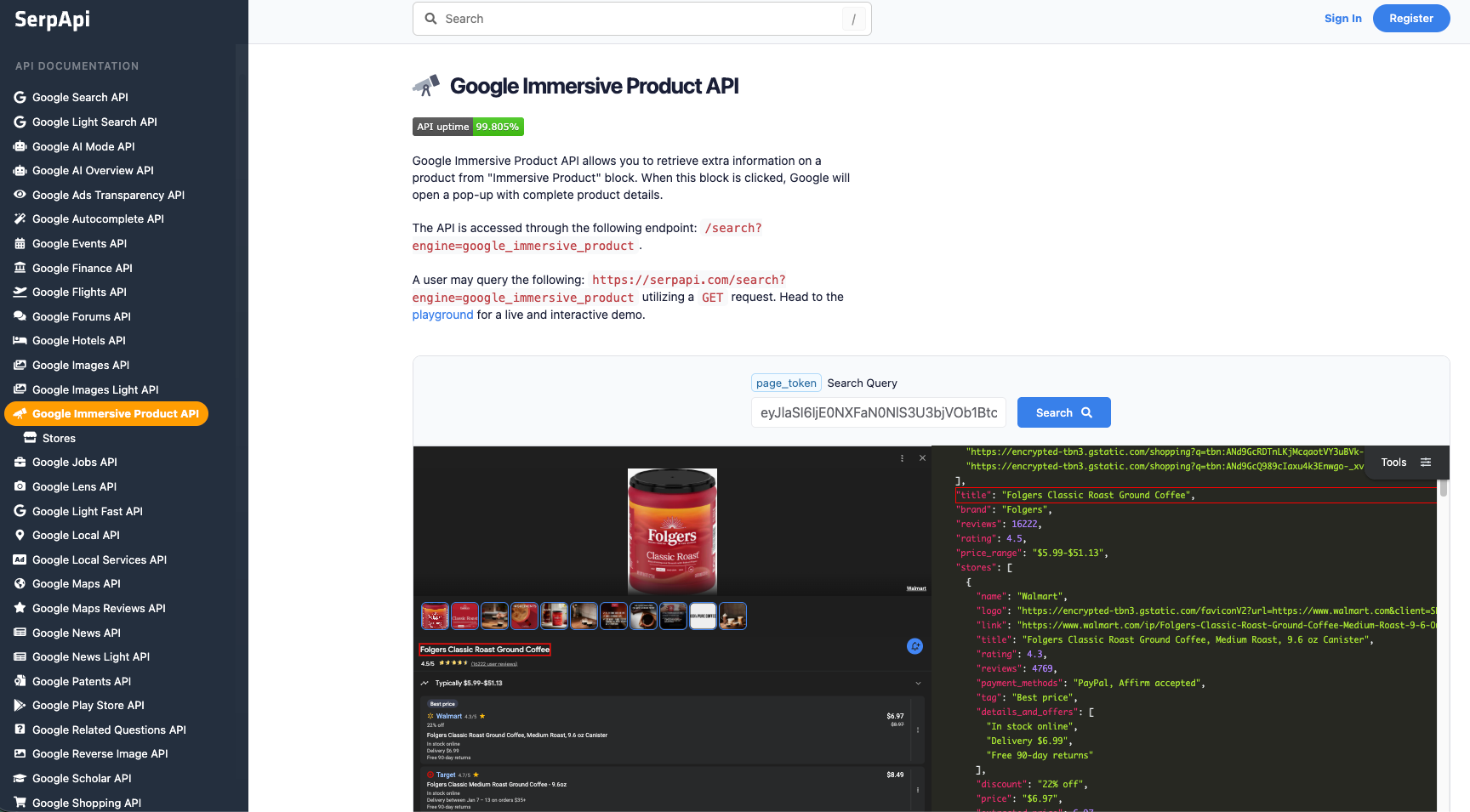
  1. Using the serpapi_link, you can fetch more detailed product data, such as similar products, price comparisons, and additional offers. Visit our documentation on Google Immersive Product engine for more details on the response.
{
   ...
   "similar_products":[
      {
         "name":"Carhartt WIP Sweater Men",
         "thumbnail":"https://encrypted-tbn0.gstatic.com/shopping?q=tbn:ANd9GcSTnr4JpCVMHIyFvYWCSSahCOuyOHmrm28yMXtzL9hfqFpUcIbaQ_m2XhQpv64MSzEA5Vg3XShKStYTjnEkJdLSz2J3QM48OW6ZNiCLswlzJVPeF0yAG3ic",
         "brand":"HHV",
         "price":"$73.36",
         "extracted_price":73.36,
         "serpapi_link":"https://serpapi.com/search.json?engine=google_immersive_product&page_token=eyJlaSI6ImVtVGpZcFVuMEtHUzlBX1FuTEtBQnciLCJjYXRhbG9naWQiOiIxNTI3MDQ0MjYxODkyNjgwODAwMiIsInZjIjoiNTkzMTk2MTA4NjYyMzg5MzgxNyIsInZzYyI6Ijk4NDUxMjYxMjE5NTY1NjU1NTkiLCJoZWFkbGluZU9mZmVyRG9jaWQiOiIxMjY5Mjc4OTQ0OTgwMzE3ODE4NSIsImltYWdlRG9jaWQiOiIxNjgzMzc4NjA5ODcyMDk3NzEyOCIsInJkcyI6IlBDXzE1NzcyNzc1Nzg1ODU0NDY0NzA4fFBST0RfUENfMTU3NzI3NzU3ODU4NTQ0NjQ3MDgiLCJxdWVyeSI6Im1lbnMrc3dlYXRlciJ9"
      },
      ...
   ],
   "style_ideas_serpapi_link":"https://serpapi.com/search.json?engine=google_immersive_product&page_token=eyJyZXFwbGQiOlsiMTc3MTA3NDgzOTUyMzg3MzgwNiIsMTAsMSwiL20vMDE5YjgwIiwxXX0%3D"
}
  1. For clothing searches, Google also provides Style Ideas. A request to style_ideas_serpapi_link returns visual inspiration related to the product.
"Browse style ideas" page on organic results
{
  ...
  "style_ideas": [
    {
      "thumbnail": "https://t1.gstatic.com/images?q=tbn:ANd9GcQce98Q7A5OrRASpTK3MXbLip_cl59K63Vpku-x60Nd2ZvtRnoN",
      "image": "https://cdn.monsterchildren.com/wp-content/uploads/2019/09/04184449/monster-children-brixton-1-of-7.jpg",
      "website": "https://www.monsterchildren.com/kenny-anderson-talks-style-with-brixton-in-new-series-threads/"
    },
    {
      "thumbnail": "https://t0.gstatic.com/images?q=tbn:ANd9GcQGRXi2hW4Gn9THR27SrOYgHHi_A4fMB57arkCksPpfLGTf13B1",
      "image": "https://i.pinimg.com/originals/a4/f6/23/a4f62304f747dcfc98a98e91042221da.jpg",
      "website": "https://www.pinterest.com/rdeho/matt-style/"
    },
    {
      "thumbnail": "https://t1.gstatic.com/images?q=tbn:ANd9GcRXI5epFqlce4DdDAHGZdT5O-TysHmKzwGaEkH4VFvmNEnGgF_a",
      "image": "https://arancrafts.com/wp-content/uploads/2021/12/C4015-Navy-scaled.jpg",
      "website": "https://arancrafts.com/product/norwegian-style-sweater-c4015/"
    },
    ...
  ]
}

This is especially useful for fashion research, trend analysis, and inspiration-driven product discovery.

Conclusion

Google aggregates and surfaces product data across multiple experiences including inline search results, dedicated Shopping pages, and details product views.

By using SerpApi, you can easily retrieve:

  • Google Shopping results for structured product comparison
  • Details product data for deeper discovery and analysis

Together, these APIs provide a scalable, reliable way to access Google product data without managing scraping infrastructure.

If you haven’t created an account with SerpApi yet, you can sign up and receive 250 free credits per month to get started.

If you have any questions, feel free to reach out at contact@serpapi.com

Hope you find this useful 🙂

If you’re interested in learning what you can do with Google product data after scraping it, check out the blog posts below:

Trend Prediction for Emerging Products using Python
In today’s fast-paced market, spotting the next big product before it goes viral can be the difference between leading the trend or chasing it. With the explosion of e-commerce and online search activity, every new product leaves a digital footprint, from Google Shopping listings and reviews to news mentions.
How to Build an AI-Powered Product Recommendation App Using SerpApi
Build an AI product recommender that uses Google Shopping and Amazon APIs through SerpApi to generate smarter search results and product insights - perfect for both personal shopping and product research.