Ruby
Ruby
 Golang
 .Net
.Net
 MCP
MCP
 C++
C++

This blog post will show you how to use Python to scrape Google News, allowing you to automate the collection of headlines, article snippets, and other relevant data with ease. Whether you’re building a personal news aggregator or just want to monitor news programmatically via an API, this guide will help you get started.

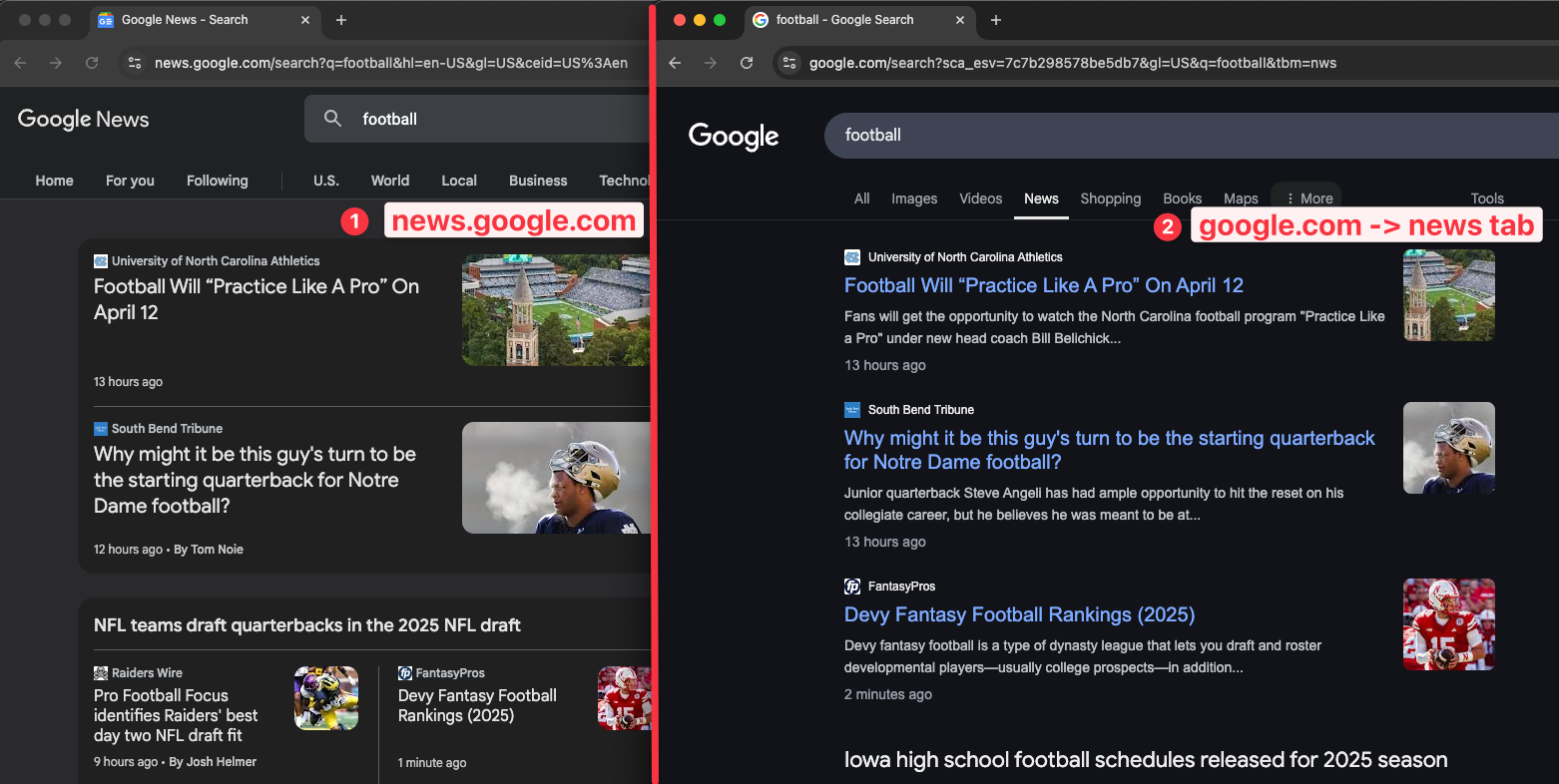
Google provides news on two different places:
1. Google search - news tab
2. news.google.com website
They have different layouts and provide different results. We'll learn how to scrape both of these results.
Code preparation
You can use a simple GET request or a dedicated SDK based on your programming language, including Python, Javascript, and more. In this post, we'll use the GET request method in Python.
Preparation for accessing SerpApi API
- Register at serpapi.com for free to get your SerpApi Api Key.
- Create a new
main.pyfile - Install requests with
pip install requestsHere is what the basic setup looks like
import requests
SERPAPI_API_KEY = "YOUR_REAL_SERPAPI_API_KEY"

params = {
    "api_key": SERPAPI_API_KEY, #replace with your real API Key
    # soon
}

search = requests.get("https://serpapi.com/search", params=params)
response = search.json()
print(response)
With these few lines of code, we can access all of the search engines available at SerpApi, including Google Lens. We'll need to adjust the parameters based on our needs.
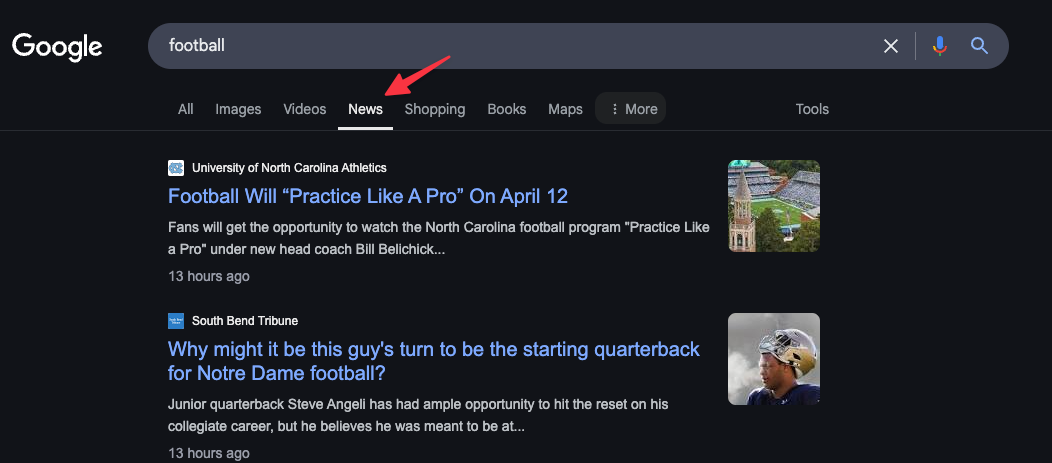
Scrape the news tab from Google search
First, let's see how to scrape the news tab from Google search results. We'll use the Google search API from SerpApi while filtering for news only. We refer to this as the Google News Results API.
If you prefer to watch a video, here is the video tutorial on YouTube
Here is the complete script to scrape this page
import requests
SERPAPI_API_KEY = "YOUR_API_KEY" #replace with your real API Key

params = {
    "api_key": SERPAPI_API_KEY,
    "engine": "google",
    "tbm": "nws",
    "q": "football",
}

search = requests.get("https://serpapi.com/search", params=params)
response = search.json()
print(response)
Feel free to replace the q value, with any query you want to search for.
Try to run the code with python yourfilename.py , you should see the JSON response from our API.
We can also print the result in a more readable way by using the json function
import json

# ... previous code ...

response = search.json()
print(json.dumps(response, indent=2))
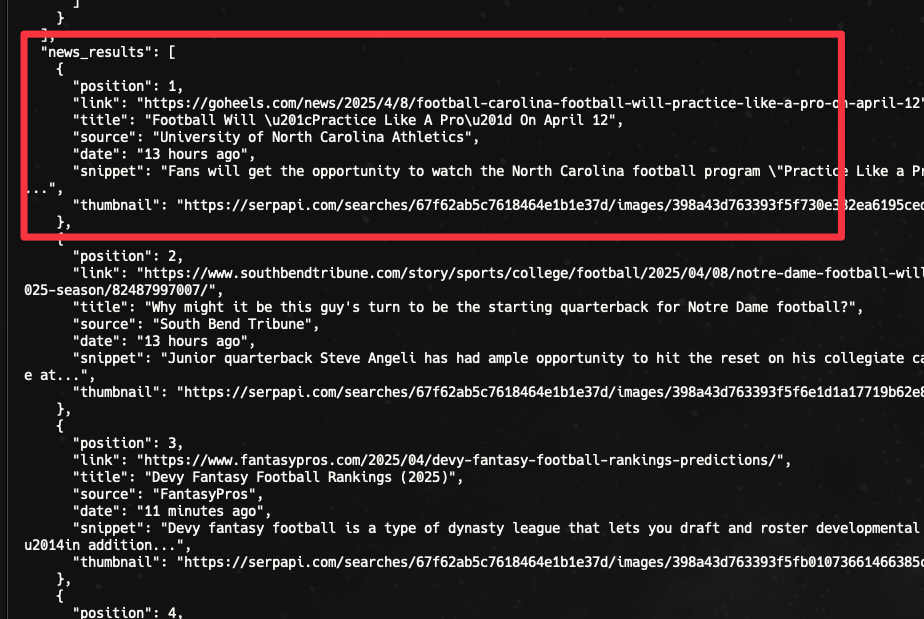
Now, we can see the results, including the news_results nicely. It'll include the link, title, source, date, snippet, and the thumbnail of the news.
Filter news results by time
Google allows us to filter the results, including news results by time. We need to use the tbs parameter for this.
- Past hour - tbs=qdr:h
- Past 24 hours - tbs=qdr:d
- Past week - tbs=qdr:w
- Past month - tbs=qdr:m
- Past year - tbs=qdr:y
- Custom range - tbs=cdr:1,cd_min:x/x/x,cd_max:y/y/y, where x/x/x is start date and y/y/y is end date.
Learn more about filtering Google results in this blog post.
Example usage to filter news from the past week:
params = {
    "api_key": SERPAPI_API_KEY,
    "engine": "google",
    "tbm": "nws",
    "q": "football",
    "tbs": "qdr:w", # time filter example
}

search = requests.get("https://serpapi.com/search", params=params)
response = search.json()
print(json.dumps(response, indent=2))
Filter news by a specific website
We can filter the search results by a specific website using keyword site:websitename.com on the query, which is the q parameter.
Example:
params = {
    "api_key": SERPAPI_API_KEY,
    "engine": "google",
    "tbm": "nws",
    "q": "football site:time.com",
}

search = requests.get("https://serpapi.com/search", params=params)
response = search.json()
print(json.dumps(response, indent=2))
Now, we're only returning results from time.com website related to the keyword.
Scrape all news results (pagination)
So far, we have only scraped the first page with the first 10 results. We can request additional pages to get another 10 results per page with the start parameter. We'll loop the program to increase the start parameter by 10 on each iteration.
params = {
    "api_key": SERPAPI_API_KEY,
    "engine": "google",
    "tbm": "nws",
    "q": "soccer"
}

# Pagination
news_results = []
start = 0
while True:
    params["start"] = start
    search = requests.get("https://serpapi.com/search", params=params)
    response = search.json()

    # Stop the loop when no more news_results available
    if "news_results" not in response or not response["news_results"]:
        break

    news_results.extend(response["news_results"])
    start += 10

response = {
    "news_results": news_results,
}

print(json.dumps(response, indent=2))- We loop the request until no more
news_resultsavailable. - We adjust the start parameter by increasing it by 10.
- In this example, we only collect and print the
news_results.
Note: Each page you request will consume 1 search credit. If you request 5 pages, that requires 5 search credits. See our post Calculating Search Credit Usage for more specifics on how search credits are consumed.
Export news to a CSV file
Let's learn how to export the news results into a CSV file. We'll store the title, snippet, source, data, and thumbnail in the file, which we can later open in Google Sheets or Microsoft Excel.
You can add these lines to the previous code
import csv

with open('news-results.csv', mode='w', newline='', encoding='utf-8') as file:
    writer = csv.writer(file)
    writer.writerow(["position", "link", "title", "source", "date", "snippet", "thumbnail"])

    for result in response["news_results"]:
        writer.writerow([
            result["position"],
            result["link"],
            result["title"],
            result["source"],
            result["date"],
            result["snippet"],
            result["thumbnail"]
        ])

print ("CSV file created successfully.")
- import csv package
- loop the news_results response
- store/write the rows one by one
Here is the result

The fastest way to scrape the Google News tab
For use cases where speed is crucial, we can use our Google News Light API. This is a lighter weight API that returns nearly the same Google news tab data, but with a much faster average response time. The Google News Light API is generally about 400ms faster on average.
Here's a visual comparison of the different results:
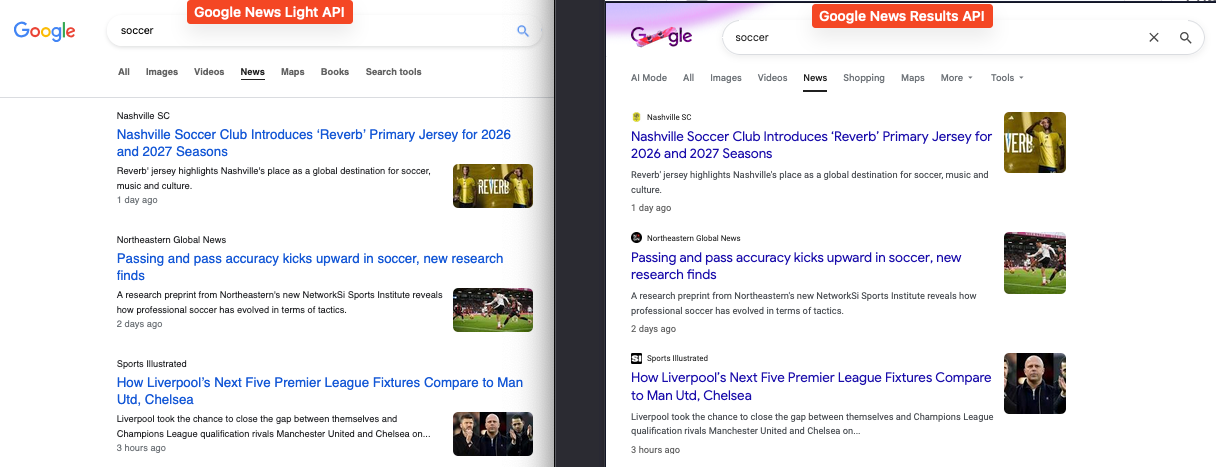
Let's also compare the JSON. As you can see below, the only fields missing from the Google New Light API are favicon and published_at.
Google News Light API:
 {
    "position": 1,
    "title": "Nashville Soccer Club Introduces ‘Reverb’ Primary Jersey for 2026 and 2027 Seasons",
    "link": "https://www.nashvillesc.com/news/nashville-sc-introduces-reverb-primary-jersey",
    "source": "Nashville SC",
    "thumbnail": "https://encrypted-tbn0.gstatic.com/images?q=tbn:ANd9GcRAmWx5ejFvzKD0fIbpi7EfTd2AHJTIMOxe8-uDY_pYsvk3LMrrVDkZUs077A&s",
    "snippet": "Reverb' jersey highlights Nashville's place as a global destination for soccer, music and culture.",
    "date": "1 day ago"
}
Google News Results API:
 {
    "position": 1,
    "link": "https://www.nashvillesc.com/news/nashville-sc-introduces-reverb-primary-jersey",
    "title": "Nashville Soccer Club Introduces ‘Reverb’ Primary Jersey for 2026 and 2027 Seasons",
    "source": "Nashville SC",
    "date": "1 day ago",
    "published_at": "2026-02-11 01:35:38 UTC",
    "snippet": "Reverb' jersey highlights Nashville's place as a global destination for soccer, music and culture.",
    "favicon": "https://serpapi.com/searches/698da9658976f785d7d22833/images/2h-eSf5pFLCk394f8DClv2Wk2177PTD0XzcHBZtSF1Q.png",
    "thumbnail": "https://serpapi.com/searches/698da9658976f785d7d22833/images/FD2gOGDf5jVWIaH7A8GsYCgGqD5ELZRhrPQf0eU0X_I.jpeg"
}
You can experiment with requests in our API Playground here: https://serpapi.com/playground?engine=google_news_light
The Google News Light API also supports filtering by a specific website and pagination. It does not support filtering by time using the tbs parameter, but there's another way to filter with dates. More on that later.
Switching to this API is very simple. We only need to make 2 small changes to our previous code.
- Set
enginetogoogle_news_light - Remove the
tbmparameter
import requests
SERPAPI_API_KEY = "YOUR_API_KEY" #replace with your real API Key

params = {
    "api_key": SERPAPI_API_KEY,
    "engine": "google_news_light",
    "q": "football",
}

search = requests.get("https://serpapi.com/search", params=params)
response = search.json()
print(response)
The response object will be news_results just like the previous API we used.
Filter news results by date
The tbs parameter is not supported in this API. Instead, we can add before:YYYY-MM-DD and after:YYYY-MM-DD dates directly in the query. Unfortunately, we can't filter by last hour like the Google News Results API.
For example: football after:2026-02-01 before:2026-02-08 to request results published between February 1-8, 2026.
import requests
SERPAPI_API_KEY = "YOUR_API_KEY" #replace with your real API Key

params = {
    "api_key": SERPAPI_API_KEY,
    "engine": "google_news_light",
    "q": "football after:2026-02-01 before:2026-02-08",
}

search = requests.get("https://serpapi.com/search", params=params)
response = search.json()
print(response)
Filter light news by a specific website
We can filter the results for a particular website exactly as we did with the Google News Results API. Just add site:websitename.com to your query.
For example: football site:skysports.com to request results only from skysports.com.
import requests
SERPAPI_API_KEY = "YOUR_API_KEY" #replace with your real API Key

params = {
    "api_key": SERPAPI_API_KEY,
    "engine": "google_news_light",
    "q": "football site:skysports.com",
}

search = requests.get("https://serpapi.com/search", params=params)
response = search.json()
print(response)
Scrape all light news results (pagination)
We can also scrape additional pages of results by incrementing the start parameter by 10. Page 1 is start=0, page 2 is start=10, page 3 is start=20 and so on.
params = {
    "api_key": SERPAPI_API_KEY,
    "engine": "google_news_light",
    "q": "football"
}

# Pagination
news_results = []
start = 0
while True:
    params["start"] = start
    search = requests.get("https://serpapi.com/search", params=params)
    response = search.json()

    # Stop the loop when no more news_results available
    if "news_results" not in response or not response["news_results"]:
        break

    news_results.extend(response["news_results"])
    start += 10

response = {
    "news_results": news_results,
}

print(json.dumps(response, indent=2))
Note: Each page you request will consume 1 search credit. If you request 5 pages, that requires 5 search credits. See our post Calculating Search Credit Usage for more specifics on how search credits are consumed.
Scrape news.google.com website
Next, let's scrape the news from the other resource, news.google.com.
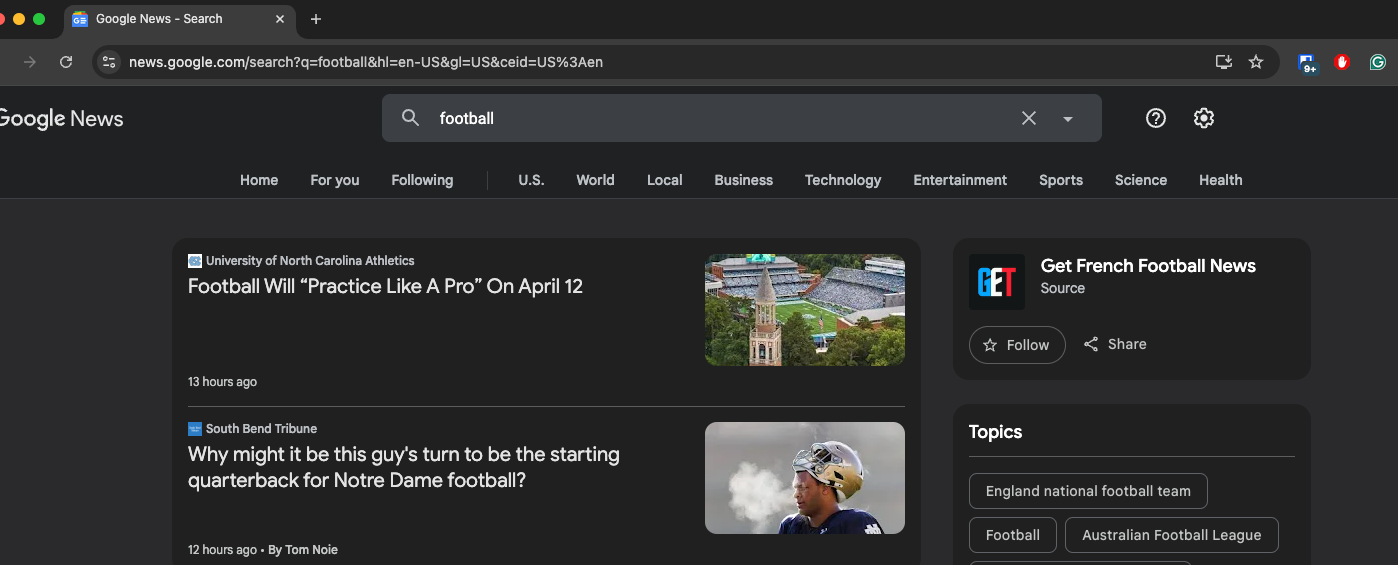
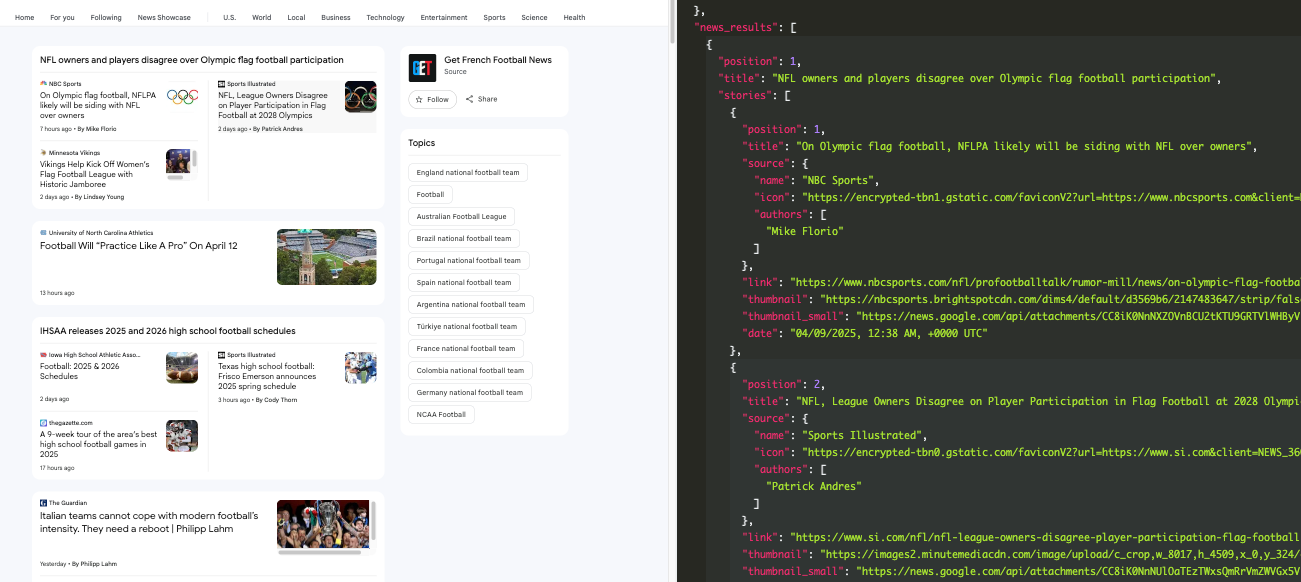
We have a separate API for this: Google News API. Here is what the code looks like in Python.
params = {
    "api_key": SERPAPI_API_KEY,
    "engine": "google_news",
    "q": "football",
}

search = requests.get("https://serpapi.com/search", params=params)
response = search.json()
print(json.dumps(response, indent=2))
- We're using
google_newsas the engine. - We don't need to use the
tbmparameter anymore.
The JSON response will include any information available from the page, including a story block like this:
You can remove the parameter if you want to scrape the home page (not a specific query).
params = {
    "api_key": SERPAPI_API_KEY,
    "engine": "google_news",
}
Filter by specific date
To filter news from our Google News API, you can include after:YYYY-MM-DD and before:YYYY-MM-DD on the query.
For example: soccer after:2024-02-01 before:2024-07-31
Here is an example on our playground: https://serpapi.com/playground?engine=google_news&q=soccer+after%3A2024-02-01+before%3A2024-07-31&gl=us&hl=en&sbd=1&newPara=sbd
No-Code solution to scrape Google news
We also provide a no-code tool to scrape the Google news result here: https://nocodeserpapi.com/app/google-news. It allows you to export the results directly into an Excel file.
Here is a video tutorial on scraping news.google.com website using a no-code tool:
If you're looking for a way to connect your search results with Google Spreadsheet, you can use our make.com integration. Here is the basic tutorial for it using a different search engine:
 Alex Barron
I hope it helps. See you on the next blog post!