Ruby
Ruby
 Golang
 .Net
.Net
 MCP
MCP
 C++
C++


Yandex Search Engine is the most popular search engine, especially for Russian content. Similar to Google's Reverse Image Search, Yandex Reverse Image Search allows you to search for information, related web pages, and similar images from your images.
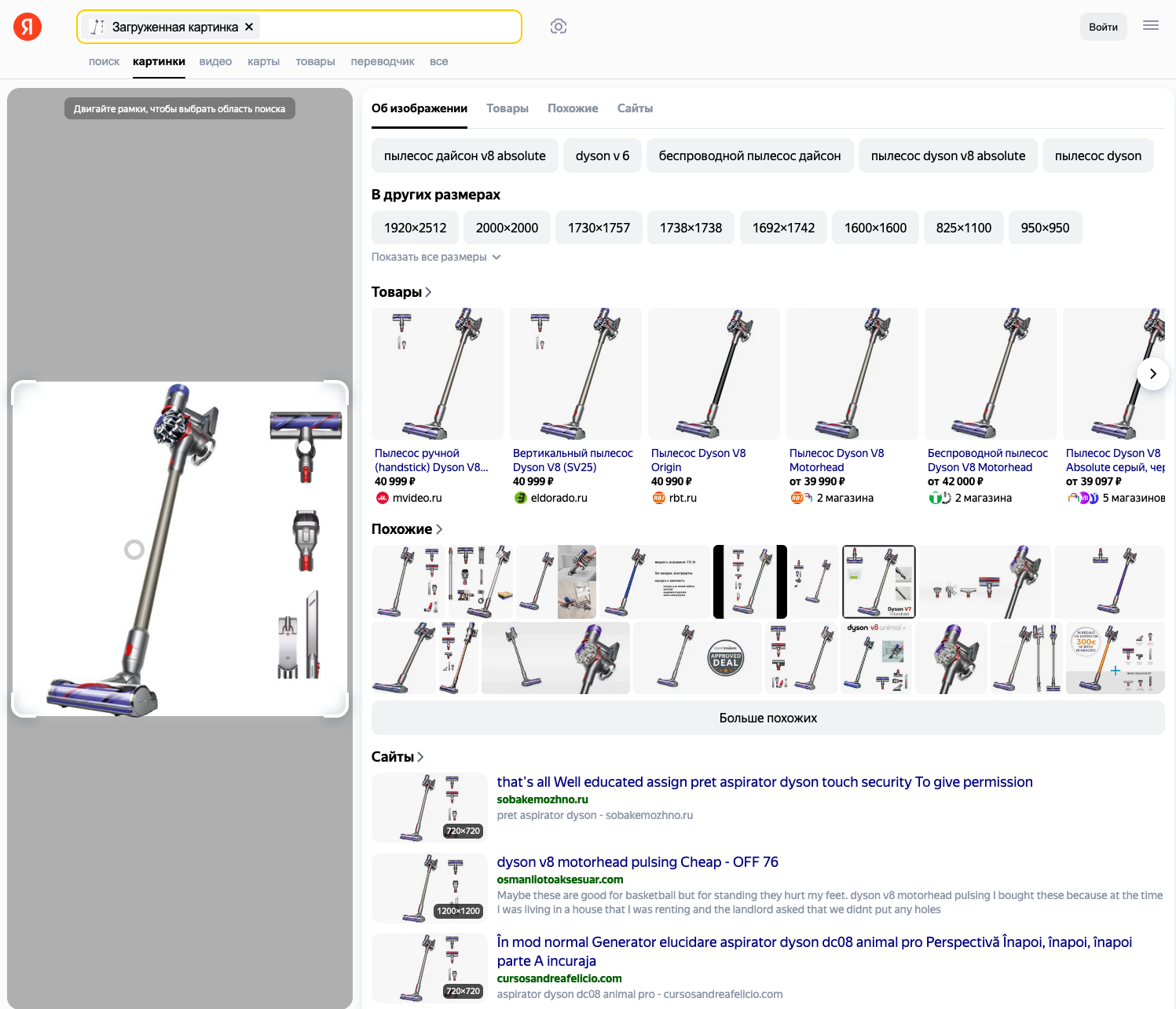
You can upload an image directly from your device or search with an image URL. By using results from Yandex Reverse Image Search, you can verify the authenticity or source of the image. It's useful for detecting misinformation, fake images, etc.
You can monitor the copyright and intellectual property rights on your images. Yandex Reverse Image Search can return images of objects and products you recognize, along with more information and purchase options.
You may also need to find higher-resolution versions or explore similar images for creative AI applications. Yandex Reverse Image Search can empower you to explore more images and results.
Scraping Yandex Reverse Image Search results is not an easy task; it's more challenging and unreliable, even for an expert scraper. With SerpApi Yandex Reverse Image Search API, we provide an easy way to scrape Yandex reverse image search results.
What can you scrape from Yandex reverse image search?
Give the API an image URL, and it parses the full reverse-search page into structured fields:
- Image results: The web pages where the image (or a close match) appears. Each result includes a
title,snippet,source(the hosting site),link(the page), athumbnailobject, and anoriginal_imageobject. Note both are objects with their ownlink,width, andheight, not plain strings. - Image preview and crops: An
image_previewblock with the image Yandex matched on, plus acropsarray which is a regions Yandex detected within the image (often tagged as products) that you can search individually withcrop_id. - Image sizes: An
image_sizesobject grouping other available resolutions of the same image intolarge,medium, andsmall, each with dimensions and a direct link. This is how you find a higher-res version. If no other sizes exist, you get animage_sizes_messageinstead. - Shopping results: A
shopping_resultsblock withproductsmatched to the image (title, link, and image), pulled from Yandex Market. It is useful for product identification. - Image tags: An
image_tagsarray of the keywords Yandex associates with the image, each linking to a normal image search. - Similar images: A
similar_imagesarray of visually related pictures. - Knowledge graph: When Yandex recognizes the subject (a person, place, or object), a
knowledge_graphblock with a title, description, and source.
Getting started with SerpApi
You need a free SerpApi account to use the API. You can upgrade to a paid plan later if you need more searches, faster speeds, or additional features.
First, create an account and verify your email. Then grab your API key from your account dashboard. The free plan includes 250 searches per month.
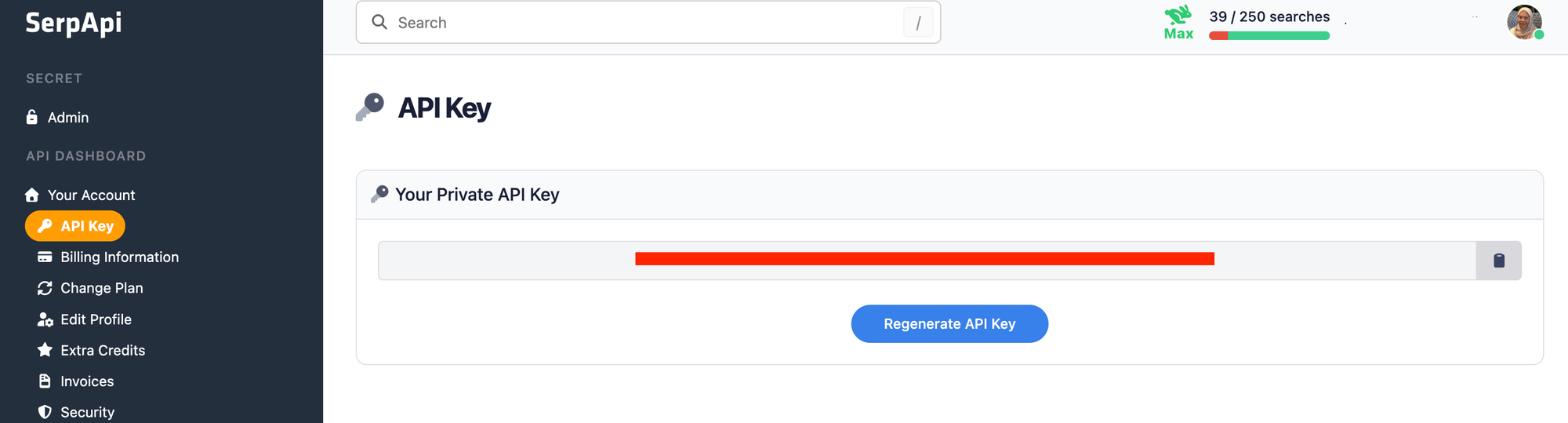
You should store your API key in a safe location if you're sharing or publishing your code. If it's ever leaked, you can generate a new one from the dashboard. The examples below read the key from an environment variable.
Install the SerpApi library (optional)
SerpApi has official libraries for Python, JavaScript, Ruby, Java, and more. They're a thin wrapper around the API and aren't required — the API works just as well with plain GET requests, cURL, or fetch() in Node.js.
For the Python examples, install the official client:
pip install serpapi
Review the Yandex Reverse Image documentation
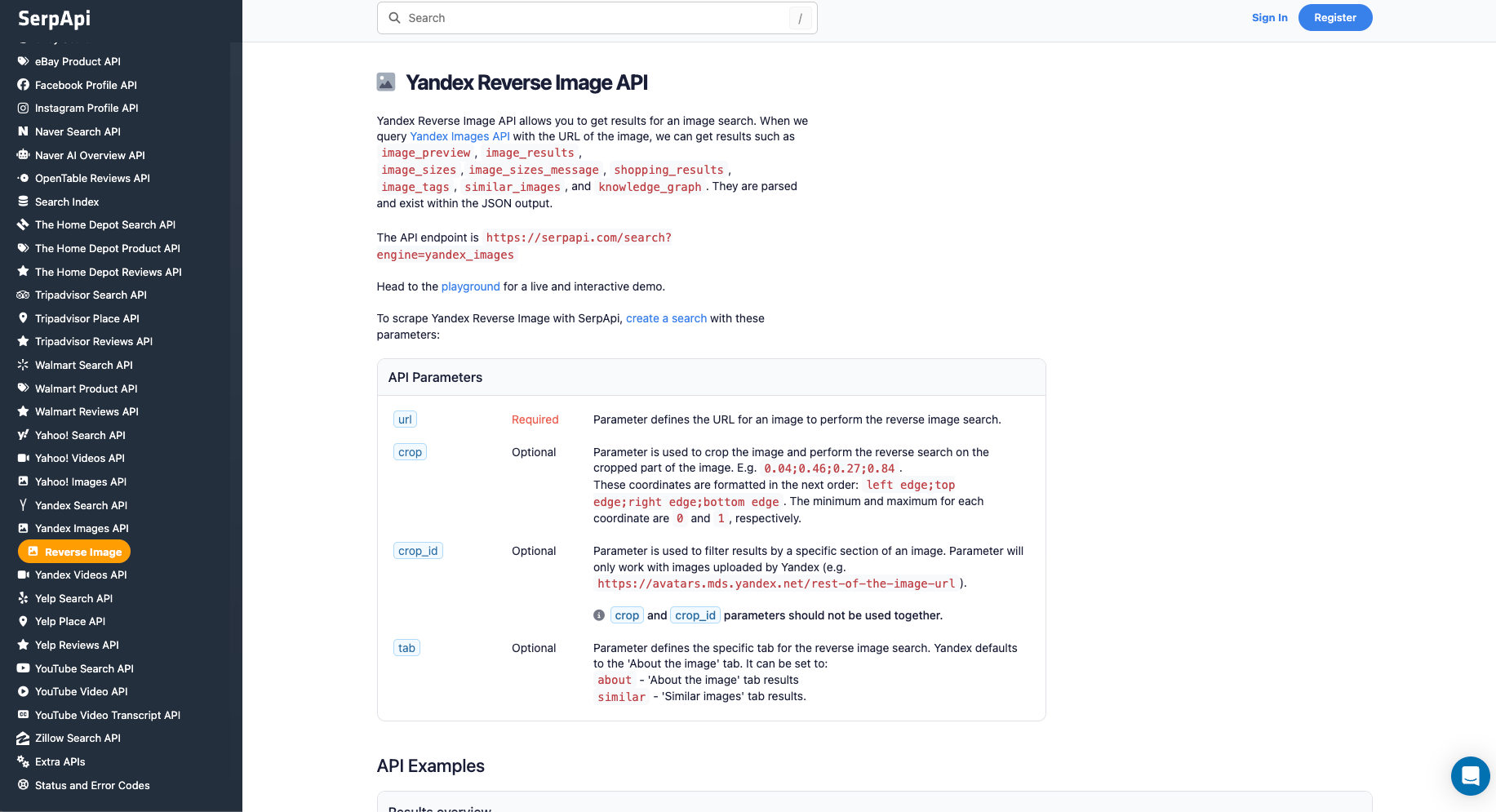
Reverse image search runs on the yandex_images engine, the same engine as keyword image search. But instead of a text query, you pass a url. The key parameters:
url(required): the image you're searching with.crop/crop_id(optional): search only a region of the image (see Refining your search below).tab(optional):aboutfor the "About the image" tab (adds aknowledge_graphwhen the subject is recognized) orsimilarfor the "Similar images" tab.
For the full field reference and live examples, see the Yandex Reverse Image API documentation.
How to scrape Yandex reverse image results
Once you have your API key, you're ready to search by image. The results are identical across all libraries, GET requests, and cURL calls, so use whichever method fits your stack.
GET request
This runs a reverse image search on a single image URL:
https://serpapi.com/search.json?engine=yandex_images&url=https://i.imgur.com/HBrB8p0.png&api_key=YOUR_API_KEY
The url value should be URL-encoded in a real request. The official libraries curl --get handle that encoding for you; if you're building the query string by hand, encode it yourself.
By default, you get JSON back, but you can also request Markdown by adding output=md or by swapping the endpoint to /search.md:
https://serpapi.com/search.md?engine=yandex_images&url=https://i.imgur.com/HBrB8p0.png&api_key=YOUR_API_KEYMarkdown output carries the same reverse-image data as JSON but in a more token-efficient format built with tables and Markdown links, which is handy when you're feeding results straight into an LLM or AI agent. (You can also set the Accept: text/markdown request header to get the same result.)
Python
This searches with an image and prints the source and title of each match, using the official SerpApi Python library and reading the key from an environment variable:
import os
import serpapi
from dotenv import load_dotenv

load_dotenv()

client = serpapi.Client(api_key=os.getenv("SERPAPI_API_KEY"))

results = client.search({
    "engine": "yandex_images",
    "url": "https://i.imgur.com/HBrB8p0.png",   # the image to search with
})

for item in results.get("image_results", []):
    print(f"{item['source']} — {item['title']}")
To save the matches to a CSV, remember that thumbnail and original_image are objects. Reach into .link rather than writing the whole object:
import os
import csv
import serpapi
from dotenv import load_dotenv

load_dotenv()

client = serpapi.Client(api_key=os.getenv("SERPAPI_API_KEY"))

results = client.search({
    "engine": "yandex_images",
    "url": "https://i.imgur.com/HBrB8p0.png",
})

image_results = results.get("image_results", [])

with open("yandex_reverse_image.csv", "w", encoding="UTF-8", newline="") as f:
    writer = csv.writer(f)
    writer.writerow(["title", "source", "link", "thumbnail", "original_image"])
    for item in image_results:
        thumbnail = item.get("thumbnail", {})
        original = item.get("original_image", {})
        writer.writerow([
            item.get("title"),
            item.get("source"),
            item.get("link"),
            thumbnail.get("link"),
            original.get("link"),
        ])

print(f"Saved {len(image_results)} results to yandex_reverse_image.csv")
JavaScript and Node.js
This runs the same reverse image search with the SerpApi JavaScript library:
import { getJson } from "serpapi";

const results = await getJson({
  engine: "yandex_images",
  api_key: process.env.SERPAPI_API_KEY,
  url: "https://i.imgur.com/HBrB8p0.png",
});

for (const item of results.image_results) {
  console.log(`${item.source} — ${item.title}`);
}
cURL
This searches with an image straight from the command line (--get handles URL-encoding the url value):
curl --get https://serpapi.com/search \
 -d api_key="YOUR_API_KEY" \
 -d engine="yandex_images" \
 -d url="https://i.imgur.com/HBrB8p0.png"
Other languages and no-code solutions
Even if there's no official SerpApi integration for your language, you can use the API directly with GET requests and parse the JSON response. SerpApi also works with no-code tools like Make.com and n8n.
Refining your search
Two parameters make Yandex reverse search far more precise than a plain lookup:
- Search a region with
crop. Theimage_preview.cropsarray in the response lists regions Yandex detected in your image, each with acrop_id. Pass acrop_id(for Yandex-hosted images) or your owncropcoordinatesleft;top;right;bottom, each between0and1, e.g.0.04;0.46;0.27;0.84to reverse-search just that part of the picture. This is how you isolate one product in a busy photo. - Switch tabs with
tab. Settab=aboutto get the "About the image" tab, which adds aknowledge_graphblock when Yandex recognizes the subject. Settab=similarto get the "Similar images" tab.
One quirk worth knowing: the default and tab=about responses return matches under image_results, but tab=similar returns them under images_results (plural, with a position field), mirroring the structure of a normal Yandex Images search. Read from the right key depending on the tab you request.
Conclusion
Yandex reverse image search is a genuinely powerful way to trace an image back to its sources, find higher-resolution versions, identify products, and surface similar pictures and the Yandex Reverse Image API turns all of it into structured JSON you can run at scale. Whether you're verifying images, monitoring where your work appears, or building a dataset, SerpApi handles the scraping so you don't have to. For keyword-based image search, see our guide on how to scrape Yandex Images results.
If you need help getting started, contact us and we're happy to help.