> ## Content Index
> Fetch the complete content index at: https://serpapi.com/blog/llms.txt
> Use this file to discover other available public pages before exploring further.
# Building a UI for Google AI Overviews using SerpApi: A Practical Guide
- URL: https://serpapi.com/blog/understanding-ai-overview-data-from-serpapi/
- Published: 2025-09-12T20:48:44.000Z
- Updated: 2026-01-19T03:21:36.000Z
- Author: Nathan Skiles
- Tags: AI Overviews
AI Overviews have become the first thing many people read on Google, summarizing instructions, comparisons, and even simple calculations while citing sources at the top of the results page. In previous articles, we learned [how to scrape Google AI Overviews](https://serpapi.com/blog/scrape-google-ai-overviews/) with SerpApi, and specifically [how to do this with Node JS](https://serpapi.com/blog/fetching-ai-overviews-with-node-js/).
In this post, we walk through the AI Overview data returned by SerpApi and show how to use it in a small, real-world example. We focus on the response structure—text blocks, highlights, and references—and explain when and why you may need to perform an additional request so you can render the overview cleanly and reliably in your UI.
## SerpApi
SerpApi is a web scraping API that returns structured JSON from Google and other search engines. It handles the complex parts for you, including proxies, CAPTCHAs, headless browsing, and localization, so a single HTTP request yields clean, consistent results. In this post, we’ll use its Google Search and AI Overview endpoints to fetch and render the overview content.
## Prerequisites
- **SerpApi API Key** \- If you don’t have an account yet, you can [sign up for a free plan](https://serpapi.com/users/sign%5Fup) with 250 searches per month. If you already have an account, your API key is available in your [dashboard](https://serpapi.com/dashboard).
- **Node.js 7.10.1 or newer** (optional) - Used later in our real-world example.
# AI Overview Flow
Before we dive into the data, it helps to understand how an AI Overview is obtained.
## Initial Request
For many queries, the [Google Search API](https://serpapi.com/search-api) returns an AI Overview directly in the initial response. This is the simplest path because you can parse and render the `ai_overview` object immediately with no extra calls.
## Follow-up request (when a page\_token is present)
For less common or more complex queries, Google may lazy-load the AI Overview while its model finishes constructing the response. In these cases, the initial Search API response includes a short-lived `page_token`. Use this token with SerpApi’s [AI Overview API](https://serpapi.com/ai-overview) to fetch the full overview.
💡
Note: because this involves two API calls, it will count as two SerpApi searches.
## Best Practices
- Use `no_cache: true` to avoid stale results and expired tokens.
- If a `page_token` is present, call the `google_ai_overview` engine immediately.
- Process each query sequentially rather than in parallel to reduce the chance of token expiration.
For more information, check out my blog post on Fetching AI Overviews:
[Fetching AI Overviews with Node.jsAI Overviews are quickly becoming a prominent feature in today’s SEO landscape, and with SerpApi, extracting this data is simple.SerpApiNathan Skiles](https://serpapi.com/blog/fetching-ai-overviews-with-node-js/)
# Anatomy of an AI Overview
At a glance, we'll be working with two top-level objects:
- `text_blocks`: ordered content blocks to be shown in sequence (paragraphs, headings, lists).
- `references`: a flat array of citations you can map to via numeric indices.
Here's a simple mental model for how AI Overviews are structured:
```txt
ai_overview
├─ text_blocks[] ← blocks to render in order
│ ├─ type ← "paragraph" | "heading" | "list" | ...
│ ├─ snippet ← content text
│ ├─ snippet_highlighted_words[] (optional)
│ ├─ reference_indexes[] (optional)
│ └─ list[] ← when type === "list": array of { title, snippet, reference_indexes? }
└─ references[] ← [{ title, link, snippet, source, index }]
```
## Common block types
This is not an exhaustive list, since Google can introduce new types, but these are the ones you will see most often.
- **Paragraph**: plain text in snippet. May include `snippet_highlighted_words` for emphasis and `reference_indexes` for inline citations.
- **Heading**: section titles that segment the overview (for example, “Key features and functionality”, “Additional considerations”).
- **List**: `list` is an array of items. Each item has a `title`, a `snippet`, and optional `reference_indexes`. Typically in the form of unordered lists.
## Highlights and citations
Some blocks include highlighted words for emphasis or references that link to sources.
- `snippet_highlighted_words`: an array of terms or phrases you can style in the UI for quick scanning.
- `reference_indexes` → `references`: each number in `reference_indexes` maps to a record in `references`. Use these for superscripts or footnotes that link to the source list.
For example:
- A paragraph with `reference_indexes`: \[0, 2\] should show two citations, which resolve to `references[0]` and `references[2]`.
- A list item can do the same. Treat each item’s `reference_indexes` independently, so you only show the citations that support that item.
💡
I recommend using switch statements on block.type, render snippet or list accordingly, then pass `reference_indexes` and the full `references` array to a small Citations helper.
This keeps the mapping logic in one place and makes it easy to add future block types without touching the rest of your UI.
# Real World Example
Below is a simple Node.js + React setup that proxies requests from the frontend (to avoid CORS), performs the AI Overview follow-up when a `page_token` is present, and renders the common block types.
If you'd like to run or reference the example, you can find the repo here:
[GitHub - NateSkiles/using\_ai\_overviewsContribute to NateSkiles/using\_ai\_overviews development by creating an account on GitHub.GitHubNateSkiles](https://github.com/NateSkiles/using%5Fai%5Foverviews)
## Server
Keep your API key server-side, avoid CORS, and conditionally call the AI Overview API only when a `page_token` is present. Below is the code I used to handle requests from my frontend and pass them along to SerpApi.
Some key points to note:
- `json_restrictor=ai_overview` in the initial request, ensures that we only return the AI Overview for this example. This can decrease response times and make it easier to focus on relevant data in the response, but it can be removed if you require additional data from the search results.
- `no_cache=true` reduces token-expiration headaches.
- A `page_token` follow-up is a second SerpApi call.
```js
// ./server/index.js
app.get("/api/search", async (req, res) => {
try {
const q = req.query.q || "";
if (!q) return res.status(400).json({ error: "Missing q" });
// 1) Initial search: ask only for the AI Overview
const params = new URLSearchParams({
engine: "google",
q,
api_key: process.env.SERPAPI_KEY,
json_restrictor: "ai_overview",
no_cache: "true", // avoid stale results and expired tokens
});
const request = await fetch(`https://serpapi.com/search.json?${params}`);
const data = await request.json();
// 2) If Google did not include ai_overview at all, return what we got
if (!data.ai_overview) {
return res.json(data);
}
// 3) If a page_token is present, fetch the full AI Overview
const token = data.ai_overview.page_token;
if (token) {
const aio_params = new URLSearchParams({
engine: "google_ai_overview",
page_token: token,
api_key: process.env.SERPAPI_KEY,
no_cache: "true",
});
const aio_request = await fetch(`https://serpapi.com/search.json?${aio_params}`);
const aio_data = await aio_request.json();
return res.json(aio_data); // note: counts as a second SerpApi search
}
// 4) Otherwise, we already have the overview
return res.json(data);
} catch (e) {
res.status(500).json({ error: String(e) });
}
});
```
[using\_ai\_overviews/server/index.js at main · NateSkiles/using\_ai\_overviewsContribute to NateSkiles/using\_ai\_overviews development by creating an account on GitHub.GitHubNateSkiles](https://github.com/NateSkiles/using%5Fai%5Foverviews/blob/main/server/index.js)
## Client
When the form is submitted, we clear any previous state, ask our server for results, and stash the returned `ai_overview` in state. The server already handles the follow-up call when a `page_token` appears, so the client only needs to check whether an overview exists.
```js
// ./client/src/App.jsx
async function onSearch(e) {
e.preventDefault();
setError(null);
setOverview(null);
setLoading(true);
try {
const r = await fetch(`/api/search?q=${encodeURIComponent(q)}`);
const data = await r.json();
if (!r.ok) throw new Error(data?.error || "Request failed");
if (!data.ai_overview) {
setError("No AI Overview in this result.");
} else {
setOverview(data.ai_overview);
}
} catch (err) {
setError(String(err.message || err));
} finally {
setLoading(false);
}
}
```
Once the overview is set, render each block **in order** and finish with the references section. Keeping this mapping in one place makes it easier to work with other block types later.
```js
// ./client/src/App.jsx
{overview && (
)}
```
We will pass each of the `text_blocks` in the overview to the `BlockRenderer` component to handle the more complex aspects of rendering the overview.
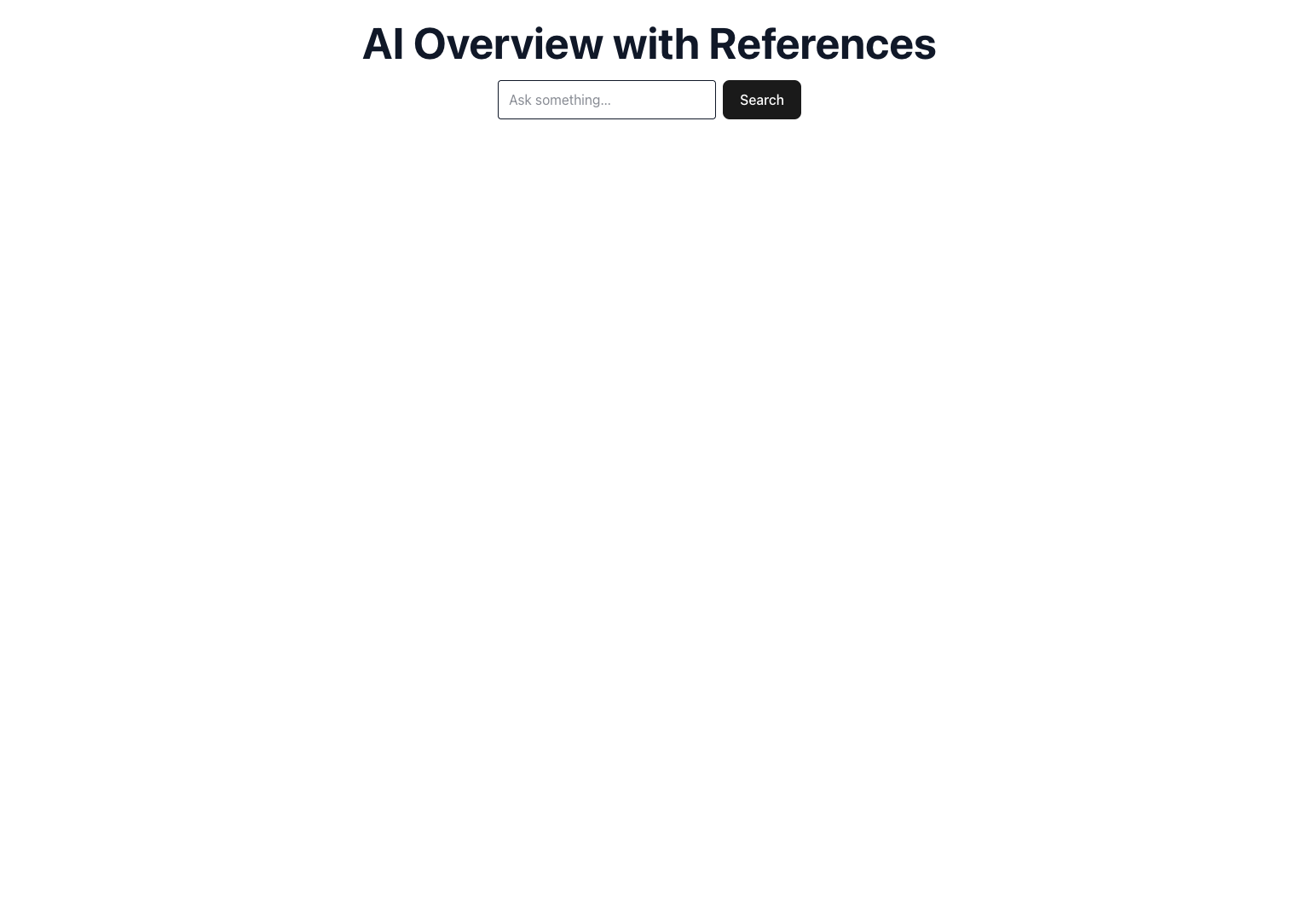
Initial search page
### Rendering Blocks
`BlockRenderer` uses a switch statement on `block.type` and returns the appropriate element.
```js
// ./client/src/components/BlockRenderer.jsx
export default function BlockRenderer({ block }) {
switch (block.type) {
case "heading":
return
{block.snippet}
;
case "paragraph":
return (
{block.snippet}
{block.video && }
);
case "list":
return ;
default:
return null;
}
}
```
💡
Note: if you later decide to highlight `snippet_highlighted_words`, you can add that inside the paragraph branch without affecting other blocks.
### Headings
Heading blocks are used to segment sections of the overview. We simply return them semantically using an H2 element :
```js
{block.snippet}
```
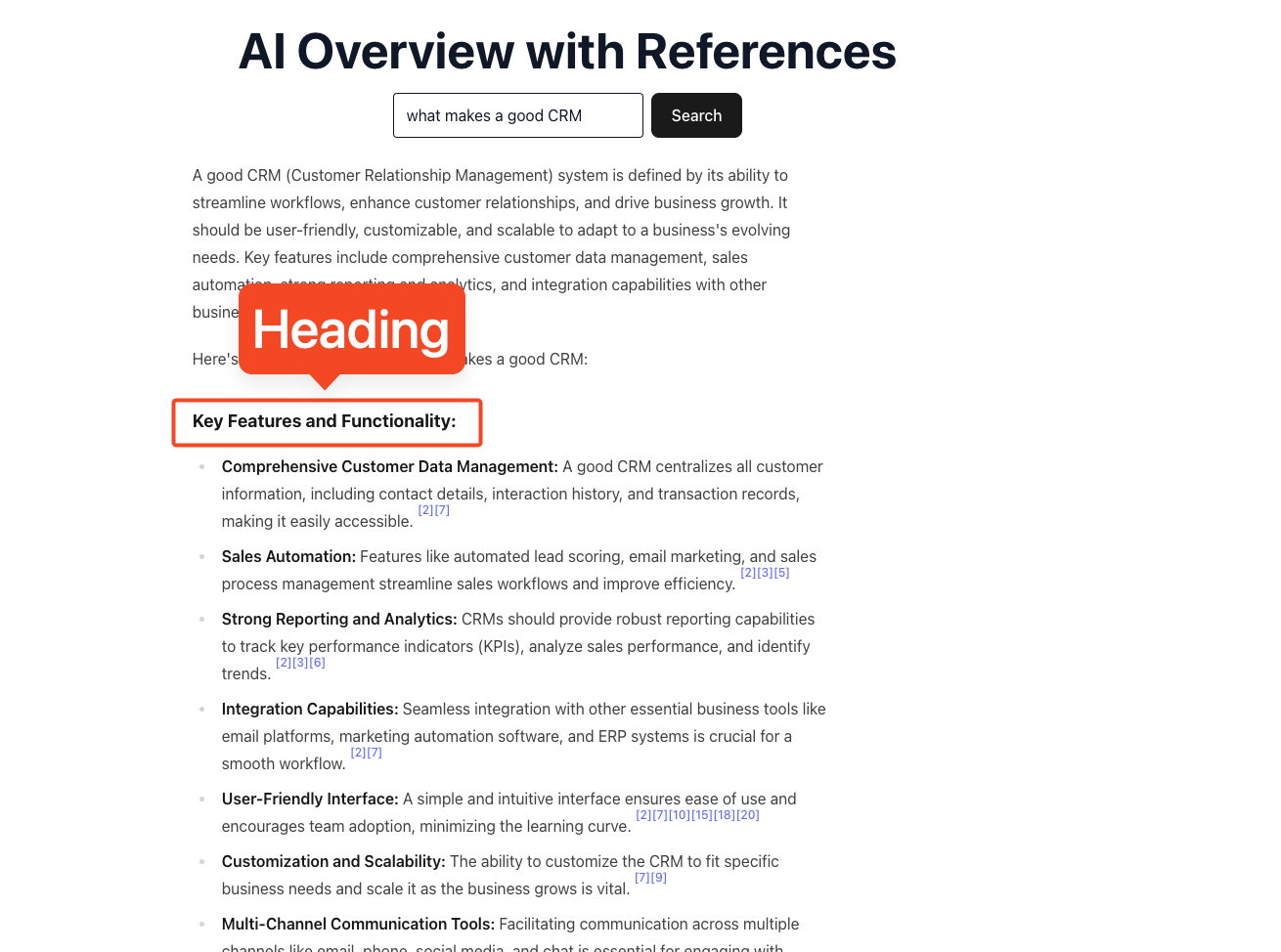
Overview highlighting the heading block type
### Paragraphs
While headings break up the content, most of the AI Overview will come in the form of paragraphs.
```js
{block.snippet}
{block.video && }
```
As you can see, I've also included a component to handle any videos that may be returned in the block. In my experience, videos are typically only returned in paragraph blocks, and are not a block type, meaning we can handle them here if they exist.
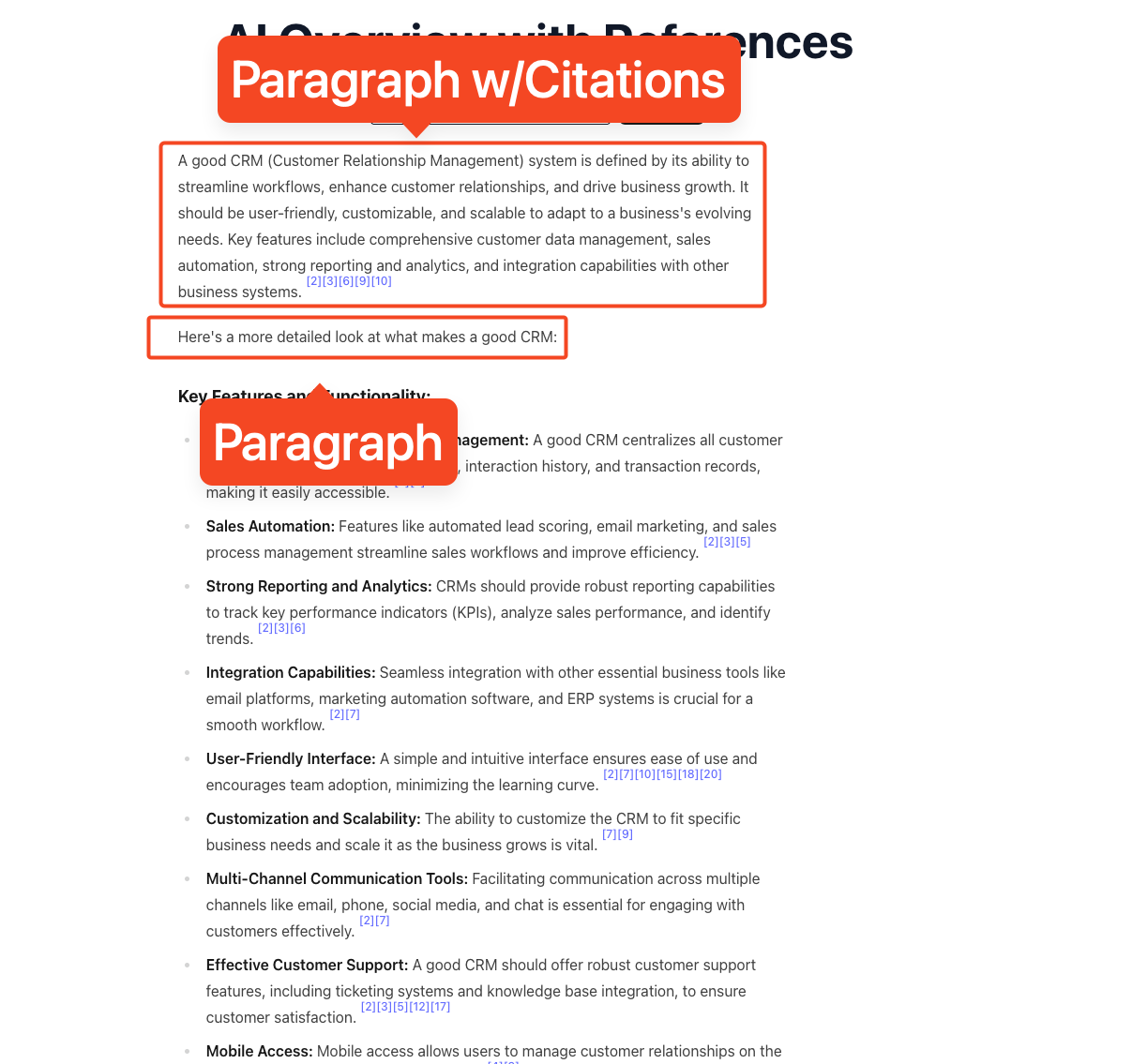
Overview highlighting the paragraph block type
### Lists
While lists are simple on the surface, just an unordered list with each list item being a line item, Google will often return nested lists, which could break some of our logic.
Below is a component I used to handle nested lists, being sure to include any citations or deeper lists. This component only handles lists of a depth up to 4, but can be expanded if needed.
```js
// ./client/src/components/BlockRenderer.jsx
function ListItems({ items, depth = 0 }) {
// Recursive list renderer for nested lists
if (!items || items.length === 0) return null;
const styleByDepth = [
"list-disc pl-6",
"list-circle pl-6",
"list-[square] pl-6",
"list-disc pl-6",
];
const ulClass = styleByDepth[depth] || styleByDepth[styleByDepth.length - 1];
return (
);
}
```
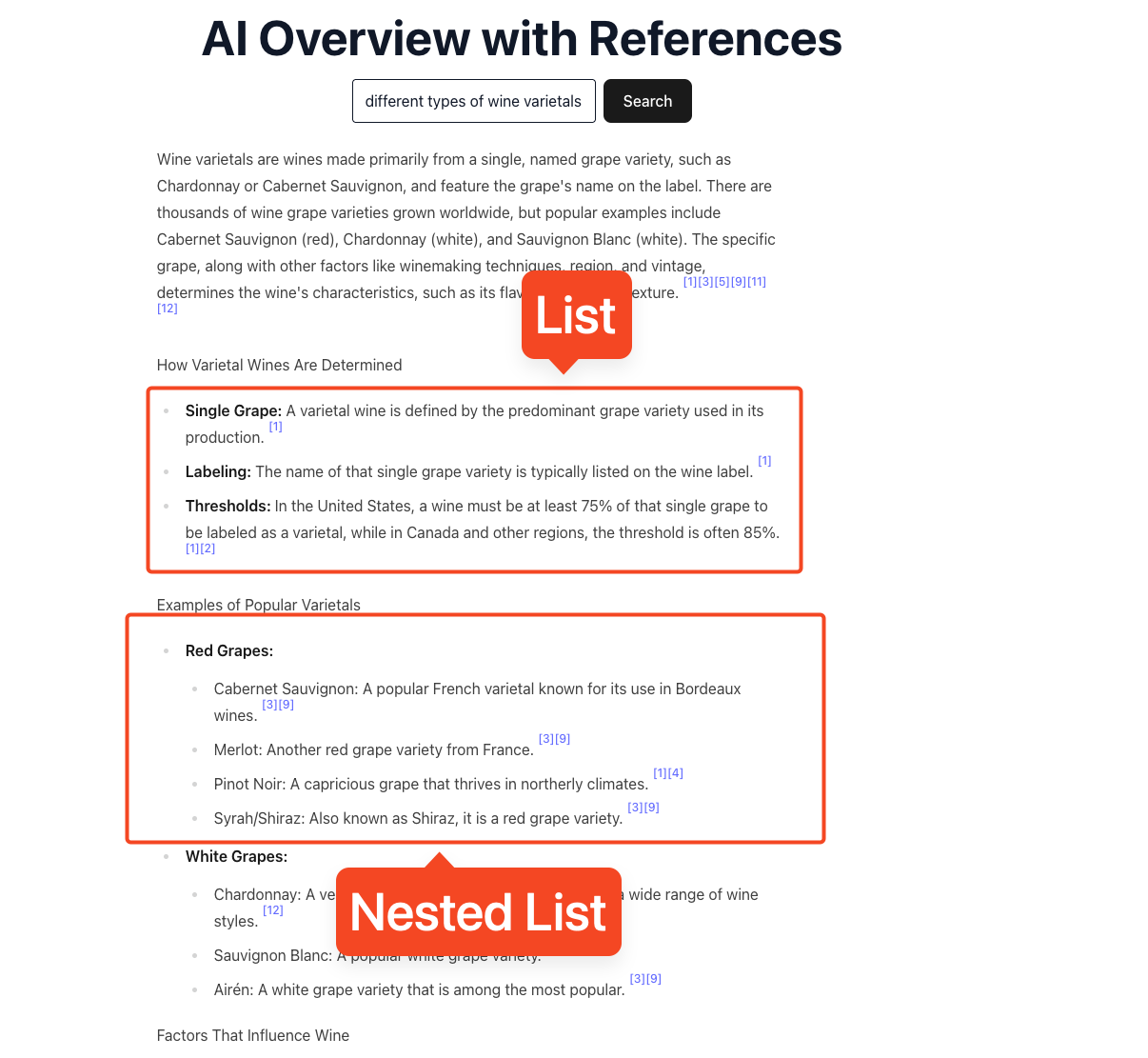
Overview highlighting the list block type
### References
Finially, we need to handle our references section, which we do using a component that we pass our `references` array to.
```js
// ./client/src/components/References.jsx
export default function References({ references }) {
if (!references || references.length === 0) return null;
return (
References
{references
.sort((a, b) => a.index - b.index)
.map((ref) => (
))}
);
}
```
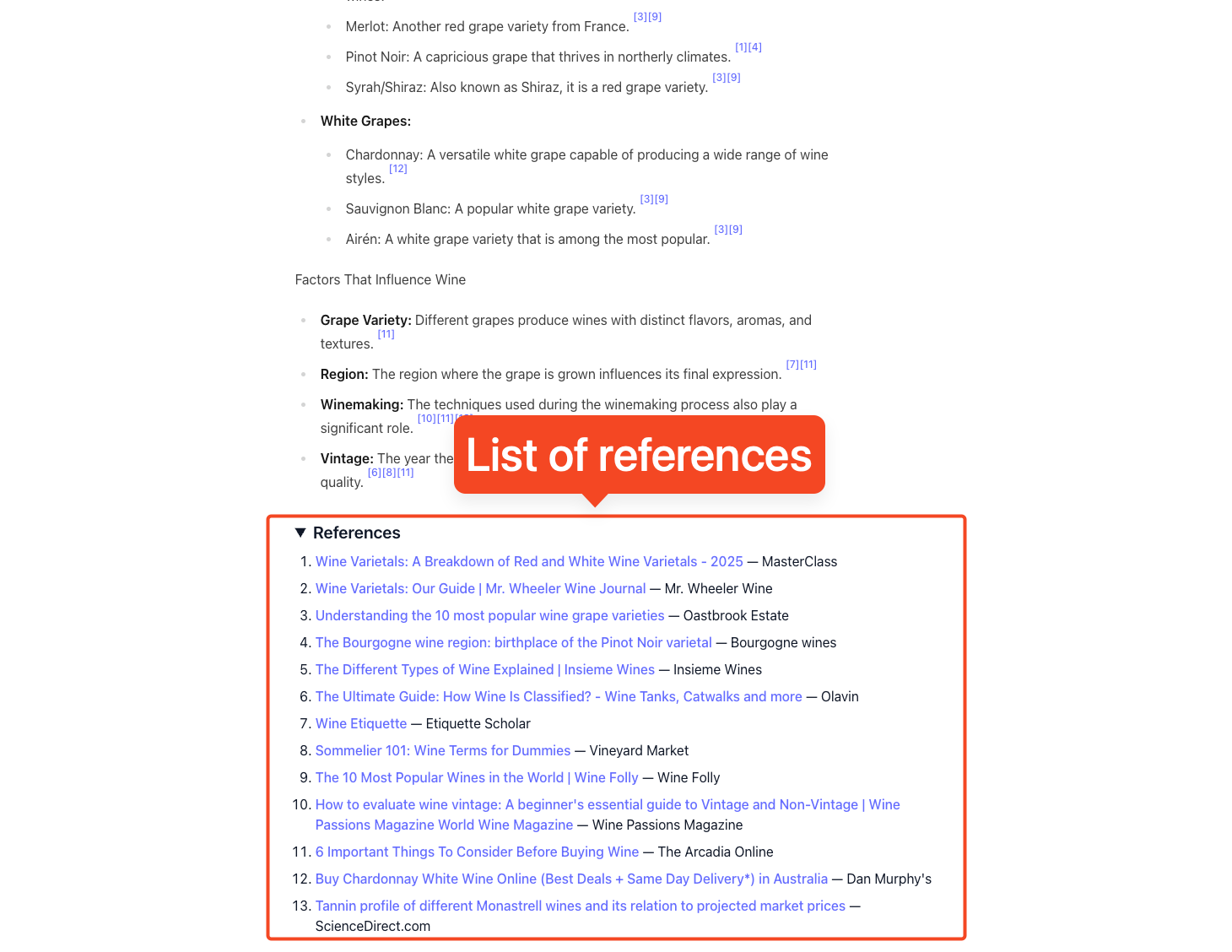
# Closing
That’s the whole flow: request the overview with the Search API, follow up with the AI Overview API only when a short-lived `page_token` is returned, then render the structured result using `text_blocks` and `references`. With a thin server proxy to avoid CORS and a simple, table-driven block renderer, you get predictable output, clean citations, and an easy path to add new block types as Google evolves the format. Keep `no_cache: true`, make the follow-up call immediately when a token appears, process sequentially if you are batch testing, and fall back gracefully when no overview exists.
If you want to try this yourself, clone the example, plug in your SerpApi key, and test with a few real queries. From there, tweak the renderer for your preferences, add styling for `snippet_highlighted_words`, and extend list handling or media as you need.
Also, read about how [AI Overview is changing the rank tracking industry](https://serpapi.com/blog/rank-tracking-in-the-age-of-ai-overviews-whats-changed/).
## Additional Resources
[Google Search Engine Results API - SerpApiScrape Google search results in JSON format automatically using custom parameters. Search for keywords by location, date and more with SerpApi.SerpApiSerpApi](https://serpapi.com/search-api)
[How to Scrape Google AI Overviews (AIO)Scrape Google’s new AI Overviews feature (formerly called SGE) with SerpApiSerpApiRyan Schafer](https://serpapi.com/blog/scrape-google-ai-overviews/)
[AI Overviews - SerpApiSearch engine scraping tutorials, API updates and other tips.SerpApiNathan Skiles](https://serpapi.com/blog/tag/ai-overviews/)