> ## Content Index
> Fetch the complete content index at: https://serpapi.com/blog/llms.txt
> Use this file to discover other available public pages before exploring further.
# Scrape Naver web organic results with SerpApi
- URL: https://serpapi.com/blog/scrape-naver-web-organic-results-with-serpapi/
- Published: 2022-05-03T22:32:24.000Z
- Updated: 2023-06-07T21:26:42.000Z
- Author: Alaa Abdulridha
- Tags: Naver, Web Scraping
Naver (Hangul: 네이버) is a South Korean online platform operated by the Naver Corporation. It debuted in 1999 as the first web portal in South Korea to develop and use its own search engine.
Today we will have a quick walkthrough using SerpApi to extract Naver web organic results.
SerpApi supports multiple search types for the Naver search engine, you can select the suitable one for you.
## Where - The parameter
The `where` Parameter is the parameter responsible for the search type :
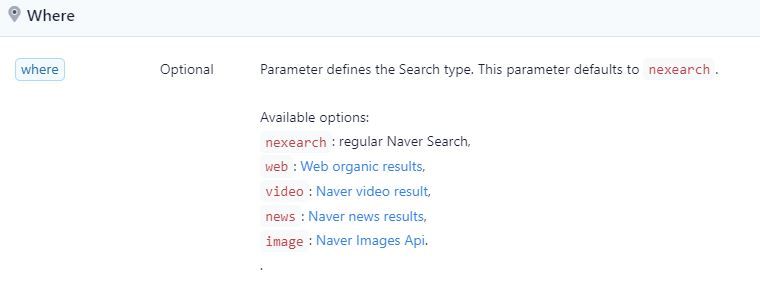
When `where` parameter is set to `web` only organic results will be parsed, without any inline videos or inline images, or news results.
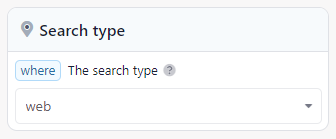
where parameter is set to web in Naver search API
## **Naver web results keys**
The JSON result, in the case of using `where=web` , will be a set of arrays and hashes, as presented
```JSON
{
"search_metadata": { … },
"search_parameters": { … },
"related_results": [ … ],
"ads_results": [ … ],
"organic_results": [ … ],
"pagination": { … },
"serpapi_pagination": { … }
}
```
Naver Web JSON results - SerpApi
`search_metadata` and `search_parameters` are the basic SerpApi keys.
`related_searches` will contain the results of the related searches in Naver web results and as presented by the engine itself.
`ads_results` will contain the results of the ads from Naver search engine... it's similar to google ads results.
`organic_results` is the most important one, this key will contain the Naver engine web organic results with its rich data.
`pagination` and `serpapi_pagination` are the basic pagination that we use for all of our engines.
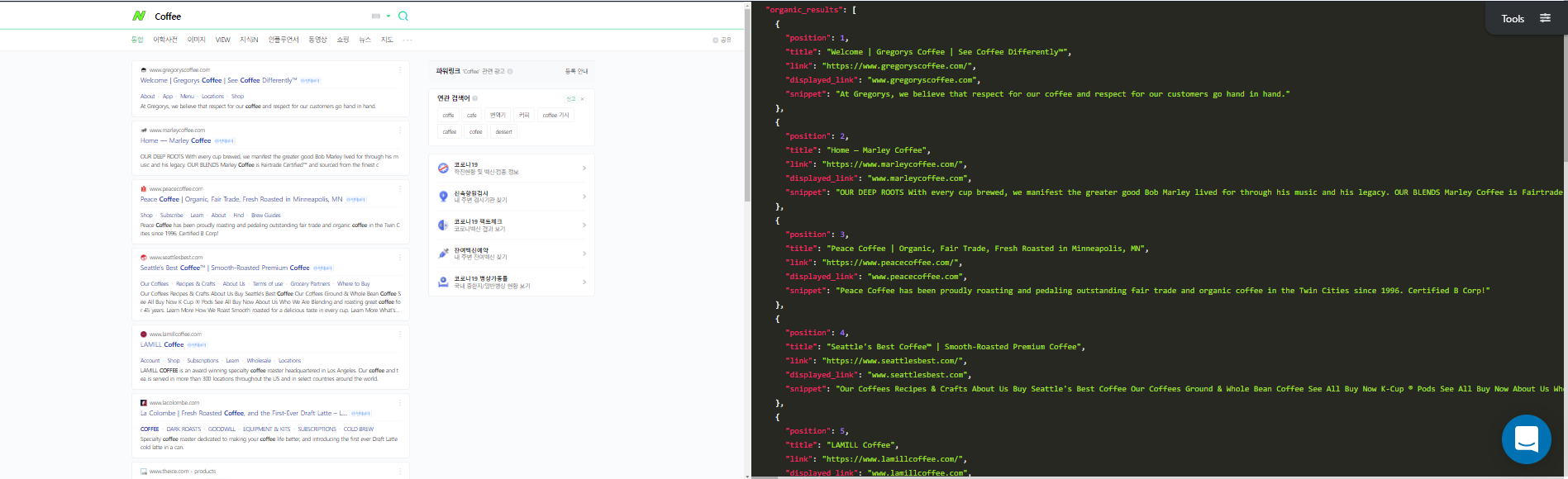
Naver web organic results - SerpApi
## Pagination
The Naver web results have the pagination parameter, as in the other Naver searches.
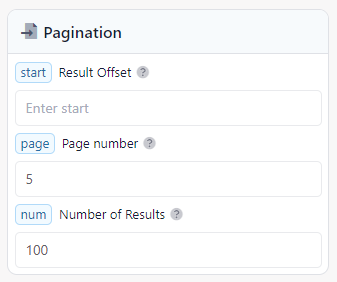
Naver Search engine pagination - SerpApi
`start` This parameter controls the offset of the organic results. This parameter defaults to 1 (except for the `web`).
(e.g. The formula for all searches except the web is `start = (page number * 10) - 9`
e.g. Page number 3 `(3 * 10) - 9 = 21`)
The formula for the web will be `start = (page number * 15) - 29`
e.g. Page number 3 `(3 * 15) - 29 = 16`.
`page` The page parameter does the `start` parameter math for you! Just define the page number you want. Pagination starts from 1.
`num` Parameter defines the maximum number of results to return. `50` (default) returns 50 results. The maximum number of results to return is `100`.
The parameter can only be used with [Naver Images API](https://serpapi.com/naver-images-api).
## How to
Let's get done with it and start with the live examples.
Here is an example to extract Naver web results with SerpApi:
```JSON
https://serpapi.com/search.json?engine=naver&query=Coffee&where=web&api_key=YOUR_API_KEY
```
To extract the Naver HTML web results page:
```JSON
https://serpapi.com/search.html?engine=naver&query=Coffee&where=web&api_key=YOUR_API_KEY
```
You must replace `YOUR_API_KEY` with your SerpApi key. If you don't have a key [Sign up now](https://serpapi.com/pricing) to get your key.
## Ending
To read more about how Naver search API works, or how to deal with Naver engine using SerpApi you can check out our other Naver articles.
[Scrape Naver video results with SerpApi](https://serpapi.com/blog/scarpe-naver-video-results-with-serpapi/)
[SerpApi's Naver search API](https://serpapi.com/blog/serpapis-naver-search-api/)
[Google Images best alternative - Naver Images API](https://serpapi.com/blog/google-images-best-alternative-naver-images-api)
[Naver nexearch with SerpApi](https://serpapi.com/blog/naver-nexearch-with-serpapi/)
- You can sign-up for SerpApi here:
- You can find the API documentation here:
- You can follow us on Twitter at [@serp\_api](https://twitter.com/serp%5Fapi), to get our latest news and articles.
- You can report any issue or submit feature request at our Github account: