> ## Content Index
> Fetch the complete content index at: https://serpapi.com/blog/llms.txt
> Use this file to discover other available public pages before exploring further.
# How to use SerpApi in Laravel (using HTTP Client)
- URL: https://serpapi.com/blog/how-to-use-serpapi-in-laravel/
- Published: 2024-06-20T08:26:06.000Z
- Updated: 2024-06-25T19:30:05.000Z
- Description: Learn how to use SerpApi to scrape search engines like Google in your Laravel project.
- Author: Hilman Ramadhan
- Tags: php
Laravel is a popular PHP framework designed for building web applications by simplifying tasks such as authentication, routing, sessions, and caching. Let's learn how to use SerpApi in your Laravel project.

How to use SerpApi in Laravel illustration.
Laravel provides a simple HTTP API, a wrapper for [Guzzle HTTP Client](https://docs.guzzlephp.org/en/stable/). Here is the documentation for the [HTTP Client on Laravel](https://laravel.com/docs/11.x/http-client). We'll use this simple API to call SerpApi.
> We covered how to use SerpApi in PHP using cURL in this blog post:
## Step by step
Here is the step-by-step:
1. New route
Prepare a new route on `/route/web.php` . Add these lines:
```php
use App\Http\Controllers\SerpApiController;
Route::get('/serpapi', [SerpApiController::class, 'index']);
```
1. New Controller
Create a new controller by running:
```bash
php artisan make:controller SerpApiController
```
1. New method
Prepare the new `index` method that we've defined on the route earlier. Don't forget to add HTTP in the import section.
```php
//@SerpApiController.php file
use Illuminate\Support\Facades\Http;
class SerpApiController extends Controller
{
public function index() {
$url = "https://serpapi.com/search.json?engine=google&q=Coffee&google_domain=google.com&gl=us&hl=en&google_domain=google.com&api_key=YOUR_API_KEY";
$response = Http::get($url);
return $response->json();
}
}
```
**Warning:**
i) You can adjust the URL value depending on which search engines and parameters you want to use. The basic endpoint is always `https://serpapi.com/search` . The rest are *key-value pairs* of the parameters you want to use.
ii) Don't forget to add your real API key from the dashboard.
## Get the full URL from the Playground
The easiest way to play with our API and automatically generate the URL is by heading to our [playground](https://serpapi.com/playground). After playing with the parameters from the GUI, you can click on the `Export to code` button on the top right corner. You can then copy the full URL from the `JSON URL` section.
Alternatively, we recommend to take a look at our documentation page to understand the parameters you want to use better.
Reference: [SerpApi documentation page](https://serpapi.com/search-api).
## Get a specific part from the response
If you are only interested in the specific parts of the response, you can use the square bracket with the key name. For example:
```php
public function index() {
$url = "URL";
$response = Http::get($url);
// Get only organic_results from the response
$organic_results = $response->json()['organic_results'];
return $organic_results;
}
```
## Bonus: Display in HTML
If you want to display the results on an HTML page, you can replace the return section from the previous method with this:
```php
$organic_results = $response->json()['organic_results'];
return view('serpapi', compact('organic_results'));
```
Create new `/views/serpapi.blade.php` file. For example, if you want to loop the organic results:
```php
@foreach($organic_results as $result)
@endforeach
```
Here is the result:
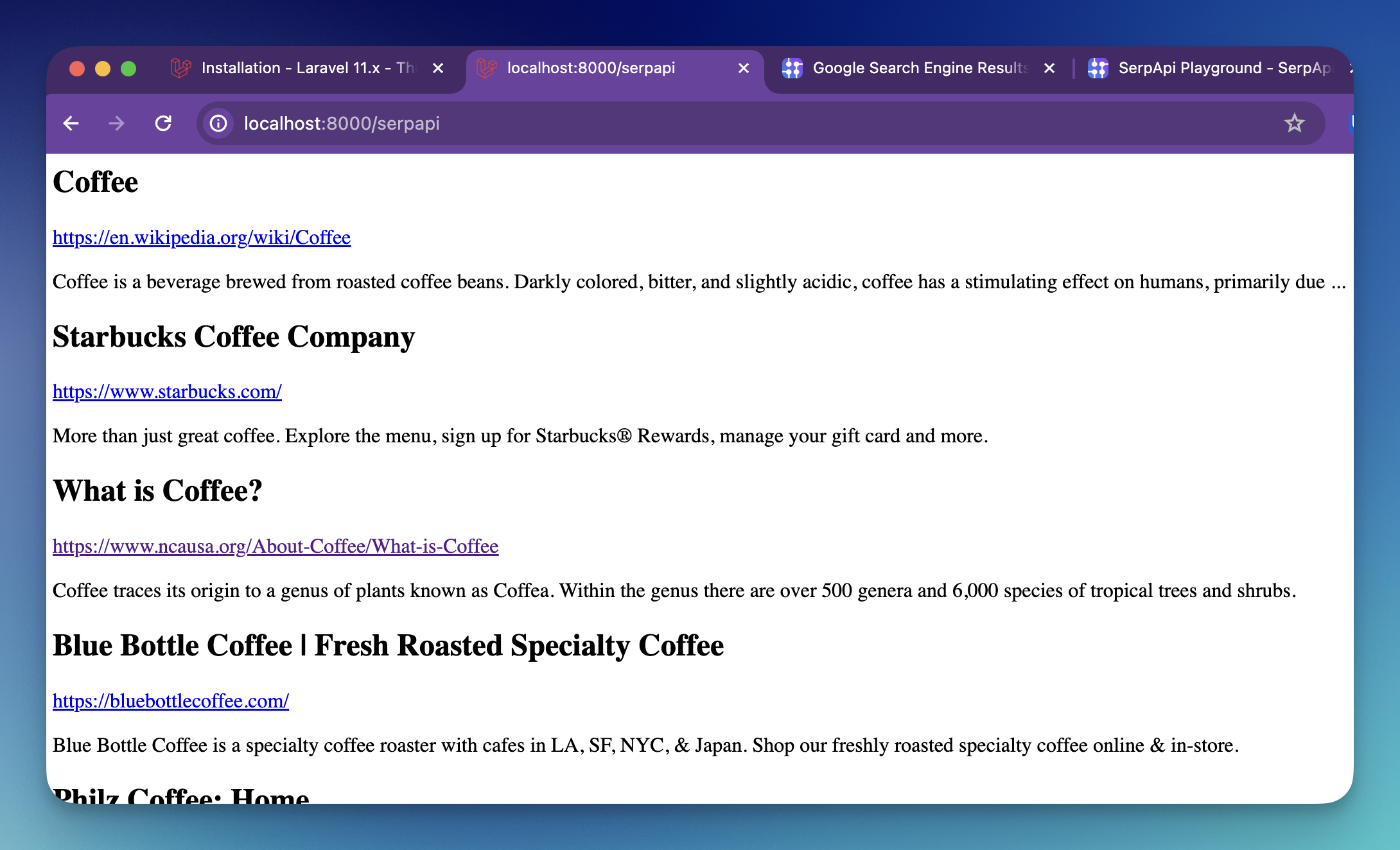
using SerpApi in Laravel demo
Reference:
\- [Laravel framework](https://laravel.com/)