> ## Content Index
> Fetch the complete content index at: https://serpapi.com/blog/llms.txt
> Use this file to discover other available public pages before exploring further.
# How to Scrape Google Autocomplete Results (2026)
- URL: https://serpapi.com/blog/how-to-scrape-google-autocomplete-results/
- Published: 2024-02-13T10:16:37.000Z
- Updated: 2026-07-31T07:18:56.000Z
- Description: Scrape Google Autocomplete results with the SerpApi Google Autocomplete API. Pull real-time keyword suggestions as structured JSON. No scrapers to maintain.
- Author: Andy L
- Tags: google autocomplete, Google, SEO
When you start typing the keyword search on Google, Google will suggest relevant keywords. There are several reasons, primarily related to research, analysis, SEO, and reputation optimization, to scrape Google Autocomplete results.
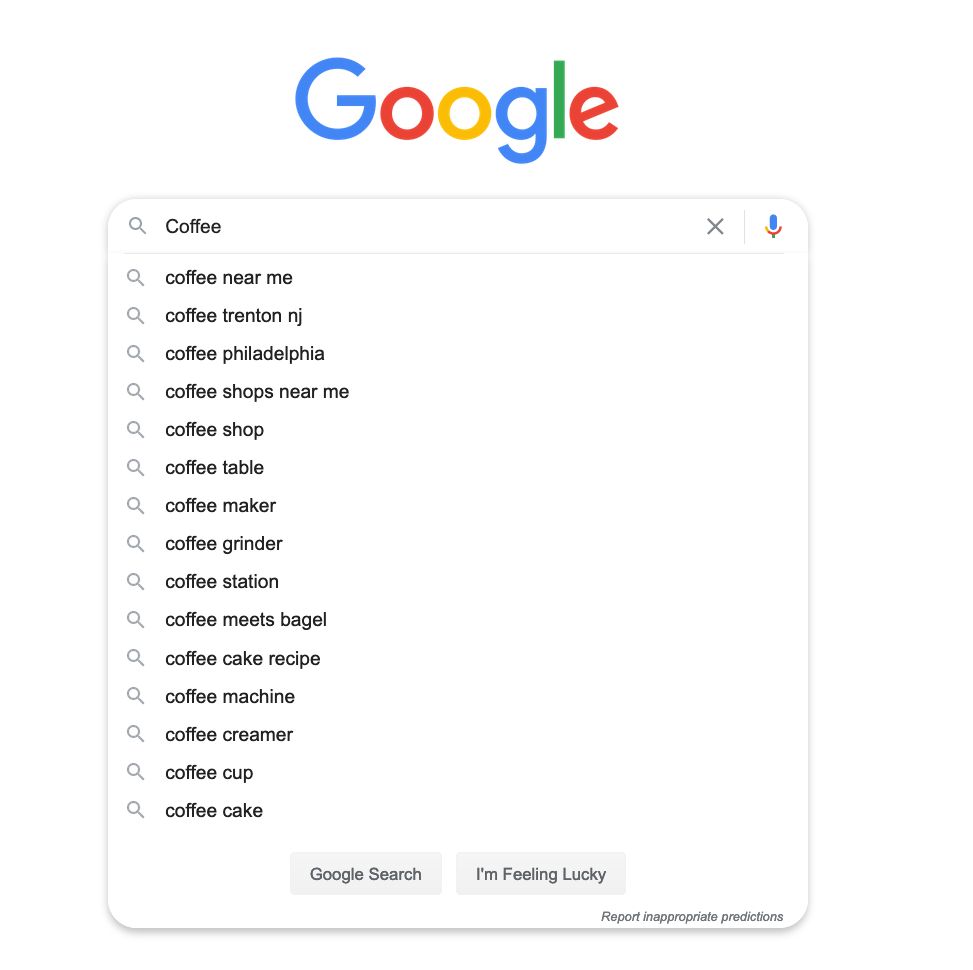
Google Autocomplete search
## Why do you need to scrape the autocomplete suggestions?
By scraping Google Autocomplete keywords, you can discover popular search queries related to specific keywords or topics, and generate ideas for your blog posts, videos, etc. You can have more insights into trending topics, frequently asked questions, and more!
Google Autocomplete keywords are also an excellent source for tracking mentions, sentiments, and brand reputation. For local businesses, they will help to understand the search behavior of users in specific locations.
## Solution to scrape Google Autocomplete
If you want to scrape real-time keyword suggestions in different locations and different languages, SerpApi Google Autocomplete offers high-quality APIs to support your success.
Here's what sets it apart:
1. Structured JSON output: Results are returned in clean, ready-to-use JSON format, so you can immediately pipe data into your app, dashboard, or content tool without any parsing headaches
2. Real-time data: Always reflects the latest autocomplete suggestions as they appear on Google
3. Location & language targeting: Easily specify country, city, and language parameters in a single API call
4. No maintenance required: SerpApi handles all proxy rotation, CAPTCHA solving, and Google updates on their end
5. Reliable uptime: No scraper breakdowns or data gaps interrupting your workflow
6. Simple integration: Works with any language or framework via straightforward REST API calls
Let's do some searches on our [playground](https://serpapi.com/playground?engine=google%5Fautocomplete)!
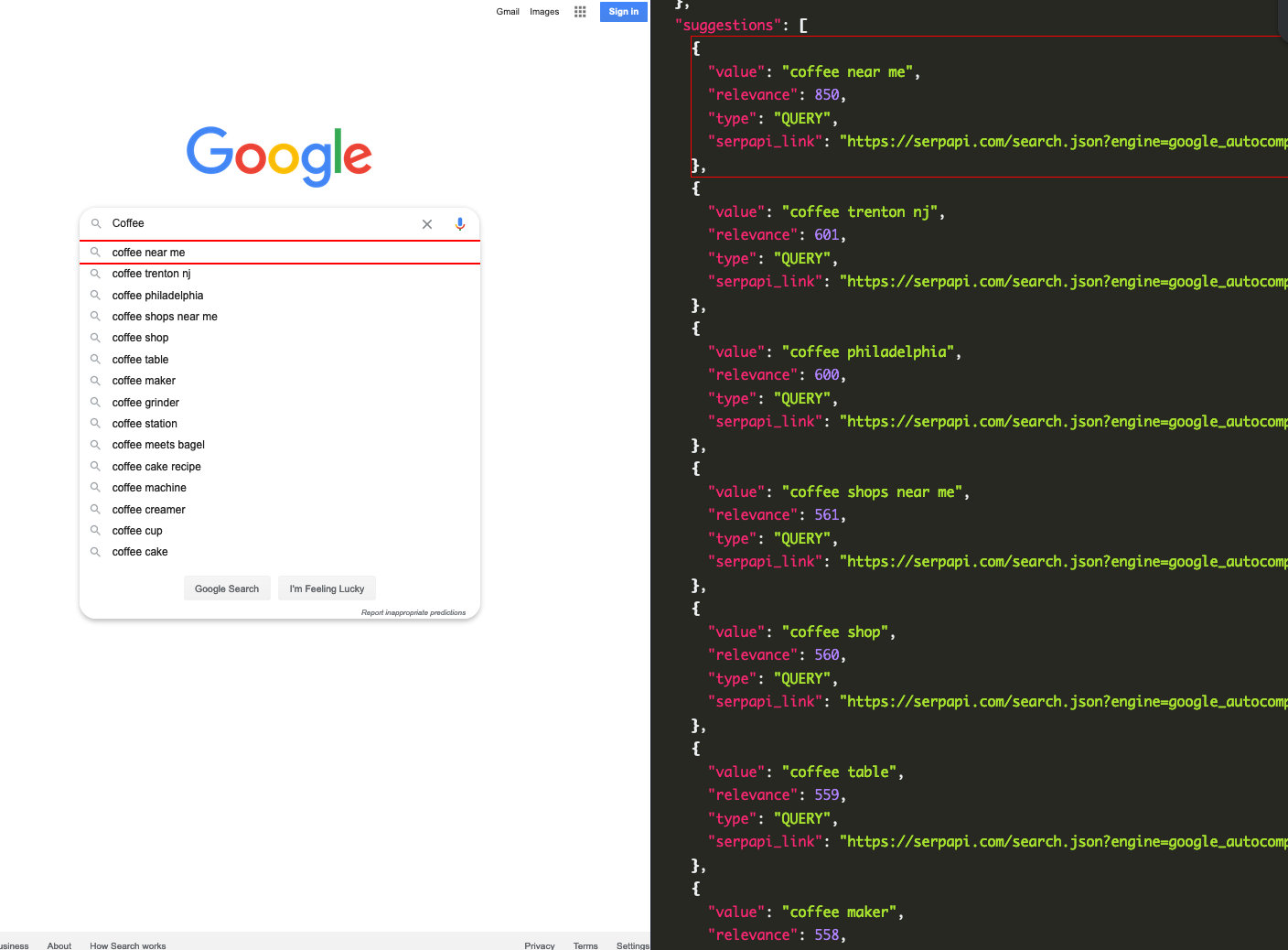
Google Autocomplete API playground
Here is a video tutorial in Python:
### Setting up a SerpApi account
[SerpApi](https://serpapi.com/) offers a free plan for newly created accounts. Head to the [sign-up](https://serpapi.com/users/sign%5Fup?plan=free) page to register an account and complete your first search with our [interactive playground](https://serpapi.com/playground?engine=google%5Fautocomplete). When you want to do more searches with us, please visit the [pricing page](https://serpapi.com/pricing).
Once you are familiar with all the results, you can use the SERP APIs with your [API Key](https://serpapi.com/manage-api-key).
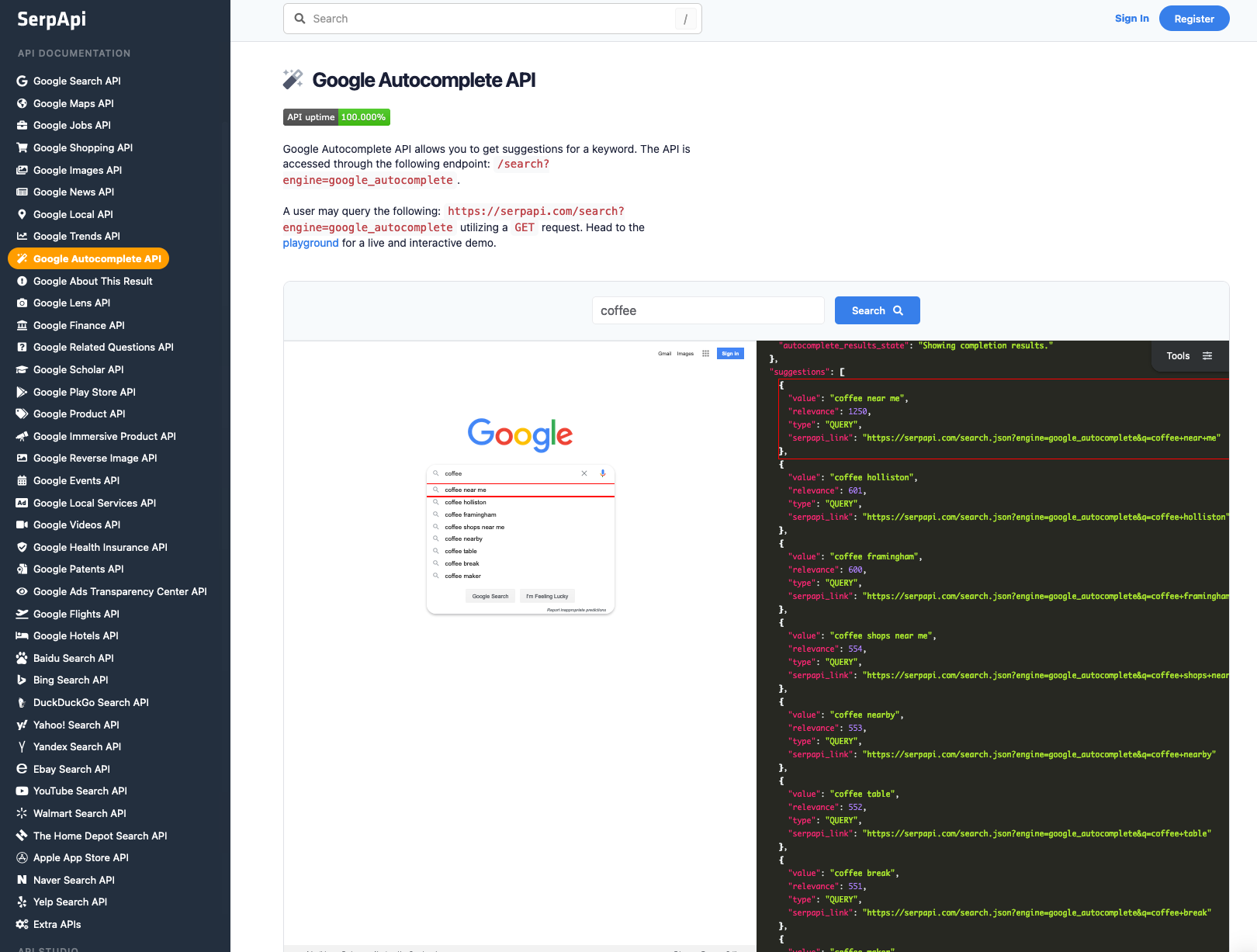
Google Autocomplete API documentation
### Scrape your first Google Autocomplete results with SerpApi
Head to the Google Autocomplete Results from the [documentation](https://serpapi.com/google-autocomplete-api) on [SerpApi](https://serpapi.com/) for details.
In this tutorial, we will scrape keyword suggestions when searching with the "star" keyword. Will Google suggest "Starbucks" or "Star Wars"...? The data contains: "value", "relevance", "type", and more. You can also scrape more information with SerpApi.
First, you need to install the [SerpApi client library](https://github.com/serpapi/serpapi-python).
```python
pip install serpapi
```
Set up the[ SerpApi](https://serpapi.com/?ref=serpapi.com)[ credentials](https://serpapi.com/manage-api-key?ref=serpapi.com) and search.
```python
import serpapi
import os, json, csv
params = {
'api_key': 'YOUR_API_KEY', # your serpapi api
'engine': 'google_autocomplete', # SerpApi search engine
'q': 'star'
}
```
To retrieve Google Autocomplete Results for a given search query, you can use the following code:
```python
client = serpapi.Client()
results = client.search(params)['suggestions']
```
You can store Google Autocomplete Results JSON data in databases or export it to a CSV file.
```python
import csv
header = ['value', 'relevance', 'type']
with open('google_autocomplete.csv', 'w', encoding='UTF8', newline='') as f:
writer = csv.writer(f)
writer.writerow(header)
for item in results:
print(item)
writer.writerow([item.get('value'), item.get('relevance'), item.get('type')])
```
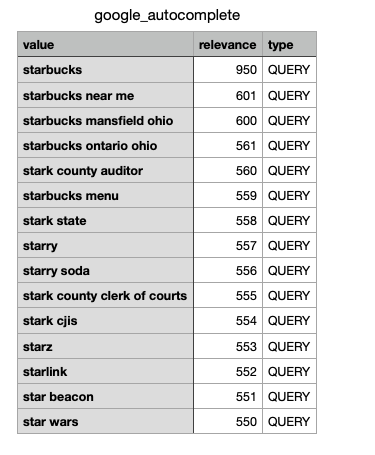
This example uses Python, but you can also use your favorite programming languages, such as Ruby, Node.js, Java, PHP, and more.
### Advanced Parameters
Let’s take a look at the Advanced Parameters, as we have gone over the `localization` before in other blogs:
[Geographic Location and Localization parameters on SerpApi’s Google Search APISerpApi’s Google Organic Search API has many parameters to create a very specific request to scrape data. In this walk-through we will talk…SerpApiJustin O’Hara](https://medium.com/serpapi/geographic-location-and-localization-parameters-on-serpapis-google-search-efbedaa8a4dd)
In the advanced parameters we have:`cp` and `client` for potential parameters.
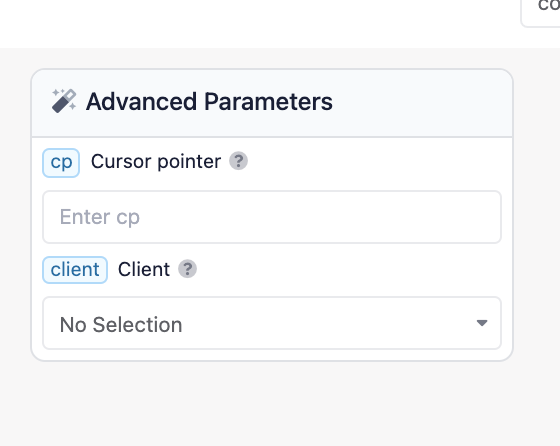
When you hover over the `?` near the parameter names, we see the breakdown.
For `cp` it states:
> *Cursor pointer defines the position of cursor for the query provided, position starts from 0 which is a case where cursor is placed before the query `|query`. If not provided acts as cursor is placed in the end of query `query|`.*
For `client` it states:
> *Parameter used to define client for autocomplete. List of supported* [*clients*](https://serpapi.com/google-autocomplete-clients)*.*
And this link brings us to the SerpApi page of Supported Google Autocomplete Clients:
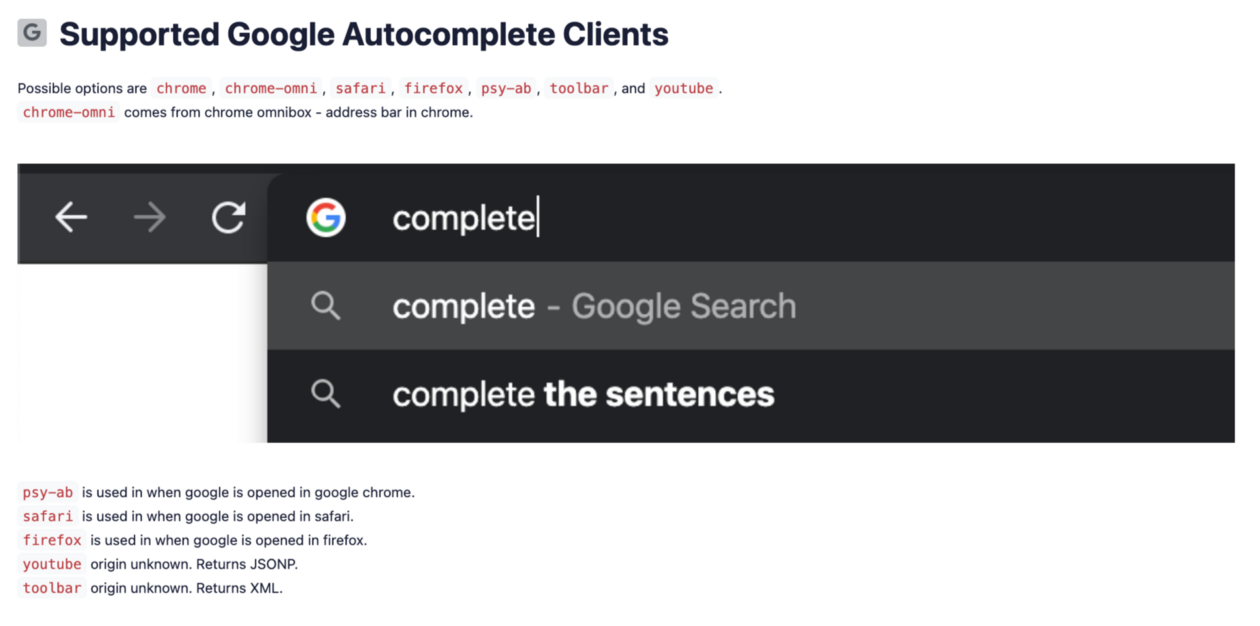
So this is an option for the type of browser that would be queried with.
> `psy-ab` is used in when google is opened in google chrome.
>
> `safari` is used in when google is opened in safari.
>
> `firefox` is used in when google is opened in firefox.
>
> `youtube` origin unknown. Returns JSONP.
>
> `toolbar` origin unknown. Returns XML.
## Use Case
Now I went over to the SerpApi [Playground](http://www.serpapi.com/playground) and started playing with the white-listed query “coffee” and manipulating the advanced search parameters.
First I wanted to see if there was a significant difference in dataset (I copied only the first 5 results) when I changed the cursor pointer `cp` parameter from *`|query`* to *`query|`*
```json
{
"value":"coffee near me",
"relevance":950,
"type":"QUERY"
},
{
"value":"coffee washington",
"relevance":601,
"type":"QUERY"
},
{
"value":"coffee alexandria va",
"relevance":600,
"type":"QUERY"
},
{
"value":"coffee shops near me",
"relevance":554,
"type":"QUERY"
},
{
"value":"coffee table",
"relevance":553,
"type":"QUERY"
}
```
VS
```json
{
"value":"coffee mate",
"relevance":601,
"type":"QUERY"
},
{
"value":"coffee break",
"relevance":600,
"type":"QUERY"
},
{
"value":"coffee bread",
"relevance":555,
"type":"QUERY"
},
{
"value":"coffee bar",
"relevance":554,
"type":"QUERY"
},
{
"value":"coffee prince",
"relevance":553,
"type":"QUERY"
}
```
There is a different response. And also within the dataset there is a “relevance” data set.
I wondered where and what the information correlated to. When I checked out the `raw_html_file` I saw this:

There is a relevance score that is a bit arbitrary to users, but this is how Google ranks and orders the results.Then when switching the `client` . Here are the top three JSON results.
Chrome:
```json
{
"value":"coffee near me",
"relevance":1250,
"type":"QUERY"
},
{
"value":"coffee las vegas",
"relevance":601,
"type":"QUERY"
},
{
"value":"coffee henderson nv",
"relevance":600,
"type":"QUERY"
}
```
Chrome-omni:
```json
{
"value":"coffeeholic",
"relevance":651,
"type":"QUERY"
},
{
"value":"coffee near me",
"relevance":650,
"type":"QUERY"
},
{
"value":"coffee bellevue",
"relevance":601,
"type":"QUERY"
}
```
Safari:
```json
{
"value":"coffee nearby"
},
{
"value":"coffee near me"
},
{
"value":"coffee richmond va"
}
```
FireFox:
```json
{
"value":"coffeeshop"
},
{
"value":"coffeeshop in de buurt"
},
{
"value":"coffeelicious"
}
```
Psy-ab:
```json
{
"value":"coffee near me"
},
{
"value":"coffee shops near me"
},
{
"value":"coffee"
}
```
Youtube:
```json
{
"value":"coffee near me"
},
{
"value":"coffee columbus ohio"
},
{
"value":"coffee dublin ohio"
}
```
Quite different results and also, the relevancy score was only prevalent in chrome and chrome-omni searches.
If you have any questions, please feel free to [contact us](mailto:contact@serpapi.com).
## Related links
- [Google Autocomplete API documentation](https://serpapi.com/google-autocomplete-api)
- [Google Autocomplete API playground](https://serpapi.com/playground?engine=google%5Fautocomplete)
**Further reading**
Expand what you can do with Google Autocomplete by combining it with other powerful data sources:
- [JavaScript SEO Keywords Research Tool: Google Autocomplete, People Also Ask, and People Also Search For](https://serpapi.com/blog/google-seo-keywords-generator-tool-nodejs/)
- [Python SEO Keyword Research Tool: Google Autocomplete, People Also Ask and Related Searches](https://serpapi.com/blog/python-seo-keyword-research-tool/)