> ## Content Index
> Fetch the complete content index at: https://serpapi.com/blog/llms.txt
> Use this file to discover other available public pages before exploring further.
# Google Images best alternative - Naver Images API
- URL: https://serpapi.com/blog/google-images-best-alternative-naver-images-api/
- Published: 2022-02-21T04:51:55.000Z
- Updated: 2023-05-24T16:40:21.000Z
- Author: Alaa Abdulridha
- Tags: Naver
## About Naver
As we know, the Naver engine handles **74.7% of all web searches** in South Korea, which might be the same number for Images API in Naver.
Naver developers put huge effort in developing and improving their engines, including the Images API itself. As we worked on scrapping their engine, we suffered from the continuous updates and improvements on their engine as we have to stay up-to-date as well to maintain the uptime of our service.
## About Naver Images API
As mentioned above, recently we added the Naver Images API to our supported engines. SerpApi is the first company in the world to support Naver Images API as a separate, fully supported engine.
The documentation contains general information such as the parameters and the output keys.
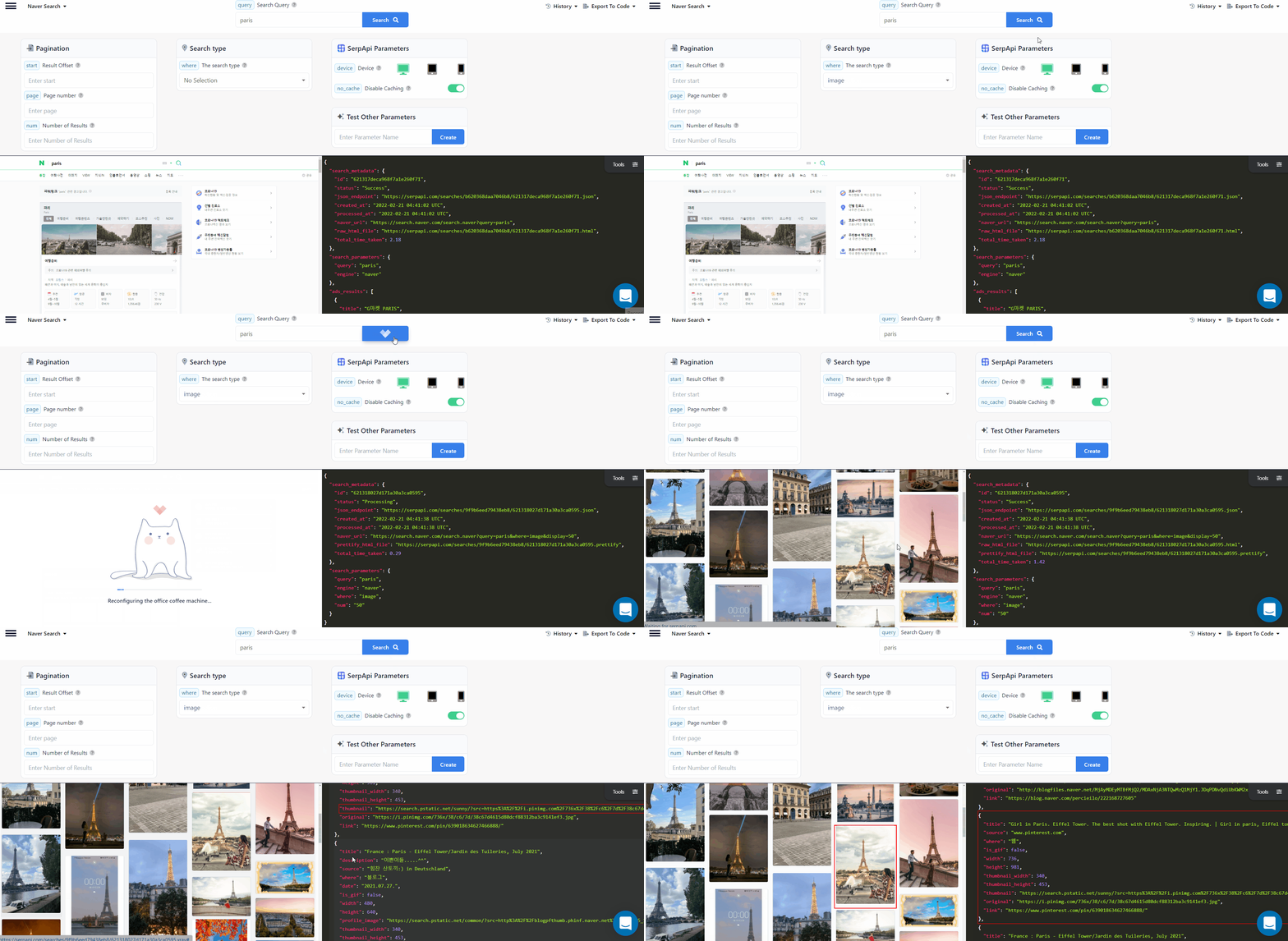
Naver Images API - SerpApi
Like the rest of the Naver API, we have the `where` parameter which is the main parameter for all Naver API, *This parameter is required*

Naver Images API Parameters
We must set the `where` Parameter to `image` if we want to use Naver Images API.
And finally, we have the `query` parameter which represents the search query parameter.
## **Playground**
Now we will go to the [Playground](https://serpapi.com/playground) on the [SerpAPI](https://serpapi.com/) website to test the engine. We will search for `coffee` and check out the results:
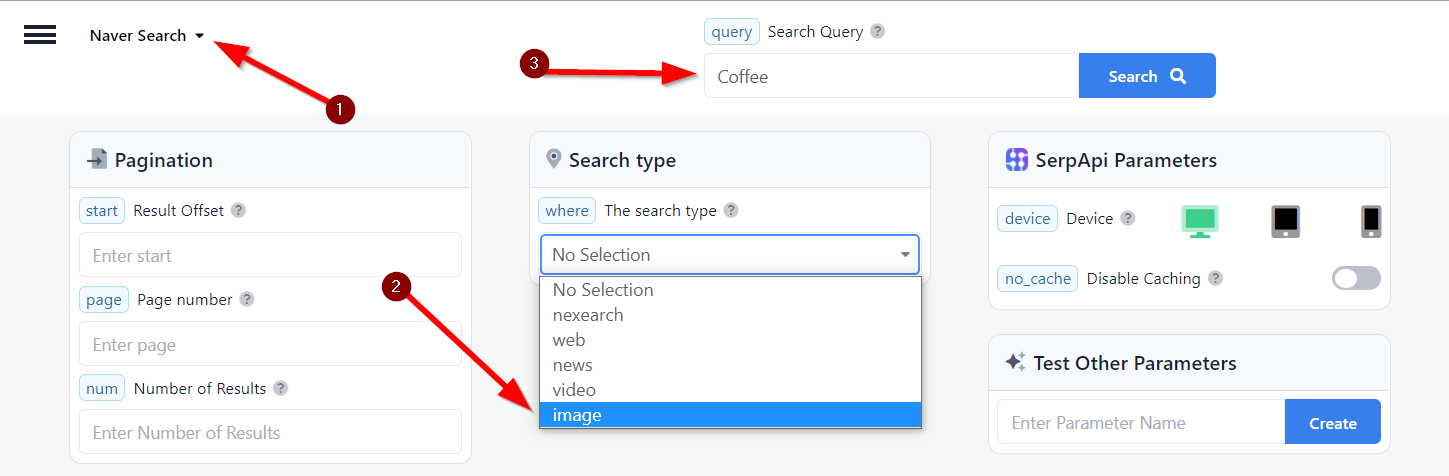
Naver Images API search by SerpAPI
1. We select the engine from the top left.
2. We select the search type using `where` parameter.
3. We enter the search query we want.
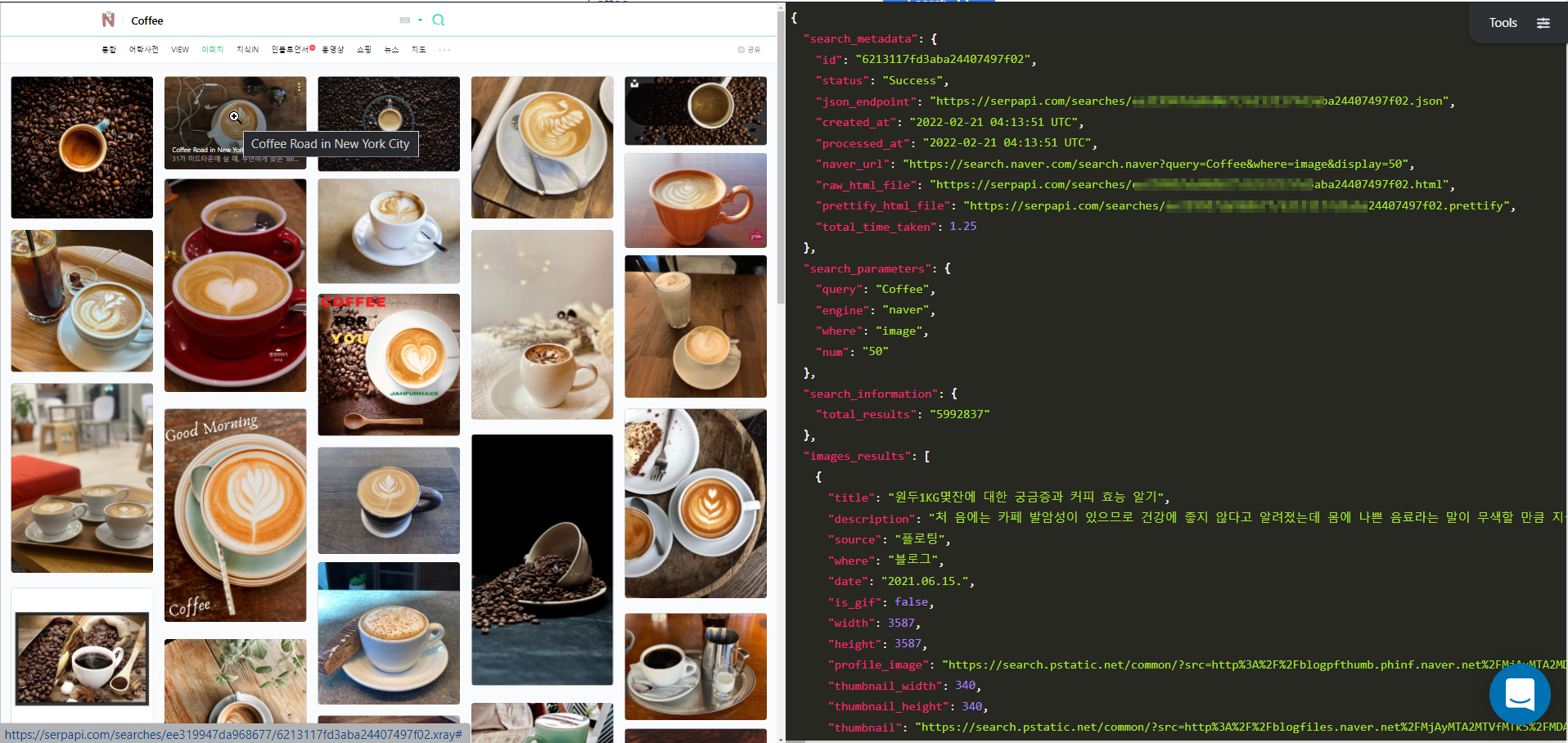
Naver Images API JSON and HTML results
This will be the result of rich JSON. In the JSON there are very useful keys, we can get into some of them:
- `total_results` this key represents the total amount of the results found for your search query.
- `images_results` this key represents the results per image.
- `prettify_html_file` this is the HTML file as it appears in the screenshot above on the left.
- `naver_url` this is the actual Naver search engine link for the query you made.
- `json_endpoint` this is the most important and as in the rest of SerpAPI engines, it's the JSON output file URL.
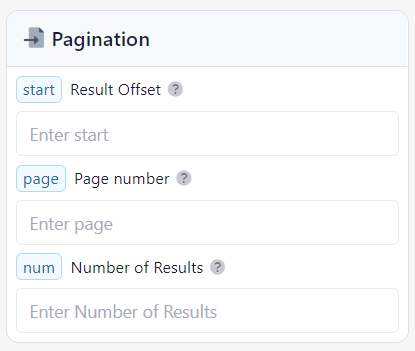
SerpAPI Naver Image API pagination search parameters
### Pagination
Let's not miss the Pagination parameters, in SerpApi we support most of Naver's Search engine parameters, and it's not limited to pagination, let's put the spotlights here on the pagination.
As you can see in the screenshot above, we support three parameters for Naver Images API.
- `start` Parameter controls the offset of the organic results. [More info...](https://serpapi.com/naver-search-api)
- `page` The page parameter does the start parameter math for you! Just define the page number you want. Pagination starts from 1.
- `num` Parameter defines the maximum number of results to return. 50 (default) returns 50 results. Maximum number of results to return is 100\. Parameter can only be used with Naver Images API.
You will find the `start` and `num` parameters in the actual Naver engine, but you won't find `page` parameter, this parameter is provided by SerpApi and you won't find it anywhere else, the `page` parameter can make the developers who use the SerpApi shortcut a lot of work on their automated tools and SEO tools.
All the pagination parameters are `Optional` to use and not required, of course, you can read more detailed documentation about Naver Search engine parameters directly on [our documentation page](https://serpapi.com/naver-search-api).
Finally, by the numbers and how easy to use it, and the information it provides,
we can say Naver Images API is the biggest and best alternative to Google Images API.
If you use Google Images API, then I highly recommend you to test [Naver Images API on SerpAPI](https://serpapi.com/naver-images-api).
## Ending
Together we will continue discovering the Naver search engine with SerpApi.
Don't miss our other Naver blog posts:
[Scrape Naver video results with SerpApi](https://serpapi.com/blog/scarpe-naver-video-results-with-serpapi/)
[SerpApi's Naver search API](https://serpapi.com/blog/serpapis-naver-search-api/)
- You can sign-up for SerpApi here:
- You can find the API documentation here:
- Documentation on [Naver Images API](https://serpapi.com/naver-images-api).
- You can follow us on Twitter at [@serp\_api](https://twitter.com/serp%5Fapi), to get our latest news and articles.